
1. Introduction
Thank you for purchasing the MUZEN Button Bluetooth Speaker. This ultra-compact, retro-style portable speaker delivers high-quality audio with powerful bass. This manual provides instructions for setup, operation, and maintenance to ensure optimal performance and longevity of your device.
2. Package Contents
- MUZEN Button Bluetooth Speaker (MW-P1I)
- USB Charging Cable
- Portable Strap
- User Manual
3. Product Overview
Familiarize yourself with the speaker's components and controls.

Figure 3.1: Diagram showing the volume knob, channel switch, power switch, Bluetooth indicator light, USB charging port, strap attachment hole, speaker, and decorative plate.
- Volume Knob: Rotate to adjust audio volume.
- Channel Switch: Used for track skipping (forward/backward).
- Power Switch: Turns the speaker on or off.
- Bluetooth Indicator Light: Shows Bluetooth connection status.
- USB Charging Port: Connect the USB cable for charging.
- Strap Attachment Hole: For attaching the portable strap.
- Speaker: Audio output.
4. Setup
4.1 Charging the Speaker
Before first use, fully charge the speaker. The built-in 400mAh lithium-ion battery provides approximately 8 hours of playback at 50% volume or 4 hours at maximum volume. A full charge takes about 1.5 hours.
- Connect the provided USB charging cable to the speaker's USB charging port.
- Connect the other end of the USB cable to a compatible USB power adapter (not included) or a computer's USB port.
- The indicator light will show charging status (refer to product for specific light behavior).
- Once fully charged, disconnect the charging cable.
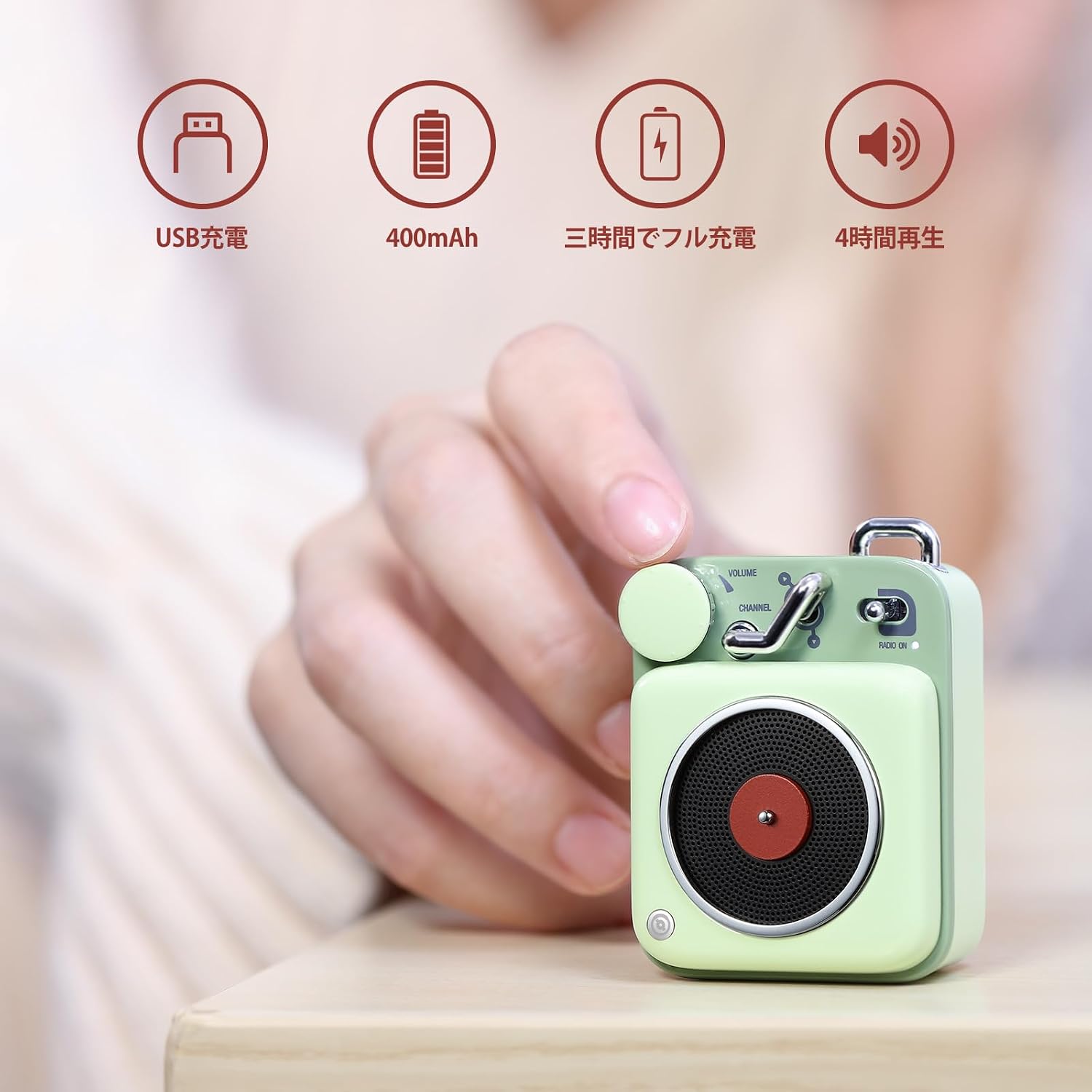
Figure 4.1: Visual representation of USB charging, 400mAh battery, 1.5-hour charging time, and 4-hour playback at max volume.
4.2 Bluetooth Pairing
The speaker is compatible with most Bluetooth-enabled devices, including Android phones, iPhones, iPads, and notebook PCs. The maximum operating range is approximately 10 meters.
- Turn on the speaker using the Power Switch. The Bluetooth indicator light will begin to flash, indicating it's in pairing mode.
- On your device (smartphone, tablet, etc.), go to the Bluetooth settings.
- Search for available Bluetooth devices. You should see "Muzen Button" in the list.
- Select "Muzen Button" to connect. Once connected, the Bluetooth indicator light will become solid.
- The speaker will automatically reconnect to the last paired device when powered on, if the device is within range and Bluetooth is enabled.

Figure 4.2: Image showing the MUZEN Button speaker wirelessly connected to a smartphone via Bluetooth.
5. Operating Instructions
5.1 Power On/Off
- To power on, slide the Power Switch to the 'ON' position.
- To power off, slide the Power Switch to the 'OFF' position.
5.2 Audio Playback
Once connected via Bluetooth, you can control music playback from your paired device or directly from the speaker.
- Volume Adjustment: Rotate the Volume Knob clockwise to increase volume, counter-clockwise to decrease volume.
- Play/Pause: Press the Volume Knob once to play or pause music.
- Next Track: Push the Channel Switch forward to skip to the next track.
- Previous Track: Push the Channel Switch backward to go to the previous track.
6. Maintenance
- Clean the speaker with a soft, dry cloth. Do not use abrasive cleaners or solvents.
- Avoid exposing the speaker to extreme temperatures, direct sunlight, or high humidity.
- This speaker is not waterproof. Avoid contact with water or liquids.
- Store the speaker in a cool, dry place when not in use for extended periods.
- Charge the battery regularly, even if not in frequent use, to maintain battery health.
7. Troubleshooting
| Problem | Possible Cause | Solution |
|---|---|---|
| Speaker does not turn on. | Battery is depleted. | Charge the speaker using the provided USB cable. |
| Cannot pair via Bluetooth. | Speaker is not in pairing mode or too far from device. | Ensure speaker is on and indicator light is flashing. Move speaker closer to your device (within 10m). Check device's Bluetooth settings. |
| No sound or low volume. | Volume is too low on speaker or paired device. | Increase volume using the Volume Knob on the speaker and on your paired device. |
| Sound distortion. | Volume is too high or speaker is too far from device. | Reduce volume. Move speaker closer to your device. |
8. Specifications
| Brand | Muzen |
| Model Number | MW-P1I |
| Connectivity Technology | Bluetooth |
| Speaker Type | Portable |
| Max Output Power | 3 Watts |
| Frequency Response | Up to 20 KHz |
| Signal-to-Noise Ratio (SNR) | 70 dB |
| Wireless Range | Up to 10 meters |
| Battery Capacity | 400 mAh Lithium-Ion |
| Playback Time | Approx. 8 hours (at 50% volume) |
| Charging Time | Approx. 1.5 hours |
| Item Dimensions (D x W x H) | 30mm x 47mm x 63mm |
| Item Weight | 0.37 kg |
| Compatible Devices | Android, iPhone, iPad, Notebook PC |
| Waterproof | No |
9. Warranty and Support
This product comes with a manufacturer's warranty of 1 year from the date of purchase. Please retain your proof of purchase for warranty claims.
For technical support or warranty inquiries, please contact your retailer or visit the official Muzen website. Each product has a unique code verified by the company before shipment.
10. Safety Information
- Do not disassemble, repair, or modify the speaker. This may cause damage, electric shock, or fire.
- Keep the speaker away from children and pets.
- Avoid dropping or subjecting the speaker to strong impacts.
- Do not expose the speaker to open flames or dispose of it in fire.
- Use only the provided charging cable or a certified equivalent.
- Do not operate the speaker in environments with high electromagnetic interference.
11. Product Video
Video 11.1: Official product video demonstrating the features and usage of the MUZEN Button Bluetooth Speaker.