Introduction
This manual provides instructions for the setup, operation, and maintenance of your VINABTY NB887UD replacement remote control. This remote is designed to be compatible with various MAGNAVOX DVD VCR Combo Player models, offering a direct replacement without the need for complex programming.
Setup
1. Battery Installation
The remote control requires two AAA batteries (not included) for operation. Follow these steps to install them:
- Locate the battery compartment cover on the back of the remote control.
- Slide the cover downwards or press the latch to open it.
- Insert two AAA batteries, ensuring the positive (+) and negative (-) terminals align correctly with the markings inside the compartment.
- Replace the battery compartment cover, pushing it until it clicks securely into place.

Image: Back view of the remote control with the battery cover removed, illustrating the correct orientation for AAA battery insertion.
2. Compatibility and Initial Use
This VINABTY NB887UD remote control is a direct replacement for the original remote for the following MAGNAVOX DVD VCR Combo Player models:
- ZV427MG9
- MDR161V/F7
- ZV427MG9A
- ZV427MG9B
- NB820UD
- NB820
- H2160MW9
- MDR513H/F7
- MDR513HF7
No programming is required. Once batteries are installed, the remote is ready for immediate use with your compatible MAGNAVOX DVD VCR Combo Player.
Operating Instructions
The VINABTY NB887UD remote control features a standard layout for DVD VCR combo player functions. Point the remote directly at the infrared sensor on your player for optimal performance.
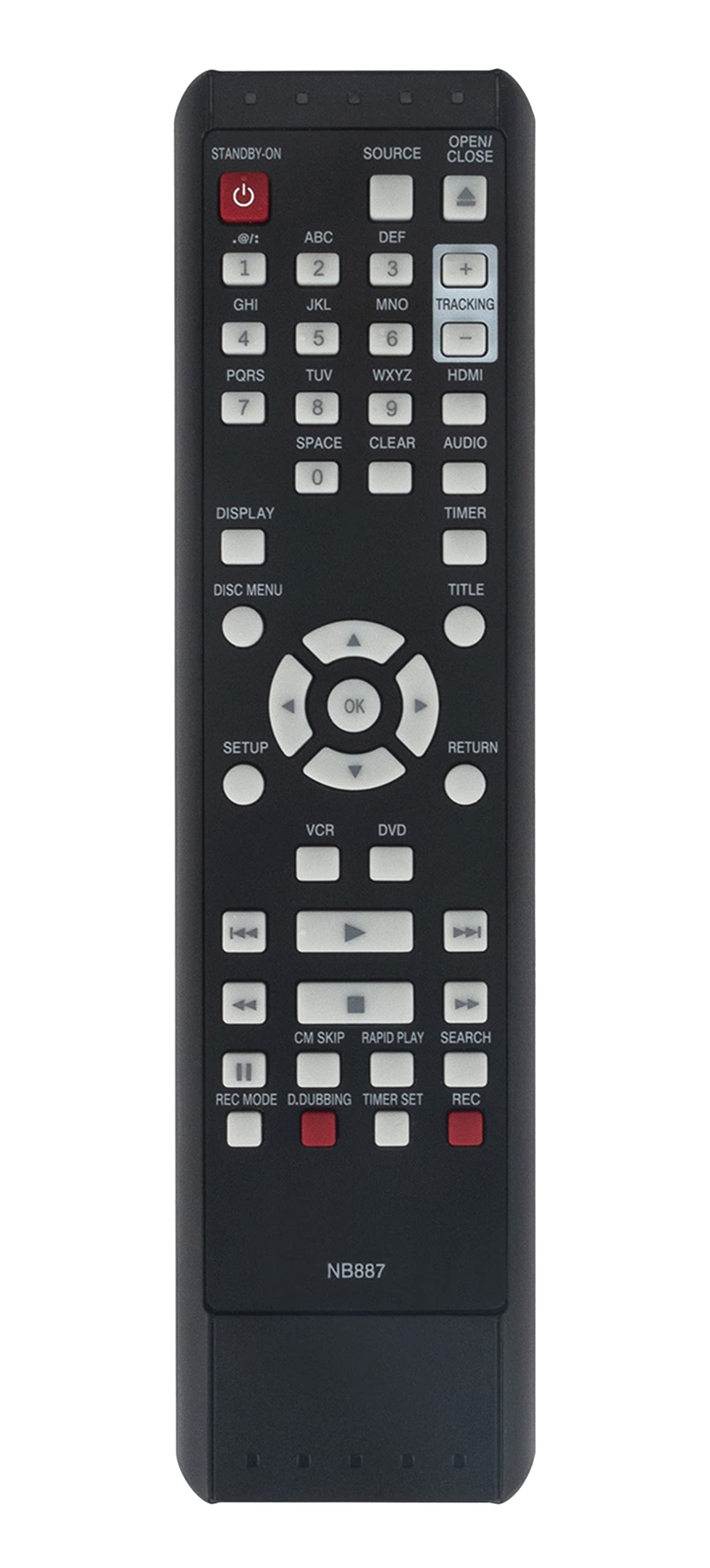
Image: Front view of the remote control, displaying the power button, number pad, navigation controls, and various function buttons for DVD and VCR operations.
Key functions include:
- STANDBY-ON (Power): Turns the player on or off.
- SOURCE: Switches between input sources.
- OPEN/CLOSE: Opens or closes the disc tray.
- Number Pad (0-9): For direct track selection or inputting numbers.
- DISPLAY: Shows on-screen information.
- SETUP: Accesses the player's setup menu.
- OK / Navigation Arrows: For menu navigation and selection.
- RETURN: Goes back to the previous menu or screen.
- VCR / DVD: Selects between VCR and DVD modes.
- Play, Pause, Stop, Fast Forward, Rewind, Skip: Standard media playback controls.
- REC MODE, D.DUBBING, TIMER SET, REC: VCR recording functions.
Refer to your MAGNAVOX DVD VCR Combo Player's original manual for detailed explanations of specific functions and menu options.
Maintenance
Cleaning
To clean the remote control, use a soft, dry cloth. Do not use liquid cleaners, aerosols, or harsh chemicals, as these can damage the remote's surface or internal components.
Battery Care
- Replace batteries when the remote's response becomes sluggish or inconsistent.
- Remove batteries if the remote will not be used for an extended period to prevent leakage.
- Dispose of used batteries according to local regulations.
Troubleshooting
If your remote control is not functioning as expected, consider the following:
- No Response:
- Ensure batteries are installed correctly with the correct polarity.
- Replace old batteries with new ones.
- Check for any obstructions between the remote and the player's infrared sensor.
- Ensure you are within the effective range and pointing the remote directly at the player.
- Intermittent Response:
- Weak batteries may cause intermittent functionality. Replace them.
- Ensure there is no strong light source (like direct sunlight) interfering with the infrared signal.
If issues persist after following these steps, contact the seller for further assistance.
Specifications
| Feature | Detail |
|---|---|
| Brand | VINABTY |
| Model | NB887UD |
| Compatible Devices | MAGNAVOX DVD VCR Combo Players |
| Power Source | 2 x AAA Batteries (not included) |
| Color | Black |
| Product Dimensions | 8.5 x 2 x 0.75 inches |
| Item Weight | 3 ounces |
| Special Feature | Ergonomic design, No programming required |
Warranty and Support
Specific warranty details for this replacement remote control are not provided in the product information. For any warranty claims, technical support, or operational questions not covered in this manual, please contact the seller directly through your purchase platform.
