
Introduction
This manual provides comprehensive instructions for the Sandoo NC9 Bluetooth 5.2 Wireless Earbuds. It covers setup, operation, maintenance, troubleshooting, and product specifications to ensure optimal use of your device. Please read this manual thoroughly before using the earbuds.
1. Setup and First Use
1.1 Package Contents
- Sandoo NC9 Wireless Earbuds (Left and Right)
- Charging Case
- USB-C Charging Cable
- Silicone Ear Tips (S, M, L sizes)
- User Manual
1.2 Initial Preparation
- Remove Protective Film: Open the charging case and remove both earbuds. Carefully peel off the insulating protective film from the charging contacts on each earbud.
- Charge Earbuds: Place both earbuds back into the charging case. Ensure they are properly seated to begin charging. The indicator light on the case will show charging status.
- Select Ear Tips: Choose the silicone ear tips (S, M, L) that provide the most comfortable and secure fit for your ears. A proper fit is crucial for optimal sound quality and active noise cancellation performance.

Figure 1: Sandoo NC9 Wireless Earbuds and Charging Case. The image shows the two black earbuds and their compact charging case, illustrating the product's design.
1.3 Pairing with Your Device
- Automatic Pairing: After removing the earbuds from the charging case, they will automatically enter TWS (True Wireless Stereo) mutual pairing mode.
- Bluetooth Connection: On your device (smartphone, tablet, etc.), go to the Bluetooth settings. Search for available devices and select "Sandoo Airbuds NC9" from the list to connect.
- Connection Confirmation: Once successfully paired, the blue light on the right earbud will flash slowly, and the blue light on the left earbud will remain steadily on. Both earbuds are now ready for use.

Figure 2: Quick Pairing Process. This image illustrates the earbuds automatically connecting to a smartphone's Bluetooth after being removed from the charging case, highlighting the "Open and Go" feature.
2. Operating Instructions
2.1 Touch Controls
The Sandoo NC9 earbuds feature sensitive touch controls on both earbuds for easy management of music, calls, and modes.

Figure 3: Earbud Touch Control Diagram. This image visually represents the various touch gestures for controlling music playback, volume, voice assistant, and calls on the earbuds.
Music Playback:
- Play/Pause: Double-tap either the Left (L) or Right (R) earbud.
- Next Track: Triple-tap the Right (R) earbud.
- Previous Track: Triple-tap the Left (L) earbud.
Volume Control:
- Volume Up: Single-tap the Right (R) earbud.
- Volume Down: Single-tap the Left (L) earbud.
Call Management:
- Answer/End Call: Double-tap either the Left (L) or Right (R) earbud.
- Reject Call: Press and hold either the Left (L) or Right (R) earbud for 1.5 seconds.
Voice Assistant:
- Activate Voice Assistant (Siri, Google Assistant, etc.): Triple-tap either the Left (L) or Right (R) earbud.
2.2 Active Noise Cancellation (ANC) and Transparency Mode
The Sandoo NC9 earbuds offer three sound modes to adapt to your environment:
- ANC ON (Active Noise Cancellation): Reduces ambient noise, allowing for a more immersive audio experience. Ideal for noisy environments.
- Transparency Mode: Allows you to hear your surroundings clearly without removing the earbuds. Useful for conversations or when awareness of your environment is necessary.
- ANC OFF (Normal Mode): Disables both ANC and Transparency Mode.
Switching Modes:
- Cycle Modes: Press and hold the Left (L) earbud for 1.5 seconds to cycle through ANC ON, Transparency Mode, and ANC OFF.

Figure 4: Active Noise Cancellation in Use. This image shows a person wearing the Sandoo NC9 earbuds, with a graphic indicating a 24dB noise reduction, demonstrating the ANC feature.

Figure 5: Transparency Mode for Environmental Awareness. This image depicts a person using the earbuds while working, with a graphic indicating ENC (Environmental Noise Cancellation) for clear calls, and the context implies awareness of surroundings.
3. Maintenance and Charging
3.1 Charging the Earbuds and Case
To charge the earbuds, place them into the charging case. The earbuds will automatically begin charging. To charge the case, connect the provided USB-C cable to the charging port on the case and a power source.
- Charging Time: Approximately 1.5 hours for a full charge of the case and earbuds.
- Quick Charge: 15 minutes of charging can provide up to 2 hours of playback.

Figure 6: Charging and Battery Indicators. This image shows the charging case connected via a USB-C cable, with icons indicating 6.5 hours of earbud playback, 24 hours total with the case, and 1.5 hours for a full charge.
3.2 Battery Indicator
The LED indicator on the charging case displays the battery level:
- Green Light: 100% - 50% battery remaining.
- Yellow Light: 49% - 10% battery remaining.
- Red Light: Less than 10% battery remaining.

Figure 7: Charging Case Battery Level. This image shows the charging case with an LED indicator and a legend explaining the color codes for battery percentages (Green: 100%-50%, Yellow: 49%-10%, Red: <10%).
3.3 Water Resistance
The Sandoo NC9 earbuds are rated IPX5 water-resistant. This means they are protected against low-pressure water jets from any direction, making them suitable for use during workouts or in light rain. They are not designed for submersion in water.
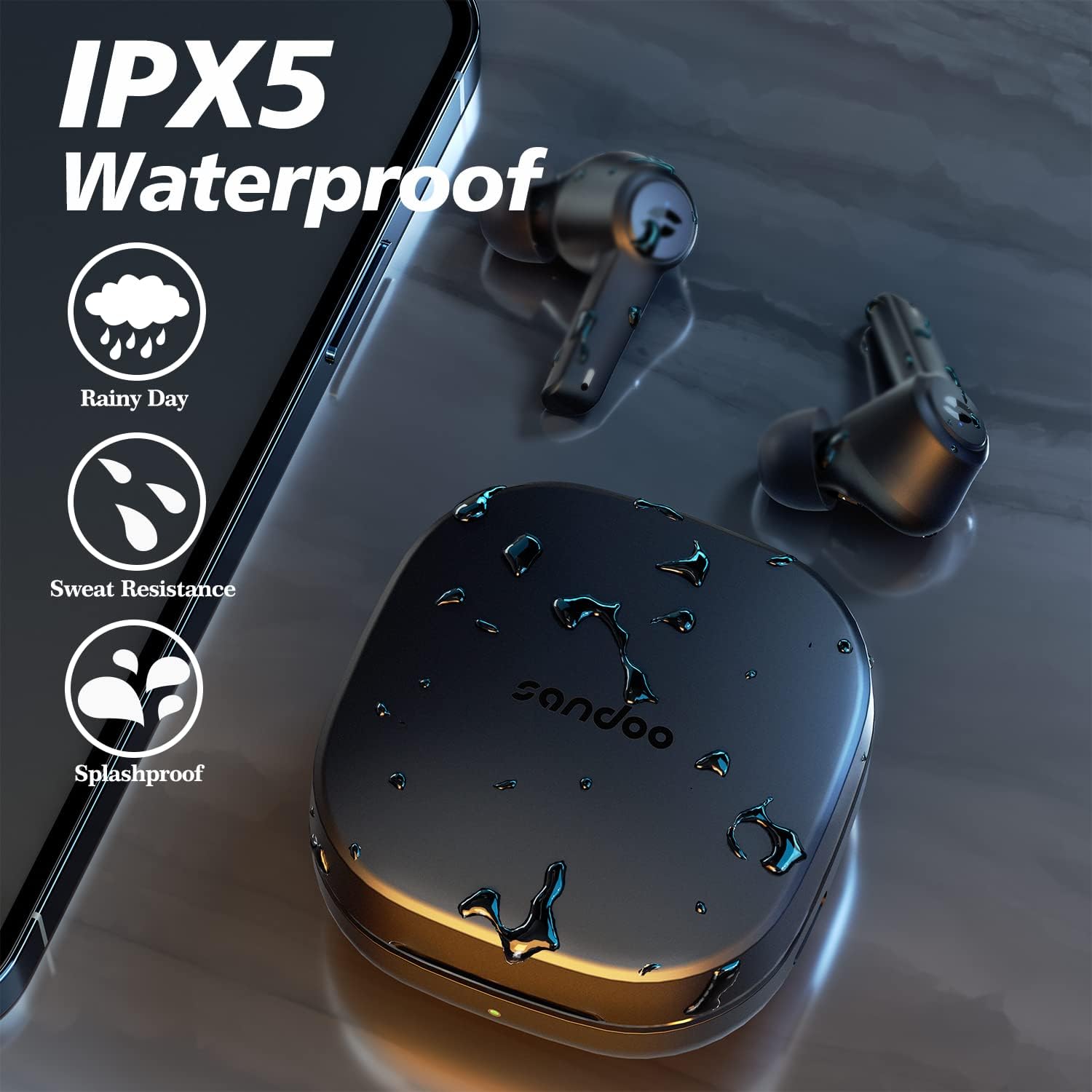
Figure 8: IPX5 Water Resistance. This image shows the earbuds and charging case with water droplets, indicating their resistance to rain, sweat, and splashes.
3.4 Cleaning and Storage
- Regularly clean the earbuds and charging contacts with a dry, soft cloth.
- Remove ear tips and clean them with water and mild soap if necessary, ensuring they are completely dry before reattaching.
- Store the earbuds in their charging case when not in use to protect them and keep them charged.
- Avoid extreme temperatures and direct sunlight.
4. Troubleshooting
| Problem | Possible Cause | Solution |
|---|---|---|
| Earbuds not pairing or connecting. | Protective film still on contacts; earbuds not in pairing mode; Bluetooth off on device; interference. | 1. Ensure protective film is removed. 2. Place earbuds back in case, then remove to re-enter pairing mode. 3. Ensure Bluetooth is enabled on your device. 4. Forget "Sandoo Airbuds NC9" from your device's Bluetooth list and re-pair. 5. Move closer to your device and away from potential interference sources. |
| Only one earbud is working. | Earbuds not properly paired with each other (TWS); one earbud out of battery. | 1. Place both earbuds back into the charging case, close the lid, then open it and remove them simultaneously to force TWS pairing. 2. Ensure both earbuds are charged. |
| Poor sound quality or low volume. | Improper ear tip fit; low battery; dirty ear tips/grilles; device volume too low. | 1. Try different sized ear tips for a better seal. 2. Ensure earbuds are fully charged. 3. Clean ear tips and earbud grilles. 4. Adjust volume on both your device and the earbuds. |
| Active Noise Cancellation (ANC) is not effective. | Improper ear tip fit; ANC mode not activated; environmental noise too high. | 1. Ensure you have the best possible ear tip seal. 2. Verify ANC mode is active (press and hold left earbud for 1.5s). 3. ANC works best on continuous low-frequency noise. |
| Connection frequently drops. | Obstacles between earbuds and device; out of range; radio wave interference. | 1. Reduce distance between earbuds and device. 2. Avoid placing obstacles (e.g., thick walls) between the earbuds and the connected device. 3. Move away from areas with strong radio interference. |
5. Product Specifications
| Feature | Detail |
|---|---|
| Model Name | NC9 |
| Model Number | BT1019 |
| Brand | Sandoo |
| Connectivity Technology | Wireless (Bluetooth 5.2) |
| Noise Control | Active Noise Cancellation (ANC) |
| Microphones | 4 (2 per earbud) for ANC and clear calls |
| Water Resistance Rating | IPX5 (Sweat and splash resistant) |
| Earbud Playtime (Normal Mode) | Up to 6.5 hours |
| Total Playtime with Charging Case | Up to 24 hours |
| Charging Port | USB Type-C |
| Charging Time (Case + Earbuds) | Approximately 1.5 hours |
| Material | Plastic |
| Product Dimensions | 5.5 x 5.3 x 2.9 cm |
| Product Weight | 110 g (including charging case) |
6. Warranty and Support
6.1 Warranty Information
For detailed warranty information regarding your Sandoo NC9 Wireless Earbuds, please refer to the warranty card included in your product packaging or contact the retailer where you purchased the product. Warranty terms and conditions may vary by region and retailer.
6.2 Customer Support
If you encounter any issues or have questions not covered in this manual, please contact Sandoo customer support through their official website or the contact information provided with your purchase. Please have your model number (NC9 / BT1019) and purchase details ready when contacting support.