
1. Introduction
Thank you for choosing the WilTec XPOtool 1280W Wall and Ceiling Sander. This manual provides essential information for the safe operation, setup, maintenance, and troubleshooting of your new tool. Please read these instructions carefully before use and keep them for future reference.
2. General Safety Instructions
WARNING: Read all safety warnings, instructions, illustrations, and specifications provided with this power tool. Failure to follow all instructions listed below may result in electric shock, fire, and/or serious injury.
- Work Area Safety: Keep the work area clean and well-lit. Cluttered or dark areas invite accidents. Do not operate power tools in explosive atmospheres, such as in the presence of flammable liquids, gases, or dust.
- Electrical Safety: Power tool plugs must match the outlet. Never modify the plug in any way. Do not use any adapter plugs with earthed (grounded) power tools. Avoid body contact with earthed or grounded surfaces.
- Personal Safety: Always wear eye protection. Use dust masks, non-skid safety shoes, hard hats, or hearing protection for appropriate conditions. Do not overreach. Keep proper footing and balance at all times.
- Power Tool Use and Care: Do not force the power tool. Use the correct power tool for your application. Disconnect the plug from the power source before making any adjustments, changing accessories, or storing power tools.
- Dust Collection: This tool features an integrated dust collection system. Ensure the dust bag is properly attached and emptied regularly to maintain efficiency and reduce airborne dust.
3. Product Overview
The XPOtool 1280W Wall and Ceiling Sander is designed for efficient sanding of large surfaces such as plasterboard, wood, and other materials. It features a powerful motor, variable speed control, and an integrated vacuum system for a cleaner working environment.
Components:
- Main Sander Unit
- Auxiliary Handle
- Dust Collection Hose
- Dust Collection Bag
- Sanding Discs (various grits)
- Power Cord

Figure 1: Overview of the XPOtool 1280W Wall and Ceiling Sander, including the main unit, auxiliary handle, dust collection hose, dust bag, and several sanding discs.
4. Setup
4.1 Attaching the Auxiliary Handle
- Locate the auxiliary handle and the designated mounting point on the sander body.
- Screw the auxiliary handle firmly into place. Ensure it is securely fastened for stable operation.
4.2 Connecting the Dust Collection System
- Connect one end of the dust collection hose to the dust outlet port on the sander.
- Attach the other end of the hose to the inlet of the dust collection bag.
- Ensure all connections are tight to prevent dust leakage and maximize suction efficiency.
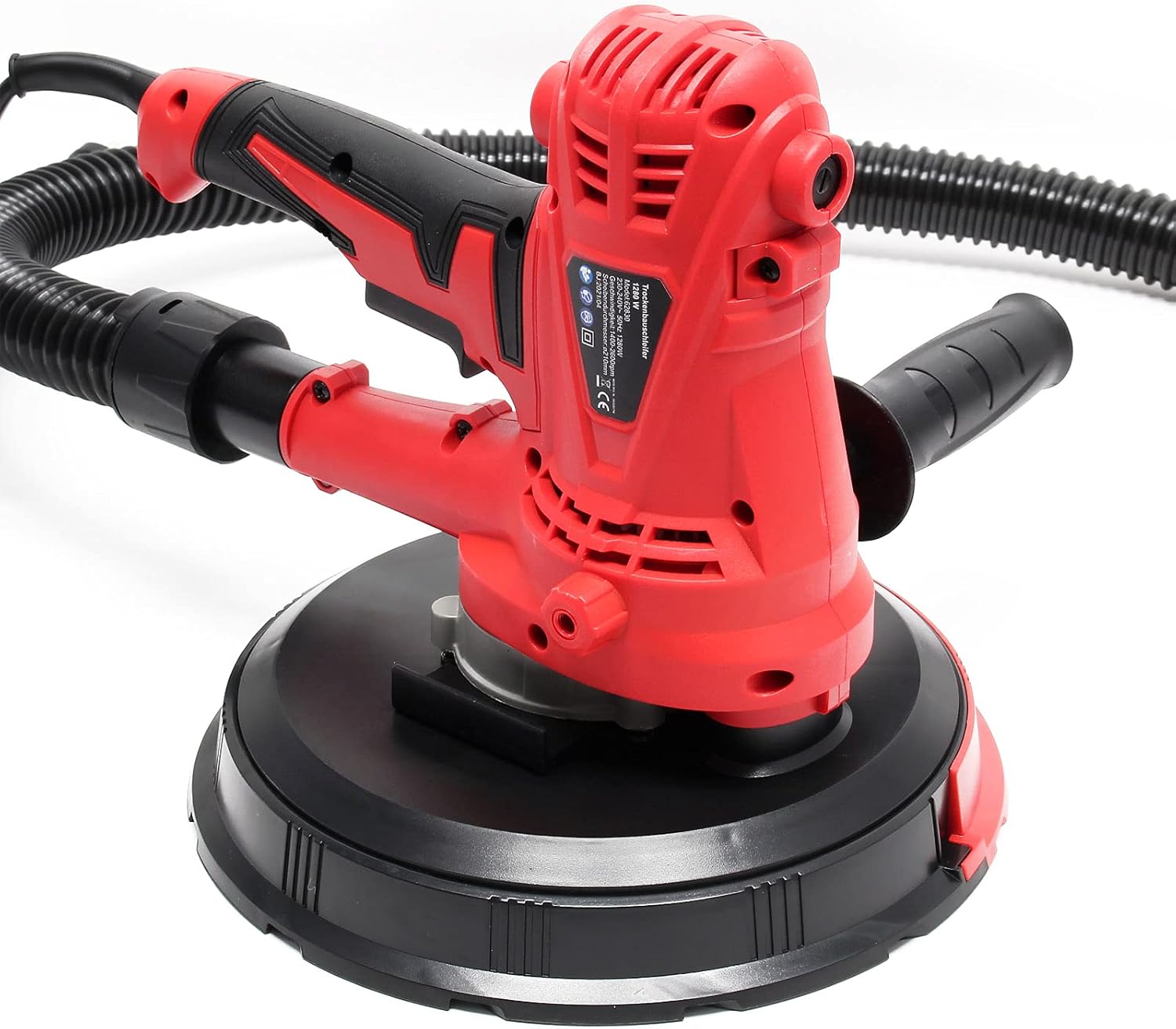
Figure 2: Side view of the sander demonstrating the attachment point for the dust collection hose.
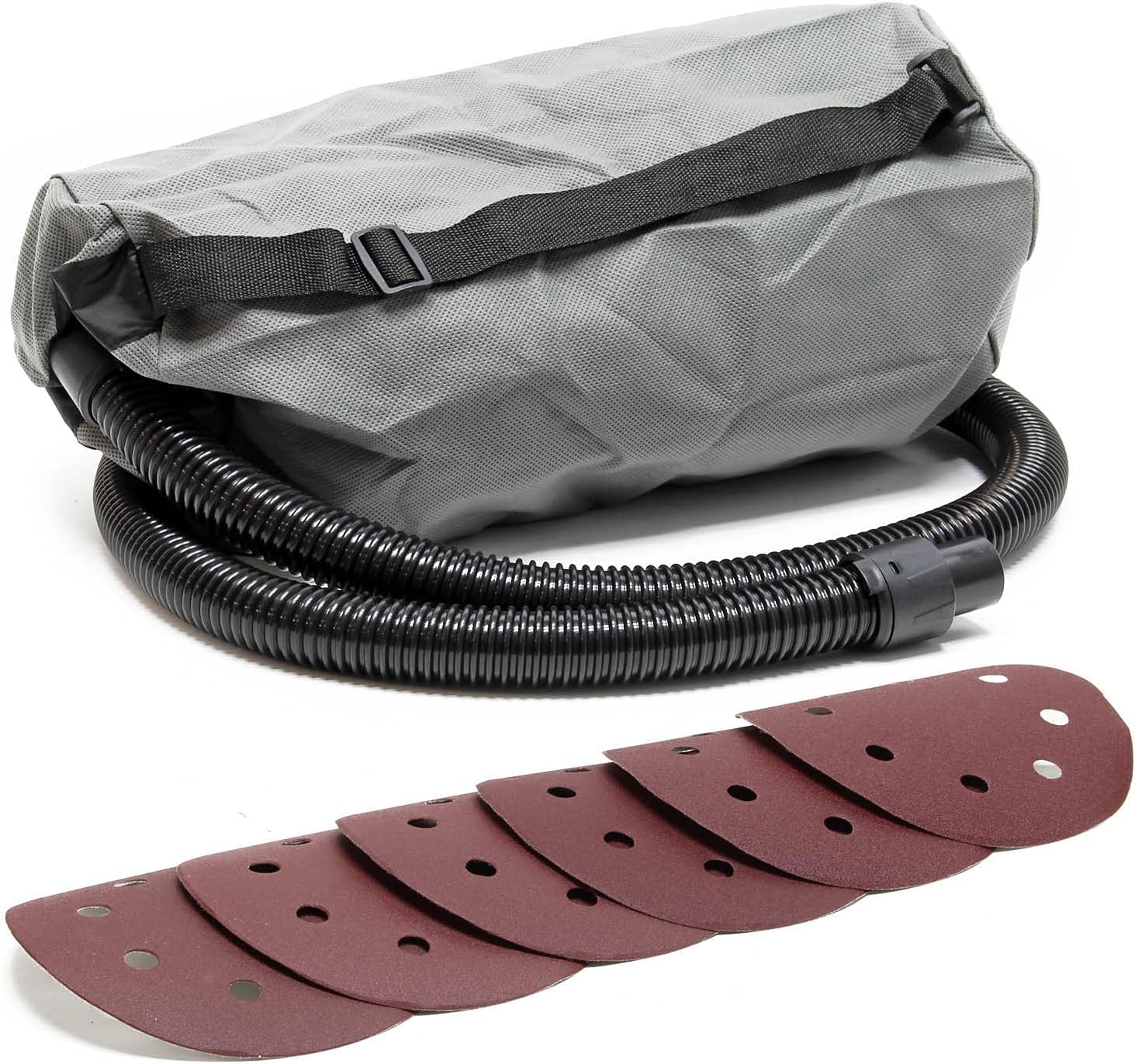
Figure 3: The dust collection bag and various sanding discs included with the sander.
4.3 Installing Sanding Discs
- Ensure the sander is unplugged from the power source.
- The sanding pad uses a hook-and-loop fastening system. Align the holes on the sanding disc with the holes on the sanding pad.
- Press the sanding disc firmly onto the pad to secure it.
- To remove, simply peel the disc off the pad.

Figure 4: Bottom view of the sander, showing the hook-and-loop sanding pad for disc attachment.
4.4 Power Connection
Connect the power cord to a suitable electrical outlet. The sander is equipped with an extra-long 4-meter power cord for extended reach.
5. Operating Instructions
5.1 Powering On/Off
- Ensure the sander is properly set up and connected to power.
- To turn on the sander, press the power switch. The integrated soft-start function will ensure a smooth startup.
- To turn off, release or press the power switch again, depending on the switch type (toggle or momentary with lock).
5.2 Adjusting Speed
The sander features five variable speed levels, adjustable between 1400 and 2600 revolutions per minute. Use the speed adjustment dial to select the appropriate speed for your material and application.
- Lower speeds are suitable for delicate surfaces or fine finishing.
- Higher speeds are effective for aggressive material removal on robust surfaces.

Figure 5: Close-up view of the sander's controls, including the variable speed dial and power switch.
5.3 Using the Integrated Vacuum System
The integrated vacuum system directly collects sanding dust into the attached dust bag, significantly reducing airborne particles. The suction power is adjustable up to 98% for optimal dust management.
- Ensure the dust bag is empty before starting work.
- Monitor the dust bag and empty it when it becomes full to maintain effective suction.
5.4 Sanding Techniques
- General Sanding: Apply even, moderate pressure. Move the sander in smooth, overlapping passes across the surface.
- Walls and Ceilings: The 215mm sanding disc and 360° rotatable head are ideal for large surfaces. The auxiliary handle provides enhanced control.
- Edges and Corners: The removable sanding cover allows access to joints, corners, and edges. Carefully remove the cover when working in these areas.
5.5 LED Light (Optional)
The device allows for the connection of an external LED lamp (not included). If an LED lamp is connected, it can be activated via a dedicated switch to illuminate dark work areas.
6. Maintenance
6.1 Cleaning the Dust Bag
Regularly empty the dust collection bag to maintain optimal suction performance and prevent clogging. Detach the bag, empty its contents, and reattach it securely.
6.2 Cleaning the Sanding Pad and Discs
Inspect the sanding pad for wear or damage. Replace if necessary. Remove any dust or debris from the hook-and-loop surface to ensure proper adhesion of new sanding discs. Replace sanding discs when they become worn or lose their abrasive quality.
6.3 General Cleaning
After each use, wipe down the exterior of the sander with a clean, damp cloth. Do not use harsh chemicals or abrasive cleaners. Ensure ventilation openings are clear of dust and debris to prevent overheating. The motor is protected by a specially designed blade that helps prevent dust ingress.
7. Troubleshooting
| Problem | Possible Cause | Solution |
|---|---|---|
| Sander does not start | No power supply; Faulty power cord/plug; Power switch issue | Check power connection and outlet; Inspect power cord for damage; Contact customer support if switch is faulty. |
| Reduced sanding performance | Worn sanding disc; Incorrect grit for material; Insufficient pressure | Replace sanding disc; Use appropriate grit; Apply even, moderate pressure. |
| Poor dust collection | Dust bag full; Hose clogged; Loose connections | Empty dust bag; Clear any blockages in the hose; Secure all hose connections. |
| Excessive vibration/noise | Damaged sanding pad; Loose components; Motor issue | Inspect sanding pad for damage; Check for loose screws; Discontinue use and contact support if motor issue is suspected. |
8. Specifications
| Feature | Specification |
|---|---|
| Brand | WilTec |
| Model Number | 62830 |
| Power | 1280W |
| Voltage | 230 Volts |
| Power Source | Corded Electric |
| Disc Diameter | 215 mm |
| Variable Speed | 5 levels (1400 - 2600 RPM) |
| Maximum Rotational Speed | 10000 RPM (Note: This might refer to motor speed, not disc speed) |
| Integrated Vacuum | Yes, with adjustable suction up to 98% |
| Item Weight | 3.42 Kilograms |
| Package Dimensions | 30.5 x 30.5 x 28.9 cm |
| Included Sanding Discs | 8 discs (2x G150, 2x G180, 2x G240, 2x G400) |
| Power Cord Length | 4 meters |
9. Warranty and Support
For warranty information, technical support, or spare parts inquiries, please refer to the purchase documentation or contact your retailer. Keep your proof of purchase for any warranty claims.
