
1. Introduction
Thank you for choosing the Levoit Core 600S-P Smart Air Purifier. This device is designed to provide clean, fresh air in large rooms, utilizing advanced filtration and smart technology for enhanced indoor air quality. Please read this manual thoroughly before operation and retain it for future reference.
The Core 600S-P features a powerful 3-in-1 filtration system, including a pre-filter, an efficient activated carbon filter, and a HEPA filter, capable of capturing 99.97% of airborne particulates as small as 0.1 microns. Its smart capabilities allow for real-time air quality monitoring, automatic fan speed adjustments, and control via the VeSync app or voice assistants like Amazon Alexa and Google Assistant.
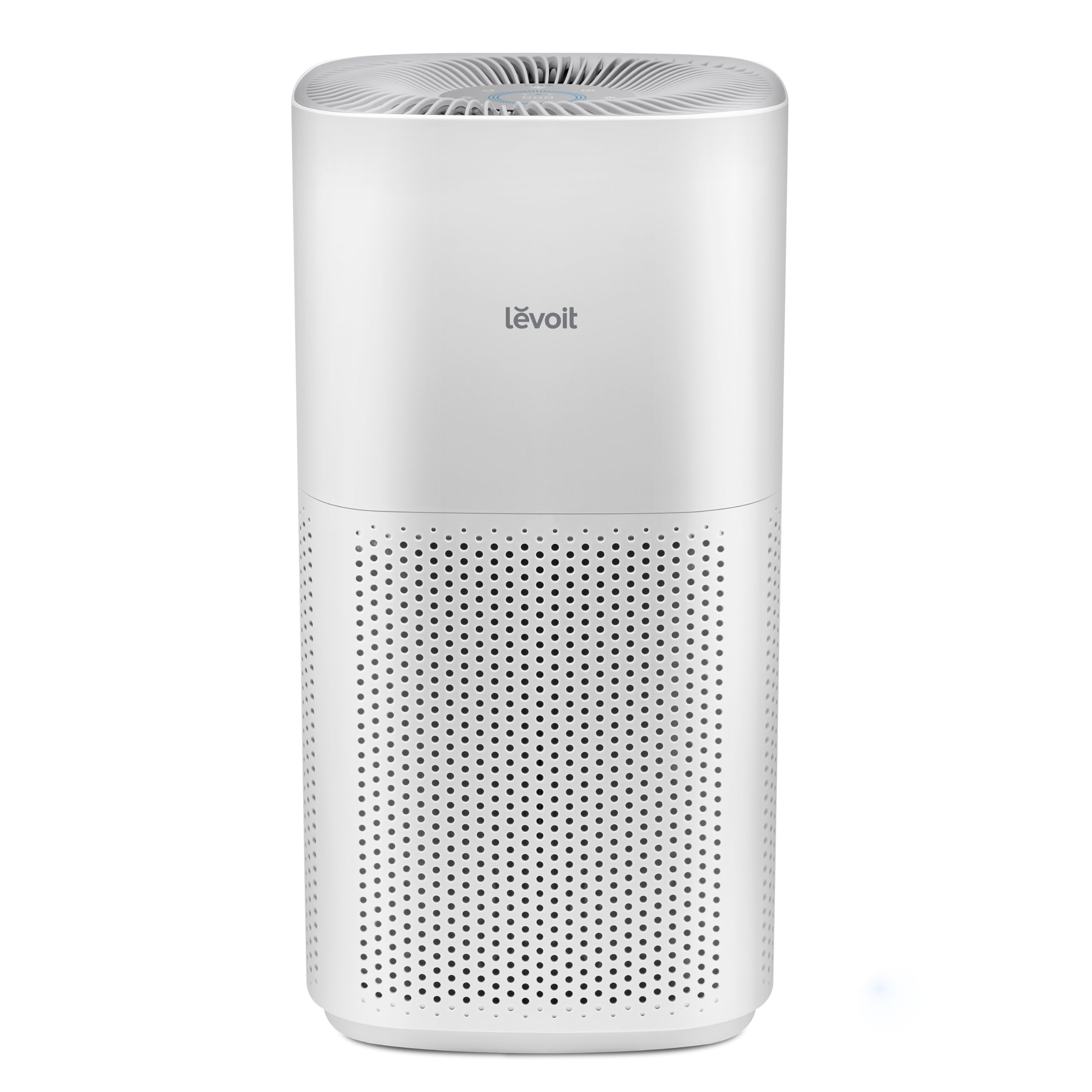
Image: The Levoit Core 600S-P Smart Air Purifier, a white cylindrical unit with a perforated lower section.

Image: A family relaxing in a clean living room with the Levoit air purifier, highlighting Intertek certification for trusted performance.
Video: An overview of the Levoit Core 600S-P, showcasing its features and benefits for improved home air quality.
2. Setup
- Unpack the Air Purifier: Carefully remove the air purifier from its packaging.
- Remove Filter Packaging: The 3-in-1 filter comes pre-installed inside the air purifier. Before first use, you must remove the plastic packaging from the filter.
- Turn the air purifier upside down.
- Twist the filter cover counter-clockwise to unlock and remove it.
- Take out the 3-in-1 filter.
- Remove all plastic packaging from the filter.
- Place the filter back into the air purifier with the pull tabs facing up.
- Replace the filter cover and twist clockwise to lock it securely.
- Position the Air Purifier: Place the air purifier on a flat, stable surface. Ensure there is at least 15 inches (38 cm) of clearance on all sides for optimal air intake and circulation.
- Connect to Power: Plug the power cord into a grounded electrical outlet.

Image: Diagram illustrating the VortexAir Technology with 360-degree air intake and curved fan blades for efficient air circulation.
3. Operating Instructions
3.1 Basic Operation
- Power On/Off: Press the Power button (U) on the top panel to turn the air purifier on or off.
- Fan Speed: Tap the Fan Speed button to cycle through fan speeds (1, 2, 3, Turbo).
- Auto Mode: Press the Auto Mode button (A). The air purifier will automatically adjust the fan speed based on real-time air quality detected by its PM2.5 sensor.
- Sleep Mode: Press the Sleep Mode button (Zz). The air purifier operates quietly at the lowest fan speed, and display lights dim or turn off.
- Display Lock: Press and hold the Display Lock button for 3 seconds to prevent accidental changes to settings.

Image: Illustration of the air purifier's ultra-quiet performance, showing noise levels in different modes compared to common sounds.

Image: The air purifier scanning air for particles and updating the PM2.5 display in real-time, showing transition from dirty to clean air.
3.2 Smart Control (VeSync App & Voice Assistants)
The Levoit Core 600S-P can be controlled remotely using the VeSync app, available for iOS and Android devices. It also supports voice control via Amazon Alexa and Google Assistant.
- Download VeSync App: Search for "VeSync" in the Apple App Store or Google Play Store.
- Pair Your Device: Follow the in-app instructions to pair your air purifier with the VeSync app. This typically involves creating an account, selecting your device, and connecting it to your Wi-Fi network.
- App Features: Through the VeSync app, you can:
- Monitor real-time air quality updates.
- Create schedules for operation.
- Check filter life and order replacements.
- Control all air purifier functions remotely.
- Voice Control: Once connected to VeSync, enable the VeSync skill in your Amazon Alexa or Google Home app to control your air purifier with voice commands.

Image: A smartphone displaying the VeSync app interface, showing real-time air quality, scheduling, and filter life features, next to the air purifier.

Image: A person using voice commands to control the air purifier via a smartphone, illustrating compatibility with Amazon Alexa and Google Assistant.
4. Maintenance
4.1 Filter Replacement
The air purifier uses a 3-in-1 filtration system that needs to be replaced every 6-8 months, depending on usage and air quality. The VeSync app will notify you when it's time to replace the filter.
- Unplug the air purifier.
- Turn the air purifier upside down and twist the filter cover counter-clockwise to remove it.
- Remove the old 3-in-1 filter.
- Clean any dust or debris from inside the air purifier with a vacuum hose.
- Unwrap the new Levoit 3-in-1 filter (model: Core 600S-RF) and place it into the air purifier with the pull tabs facing up.
- Replace the filter cover and twist clockwise to lock it.
- Plug in and turn on the air purifier. Reset the filter life indicator by pressing and holding the Filter Reset button for 3 seconds.

Image: Display of Levoit Certified Genuine Filters, emphasizing perfect fit, no unwanted odors, advanced sealing, and high-efficiency filtration materials.

Image: Detailed diagram of the 3-stage filtration system, showing the Pre-Filter, Efficient Middle Filter, and Efficient Activated Carbon Filter.
Video: Instructions for replacing the Levoit air purifier filter, demonstrating the process of removing and installing a new filter.
Video: A quick demonstration of removing and replacing the air purifier filter, showing the accumulation of dust on a used filter.
4.2 Cleaning
- Wipe the exterior of the air purifier with a soft, dry cloth.
- Clean the air intake vents and the air quality sensor lens with a soft brush or vacuum hose.
- Do not use water or liquid detergents to clean the air purifier or its filter.
5. Troubleshooting
| Problem | Possible Cause | Solution |
|---|---|---|
| Air purifier does not turn on. | Not plugged in; power outlet not working; filter cover not installed correctly. | Ensure power cord is securely plugged in; test outlet with another device; ensure filter cover is twisted clockwise and locked. |
| Airflow is significantly reduced. | Filter is dirty or clogged. | Replace the 3-in-1 filter. |
| Unusual noise. | Filter packaging not removed; foreign object inside; unit not on a flat surface. | Ensure all filter packaging is removed; check for obstructions; place on a flat, stable surface. |
| Wi-Fi connection failed. | Incorrect Wi-Fi password; device too far from router; router issues. | Re-enter Wi-Fi password; move device closer to router; restart router. |
6. Specifications
| Feature | Detail |
|---|---|
| Model Number | LAP-C601S-WCA |
| Product Dimensions | 12.3 x 12.3 x 23.6 inches |
| Item Weight | 13.7 pounds |
| Power Source | AC |
| Wattage | 66 watts |
| Noise Level | 26 dB (Sleep Mode) |
| Filter Type | 3-in-1 Filtration (Pre-Filter, Activated Carbon, HEPA) |
| Particle Retention Size | 0.1 micron |
| Floor Area Coverage | Up to 2933 sq ft (1 ACH per hour) |
| Control Method | Touch Panel, VeSync App, Voice (Alexa, Google Assistant) |
| Certifications | AHAM VERIFIDE, CARB Certified, Energy Star Certified, FCC Certified |

Image: AHAM Certified Performance details, showing CADR values for Smoke (391 CFM), Dust (398 CFM), and Pollen (436 CFM).

Image: A family with a dog and the air purifier, highlighting its ability to actively remove 99.97% of certain airborne particles and its HEPA Sleep Mode.
7. Warranty and Support
Levoit provides a 1-year limited warranty for this product. For detailed warranty information, please refer to the warranty card included with your purchase or visit the official Levoit website.
For technical support, troubleshooting assistance, or to inquire about replacement parts and filters, please contact Levoit Customer Support:
- Website: www.levoit.com
- Email: support@levoit.com
- Phone: (Available on website or product packaging)
You can also find additional resources, FAQs, and product registration on the Levoit website.


