
1. Setup
1.1 Unboxing and Connection
Carefully remove the keyboard and mouse from their packaging. Both devices connect via standard USB. Simply plug the USB connectors from the keyboard and mouse into available USB ports on your computer or compatible device. No additional drivers are required for basic functionality.
Video: An unboxing and connection guide for the CHONCHOW USB Wired Keyboard and Mouse Combo, demonstrating how to unpack and connect the devices.
1.2 Compatibility
This keyboard and mouse combo is designed for broad compatibility. It supports:
- PC (Windows 2000/2003/XP/Vista/Win7/Win8/Win10/Win11)
- Laptop
- PS3, PS4, PS5
- Xbox One
- Mac

Image: Visual representation of the wide compatibility of the keyboard and mouse with various devices including PC, laptop, PS3/PS4, Xbox, and Mac.
2. Operating Instructions
2.1 Keyboard Features
The CHONCHOW keyboard offers a range of features to enhance your experience:
- Rainbow Backlighting: The keyboard features vibrant rainbow backlighting with black and white keycaps. You can choose between static and breathing light modes.
- Ergonomic Design: Designed for comfort during extended use, the keyboard features curved keycaps, a stepped layout, collapsible feet, and crater keys to improve typing accuracy and reduce fatigue.
- Anti-Ghosting: Equipped with 19 anti-collision keys to ensure every tap is registered, preventing missed inputs during fast-paced gaming or typing.
Keyboard Backlight Control
Control the keyboard's backlighting using the following key combinations:
- Press the Light Bulb icon key to turn the keyboard backlight on/off.
- Press FN + Light Bulb icon key to switch between breathing and static backlight modes.
- Press FN + PG UP to increase backlight brightness.
- Press FN + PG DN to decrease backlight brightness.
- Press FN + + to increase backlight breathing frequency.
- Press FN + - to decrease backlight breathing frequency.

Image: Diagram illustrating the key combinations for controlling keyboard backlight modes, brightness, and breathing speed.
Video: A short demonstration of the keyboard's lighting effects, showcasing the vibrant colors.
Video: A brief clip highlighting the aesthetic appeal of the keyboard's lighting.
Multimedia Keys
The keyboard includes 12 multimedia keys (F1-F12) that can be accessed by pressing the FN key in combination with the respective function key. These keys provide quick access to functions like volume control, media playback, and more.

Image: Illustration of the keyboard's multimedia shortcuts, showing FN key combinations for F1 through F12.
Interchangeable WASD and Arrow Keys
For enhanced gaming flexibility, you can interchange the functionality of the WASD keys with the arrow keys. Press FN + W to toggle this feature.

Image: Visual guide demonstrating the FN+W key combination to swap WASD and arrow key functions.
Anti-Ghosting Keys
The keyboard features 19 anti-ghosting keys, ensuring that multiple key presses are registered simultaneously without conflict. This is crucial for complex commands in gaming and efficient typing.

Image: Close-up of the keyboard highlighting the 19 anti-ghosting keys.
2.2 Mouse Features
The CHONCHOW wired mouse is designed for precision and comfort:
- High-Precision Sensor: Provides accurate and smooth cursor control.
- Adjustable DPI: Switch between four DPI levels (1200/1800/2400/3600) to match your preference for speed and sensitivity.
- 7-Color Breathing Light: The mouse features a dynamic 7-color breathing light mode. Long press the DPI button to switch between the 7-color breathing mode and a red light mode.
- 6 Buttons: Includes standard left/right click, scroll wheel, DPI button, and two side buttons for enhanced functionality.
- Ergonomic Design: Shaped to fit comfortably in your hand, reducing strain during prolonged use.

Image: Diagram showing the four adjustable DPI levels (1200, 1800, 2400, 3600) for the mouse.

Image: The gaming mouse displaying its 7-color breathing light effect, cycling through green, yellow, purple, cyan, red, and white.

Image: Side view of the ergonomic gaming mouse with its internal lighting illuminated.
3. Maintenance
To ensure the longevity and optimal performance of your CHONCHOW keyboard and mouse, follow these maintenance guidelines:
- Cleaning: Regularly clean the surfaces of the keyboard and mouse with a soft, dry cloth. For deeper cleaning, a slightly damp cloth can be used, ensuring no liquid enters the internal components.
- Durability: The keyboard is designed for durability with keys rated for 10 million presses. It also features a splash-resistant design to protect against minor spills.
- Cable Care: Avoid excessive pulling or bending of the USB cables to prevent damage.
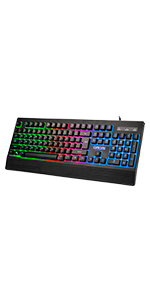
Image: Close-up of a keyboard key, indicating a durability of 10,000,000 presses.

Image: A keyboard with water droplets on its surface, illustrating its splash-resistant feature.
4. Troubleshooting
If you encounter any issues with your CHONCHOW keyboard and mouse combo, please refer to the following common troubleshooting steps:
- Device Not Responding: Ensure both the keyboard and mouse USB cables are securely plugged into your device's USB ports. Try plugging them into different USB ports or a different computer to rule out port issues.
- Lights Not Working: For the keyboard, ensure the backlight is turned on using the dedicated Light Bulb icon key. If the mouse lights are off, check the connection and ensure the DPI button hasn't been long-pressed to a single color mode.
- Keys or Mouse Buttons Not Functioning: If specific keys or mouse buttons are unresponsive, try cleaning around the affected area. For persistent issues, ensure your operating system is up to date.
- Intermittent Functionality: If the devices work intermittently, check for any physical damage to the cables or connectors. Ensure there are no software conflicts or background processes consuming excessive resources.
- Keyboard Typing Incorrectly (e.g., number pad issues): If certain sections of the keyboard, such as the number pad, are not functioning as expected, try reconnecting the keyboard. Ensure no software settings are remapping keys.
If these steps do not resolve your issue, please contact customer support for further assistance.
5. Specifications
| Feature | Detail |
|---|---|
| Product Dimensions | 17 x 5 x 1.3 inches |
| Item Weight | 1.9 pounds |
| Manufacturer | CHONCHOW |
| Model Number | 5-951 |
| Connectivity Technology | USB |
| Special Feature | Ergonomic |
| Compatible Devices | PC, Laptop, Xbox, PS3, PS4, PS5, Mac |

Image: Diagram illustrating the dimensions of the CHONCHOW keyboard and mouse.
6. Warranty and Support
CHONCHOW is committed to providing quality products and customer satisfaction. If you encounter any quality problems with your product, please contact our customer service team. We are dedicated to providing satisfactory after-sales service to address your concerns.
For support, please refer to the contact information provided with your product packaging or visit the official CHONCHOW website.


