Introduction
This user manual provides detailed instructions for the safe and efficient operation of your NANKADF DC Power Supply. Please read this manual thoroughly before using the device and keep it for future reference.

Image: Front view of the NANKADF DC Power Supply, showing the display, control knobs, and output terminals.
Product Features
- High-precision Encoder Knob: Allows precise adjustment of voltage and current by pressing to switch digits and turning to set values.
- Output Enable/Disable Button: Provides a convenient way to control power output, preventing accidental load damage.
- Overcurrent Protection (OCP): Automatically stops output and alerts the user with a buzzer in case of a short circuit, protecting the power supply and connected load.
- Precise 4-digit LED Display: High-definition display showing voltage (0.01 V accuracy) and current (0.001 A accuracy), with constant voltage (C.V.) and constant current (C.C.) modes. Screen brightness is adjustable.
- USB Fast Charging Port: Integrated 18W USB port for quick charging of external devices.
- Compact and Lightweight Design: Measures 7.51 x 3.56 x 5.81 inches and weighs 2.47 pounds, saving workbench space and enhancing portability.
Setup
1. Unboxing and Package Contents
Carefully unpack all items from the box. Ensure all components are present and undamaged.
- 1 * DC Power Supply
- 1 * Power Cable
- 1 * Output Cable
- 1 * User Manual
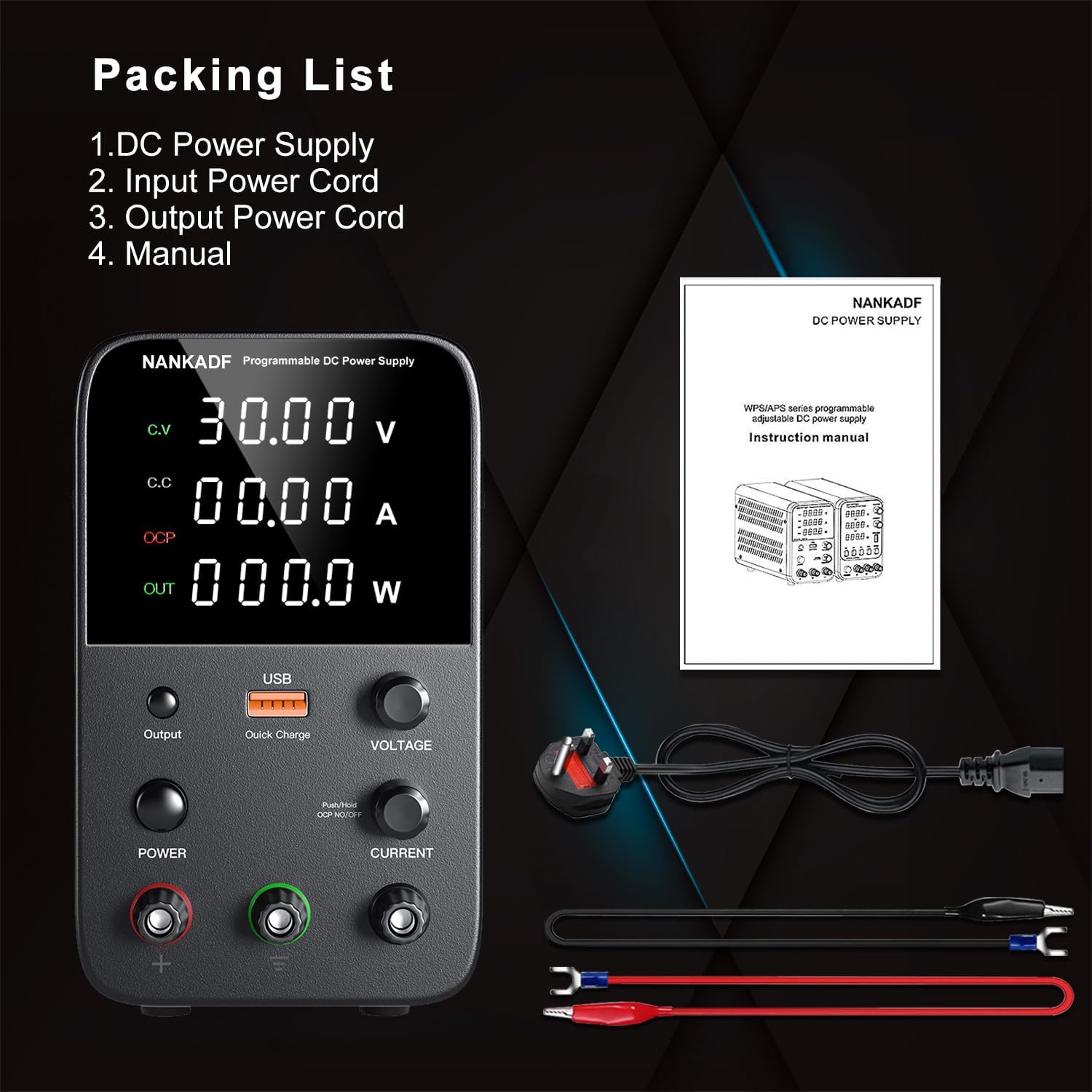
Image: Contents of the NANKADF DC Power Supply package, including the power supply unit, power cable, output cables, and user manual.
2. Power Connection
- Before connecting the power supply, ensure the voltage selector switch on the rear panel is set to your local mains voltage (115V or 230V).
- Connect the provided power cable to the AC power input on the rear of the unit and then to a suitable wall outlet.
- Ensure the power switch on the front panel is in the OFF position before plugging in.

Image: Rear view of the power supply showing the 115V/230V voltage selector switch and AC power input.
3. Output Connections
Connect your load to the output terminals on the front panel using the provided output cables. Ensure correct polarity: red for positive (+), black for negative (-), and green for ground (GND).

Image: Detailed diagram of the NANKADF DC Power Supply's front and rear panels, labeling all controls and connection points including output terminals, USB port, and cooling fan.
Operating Instructions
1. Powering On/Off
Press the POWER button on the front panel to turn the unit ON or OFF. The display will illuminate when the unit is powered on.
2. Adjusting Voltage and Current
The NANKADF DC Power Supply features a high-precision encoder knob for setting output parameters.
- Selecting Parameter: Use the VOLTAGE and CURRENT knobs to select the desired parameter for adjustment.
- Digit Selection: Press the knob (either VOLTAGE or CURRENT) to cycle through the digits you wish to adjust. The selected digit will typically blink or be highlighted.
- Value Adjustment: Rotate the knob clockwise to increase the value of the selected digit, and counter-clockwise to decrease it.
- Confirmation: Once the desired voltage and current are set, the values are automatically saved.

Image: Illustration demonstrating how to use the encoder knob to select and adjust individual digits for precise voltage and current settings.
Video: Demonstrates the adjustable regulated DC power supply, including the programmable encoder adjustment for setting voltage and current, and the USB fast charging feature.
3. Output Enable/Disable
The Output button controls the power delivery to your connected load. Press this button to toggle the output ON or OFF. This feature helps prevent accidental damage to your load when adjusting settings.

Image: Close-up of the power supply showing the "Output" button and its function in enabling or disabling power to the load.
4. Overcurrent Protection (OCP)
To activate OCP mode:
- Long press the CURRENT knob. The display will show "OCP".
- In OCP mode, if the load experiences a short circuit or draws current exceeding the set limit, the power supply will automatically stop output and emit a buzzer sound to alert you. This protects both the power supply and the connected device.

Image: Diagram illustrating the OCP (Overcurrent Protection) feature, showing the power supply stopping output and sounding an alarm when a short circuit is detected.
5. USB Fast Charging Port
The integrated 18W USB fast charging port allows you to charge compatible devices directly from the power supply. Simply connect your device's USB cable to the port.

Image: The power supply with a smartphone connected to its USB fast charging port, indicating active charging.
6. Adjusting Screen Brightness
- Press and hold the OUTPUT button to enter the system parameter setting interface.
- Press the VOLTAGE knob to select setting item 3 (brightness).
- Rotate the VOLTAGE knob to select brightness level 0 or 1.
- Press the OUTPUT button to save the set parameters and exit the setting state.
Note: Mute mode can also be set following a similar procedure (Mute mode is item 4).

Image: Step-by-step visual guide on how to adjust the screen brightness of the power supply's display.
Maintenance
- Keep the power supply clean and free from dust. Use a soft, dry cloth for cleaning. Do not use liquid cleaners or aerosols.
- Ensure proper ventilation. Do not block the cooling fan on the rear panel.
- Store the unit in a cool, dry place when not in use.
- Avoid exposing the unit to extreme temperatures or humidity.
Troubleshooting
| Problem | Possible Cause | Solution |
|---|---|---|
| No power/Display off | Power cable not connected, power switch off, incorrect voltage selection, blown fuse. | Check power cable connection. Ensure power switch is ON. Verify voltage selector (115V/230V) matches local supply. Check and replace fuse if necessary. |
| No output power | Output button is OFF, OCP activated, short circuit in load. | Press the Output button to enable output. Check if OCP is displayed; if so, remove short circuit and reset. Inspect load for short circuits. |
| Inaccurate voltage/current readings | Loose connections, faulty test leads, external interference. | Ensure all connections are secure. Use high-quality test leads. Minimize electromagnetic interference. |
| Buzzer alarm sounds | OCP activated due to overcurrent or short circuit. | Identify and resolve the overcurrent or short circuit condition in your load. The unit will resume normal operation once the fault is cleared. |
Specifications
| Parameter | Value |
|---|---|
| Model Name | 30V 10A BLACK |
| Brand | NANKADF |
| Output Voltage | 0-30V (Adjustable) |
| Output Current | 0-10A (Adjustable) |
| Output Wattage | 300W |
| Display | 4-digit LED Display |
| Voltage Accuracy | 0.01 V |
| Current Accuracy | 0.001 A |
| USB Fast Charging Port | 18W |
| Product Dimensions | 7.51 x 3.56 x 5.81 inches (approx. 19.08 x 9.04 x 14.76 cm) |
| Item Weight | 2.47 pounds (approx. 1.12 kg) |
| Cooling Method | Air (with fan) |
Warranty and Support
NANKADF provides quality products and customer support. For warranty information, technical assistance, or any questions regarding your DC Power Supply, please refer to the contact information provided with your purchase or visit the official NANKADF website.
You can also visit the NANKADF store on Amazon for more information: NANKADF Amazon Store


