
TOPGREENER TGDDS-GY
TOPGREENER Kalide Dual Load Dimmer Light Switch
Model: TGDDS-GY
Introduction
This manual provides detailed instructions for the installation, operation, and maintenance of your TOPGREENER Kalide Dual Load Dimmer Light Switch, Model TGDDS-GY. Please read all instructions carefully before beginning installation to ensure proper function and safety.

Image: Front view of the TOPGREENER Kalide Dual Load Dimmer Light Switch, Model TGDDS-GY.
Safety Information
WARNING: To avoid fire, shock, or death, turn off power at the circuit breaker or fuse box and test that power is off before wiring. Installation should be performed by a qualified electrician or a person with a thorough understanding of electrical wiring.
- Use only with dimmable LED, CFL, incandescent, or halogen bulbs.
- Do not use with non-dimmable bulbs or smart lighting fixtures.
- For single-pole applications only.
- Ensure wiring connections are secure and insulated.
- Operating voltage: 120VAC, 60Hz.
Product Features
- Dual Load Dimming: Controls two separate light loads from a single wall switch location.
- Full-Range Dimming: Two independent sliders allow for precise light level adjustment for each load.
- Compatibility: Supports major-brand dimmable LED, CFL, incandescent, and halogen bulbs.
- Neutral Wire Not Required: Simplifies installation in older homes or locations without a neutral wire.
- Durable Construction: Made of Polycarbonate Thermoplastic material for impact and heat resistance.
- Space-Saving Design: Occupies only one gang space for efficient use of electrical box capacity.
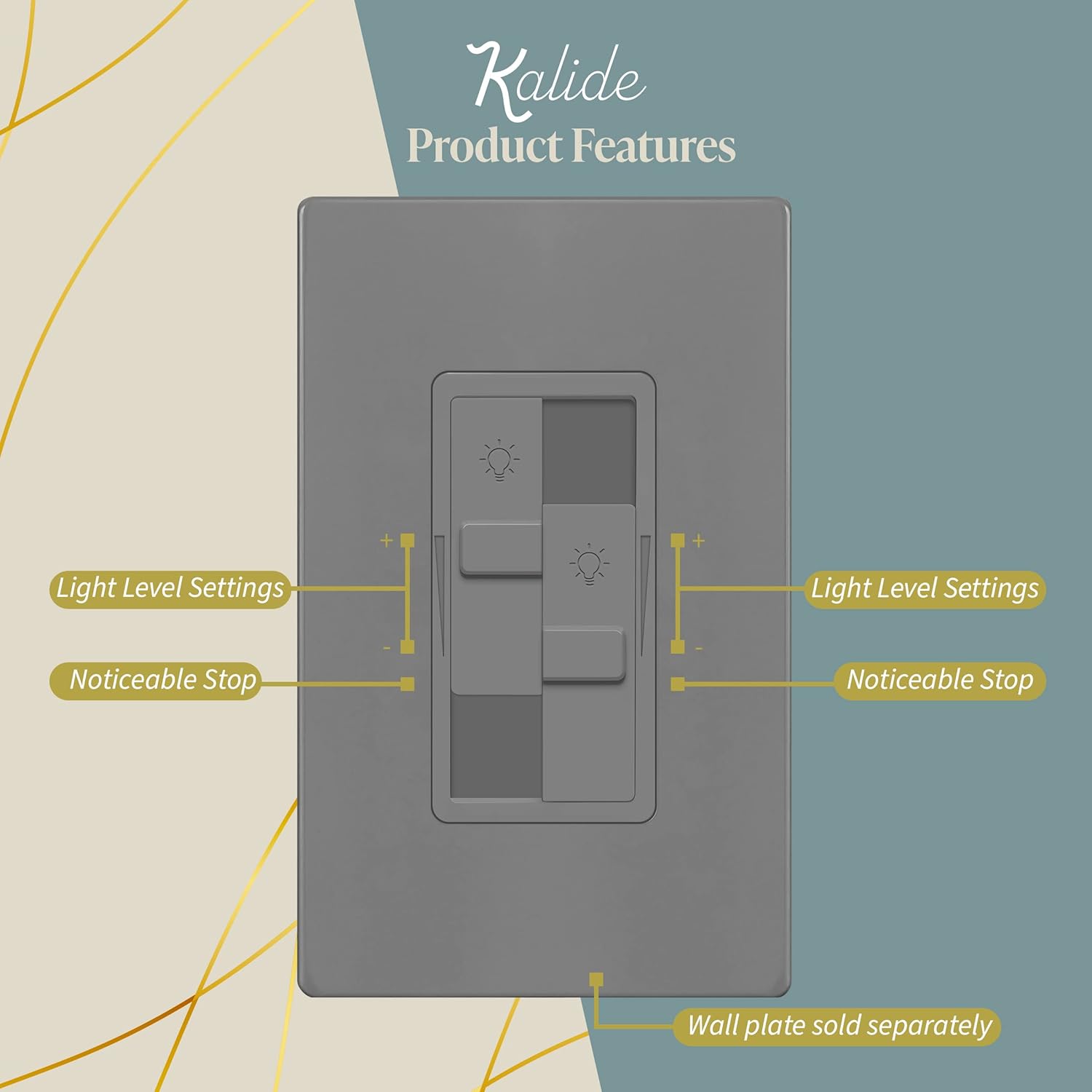
Image: Diagram highlighting the light level settings and noticeable stops on the dual sliders of the dimmer switch.

Image: Visual representation of bulb compatibility, indicating support for dimmable LED bulbs and non-compatibility with RGB, three-color, and Wi-Fi smart bulbs.
Installation Guide
Pre-Installation
- Turn Off Power: Locate the circuit breaker or fuse box that controls the light fixture you are working on. Turn off the power completely. Verify power is off using a voltage tester.
- Remove Old Switch: Carefully remove the existing wall plate and switch from the electrical box. Disconnect the wires from the old switch.
Wiring Instructions
The Kalide TGDDS-GY dimmer is designed for single-pole applications and does not require a neutral wire. It has screw terminals for secure connections.
- Line Wire: Connect the incoming hot wire (usually black) from the circuit breaker to one of the dimmer's screw terminals.
- Load Wires (2): Connect the two wires going to your light fixtures (loads) to the remaining two screw terminals on the dimmer. Each slider controls one load.
- Ground Wire: Connect the bare copper or green insulated ground wire from the electrical box to the dimmer's green ground screw.
Ensure all wire connections are tight and properly insulated with electrical tape or wire nuts.

Image: Illustrates that the dimmer switch does not require a neutral wire, making it compatible with standard electrical wiring in various homes.
Mounting
- Carefully fold the wires into the electrical box.
- Secure the dimmer switch to the electrical box using the provided screws.
- Attach the wall plate (sold separately) over the dimmer switch.
- Restore Power: Turn the power back on at the circuit breaker.
Operating Instructions
The Kalide Dual Load Dimmer features two independent sliders for controlling two separate lighting loads.
- Turning Lights ON/OFF: To turn a light load ON, slide the corresponding slider upwards. To turn it OFF, slide the slider all the way down until it clicks.
- Adjusting Brightness: Move the slider up to increase brightness and down to decrease brightness. Each slider controls its respective light load independently.
Video: Demonstrates the operation of the TOPGREENER Kalide Dual Load Dimmer Light Switch, showing how to adjust brightness for two separate light loads using the independent sliders.

Image: Close-up view of the dimmer switch, illustrating the two distinct sliders for controlling individual light loads.
Maintenance
To maintain the appearance and functionality of your dimmer switch:
- Clean with a soft, damp cloth. Do not use abrasive cleaners or solvents.
- Ensure the switch is free from dust and debris to prevent interference with slider movement.
Troubleshooting
| Problem | Possible Cause | Solution |
|---|---|---|
| Lights do not turn ON or OFF. | No power to the switch; loose wiring; faulty bulb. | Check circuit breaker; verify wiring connections; replace bulb. |
| Lights do not dim or flicker. | Non-dimmable bulbs; incompatible bulb type; minimum load not met. | Ensure bulbs are dimmable; check bulb compatibility; consult bulb manufacturer for minimum load requirements. |
| Dimmer switch is hot to the touch. | Overload; improper ventilation. | Reduce total wattage of connected bulbs; ensure proper air circulation around the switch. |
| Switch becomes unresponsive or goes to auto-dim. | Internal malfunction or temporary electrical anomaly. | Try cycling the sliders fully up and down to reset. If issue persists, contact support. |
Specifications
| Attribute | Detail |
|---|---|
| Model | TGDDS-GY |
| Operating Voltage | 120VAC, 60Hz |
| Load (LED/CFL) | 200W Max |
| Load (Incandescent/Halogen) | 300W Max |
| Circuit Type | Single Pole |
| Wiring Requirement | Neutral Wire Not Required |
| Wire Gauge | #14-#12 AWG (copper only) |
| Material | Polycarbonate Thermoplastic |
| Certifications | UL Listed |
| Dimensions | 4.65 x 2.32 x 2.32 inches |
Warranty and Support
This TOPGREENER Kalide Dual Load Dimmer Light Switch (Model TGDDS-GY) comes with a 1-year warranty from the date of purchase.
For technical assistance, troubleshooting not covered in this manual, or warranty claims, please contact TOPGREENER customer support. Refer to the product packaging or the official TOPGREENER website for current contact information.
Ask a question about this manual
Ask about setup, troubleshooting, compatibility, parts, safety, or missing instructions. Manuals+ will review the question and use this page’s manual context to help answer it.