
EYETOO AM30
EYETOO Baby Monitor User Manual
Model: AM30
1. Introduction
Thank you for purchasing the EYETOO Baby Monitor. This 3.5-inch HD screen video baby monitor provides a secure and private way to monitor your baby, featuring 2.4GHz wireless transmission, two-way talk, infrared night vision, VOX mode, temperature monitoring, and lullabies. Please read this manual carefully before use to ensure proper operation and safety.

Image: The EYETOO Baby Monitor system, showing the camera unit and the parent monitor unit.
2. Product Overview
2.1 Package Contents
Ensure all items are present in the package:
- Parent Unit (Monitor)
- Baby Unit (Camera)
- Power Adapter for Parent Unit
- Power Adapter for Baby Unit
- Instruction Manual
- Mounting Screws and Wall Plugs (if applicable)

Image: Contents of the product package, including the monitor, camera, power adapters, and manual.
2.2 Key Features
- 3.5-inch HD Screen: Clear video display.
- 2.4GHz Wireless Transmission: Secure and private connection up to 1000ft (barrier-free).
- Two-Way Talk: Communicate with your baby remotely.
- Infrared Night Vision: Clear view in low light conditions without disturbing the baby.
- VOX Mode: Automatic screen activation upon detecting baby's sounds.
- Temperature Monitor: Displays room temperature for baby's comfort.
- Long Battery Life: Up to 15 hours of continuous operation on a full charge (parent unit).
- Lullabies: Built-in melodies to soothe your baby.
- Feeding Clock: Reminders for feeding schedules.
- Multi-Camera Support: Connect up to 4 cameras (additional cameras sold separately).
3. Setup Guide
3.1 Charging the Parent Unit
- Connect the smaller end of one power adapter to the charging port on the Parent Unit.
- Plug the other end of the power adapter into a wall outlet.
- Charge the unit fully before first use (approximately 8 hours). The battery indicator will show charging status.
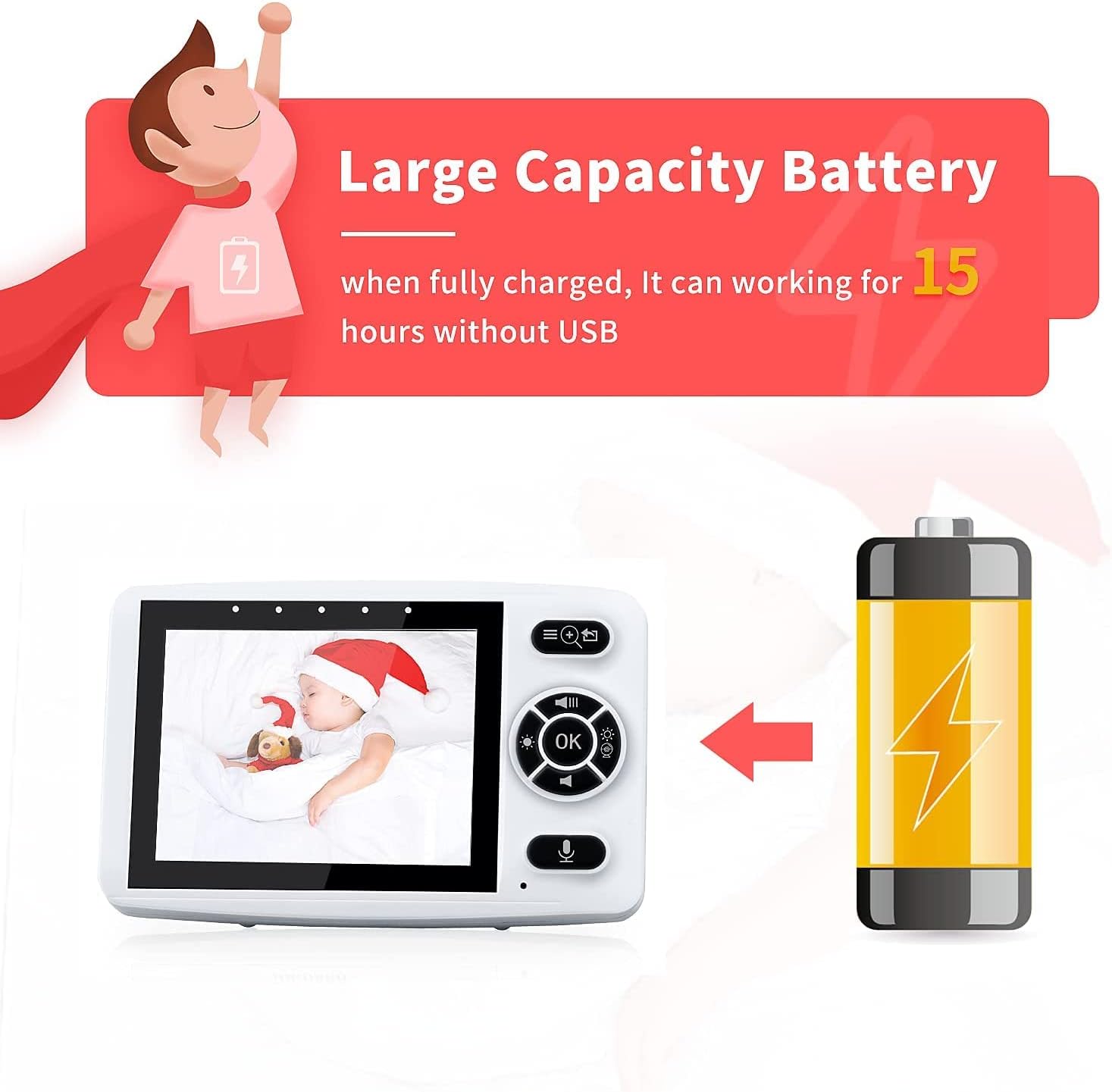
Image: The parent unit connected to its power adapter, illustrating its long battery life.
3.2 Positioning the Baby Unit (Camera)
- Place the Baby Unit in a location that provides a clear view of your baby, such as on a dresser or shelf.
- Ensure the camera is at least 3 feet (1 meter) away from the baby to prevent entanglement with the power cord.
- Connect the smaller end of the second power adapter to the Baby Unit and plug the other end into a wall outlet.
- The Baby Unit must remain plugged in during operation.
- For optimal night vision, ensure no direct light sources are pointing at the camera lens.
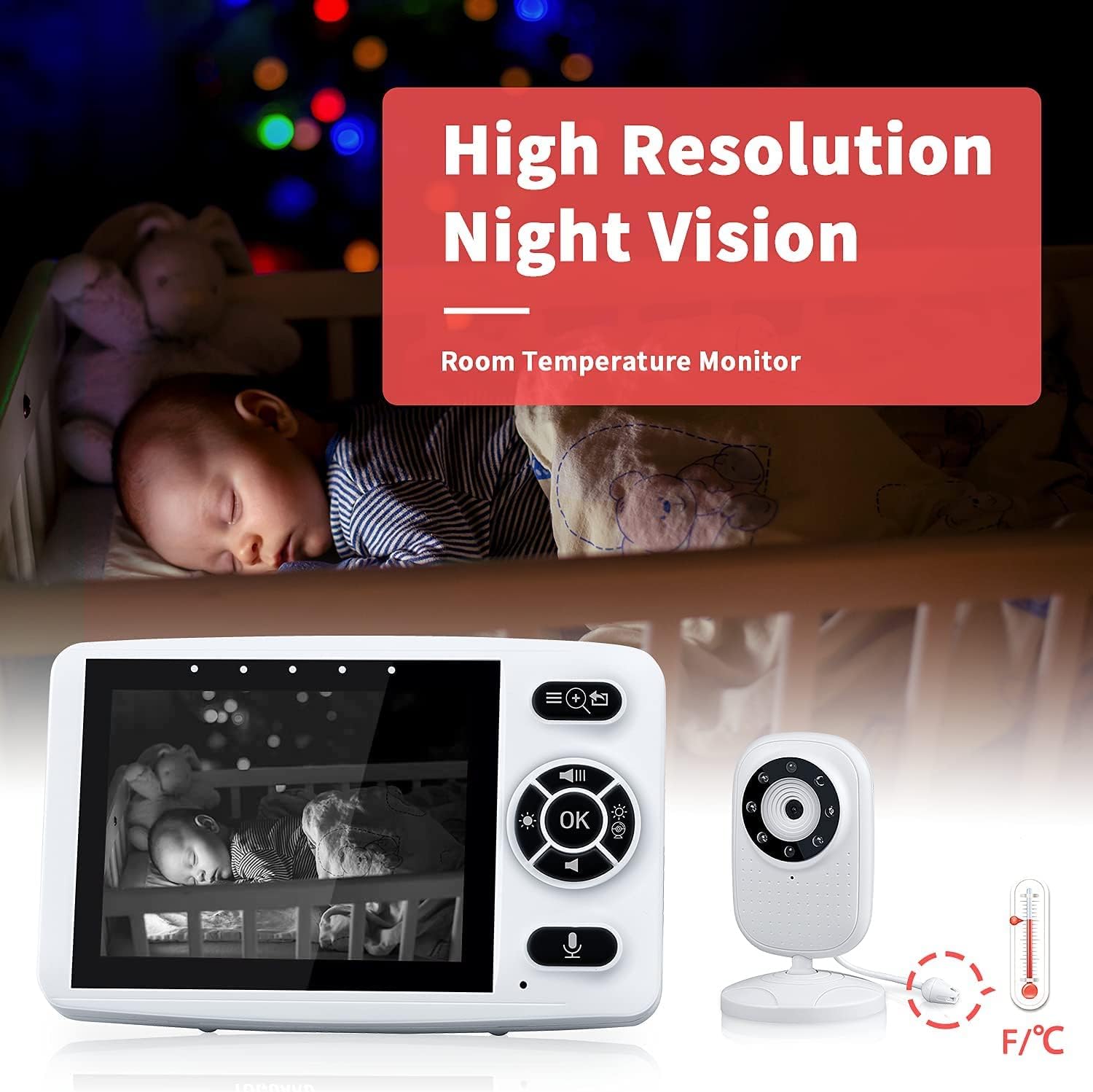
Image: The baby unit camera demonstrating its high-resolution night vision and integrated room temperature monitor.
3.3 Pairing (If Necessary)
The units are pre-paired at the factory. If you need to re-pair or add additional cameras (up to 4), follow these steps:
- Turn on both the Parent Unit and the Baby Unit.
- On the Parent Unit, navigate to the "Camera" or "Pairing" menu.
- Select an available camera slot (e.g., Camera 1, Camera 2).
- Press and hold the pairing button on the back of the Baby Unit until the Parent Unit indicates successful pairing.

Image: A diagram illustrating how one parent monitor can connect to and switch between up to four baby camera units in different rooms.
4. Operating Instructions
4.1 Basic Operation
- Power On/Off: Press and hold the Power button on both units.
- Volume Control: Use the volume buttons on the Parent Unit to adjust audio level.
- Brightness Control: Adjust screen brightness via the menu settings.
- Zoom: Use the zoom function on the Parent Unit to get a closer view of your baby.
4.2 Two-Way Talk
To speak to your baby, press and hold the Talk button on the Parent Unit. Release the button to hear your baby.

Image: A visual representation of the two-way audio talk feature, showing a baby and a parent communicating through the monitor.
4.3 VOX (Voice Operated Exchange) Mode
In VOX mode, the Parent Unit screen will automatically turn off to save power and reduce light disturbance. It will activate and display video when the baby unit detects sound above a certain threshold (e.g., baby crying).
- To enable/disable VOX mode, navigate to the VOX settings in the Parent Unit menu.
- Adjust the VOX sensitivity level to suit your environment.
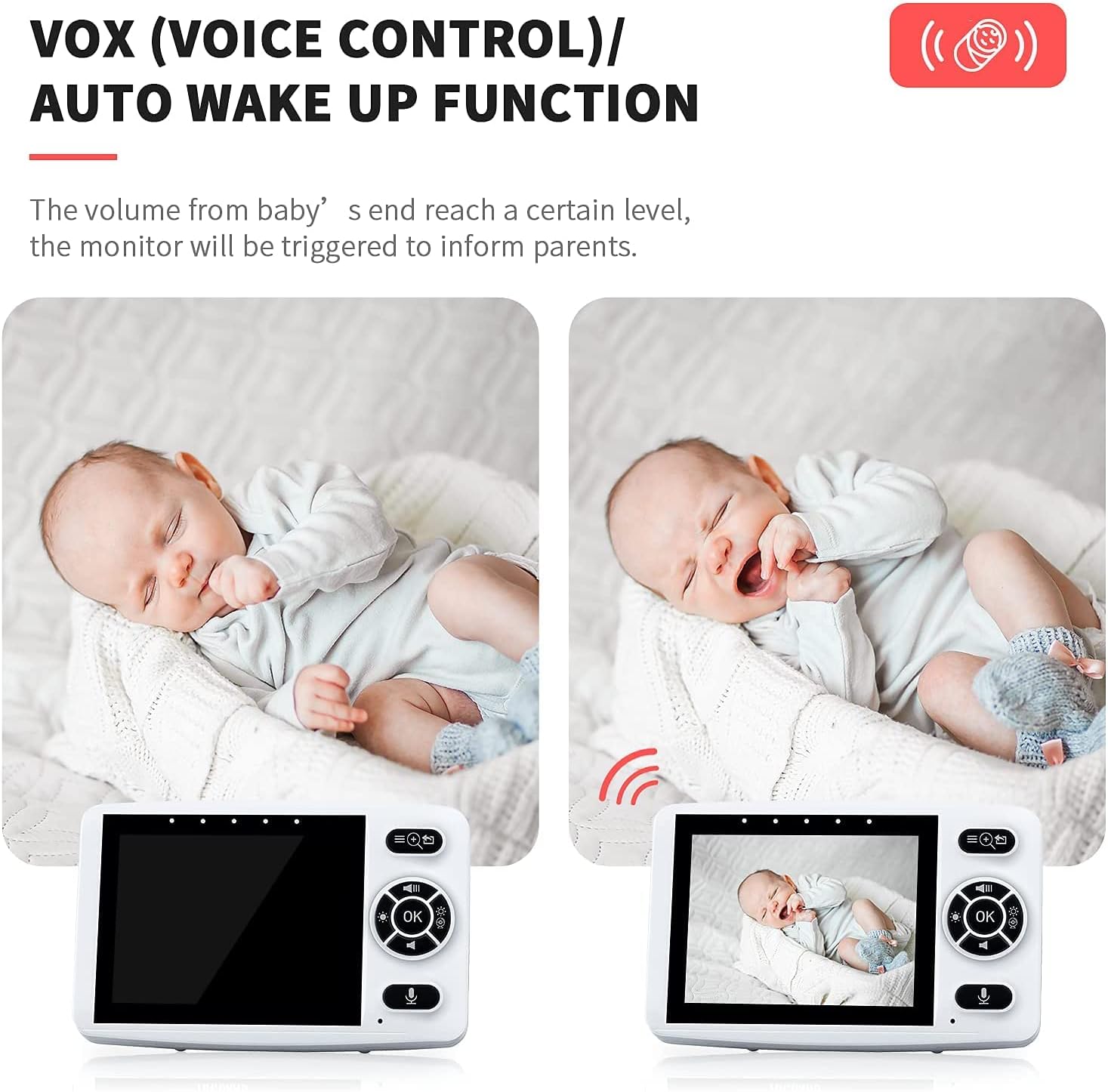
Image: A comparison showing the monitor screen in sleep mode and then automatically waking up when the baby makes a sound, demonstrating the VOX function.
4.4 Lullabies
The Baby Unit has built-in lullabies to help soothe your baby. You can play them remotely from the Parent Unit.
- Access the Lullaby menu on the Parent Unit.
- Select a lullaby to play or stop playback.

Image: A baby sleeping peacefully with musical notes, illustrating the lullaby feature.
4.5 Feeding Clock
Set reminders for your baby's feeding schedule.
- Go to the Feeding Clock settings in the Parent Unit menu.
- Choose reminder intervals (e.g., 2H, 4H, 6H) or turn off the feature.

Image: A parent feeding a baby, accompanied by a clock icon, signifying the feeding reminder function.
5. Maintenance and Care
- Clean the units with a dry, soft cloth. Do not use abrasive cleaners or solvents.
- Keep the units away from water and moisture.
- Avoid dropping the units or exposing them to extreme temperatures.
- Ensure the camera lens is clean for optimal image quality.
6. Troubleshooting
| Problem | Possible Cause | Solution |
|---|---|---|
| No picture/sound on Parent Unit. | Units are not powered on or not paired. Out of range. | Ensure both units are powered on and charged. Re-pair units if necessary. Move Parent Unit closer to Baby Unit. |
| Picture is blurry or dark. | Camera lens is dirty. Insufficient light for night vision. | Clean the camera lens. Ensure no direct light interferes with night vision. |
| Static or interference. | Other 2.4GHz devices nearby. Out of range. | Move the monitor away from other wireless devices (Wi-Fi routers, microwaves). Move Parent Unit closer to Baby Unit. |
| VOX mode not activating. | VOX sensitivity set too low. | Increase VOX sensitivity in the Parent Unit settings. |
| Short battery life. | Battery not fully charged. Battery degradation over time. | Ensure Parent Unit is fully charged. Consider replacing battery if significantly degraded (contact support). |
7. Specifications
| Feature | Detail |
|---|---|
| Screen Size | 3.5 inches |
| Wireless Technology | 2.4GHz FHSS |
| Wireless Range | Up to 1000 feet (barrier-free) |
| Night Vision | Infrared LEDs |
| Battery Life (Parent Unit) | Up to 15 hours (VOX mode) |
| Power Input | 5V DC |
| Video Capture Resolution | 720p |
| Number of Channels | 2 |
| Operating Temperature | 0°C - 40°C (32°F - 104°F) |
8. Warranty and Support
The EYETOO Baby Monitor comes with a 24-month warranty from the date of purchase. This warranty covers manufacturing defects and malfunctions under normal use. It does not cover damage caused by misuse, accidents, unauthorized repairs, or normal wear and tear.
For technical support, warranty claims, or any questions regarding your product, please contact EYETOO customer service through the retailer's platform or the contact information provided with your purchase. Please have your purchase receipt and product model number ready when contacting support.
Related Documents - AM30
 |
TOGUARD AM30 Moniteur Bébé Sans Fil 2.4G - Manuel d'instructions Manuel d'instructions complet pour le moniteur bébé sans fil TOGUARD AM30. Ce guide couvre les précautions d'utilisation, les fonctions principales, l'interface, les réglages, les opérations courantes, et les solutions aux problèmes fréquents, ainsi que les spécifications techniques. |
 |
SMC Micro Mist Separator Operation Manual - AM20, AM30, AM40 Series Comprehensive operation manual for SMC Micro Mist Separators (AM20, AM30, AM40 series). Covers safety instructions, applications, standard specifications, ordering information, construction, assembly, operation, adjustment, troubleshooting, replacement procedures, exploded drawings, and dimensions. |
 |
Rossmax AM30 Bubble Air Mattress User Manual Comprehensive user manual for the Rossmax AM30 bubble air mattress, detailing setup, operation, cleaning, troubleshooting, and specifications for effective pressure ulcer prevention and patient comfort. |
 |
Airmax RP Series Compressor Maintenance Kit Selection Guide Quick guide to selecting the correct maintenance kit for Airmax RP Series compressors based on model, horsepower, and PSI usage. Includes maintenance intervals and SKU numbers. |
 |
SMART Board 7000 and 7000 Pro Series Interactive Displays: Installation and Maintenance Guide This comprehensive guide from SMART Technologies details the installation and maintenance procedures for the SMART Board 7000 and 7000 Pro series interactive displays. It covers essential steps from initial setup and device connection to troubleshooting and hardware compliance, ensuring optimal performance and longevity of these advanced interactive display systems. |
 |
Panasonic and Technics Product Model Catalog A comprehensive catalog of Panasonic and Technics product model numbers, covering a wide range of audio and video electronics manufactured by the company. |