
Introduction
Thank you for choosing the DOGNESS 9L Automatic Pet Feeder, Model F09. This device is designed to provide scheduled and portion-controlled meals for your pet, ensuring they are fed consistently even when you are away. Please read this manual thoroughly before use to ensure proper operation and maintenance.
Safety Information
- Use only dry pet food with kibble sizes between 0.2 and 0.6 inches (0.5 to 1.5 cm). Larger kibble may cause jamming.
- Do not use wet, canned, or moist pet food.
- Keep the feeder indoors and away from direct sunlight or moisture.
- Ensure the power adapter cable is not chewed by pets.
- Do not immerse the main unit in water.
- Keep out of reach of children.
- Always unplug the feeder before cleaning.
Product Overview
Familiarize yourself with the components of your DOGNESS Automatic Pet Feeder.
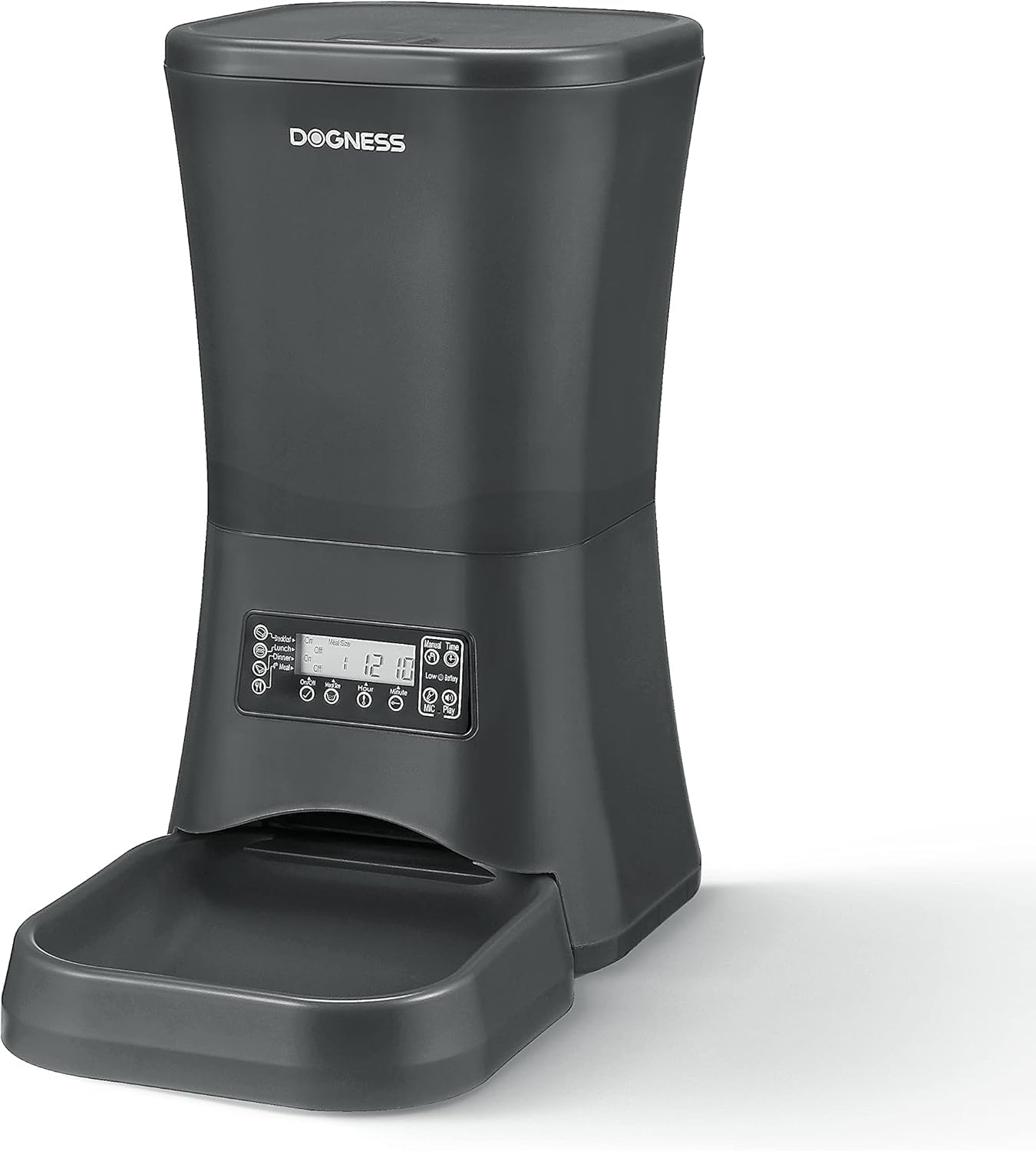
Image: The DOGNESS 9L Automatic Pet Feeder in black, with a dog eating kibble from its attached bowl. This image illustrates the feeder in use.
- Food Hopper: Large 9-liter capacity for dry pet food.
- Lid: Secures the food hopper.
- Control Panel/LCD Screen: For programming meal times, portions, and voice recording.
- Food Outlet: Where food dispenses from the hopper.
- Food Tray/Bowl: Detachable bowl for pet to eat from.
- Power Port: For connecting the AC adapter.
- Battery Compartment: For backup battery power (batteries not included).
- Built-in Speaker/Microphone: For voice recording and playback.
Setup
1. Unpacking and Assembly
- Remove all components from the packaging.
- Attach the food tray securely to the main feeder unit.
2. Power Supply
The feeder can be powered by the included AC adapter or by backup batteries (not included).
- AC Power: Plug the AC adapter into the power port on the feeder and then into a standard wall outlet.
- Battery Backup: For power outage protection, install 3 D-size alkaline batteries (not included) into the battery compartment at the bottom of the unit. The feeder will automatically switch to battery power during an outage.
3. Loading Pet Food

Image: A close-up view of the top of the DOGNESS 9L Automatic Pet Feeder, highlighting its large 9-liter capacity hopper filled with dry pet food.
- Open the lid of the food hopper.
- Pour dry pet food into the hopper. Ensure kibble size is between 0.2 and 0.6 inches (0.5 to 1.5 cm) to prevent jamming.
- Close the lid securely.
Operating Instructions
The control panel features an LCD screen and several buttons for programming.
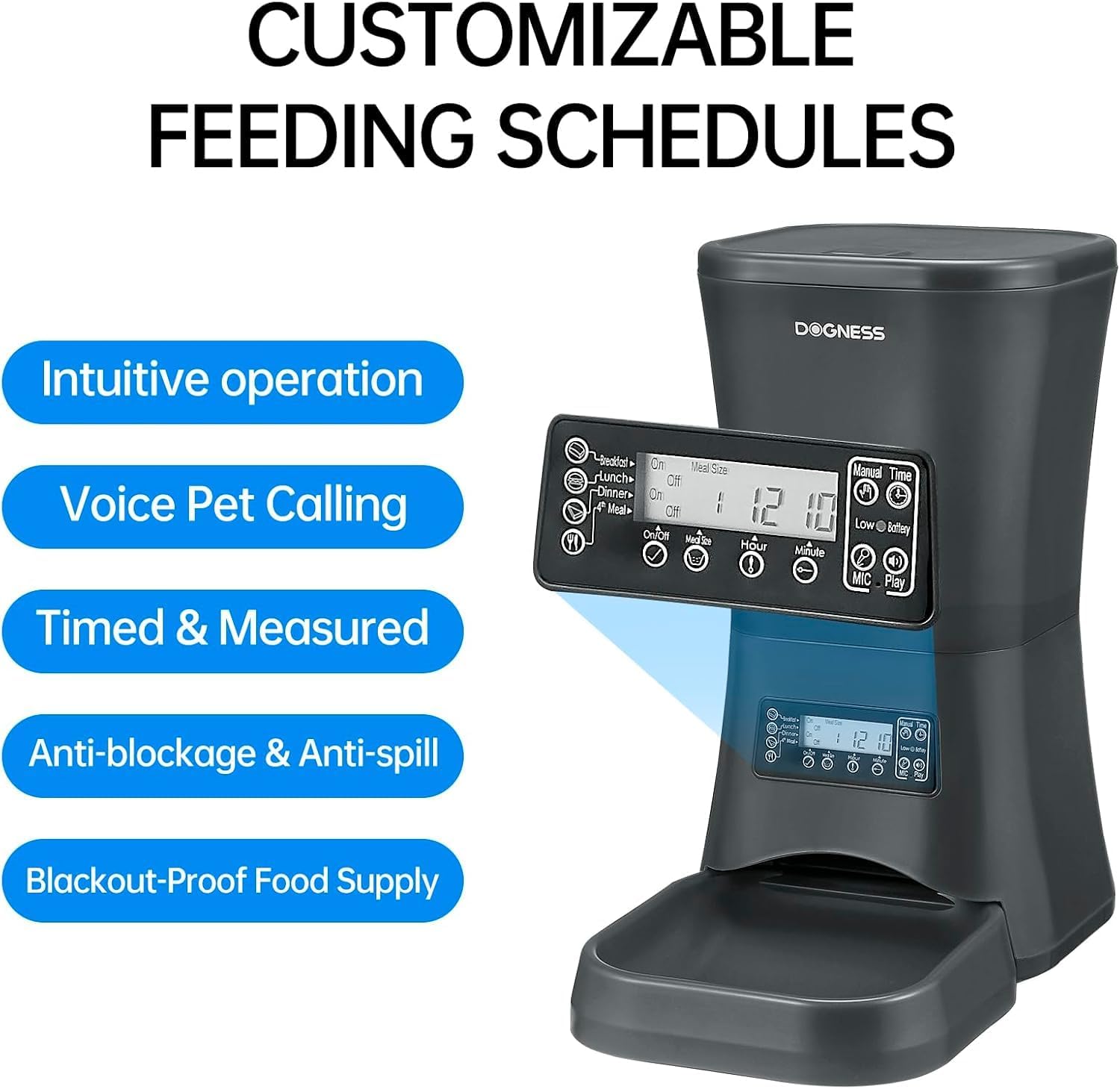
Image: A detailed view of the control panel and LCD screen of the DOGNESS 9L Automatic Pet Feeder, illustrating the buttons for setting schedules, portions, and voice recording.
1. Setting the Current Time
- Press the "SET" button. The hour display will flash.
- Use the "HOUR" and "MINUTE" buttons to adjust the current hour and minute.
- Press "SET" again to confirm.
2. Programming Meal Times and Portions
You can program up to 4 meals per day. Each meal can have a customizable portion size.
- Press the "MEAL" button to cycle through Meal 1, Meal 2, Meal 3, and Meal 4 settings.
- When a meal number is flashing, press "SET". The hour display for that meal will flash.
- Use "HOUR" and "MINUTE" buttons to set the desired feeding time for that meal.
- Press "SET" again. The portion size display will flash.
- Use the "PORTION" button to adjust the number of servings for that meal. (Refer to your pet's food guidelines for appropriate serving sizes).
- Press "SET" to confirm the portion.
- Repeat for other meals as needed. To disable a meal, set its portion size to 0.
3. Voice Recording
Record a personalized message (up to 10 seconds) to alert your pet at meal times.
- Press and hold the "REC" button. The microphone icon will appear on the LCD screen.
- Speak clearly into the microphone.
- Release the "REC" button when finished.
- To play back your recording, press the "PLAY" button.
- The recorded message will play automatically three times before each scheduled meal.
4. Manual Feeding
To dispense food instantly, press the "MANUAL FEED" button. One serving will be dispensed.
Maintenance
Cleaning the Feeder
- Always unplug the feeder and remove any batteries before cleaning.
- Remove any remaining food from the hopper.
- The food tray can be detached and washed with mild soap and water. Rinse thoroughly and dry completely before reattaching.
- Wipe the main unit, including the hopper interior, with a damp cloth. Do not use abrasive cleaners.
- Ensure all parts are completely dry before refilling with food or reconnecting power.
Troubleshooting
| Problem | Possible Cause | Solution |
|---|---|---|
| Feeder not dispensing food. |
|
|
| Voice recording not playing. |
|
|
| Feeder not turning on. |
|
|
Specifications
- Model: F09
- Capacity: 9 Liters (approx. 5.7 lbs of dry food)
- Dimensions (LxWxH): 15 x 14 x 8 inches
- Weight: 5.69 pounds
- Material: Food Grade Material
- Kibble Size: 0.2 - 0.6 inches (0.5 - 1.5 cm)
- Power: AC Adapter (included) or 3 x D-size batteries (not included)
- Meals per Day: Up to 4
- Voice Recording: Up to 10 seconds

Image: The DOGNESS 9L Automatic Pet Feeder with its key dimensions (height, width, depth) clearly indicated.
Warranty and Support
This product does not come with an explicit manufacturer's warranty description as per available information. For any product inquiries, technical assistance, or support, please contact DOGNESS customer service through their official channels or the retailer where the product was purchased.
