
Introduction
This manual provides essential information for the safe and efficient operation, installation, and maintenance of your BLACK+DECKER 3 HP Variable Speed In Ground Pool Pump. Please read all instructions carefully before installation and use.
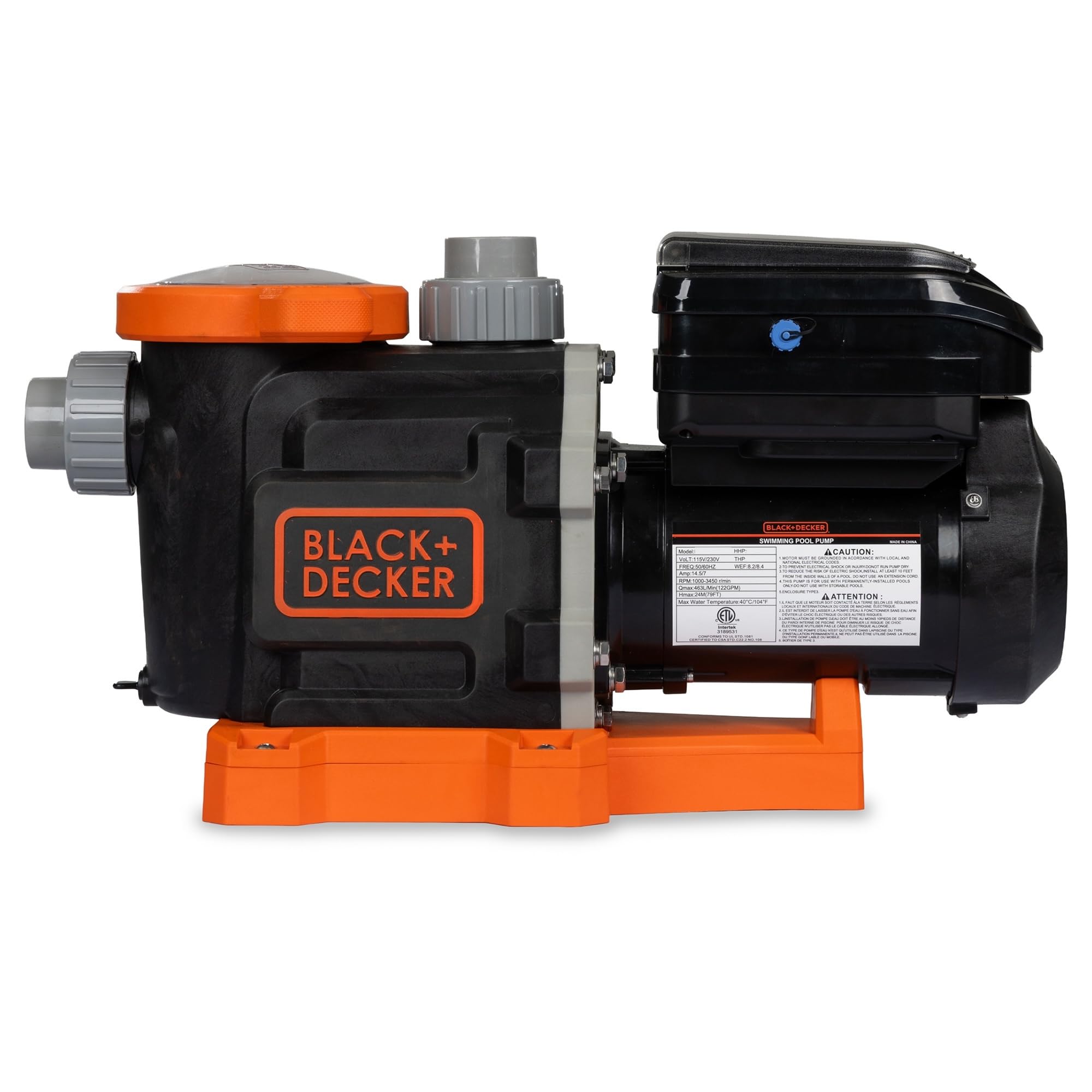
Image: The BLACK+DECKER 3 HP Variable Speed In Ground Pool Pump, showcasing its compact design and black and orange color scheme.
Safety Information
Always observe basic safety precautions to reduce the risk of fire, electric shock, and injury to persons, including the following:
- Disconnect power before servicing.
- Ensure proper grounding and bonding.
- Do not operate if the pump is damaged.
- Keep children away from the pump area.
- Consult a qualified electrician for electrical installation.
Setup and Installation
Proper installation is crucial for optimal performance and safety. This pump is designed for in-ground pool applications.
Unboxing and Components
Upon unboxing, verify all components are present. The package includes union adapters for both 1.5" and 2" pipes, and an adjustable base.

Image: The BLACK+DECKER pool pump shown with its included union adapters for 1.5" and 2" pipes, and the adjustable base.
Physical Installation
- Position the pump on a level, solid surface near the pool equipment pad.
- Connect the plumbing using the appropriate union adapters (1.5" or 2"). Ensure all connections are watertight.
- Fill the pump basket with water to prime the pump before initial startup.
Electrical Connection
- The pump operates on 230 volts. Ensure your electrical supply matches this requirement.
- Connect the pump to a dedicated circuit protected by a Ground Fault Circuit Interrupter (GFCI).
- All wiring must comply with local and national electrical codes.
Operating Instructions
The BLACK+DECKER variable speed pump offers flexible control for optimal pool filtration and energy savings.
Control Panel Overview
The pump features an easy-to-program touchpad for setting optimal speeds. The digital display shows current RPMs and programmed settings.

Image: Close-up of the BLACK+DECKER pool pump's easy-to-operate programming touchpad, showing the digital display and control buttons.
Programming Speeds and Schedules
You can customize up to four speeds, ranging from 350 RPM to 3,450 RPM, to match your pool's specific needs. Refer to the detailed programming guide in the full manual for step-by-step instructions on setting daily schedules and speeds.
WiFi Connectivity
The pump is WiFi enabled, allowing connection to any smartphone or smart device for remote control and monitoring. Download the dedicated BLACK+DECKER app from your device's app store to utilize this feature.
Video: A demonstration by Pool Parts To GO of the BLACK+DECKER Variable Speed Pool Pump, highlighting its energy-saving features and quiet operation.
Maintenance
Regular maintenance ensures the longevity and efficiency of your pool pump.
Skimmer Basket Cleaning
Periodically check and clean the skimmer basket to prevent debris buildup, which can restrict flow and reduce pump efficiency. Turn off the pump before removing the basket lid.

Image: The BLACK+DECKER In Ground Pool Pump, emphasizing its self-priming and variable speed capabilities for efficient pool maintenance.
Winterization
In colder climates, proper winterization is essential to prevent damage from freezing. Consult a pool professional or your full product manual for detailed winterization procedures.
Troubleshooting
This section addresses common issues you might encounter with your pool pump.
Pump Not Starting
- Check power supply and GFCI breaker.
- Ensure the pump is properly connected and receiving power.
- Verify that the control panel is not displaying any error codes.
Low Flow or Suction
- Clean the skimmer and pump baskets.
- Check for air leaks in the suction line.
- Ensure water level in the pool is adequate.
- Inspect the impeller for blockages.
Unusual Noise
- Check for air leaks in the suction line (cavitation).
- Inspect for debris in the impeller.
- Ensure the pump is securely mounted.
For more complex issues, refer to the comprehensive troubleshooting guide in your full product manual or contact customer support.
Specifications
Key technical specifications for the BLACK+DECKER 3 HP Variable Speed In Ground Pool Pump (Model B09BBRQ4LP):
| Feature | Specification |
|---|---|
| Model | BDXBTV24953 (Internal), B09BBRQ4LP (ASIN) |
| Horsepower (HP) | 3 HP |
| Voltage | 230V |
| Frequency | 50/60Hz |
| Amperage | 10.5 Amp |
| RPM Range | 1000-3450 r/min |
| Maximum Flow Rate (Qmax) | 628 L/Min (165 GPM) |
| Maximum Head (Hmax) | 24M (79FT) |
| Dimensions (L x W x H) | 26.5" x 11" x 13" |
| Item Weight | 32 pounds |
| Material | Plastic |
| Certifications | Energy Star Certified, ETL Listed, Conforms to UL STD. 1081, Certified to CSA STD. C22.2 NO. 108 |

Image: A detailed view of the product specifications label on the BLACK+DECKER pool pump, including model number, voltage, frequency, amperage, RPM, flow rate, and certifications.

Image: The BLACK+DECKER pool pump with its dimensions clearly marked: 26.5 inches long, 11 inches wide, and 13 inches high.
Warranty
Your BLACK+DECKER 3 HP Variable Speed In Ground Pool Pump comes with a 5-Year Warranty. This warranty covers defects in materials and workmanship under normal use and service. Please retain your proof of purchase for warranty claims.
For full warranty terms and conditions, refer to the documentation included with your product or visit the official BLACK+DECKER website.
Support
For technical assistance, troubleshooting, or warranty service, please contact BLACK+DECKER customer support. Our U.S. based customer support team is available to assist you.
Contact information can typically be found on the product packaging, the official BLACK+DECKER website, or within the full product manual.
Online resources, including FAQs and additional guides, may also be available on the BLACK+DECKER Store on Amazon.


