
Introduction
This manual provides instructions for the safe and effective operation of your HANMATEK S1 Digital Multimeter and HANMATEK HM310T Programmable DC Power Supply. Please read this manual thoroughly before use and retain it for future reference.
Safety Information
WARNING:
- Always observe safety precautions when working with electrical circuits.
- Do not exceed the maximum input values specified for each function.
- Ensure test leads are in good condition and properly connected.
- Do not operate the device if it appears damaged or if the battery cover is not in place.
- Refer to IEC61010 safety standards for 600V CAT II and pollution degree 2.
HANMATEK S1 Digital Multimeter Overview
The HANMATEK S1 is an auto-ranging digital multimeter designed for measuring AC/DC voltage, AC/DC current, resistance, frequency, diode, and continuity. It also features Non-Contact Voltage (NCV) detection.

Figure 1: HANMATEK S1 Digital Multimeter and included accessories.
Multimeter Components
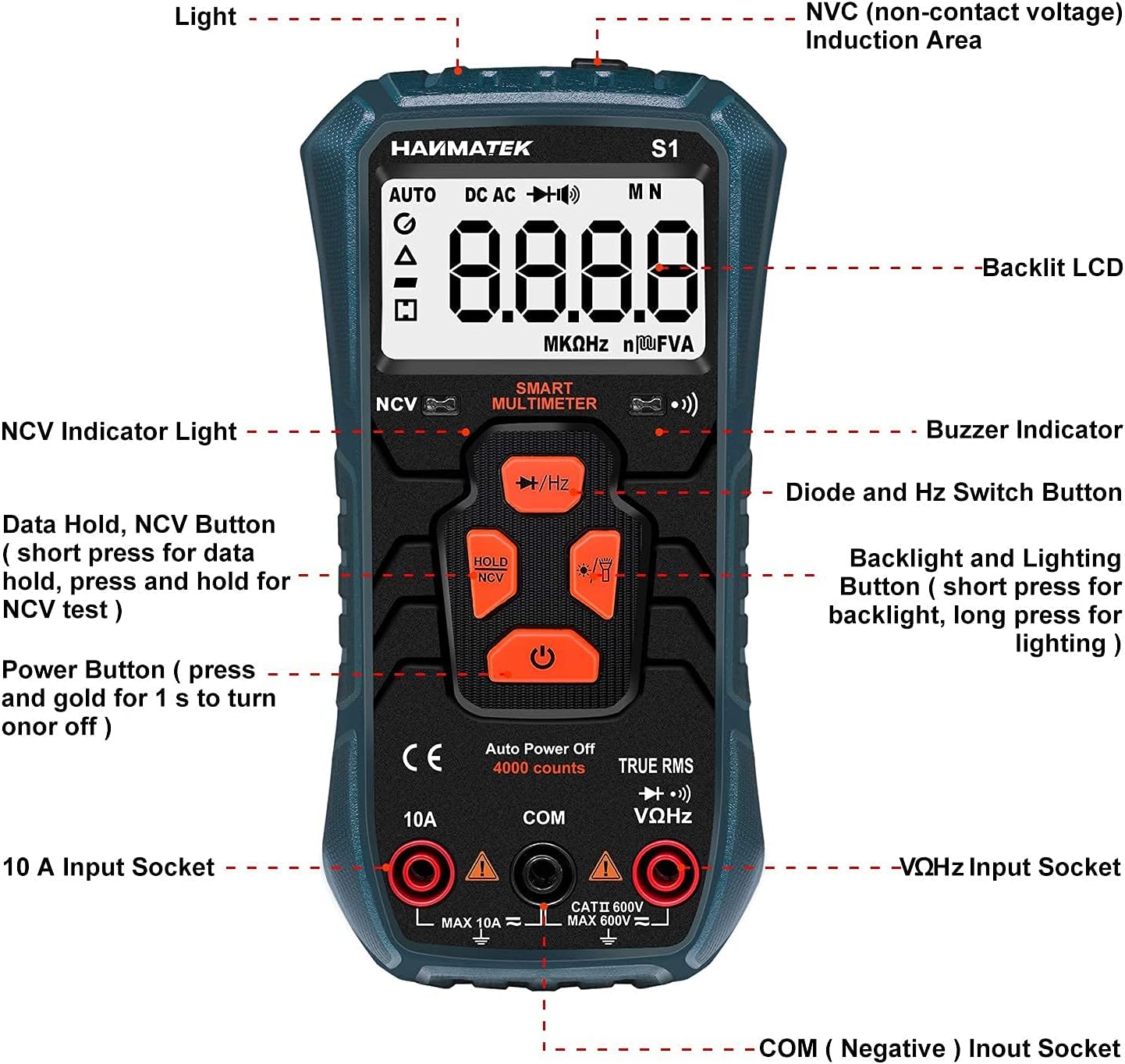
Figure 2: Front panel layout of the S1 Multimeter.
- NCV (Non-Contact Voltage) Induction Area
- Backlit LCD Display
- NCV Indicator Light
- Buzzer Indicator
- Diode and Hz Switch Button
- Backlight and Lighting Button (short press for backlight, long press for lighting)
- Data Hold, NCV Button (short press for data hold, long press for NCV test)
- Power Button (press and hold for 1 second to turn on or off)
- 10A Input Socket
- COM (Negative) Input Socket
- VΩHz Input Socket
HANMATEK HM310T Programmable DC Power Supply Overview
The HANMATEK HM310T is a programmable DC power supply offering 0-30V and 0-10A output. It features high accuracy, parameter storage, and multiple protection mechanisms.

Figure 3: Front panel of the HM310T Power Supply showing M1-M6 parameter storage keys.
Power Supply Features
- Programmable Output: Standard USB interface on the back supports Modbus programming instruction set.
- High Accuracy Display: Displays output current, voltage, and power in 4 digits. Automatic rounding of decimal points.
- Parameter Storage: Six groups of quick parameter storage features (M1-M6 buttons).
- Multiple Protection: Includes Overvoltage Protection (OVP), Overcurrent Protection (OCP), Over Power Protection, Over Temperature Protection, and Short Circuit Protection.
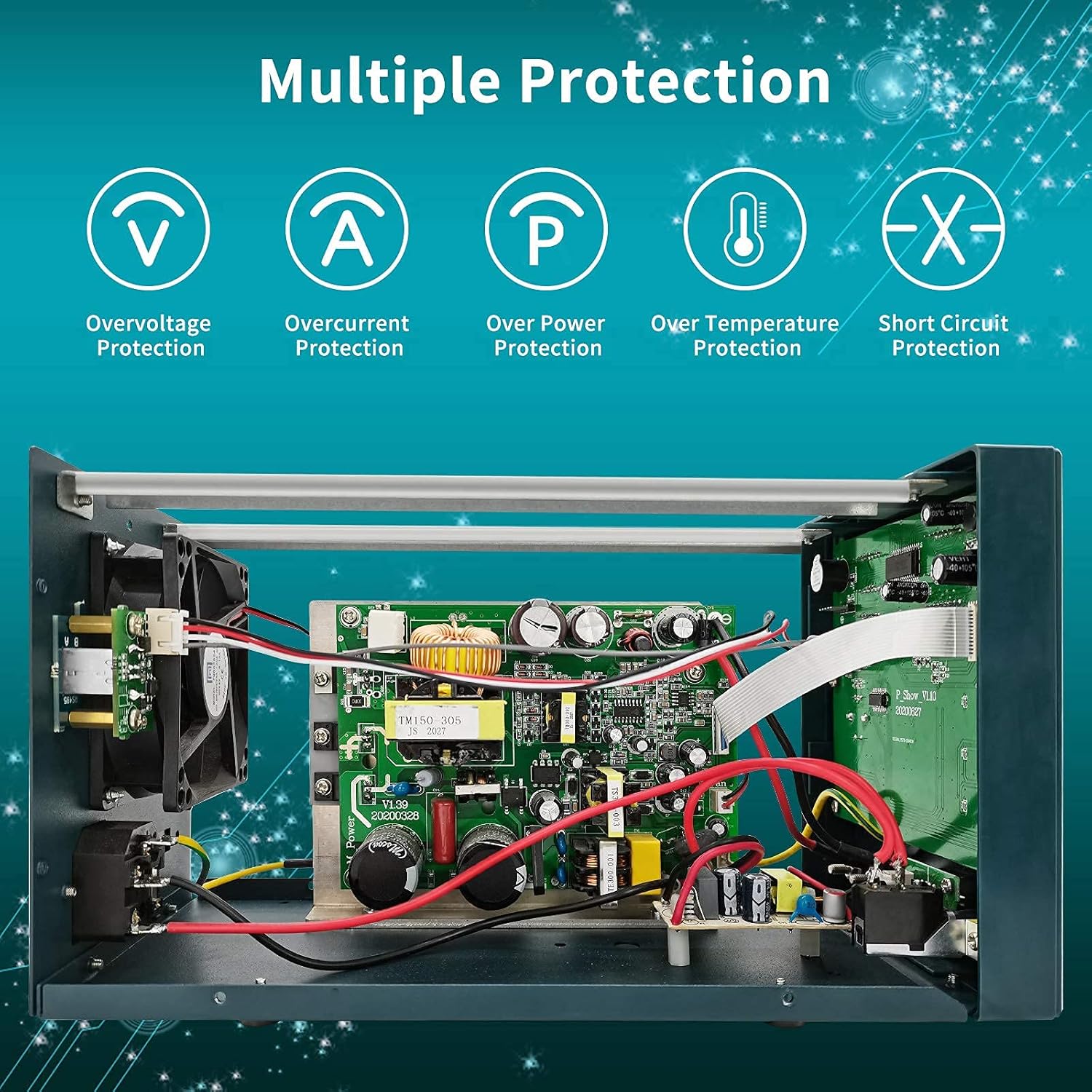
Figure 4: Internal components of the HM310T Power Supply highlighting multiple protection circuits.
Setup
HANMATEK S1 Digital Multimeter Setup
- Battery Installation:
Open the battery compartment cover on the back of the multimeter. Insert three 1.5V AAA batteries, ensuring correct polarity. Close the cover securely.
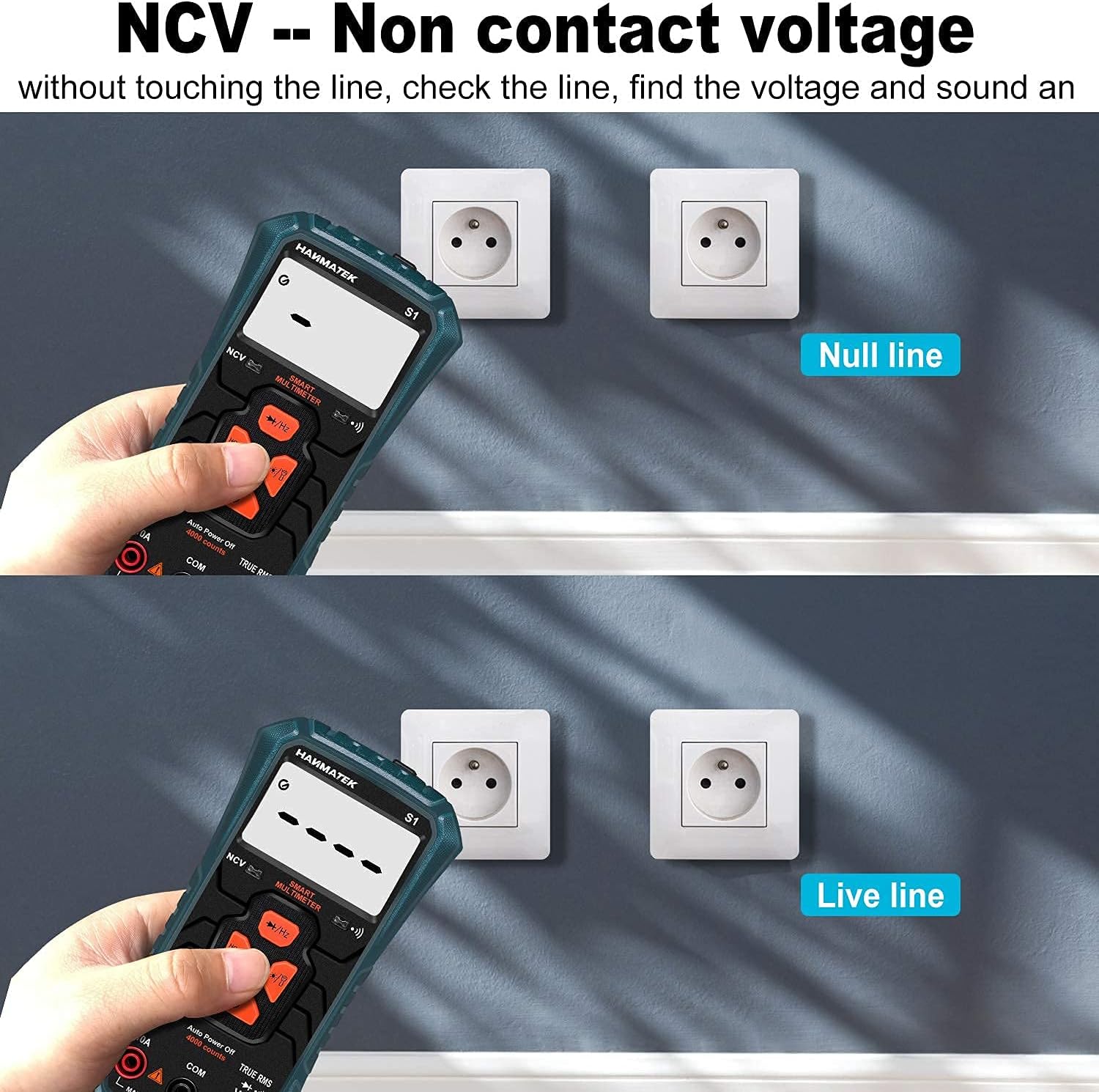
Figure 5: Battery installation for the S1 Multimeter.
- Test Lead Connection:
Insert the black test lead into the "COM" (Negative) input socket. Insert the red test lead into the "VΩHz" input socket for voltage, resistance, and frequency measurements, or into the "10A" input socket for current measurements.
HANMATEK HM310T Programmable DC Power Supply Setup
- Power Connection:
Connect the power supply to a suitable AC power outlet using the provided power cord.
- Load Connection:
Connect your load to the output terminals (+ and -) on the front panel using appropriate test leads. Ensure correct polarity.
Operating Instructions
HANMATEK S1 Digital Multimeter Operation
- Power On/Off: Press and hold the Power Button (7) for 1 second to turn the multimeter on or off.
- Function Selection: The S1 is an auto-ranging multimeter. It automatically detects the measurement type (voltage, resistance, continuity). Use the Diode and Hz Switch Button (5) to cycle through specific functions like diode test or frequency measurement if needed.
- Measuring Voltage/Current/Resistance:
- Connect test leads as described in the Setup section.
- Touch the probes to the circuit or component to be measured.
- Read the measurement on the LCD display.
- NCV (Non-Contact Voltage) Detection:
Press and hold the Data Hold, NCV Button (7) to activate NCV mode. Move the NCV Induction Area (1) near an AC voltage source. The NCV LED (3) will blink and the buzzer (4) will sound. The closer to the electric field, the faster the blinking and buzzing frequency. The LCD screen will indicate signal strength from "---" to "----".
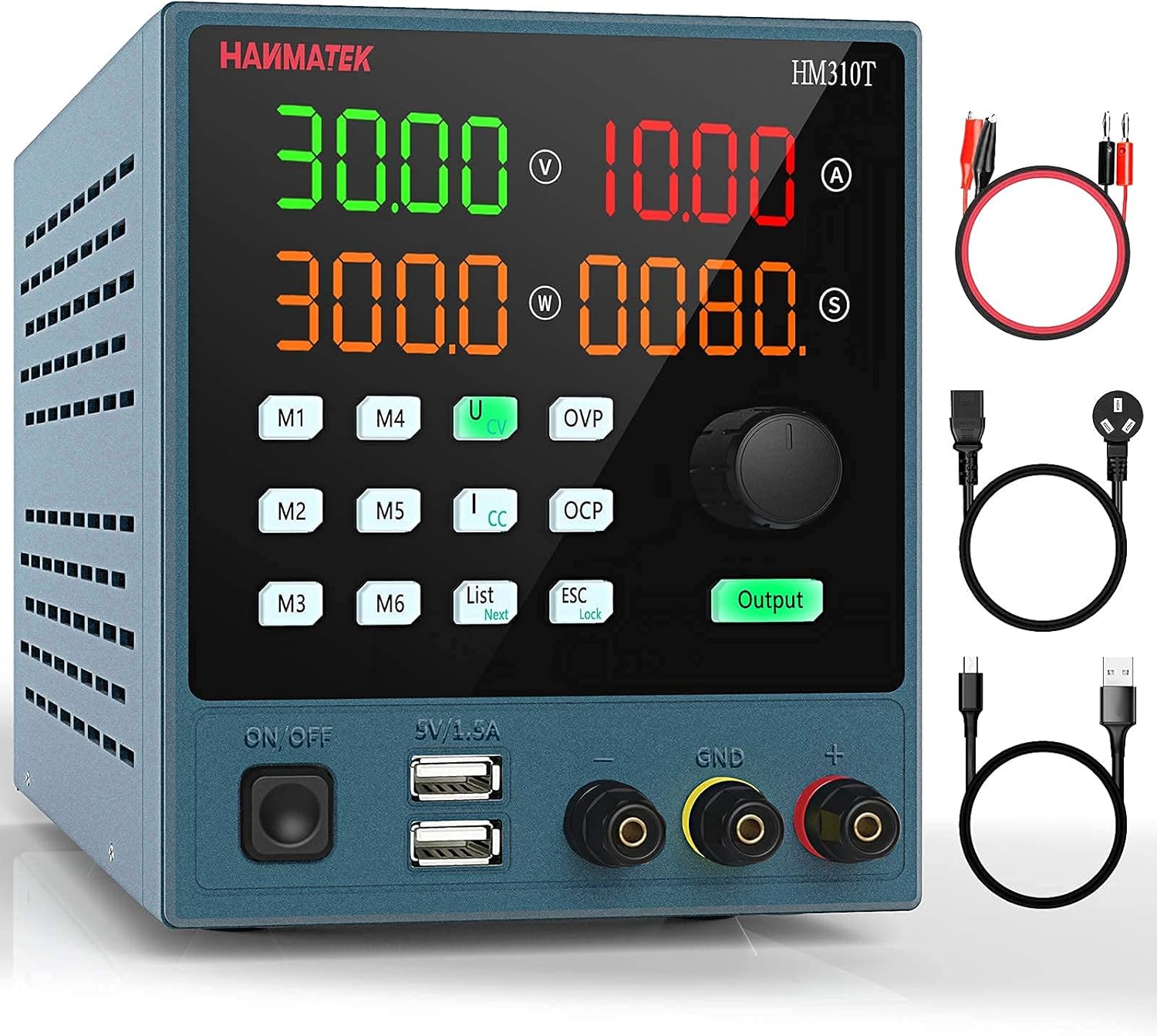
Figure 6: NCV function detecting voltage without physical contact.
- Data Hold: Short press the Data Hold, NCV Button (7) to freeze the current reading on the display. Press again to release.
- Backlight and Lighting: Short press the Backlight and Lighting Button (6) for backlight. Long press for the built-in flashlight.
HANMATEK HM310T Programmable DC Power Supply Operation
- Power On/Off: Use the ON/OFF switch on the front panel.
- Setting Voltage and Current:
Use the rotary encoder knob and associated buttons to set the desired output voltage and current limits. The 4-digit display shows the set values.
- Output Control:
Press the "Output" button to enable or disable the power output to the load.
- Parameter Storage (M1-M6):
The HM310T allows storing and recalling up to six sets of frequently used voltage and current parameters. To save a setting, adjust the voltage and current, then press and hold one of the M1-M6 buttons until the display confirms storage. To recall, simply short press the desired M1-M6 button.
- Programmable Function (USB):
The rear USB interface allows communication with a computer for programming the power supply using the Modbus instruction set. Refer to the separate programming guide for detailed instructions on using this feature.
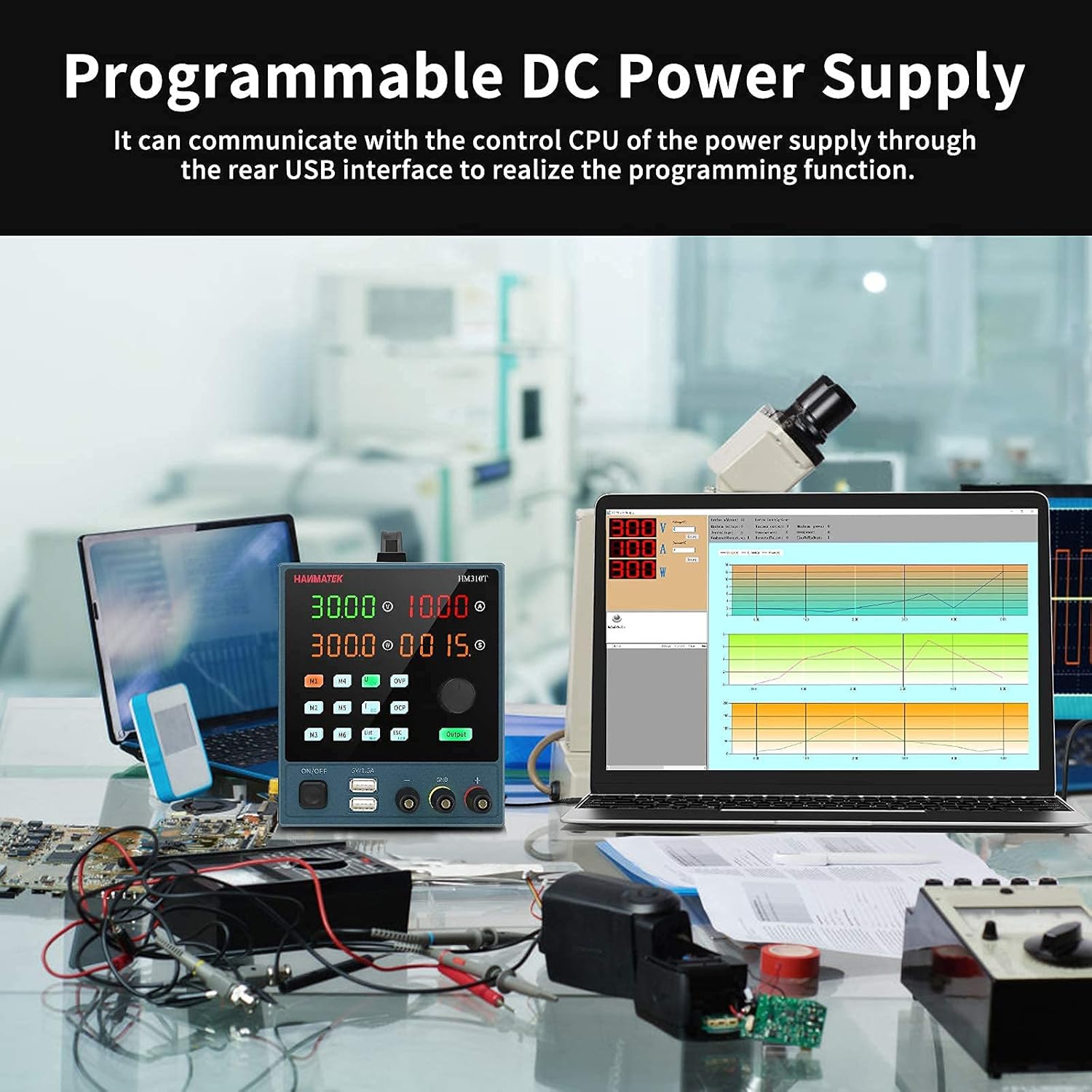
Figure 7: HM310T Power Supply demonstrating programmable control via USB.
Maintenance
- Cleaning: Wipe the devices with a damp cloth. Do not use abrasive cleaners or solvents.
- Battery Replacement (S1 Multimeter): Replace batteries when the low battery indicator appears on the display. Refer to the battery installation steps in the Setup section.
- Storage: Store the devices in a cool, dry place away from direct sunlight and extreme temperatures. Remove batteries from the multimeter if storing for extended periods.
- Calibration: Periodic calibration by qualified personnel is recommended to maintain accuracy.
Troubleshooting
HANMATEK S1 Digital Multimeter
- No Display/Power: Check battery installation and ensure batteries are not depleted.
- Incorrect Readings: Ensure test leads are properly connected and making good contact. Verify the correct function is selected (though auto-ranging minimizes this).
- NCV Not Working: Ensure the NCV button is pressed and held. Check for strong enough AC field.
HANMATEK HM310T Programmable DC Power Supply
- No Output: Ensure the "Output" button is enabled. Check input power connection.
- Output Voltage/Current Not Reaching Set Value: Check for overcurrent or overvoltage protection activation. Verify load resistance is within expected range.
- Programming Issues: Ensure USB connection is secure and correct drivers are installed. Refer to the programming guide for Modbus commands.
Specifications
HANMATEK S1 Digital Multimeter
| Feature | Specification |
|---|---|
| Display Counts | 4000 |
| DC Voltage Range | 0.8V - 600V |
| AC Voltage Range | 1V - 600V |
| DC/AC Current Range | 0.001A - 10A |
| Resistance Range | 0.1Ω - 60MΩ |
| Frequency Range | 10Hz - 20kHz |
| Diode Test | Yes (<3.0V) |
| Continuity | Yes |
| NCV Detection | Yes |
| Auto-Ranging | Yes |
| Safety Standard | 600V CAT II, Pollution Degree 2 (IEC61010) |
| Power Source | 3 x 1.5V AAA Batteries |
HANMATEK HM310T Programmable DC Power Supply
| Feature | Specification |
|---|---|
| Output Voltage | 0-30V |
| Output Current | 0-10A |
| Voltage Resolution | 10mV |
| Current Resolution | 1mA |
| Display Accuracy | 4-digit display for V, A, W |
| Programmable Interface | USB (Modbus support) |
| Parameter Storage | 6 groups (M1-M6) |
| Protection Features | OVP, OCP, Over Power, Over Temperature, Short Circuit |
Warranty and Support
For warranty information and technical support, please refer to the documentation included with your product or visit the official HANMATEK website. Keep your purchase receipt as proof of purchase.
For further assistance, contact HANMATEK customer service.