
Tzumi 7441
Tzumi 7441 Portable Vacuum Green Instruction Manual
Model: 7441 | Brand: Tzumi
Introduction
Thank you for choosing the Tzumi 7441 Portable Vacuum Green. This compact and powerful handheld vacuum is designed for quick and efficient cleaning in various environments, including your car, home, and office. Its cordless design and versatile attachments make it an ideal tool for tackling dust, crumbs, and small debris. Please read this manual thoroughly to ensure proper use, maintenance, and to maximize the lifespan of your device.
What's in the Box
Upon unboxing, please verify that all components listed below are present and in good condition:
- Tzumi 7441 Portable Vacuum Unit
- Charging Dock/Stand
- USB Charging Cable
- Brush Attachment
- Crevice Tool Attachment
- Storage Bag

Image: The Tzumi 7441 Portable Vacuum Green shown with its charging dock, illustrating the main unit and its base.
Product Overview
The Tzumi 7441 Portable Vacuum Green is engineered for convenience and effective cleaning. Its lightweight and ergonomic design ensures comfortable handling, while its powerful suction efficiently picks up various types of debris. The transparent dustbin allows for easy monitoring of fill levels, and the washable HEPA filter ensures optimal performance and air quality.
Key Features:
- Cordless Operation: Provides unrestricted movement for cleaning hard-to-reach areas.
- Two Suction Speeds: Adaptable power for different cleaning needs.
- USB-C Charging: Convenient and widely compatible charging method.
- HEPA Filter: Captures fine dust and allergens for cleaner exhaust air.
- Compact and Portable: Easy to store and transport for on-the-go cleaning.
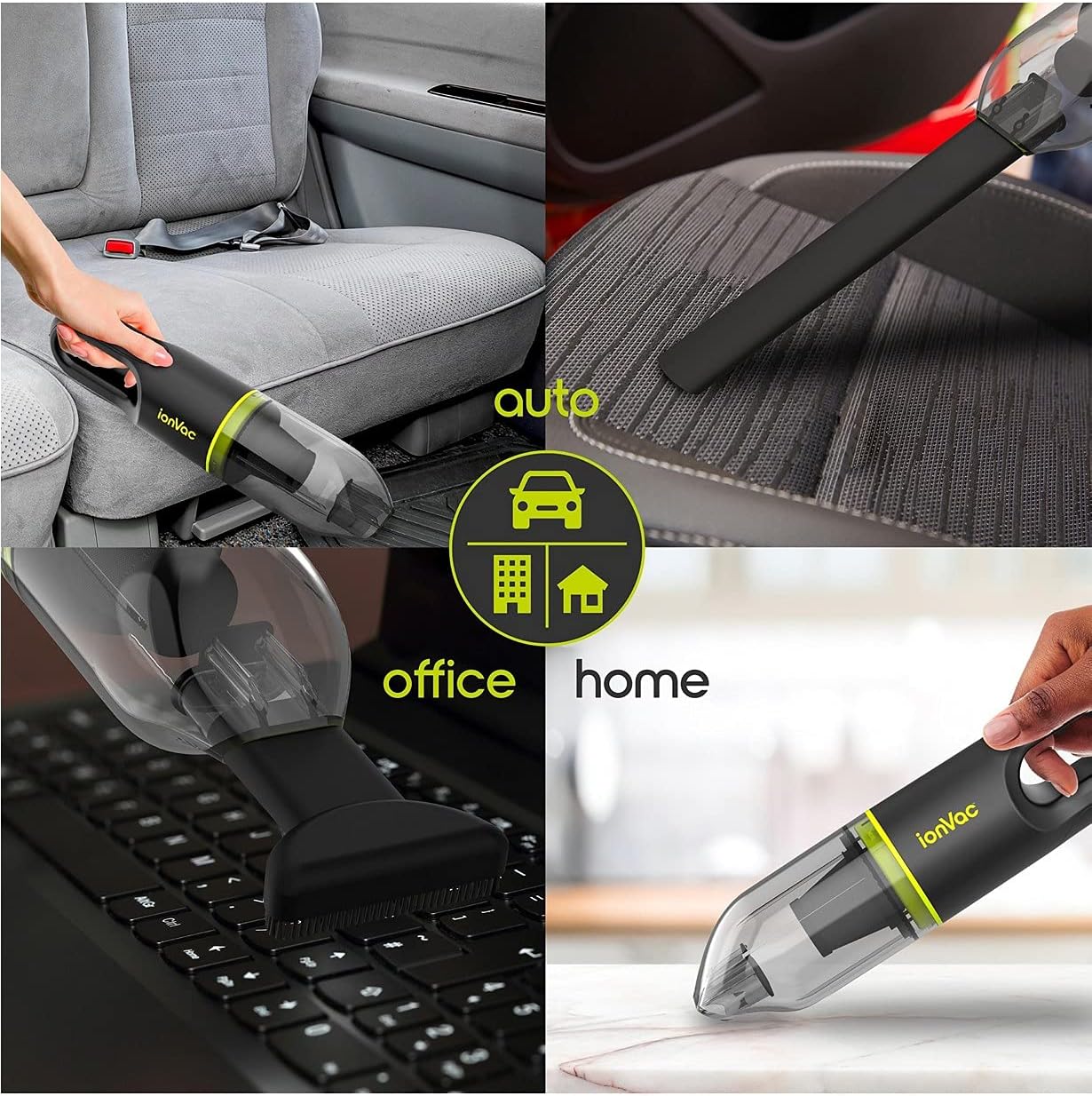
Image: The portable vacuum being used in various environments, including a car interior, an office desk, and a home kitchen, highlighting its versatility.
Setup
- Initial Charge: Before first use, fully charge the vacuum. Connect the USB charging cable to the charging dock and plug the other end into a compatible USB power adapter (not included). Place the vacuum onto the charging dock. The indicator lights on the vacuum will show charging status. A full charge typically takes several hours.
- Attaching Accessories:
- Brush Attachment: For cleaning upholstery, carpets, and surfaces that require gentle agitation. Simply slide the brush attachment onto the nozzle of the vacuum until it clicks securely into place.
- Crevice Tool: Ideal for reaching tight spaces, corners, and crevices in your car or home. Slide the crevice tool onto the vacuum nozzle until it is firmly attached.
Operating Instructions
- Powering On/Off: Press the power button located on the handle of the vacuum to turn it on. Press it again to cycle through the suction speeds (if applicable) or to turn it off.
- Selecting Suction Speed: The vacuum features two suction speeds. Press the power button once for the standard speed. Press it a second time for a higher suction power. Press a third time to turn the unit off.
- Cleaning: Direct the nozzle towards the area to be cleaned. For best results, move the vacuum slowly over the surface. Use the appropriate attachment for different surfaces and debris types.
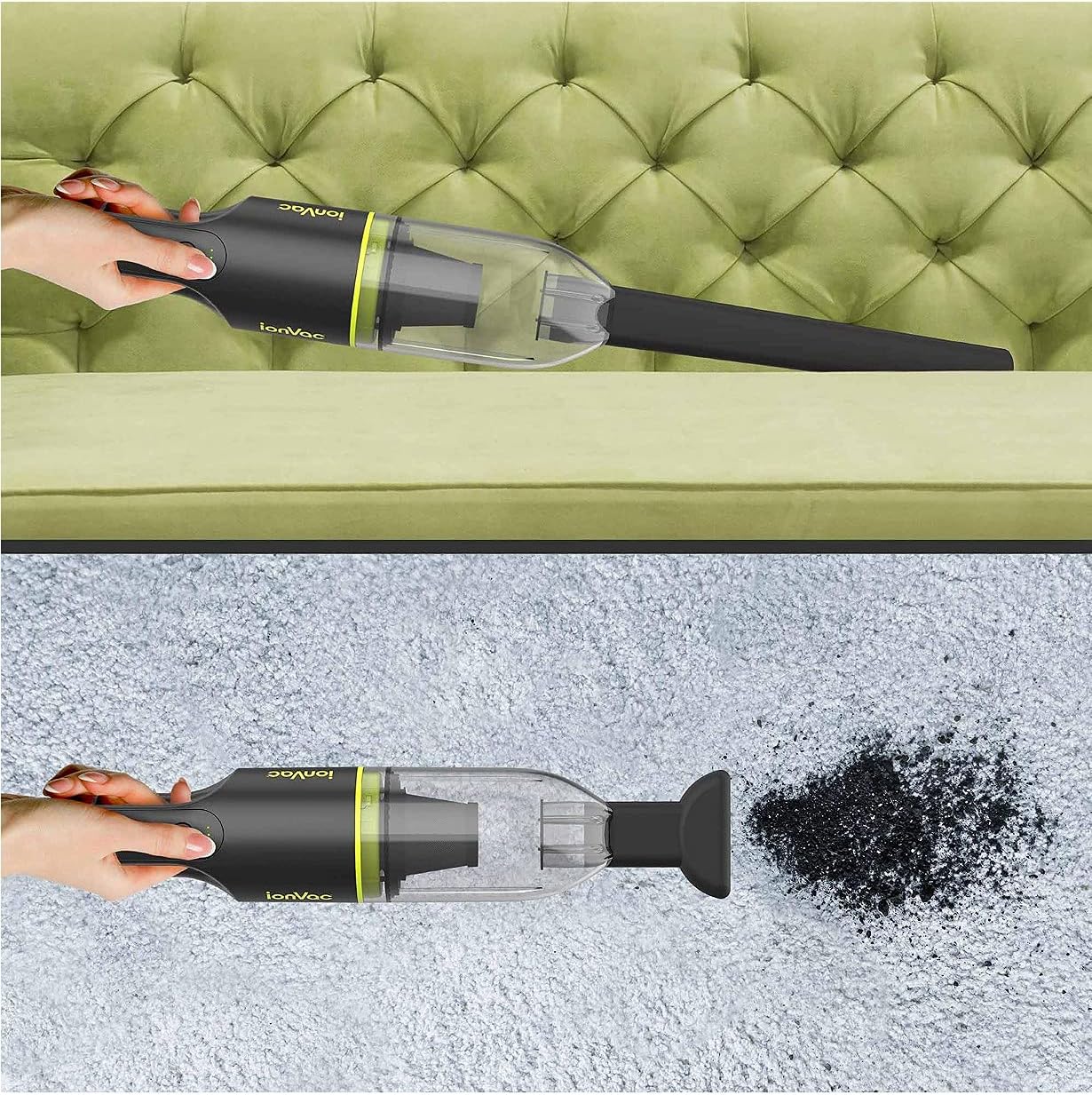
Image: The portable vacuum effectively cleaning crumbs from a sofa cushion and debris from a carpeted surface.
Maintenance
Regular maintenance ensures optimal performance and extends the life of your Tzumi 7441 Portable Vacuum.
- Emptying the Dustbin:
To empty the dustbin, twist the transparent dustbin counter-clockwise to unlock it from the main unit. Carefully remove the dustbin and dispose of the collected debris. It is recommended to empty the dustbin after each use or when it appears full to maintain suction power.
- Cleaning the HEPA Filter:
The HEPA filter is located inside the dustbin. Gently pull out the filter. Tap the filter over a trash can to remove loose dust. For a more thorough cleaning, the filter can be rinsed under cool running water. Ensure the filter is completely dry before reinserting it into the dustbin and reattaching the dustbin to the vacuum. Do not use detergents or hot water.
- Cleaning the Unit:
Wipe the exterior of the vacuum with a soft, damp cloth. Do not use harsh chemicals or abrasive cleaners. Ensure no water enters the charging port or other electrical components.
Troubleshooting
If you encounter issues with your Tzumi 7441 Portable Vacuum, please refer to the following common problems and solutions:
| Problem | Possible Cause | Solution |
|---|---|---|
| Vacuum does not turn on. | Battery is depleted. | Charge the vacuum fully using the provided USB cable and charging dock. |
| Low suction power. | Dustbin is full or filter is clogged. | Empty the dustbin and clean the HEPA filter. Ensure the filter is dry before reinserting. |
| Vacuum not charging. | Improper connection or faulty cable/adapter. | Ensure the USB cable is securely connected to both the dock and a working power source. Try a different USB adapter if available. |
| Attachments do not fit securely. | Incorrect alignment. | Ensure the attachments are aligned correctly with the vacuum nozzle and pushed firmly until they click into place. |
Specifications
| Feature | Detail |
|---|---|
| Brand | Tzumi |
| Model Name | Tzumi |
| Model Number | 7441 |
| Color | Black (with Green accents) |
| Special Feature | Portable |
| Filter Type | HEPA Filter |
| Included Components | Brush (and implied Crevice Tool, Charging Dock, USB Cable) |
| Is Cordless? | Yes |
| Recommended Uses | Carpet, Hard Floor, Furniture, Rug, Home |
| Battery Description | Lithium-Ion |
| Noise Level | 70 dB |
| Item Weight | 1.91 pounds |
| Package Dimensions | 13.54 x 4.76 x 3.86 inches |
| UPC | 841351174411 |
Warranty and Support
Specific warranty details and direct support contact information are not provided in this manual. For warranty claims, technical support, or to purchase replacement parts, please refer to the original product packaging, the retailer's website where the product was purchased, or visit the official Tzumi website for the most up-to-date information.