
Amazon Echo Dot (5th Gen) - 2022 release
Amazon Echo Dot (5th Gen)
User Manual
Introduction
The Amazon Echo Dot (5th Generation) is a smart speaker with Alexa, designed to provide vibrant sound, hands-free assistance, and smart home control. This manual provides essential information for setting up, operating, and maintaining your device.

The Amazon Echo Dot (5th Gen) in Charcoal, featuring its signature spherical design and illuminated light ring, indicating active status.
Setup
To begin using your Echo Dot, follow these steps:
- Unpack the Device: Remove the Echo Dot and its power adapter from the box.
- Connect Power: Plug the included 15W power adapter into the Echo Dot and then into a wall outlet. The light ring on the device will turn blue, then orange, indicating it is ready for setup.
- Download the Alexa App: On your smartphone or tablet, download the Amazon Alexa app from your device's app store (compatible with Fire OS, Android, and iOS).
- Connect to Wi-Fi: Open the Alexa app and follow the on-screen instructions to connect your Echo Dot to your dual-band Wi-Fi network (supports 802.11a/b/g/n/ac on 2.4 and 5 GHz). The device supports Amazon Wi-Fi simple setup for easy connection.
- Personalize Settings: Once connected, the app will guide you through personalizing your device, including setting your location, time zone, and preferred voice assistant language (English or Spanish).

A detailed view of the Echo Dot's speaker grille and light ring, highlighting its compact and aesthetic design.
Operating Your Echo Dot
The Echo Dot is primarily voice-controlled via Alexa. Here are common operations:
- Voice Commands: Say "Alexa" followed by your command or question. For example, "Alexa, what's the weather?" or "Alexa, play music."

The Echo Dot responding to a voice command for a weather update, demonstrating its hands-free functionality in a home setting.
- Music and Audio: Stream music, audiobooks, and podcasts from services like Amazon Music, Apple Music, Spotify, and Pandora. You can also connect your mobile device via Bluetooth (A2DP support).
- Smart Home Control: Control compatible smart home devices using your voice. The Echo Dot supports Wi-Fi, Bluetooth Low Energy Mesh, and Matter for smart home connectivity. You can also set up routines triggered by built-in motion or indoor temperature sensors.
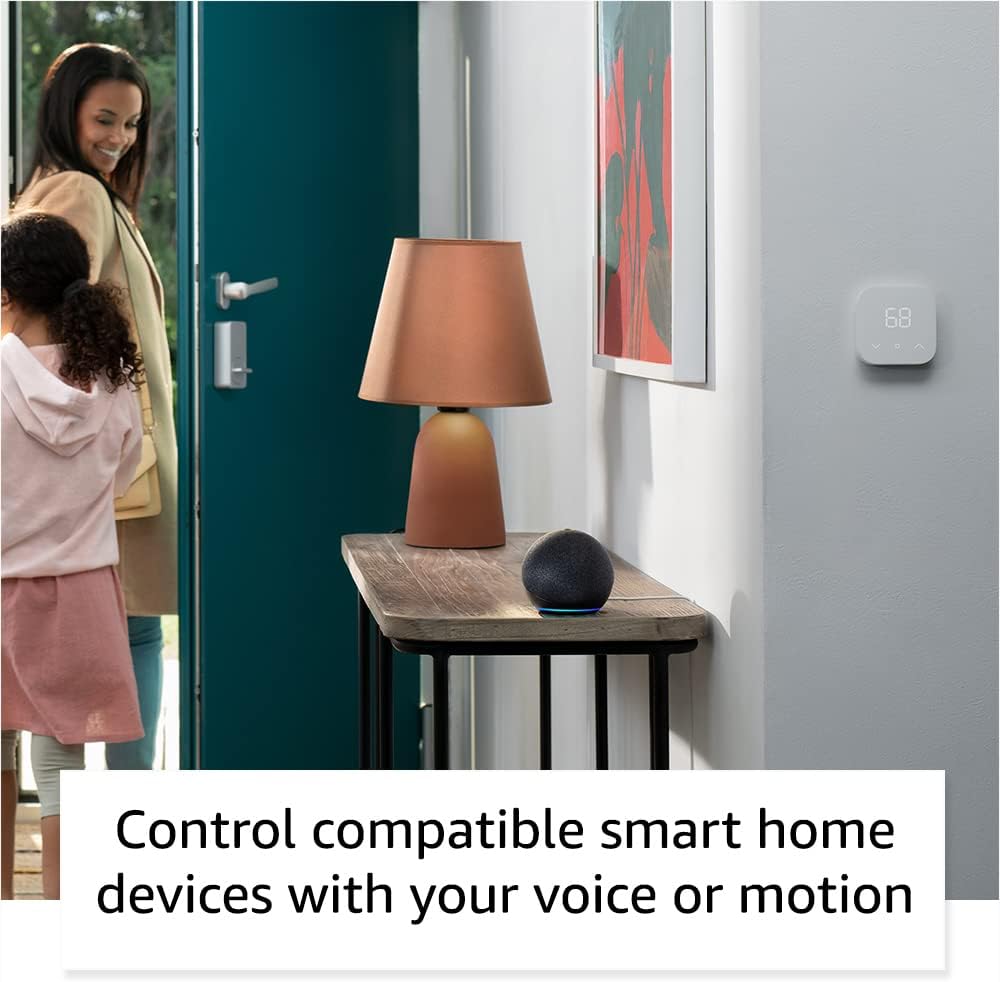
The Echo Dot seamlessly integrates into a smart home, allowing voice or motion-activated control of compatible devices like lights and thermostats.
- Privacy Controls: The Echo Dot includes a microphone off button for privacy. Pressing this button electronically disconnects the microphones.
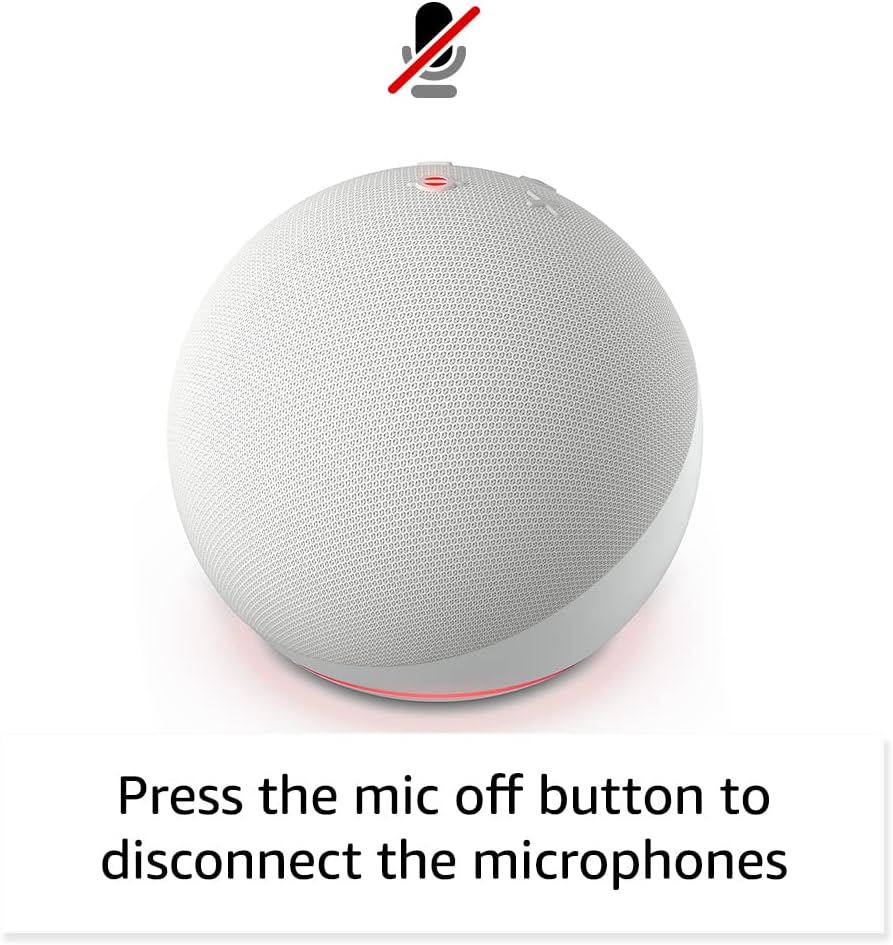
The microphone off button on the Echo Dot, providing a clear visual indicator when the microphones are disabled for enhanced privacy.
- Physical Controls: Tap the top of the device to pause music or snooze an alarm. Volume buttons are also located on the top surface.

A user interacting with the Echo Dot by tapping its top surface, demonstrating the intuitive physical controls for media playback and alarms.
- Device Pairing: Pair multiple compatible Echo devices for multi-room audio, create a home theater system with Fire TV, or extend Wi-Fi coverage with a compatible eero network.
Maintenance
To ensure the longevity and optimal performance of your Echo Dot:
- Cleaning: Use a soft, dry, lint-free cloth to clean the exterior of the device. Do not use abrasive cleaners or sprays.
- Placement: Place the device on a stable, flat surface away from direct sunlight, heat sources, and moisture. Ensure proper ventilation.
- Software Updates: Your Echo Dot automatically receives software security updates. Ensure it is connected to Wi-Fi to receive these updates.
Troubleshooting
If you encounter issues with your Echo Dot, consider the following:
- No Response from Alexa: Ensure the microphone is not muted (red light ring indicates mute). Check Wi-Fi connectivity. Try unplugging the device for a few seconds and plugging it back in.
- Connectivity Issues: Verify your Wi-Fi network is active and the Echo Dot is within range. Restart your router if necessary. Use the Alexa app to reconfigure Wi-Fi settings if needed.
- Sound Quality: Ensure the device is not placed in an enclosed space that might muffle sound. Adjust volume via voice command or physical buttons.
- App Issues: Ensure your Alexa app is updated to the latest version. Restart the app or your mobile device.
- Further Assistance: For more detailed troubleshooting, visit the Alexa Privacy Hub or the 'Manage Your Content and Devices' section on the Amazon website.
Specifications
| Feature | Description |
|---|---|
| Size | 3.9” x 3.9” x 3.5” (100mm x 100mm x 89 mm) |
| Weight | 10.7 oz (304g) |
| Audio | 1.73” (44 mm) front-firing speaker, Lossless High Definition |
| Wi-Fi Connectivity | Dual-band Wi-Fi supports 802.11a/b/g/n/ac (2.4 and 5 GHz) networks. |
| Bluetooth Connectivity | A2DP support for audio streaming, AVRCP for voice control of connected mobile devices. |
| Smart Home Compatibility | WiFi, Bluetooth Low Energy Mesh, and Matter |
| Generation | Echo Dot (5th Gen) - 2022 release |
| Included in Box | Echo Dot, power adapter (15W), Quick Start Guide. |
| Language | Alexa speaks English and Spanish |
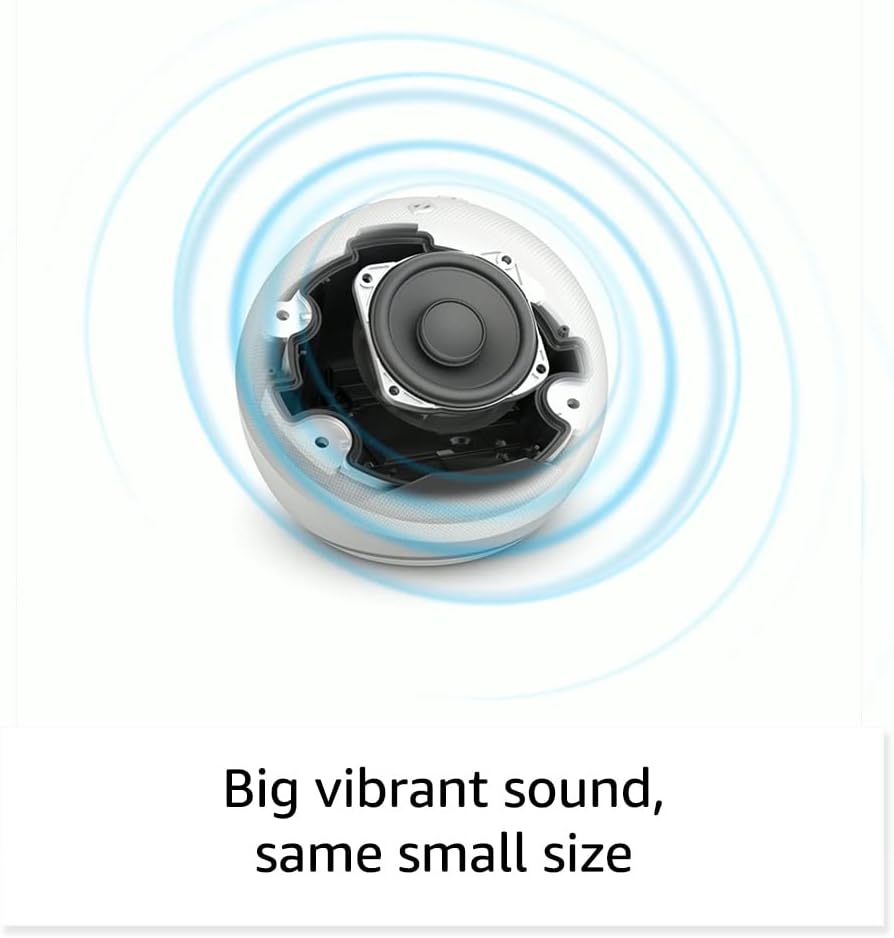
An internal view of the Echo Dot, highlighting the 1.73-inch front-firing speaker designed for vibrant sound.
Warranty and Support
Your Amazon Echo Dot comes with a 90-day limited warranty and service. Optional extended warranty plans (1-year, 2-year, and 3-year) are available for purchase separately for U.S. customers.
For detailed warranty terms and conditions, please refer to the documentation included with your device or visit the Amazon website. For privacy information and to manage your voice recordings, visit the Alexa Privacy Hub.
Related documentsEcho Dot (5th Gen) - 2022 release


Ask a question about this manual
Ask about setup, troubleshooting, compatibility, parts, safety, or missing instructions. Manuals+ will review the question and use this page’s manual context to help answer it.