
Bestier Trapezoid
Bestier Nightstand with Drawer and Shelf (Model: Trapezoid)
Instruction Manual
Introduction
This manual provides detailed instructions for the assembly, operation, and maintenance of your Bestier Nightstand with Drawer and Shelf. Designed for small spaces, this modern side table features a smooth-gliding drawer, an open shelf, and a sturdy structure made of scratch-resistant, heat-resistant, and waterproof veneered MDF with reinforced metal legs. Please read these instructions carefully before assembly and use to ensure proper function and longevity of your product.
Safety Information
- Always assemble the product on a soft, clean surface to prevent scratches.
- Ensure all parts are securely fastened before use. Do not overtighten screws.
- Keep small parts away from children during assembly.
- Do not stand or sit on the nightstand.
- Distribute weight evenly on the tabletop and shelves. The tabletop load bearing capacity is up to 40 lbs.
Package Contents
Before beginning assembly, verify that all components listed below are present and undamaged. If any parts are missing or damaged, please contact Bestier customer service.
- Tabletop Panel
- Side Panels (2)
- Bottom Shelf Panel
- Drawer Front Panel
- Drawer Side Panels (2)
- Drawer Back Panel
- Drawer Bottom Panel
- Metal Legs (4)
- Drawer Handle
- Hardware Pack (screws, cam locks, dowels, drawer slides, etc.)
- Assembly Tool (Allen wrench)
Assembly Instructions
Follow these steps carefully for proper assembly. It is recommended to have one person for assembly.
Step 1: Attach Drawer Slides to Side Panels
Identify the two side panels. Attach the drawer slides to the designated pre-drilled holes on the inner sides of these panels using the provided screws. Ensure the slides are oriented correctly for smooth drawer operation.
Step 2: Assemble the Main Frame
Connect the side panels to the tabletop panel and the bottom shelf panel using cam locks and dowels. Ensure all connections are snug and secure. The trapezoid design of the side panels should be oriented as shown in the product images for stability.
Step 3: Attach Metal Legs
Secure the four metal legs to the bottom of the main frame using the provided screws. Ensure the legs are firmly attached and stable.
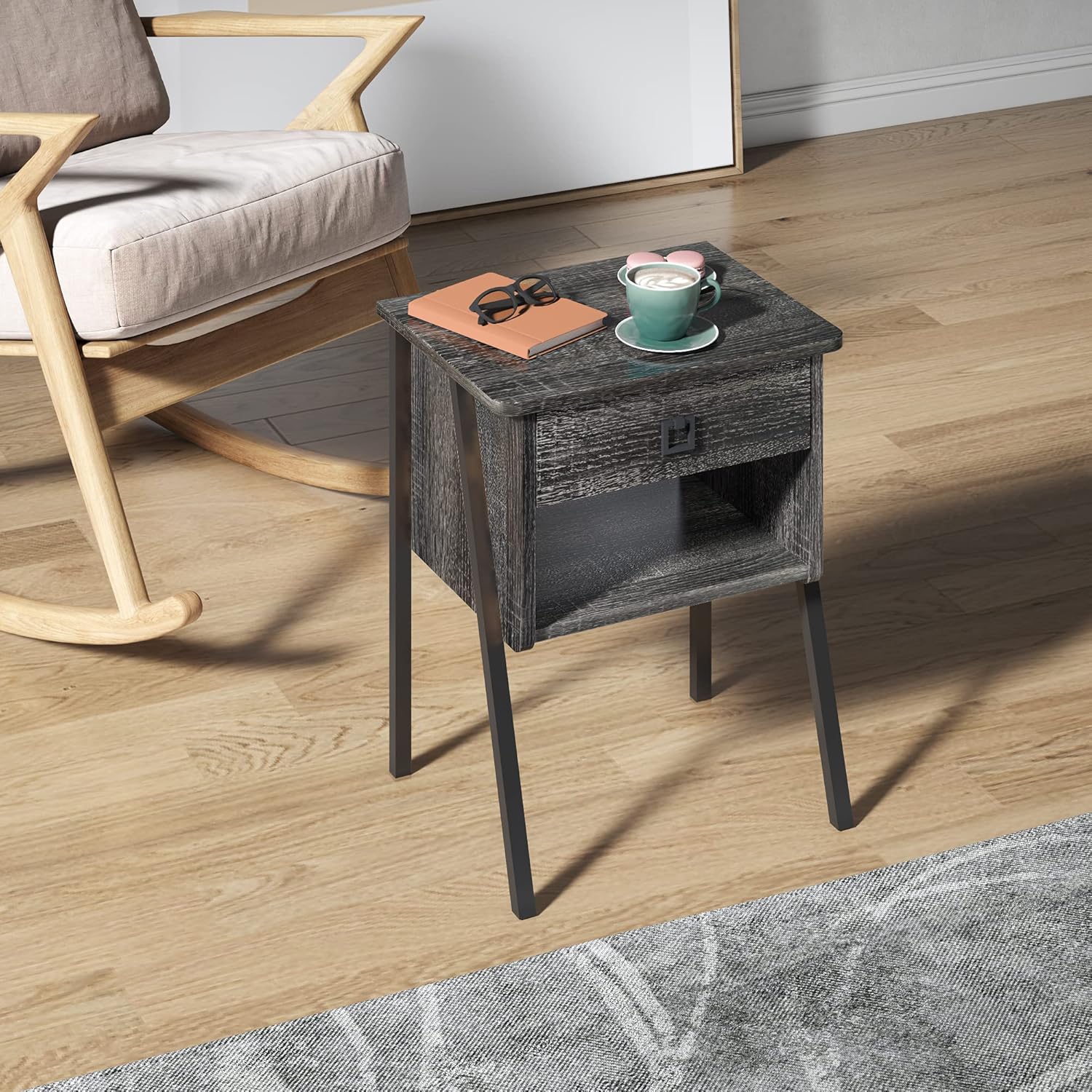
Image: The Bestier Nightstand with its metal legs securely attached, ready for use. This image shows the overall structure of the nightstand with its distinctive leg design.
Step 4: Assemble the Drawer
Connect the drawer side panels, back panel, and bottom panel to the drawer front panel. Attach the remaining drawer slides to the sides of the assembled drawer. Finally, attach the drawer handle to the front panel.

Image: A close-up view of the square metal drawer handle, highlighting its design and attachment point on the drawer front.
Step 5: Insert the Drawer
Carefully align the drawer slides on the drawer with the slides on the main frame and gently push the drawer into place until it clicks securely.
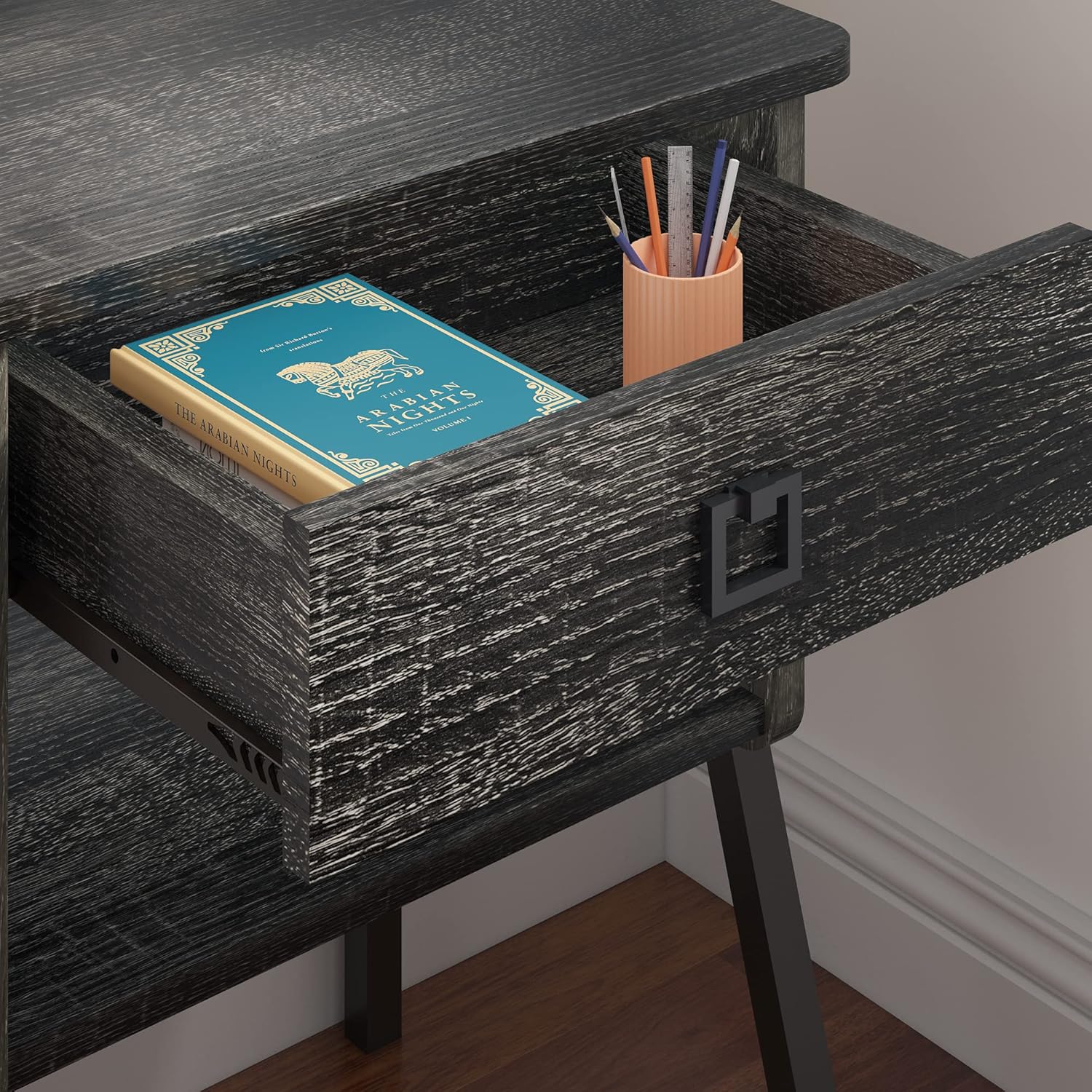
Image: The Bestier Nightstand with its drawer partially open, revealing the interior storage space. A book and a pen holder are visible inside the drawer.
Video: An official product video from Bestier Direct showcasing the nightstand in various bedroom settings and highlighting its features. This video provides a visual overview of the product's design and functionality.
Video: An official product video from Bestier Direct demonstrating the Bestier Black Night Stand, showing its design and how it fits into different room decors. This video offers a closer look at the black finish and overall aesthetic.
Operating Instructions
Using the Drawer
The nightstand features a smooth-gliding drawer. To open, gently pull the handle. To close, push the drawer firmly until it is fully recessed. Avoid forcing the drawer if it encounters resistance.
Utilizing the Open Shelf
The open shelf below the drawer provides additional storage or display space. It is suitable for books, magazines, small decorative items, or electronic devices. Ensure items placed on the shelf do not exceed its weight capacity or obstruct the drawer's movement.
Maintenance and Care
- Cleaning: Wipe surfaces with a soft, damp cloth. Avoid harsh chemicals or abrasive cleaners, as these can damage the finish.
- Spills: Immediately wipe up any spills to prevent water damage to the veneered MDF. The material is water-resistant but not waterproof for prolonged exposure.
- Heat Protection: While the surface is heat-resistant, it is recommended to use coasters under hot items to prevent potential damage.
- Stability Check: Periodically check all screws and fasteners to ensure they remain tight. Retighten if necessary, but do not overtighten.
- Placement: Avoid placing the nightstand in direct sunlight or near heat sources to prevent warping or fading.

Image: Icons illustrating key features: anti-scratching, waterproof, easy assembly, and heat resistant, emphasizing the durability and convenience of the nightstand.
Troubleshooting
| Problem | Possible Cause | Solution |
|---|---|---|
| Nightstand is wobbly | Loose fasteners or uneven floor. | Ensure all screws are tightened. Adjust leg levelers if present, or place shims under legs on uneven surfaces. |
| Drawer does not slide smoothly | Drawer slides misaligned or obstructed. | Check that drawer slides are correctly installed and free of debris. Ensure the drawer is not overloaded. |
| Parts missing or damaged | Manufacturing defect or shipping damage. | Contact Bestier customer service immediately for replacement parts. |
Specifications

Image: A detailed diagram illustrating the dimensions of the Bestier Nightstand, including height, width, and depth of the overall unit, drawer, and shelf.
- Brand: Bestier
- Model Name: Trapezoid
- Product Dimensions (Overall): 14.6"D x 17.13"W x 24.02"H
- Item Weight: 18.52 Pounds
- Frame Material: Manufactured Wood, Steel, Particle Board/Chipboard
- Top Material Type: Engineered Wood
- Color: Black
- Number of Drawers: 1
- Tabletop Load Bearing Capacity: Up to 40 lbs
- Assembly Required: Yes (Includes all assembly tools)
Warranty and Support
This Bestier Nightstand comes with an 18-month warranty. Bestier is committed to providing professional after-sale service and lifetime product support. If you have any questions, concerns, or require assistance with assembly or parts, please do not hesitate to contact our service team. Refer to your purchase documentation for specific contact information.
Related documentsTrapezoid


Ask a question about this manual
Ask about setup, troubleshooting, compatibility, parts, safety, or missing instructions. Manuals+ will review the question and use this page’s manual context to help answer it.