Introduction
This user manual provides essential information for the safe and effective use of your ITMBET BTE-1400 high-capacity replacement battery. Designed specifically for the Verizon Orbic Journey V RC2200L 4G LTE Flip phone, this battery aims to restore optimal performance and extend the usage time of your device. Please read this manual thoroughly before installation and use.
Product Features

The ITMBET BTE-1400 battery is a high-capacity replacement designed to provide reliable power for your compatible flip phone. It features a 1650 mAh capacity, offering extended standby and usage times.
- Extra Long Standby Time: With a 1650 mAh large capacity and over 1000 cycles of charging, this battery is designed to reduce the need for frequent recharging.
- 100% Size Match: The ITMBET BTE-1400 battery is engineered to be exactly the same size as the original battery, ensuring a perfect fit within the phone's motherboard frame.

This image illustrates the precise dimensions of the ITMBET BTE-1400 battery, demonstrating how it fits seamlessly into the phone's battery compartment, matching the original battery's size.
- Efficient & Safe: Utilizing high-quality integrated battery cells, this product is FCC, CE, and RoHS certified, providing high capacity without compromising phone hardware.

This diagram highlights the various protection mechanisms integrated into the battery, including overcharging, overheat, voltage, current, short circuit, and discharge protection, ensuring safe operation.
- Latest IC Smart Chip: Equipped with advanced smart chip technology to prevent overheating, short-circuiting, overcharging, and over-discharging.
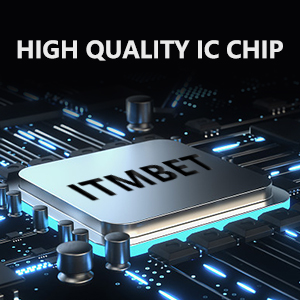
This image depicts the high-quality integrated circuit (IC) chip within the battery, responsible for managing power flow and providing multiple layers of protection.
Compatibility
The ITMBET BTE-1400 replacement battery is specifically designed for the following phone model:
- Verizon Orbic Journey V RC2200L 4G LTE Flip Phone

This image shows the ITMBET BTE-1400 battery alongside the Verizon Orbic Journey V RC2200L flip phone, illustrating its intended compatibility.
Setup and Installation
- Power Off Device: Before beginning, ensure your Verizon Orbic Journey V RC2200L phone is completely powered off.
- Remove Back Cover: Carefully remove the back cover of your phone. Refer to your phone's original user manual if you are unsure how to do this.
- Remove Old Battery: Gently lift and remove the existing battery from its compartment.
- Insert New Battery: Align the ITMBET BTE-1400 battery with the battery compartment, ensuring the contacts match. Press down gently until it is securely seated. The 100% size match ensures a snug fit.
- Replace Back Cover: Reattach the back cover of your phone, ensuring it clicks into place.
- Initial Charge: It is recommended to fully charge the new battery before its first use.
Caution: Handle the battery with care. Do not use excessive force during installation. If the battery does not fit easily, recheck its orientation and your phone model compatibility.
Operating Instructions
To activate the battery's best performance and ensure accurate power readings, follow these steps after installation:
- Full Charge/Discharge Cycles: After installing the new battery, fully charge it to 100%, then allow the phone to completely discharge until it shuts down automatically. Repeat this full charge and discharge cycle 3-5 times. This process helps calibrate the battery and its power management system.
- Regular Charging: Charge your phone as needed. Avoid letting the battery completely drain to 0% frequently, as this can reduce its overall lifespan.
Maintenance
Proper maintenance can extend the life of your ITMBET battery:
- Avoid Extreme Temperatures: Do not expose the battery or phone to extreme heat (e.g., direct sunlight, hot cars) or extreme cold. Optimal operating temperature is typically between 0°C and 35°C (32°F and 95°F).
- Store Properly: If storing the battery for an extended period, ensure it is charged to about 50% and stored in a cool, dry place.
- Use Compatible Charger: Always use the original or a certified compatible charger for your phone.
- Regular Use: Batteries perform best with regular use. Avoid leaving the phone unused for very long periods.
Troubleshooting
| Problem | Possible Cause | Solution |
|---|---|---|
| Phone's power drops quickly or is inaccurate after new battery installation. | Battery not fully calibrated. | Perform 3-5 full charge/discharge cycles as described in the "Operating Instructions" section to activate the battery's best performance and calibrate the power management system. |
| Phone shuts down automatically or reboots frequently. | Could indicate a battery issue or other phone hardware/software problem. | Ensure the battery is properly seated. Perform calibration cycles. If the issue persists, contact customer support. If the phone heats up significantly, discontinue use immediately. |
| Battery not charging to 100%. | Minor calibration issue or charger incompatibility. | Ensure you are using a compatible charger. Perform calibration cycles. A slight discrepancy (e.g., 98-99%) might be normal for some devices. |
Specifications
| Attribute | Detail |
|---|---|
| Model Number | BTE-1400 |
| Compatibility | Verizon Orbic Journey V RC2200L 4G LTE Flip |
| Battery Capacity | 1650 Milliamp Hours |
| Nominal Voltage | 3.85V |
| Watt-hour | 6.35Wh |
| Battery Cell Composition | NiMH |
| Item Weight | 0.634 ounces |
| Package Dimensions | 3.43 x 2.2 x 0.63 inches |
| Certifications | FCC, CE, RoHS certified |
Safety Information
Please adhere to the following safety guidelines to prevent potential hazards and ensure the longevity of your battery:
- Do Not Disassemble: Never attempt to disassemble, puncture, or modify the battery. This can lead to fire, explosion, or leakage.
- Avoid Extreme Heat/Cold: Do not expose the battery to high temperatures (above 60°C/140°F) or direct sunlight, nor to very low temperatures.
- Avoid Crushing/Impact: Do not crush, drop, or subject the battery to severe impact.
- Keep Dry: Do not expose the battery to water or other liquids.
- Proper Disposal: Dispose of used batteries according to local regulations. Do not dispose of them in household waste or by burning.
- Discontinue Use if Damaged: If the battery appears damaged, swollen, or leaks, discontinue use immediately and dispose of it properly. If the phone heats up, stop using it.
The battery itself carries important safety warnings, including "Potential for fire or burning. Do not disassemble, puncture, crush, heat, or burn." Always observe these warnings.
Warranty and Customer Support
Your satisfaction is our top priority. ITMBET is committed to providing high-quality products and friendly service.
- Customer Support: If you have any questions, concerns, or problems regarding your ITMBET BTE-1400 battery, please do not hesitate to contact our customer support team. We aim to resolve your issues within 24 hours.
- Contact Information: Please refer to the contact details provided with your purchase or on the official ITMBET website for support.