Introduction
Thank you for choosing Oraimo True Wireless Earbuds. This manual provides detailed instructions on how to set up, operate, and maintain your earbuds to ensure the best possible audio experience. Please read this manual carefully before use.

Image: Oraimo True Wireless Earbuds and their charging case.
What's in the Box
Your Oraimo True Wireless Earbuds package includes the following items:
- Oraimo True Wireless Earbuds (Left and Right)
- Charging Case
- USB Type-C Charging Cable
- Multiple Sizes of Eartips (S/M/L)
- User Manual (this document)

Image: USB Type-C charging port on the case.
Product Overview
Earbud Components
- Touch Control Area: For playback, call management, and voice assistant activation.
- LED Indicator: Shows pairing status, battery level, and charging status.
- Microphones (4 total): Two on each earbud for clear calls and Environmental Noise Cancellation (ENC).
- Charging Contacts: Located at the bottom of the earbud stems.
- Eartips: Replaceable silicone tips for comfortable and secure fit.

Image: Diagram illustrating the four microphone locations on the earbuds for enhanced call clarity.
Charging Case Components
- Charging Indicators: LEDs on the front of the case show battery status.
- Type-C Charging Port: Located at the back of the case for charging.
- Earbud Charging Slots: Securely hold and charge the earbuds.
Setup
Charging the Earbuds and Case
Before first use, fully charge both the earbuds and the charging case.
- Place the earbuds into the charging case. Ensure they are correctly seated.
- Connect the provided USB Type-C cable to the charging port on the case and plug the other end into a USB power source (e.g., wall adapter, computer).
- The LED indicators on the case will light up to show charging progress. Once fully charged, the indicators will remain solid or turn off depending on the model.
The earbuds offer up to 8 hours of playtime on a single charge, and the charging case provides an additional 28 hours, totaling 36 hours of playtime. A quick 5-minute charge can provide up to 40 minutes of play time.

Image: Visual representation of 36 hours total playtime with the charging case.
Pairing with Your Device
The Oraimo True Wireless Earbuds utilize Bluetooth 5.2 for a stable and efficient connection.
- Open the charging case. The earbuds will automatically enter pairing mode, and their LED indicators will flash.
- On your device (smartphone, tablet, laptop), enable Bluetooth.
- Search for "oraimo freepods 3" in the list of available Bluetooth devices and select it to connect.
- Once connected, the earbud LEDs will stop flashing, indicating a successful pairing.
After the initial connection, the earbuds will automatically connect to your device when you open the charging case, provided Bluetooth is enabled on your device.

Image: Illustration of the one-step pairing process with a smartphone, showing the earbuds connecting automatically.
Video: An official video demonstrating the features of the Oraimo FreePods 3, including design, sound quality, and call clarity.
Operating
Wearing the Earbuds
The Oraimo FreePods 3 offer two wearing styles for different preferences: half-in-ear and in-ear. Choose the eartips (S/M/L) that provide the most comfortable and secure fit for you.
- Half-in-ear: More comfortable for extended wear.
- In-ear: Provides better noise isolation for an immersive listening experience.

Image: Visual guide demonstrating the two different fit options: half-in-ear and in-ear, for optimal comfort and sound.

Image: Diagram showing how eartips fit into the ear canal for sound isolation.
Touch Controls
The earbuds feature intuitive touch controls on either earbud. You can control various functions by tapping the touch control area.
| Action | Function |
|---|---|
| Tap Twice | Play/Pause music |
| Tap Left Earbud for 1.5s | Previous Track |
| Tap Right Earbud for 1.5s | Next Track |
| Tap Twice | Answer/End Calls |
| Tap One Earbud for 2s | Reject Calls |
| Tap Triple | Activate Voice Assistant |

Image: Detailed diagram illustrating all touch control gestures and their corresponding functions.
Sound Quality and Call Performance
The Oraimo FreePods 3 feature 13mm massive drivers for authentic sound with deep bass. Equipped with 4 microphones and Environmental Noise Cancellation (ENC) technology, these earbuds significantly reduce background noise, ensuring crystal clear calls even in noisy environments.

Image: Graph illustrating the enhanced deep bass response of Oraimo earbuds compared to standard audio profiles.
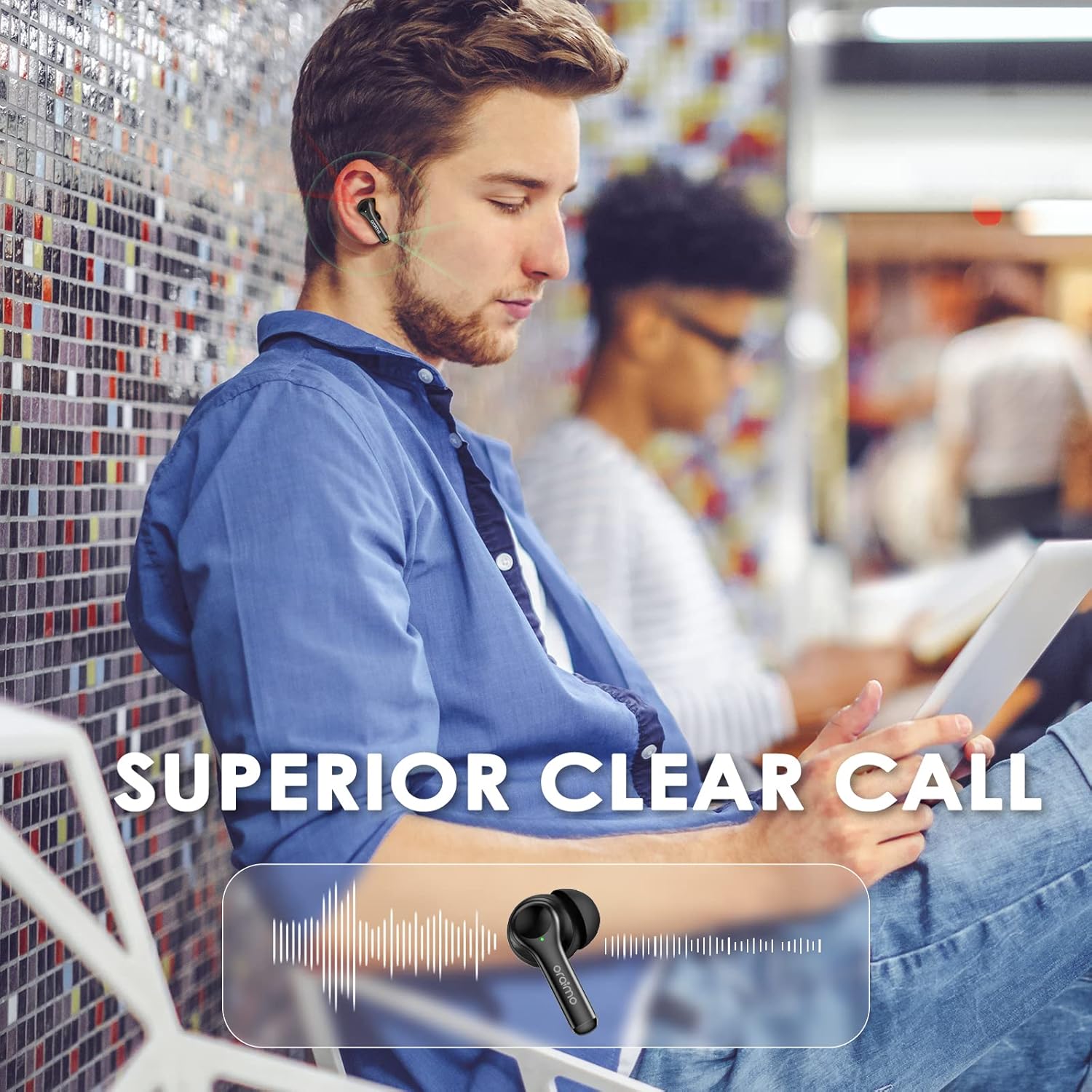
Image: A person using the earbuds, highlighting the superior clear call feature with visual sound waves.
Video: An official video showcasing the Oraimo FreePods 3, emphasizing their Bluetooth 5.2 connectivity, sound quality, and call features.
Maintenance
Cleaning
Regular cleaning helps maintain optimal performance and hygiene.
- Gently wipe the earbuds and charging case with a soft, dry, lint-free cloth.
- Remove eartips and clean them with mild soap and water if necessary. Ensure they are completely dry before reattaching.
- Use a cotton swab or a small, soft brush to clean the charging contacts on both the earbuds and inside the case.
Storage
When not in use, store the earbuds in their charging case to protect them and keep them charged. Store the case in a cool, dry place away from extreme temperatures.
Water Resistance
The earbuds are IPX5 waterproof, meaning they are protected against low-pressure water jets from any direction. This makes them suitable for sports and workouts where sweat or light rain might be a factor. Do not submerge the earbuds in water.

Image: Diagram illustrating the IPX5 waterproof protection of the earbuds, showing water droplets.
Troubleshooting
Earbuds Not Pairing with Each Other (TWS Pairing)
If only one earbud is working or they are not pairing with each other, you may need to manually re-pair them.
- Take both earbuds out of the charging case.
- If the left and right earbuds are not automatically paired, their status indicators will flash red and green alternatively.
- To manually enter TWS pairing mode, tap both earbuds simultaneously two times.
- After successful TWS pairing, only one earbud will flash red and green alternatively, indicating it's ready to connect to your device.
- Place the earbuds back into the charging case, then take them out again to connect to your device.
Video: A short instructional video demonstrating how to resolve issues when only one earbud is working by re-pairing them.
Other Common Issues
- No Sound: Ensure earbuds are charged, connected to your device, and volume is up.
- Connection Drops: Move closer to your device, ensure no strong interference sources are nearby.
- Earbuds Not Charging: Clean charging contacts on both earbuds and case. Ensure cable is properly connected.
Specifications
| Feature | Detail |
|---|---|
| Model Name | OEB-E104D |
| Connectivity Technology | Wireless (Bluetooth 5.2) |
| Bluetooth Range | 10 Meters |
| Battery Life (Earbuds) | Up to 8 Hours |
| Total Playtime with Case | Up to 36 Hours |
| Quick Charge | 5-minute charge for 40 minutes play |
| Audio Driver Type | 13mm Dynamic Driver |
| Microphones | 4 (with ENC Noise Cancelling) |
| Water Resistance Level | IPX5 (Sweat-proof) |
| Control Method | Touch |
| Item Weight (Earbuds only) | 0.16 oz (approx. 4.5g) per earbud |
| Item Weight (with charging case) | 1.6 oz (approx. 45g) |
| Color | Black |
Warranty and Support
Oraimo products come with a standard warranty. For detailed warranty information, product registration, or technical support, please visit the official Oraimo website or contact their customer service. Keep your purchase receipt for warranty claims.
Official Website: www.oraimo.com


