1. Introduction
The Ibiza Light ROLLING-EYE is a high-performance moving head wash effect light designed to produce powerful, multi-color light beams. Its pan and tilt capabilities allow for dynamic lighting effects, making it suitable for various professional and entertainment applications. This manual provides essential information for the safe and effective operation of your device.

Figure 1: Front view of the Ibiza Light ROLLING-EYE Moving Head Wash Effect.
2. Safety Instructions
Please read these safety instructions carefully before installing or operating the unit. Keep this manual for future reference.
- Ensure the power supply matches the voltage requirements specified on the unit.
- Always disconnect from the main power supply before cleaning, servicing, or installing the unit.
- Do not operate the unit if the power cord is damaged.
- Avoid direct eye exposure to the light source.
- Ensure proper ventilation around the unit to prevent overheating.
- Install the unit in a stable location, away from flammable materials.
- Only qualified personnel should perform repairs.
3. Product Overview
The ROLLING-EYE features a robust design with powerful LED light sources and precise motor control for pan and tilt movements. The front panel includes a digital display and control buttons for easy navigation.

Figure 2: Top view of the ROLLING-EYE, highlighting the LED array.
Key Components:
- LED Array: 6 x 12W 4-in-1 CREE LEDs for powerful, multi-color output.
- Moving Head: Allows for 540° Pan and 180° Tilt movements.
- Control Panel: Digital display with MENU, UP, DOWN, and ENTER buttons.
- DMX IN/OUT Ports: For connecting to DMX controllers.
- Power Input: For connecting the power cable.
- Omega Bracket: For secure mounting.
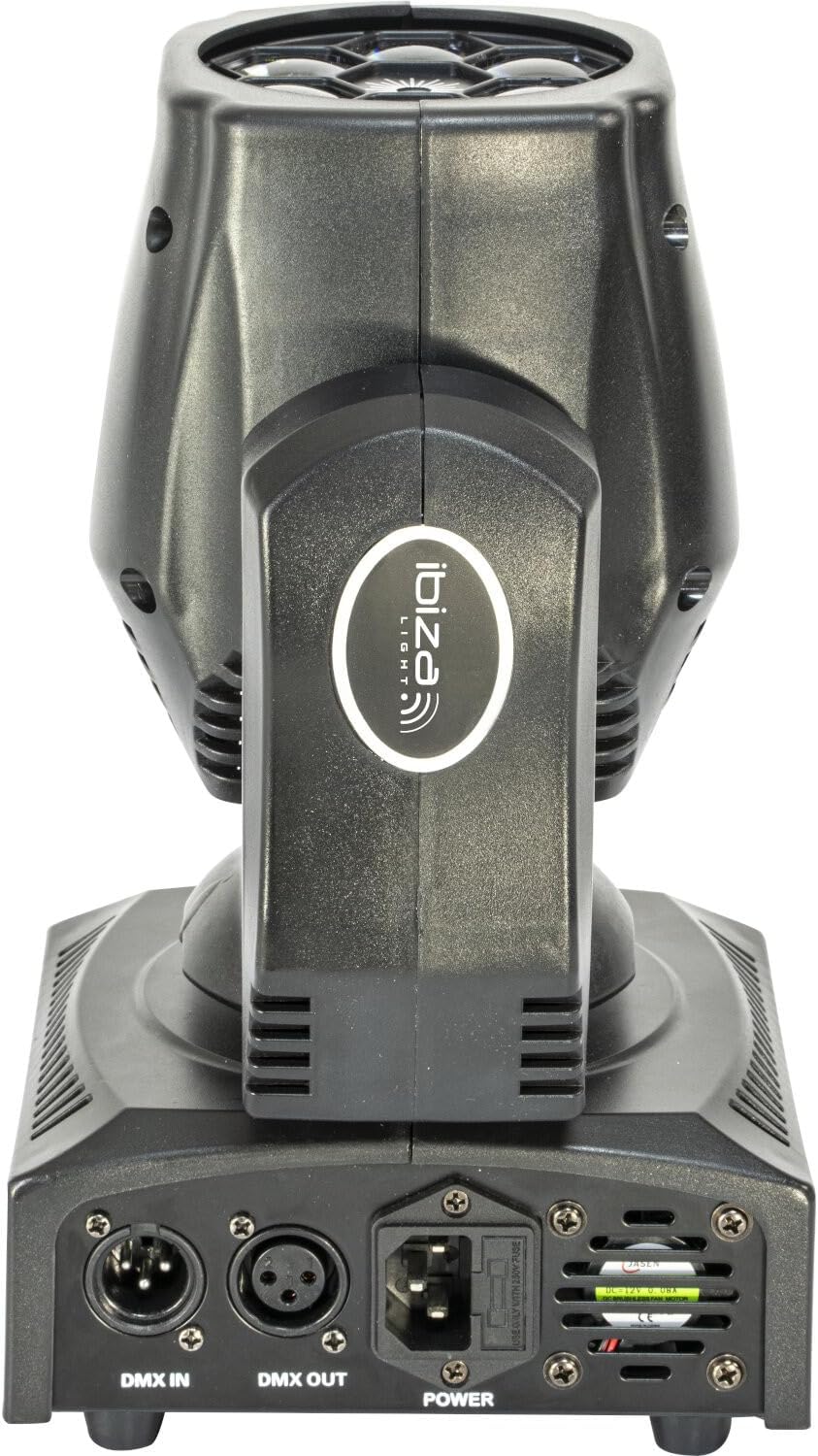
Figure 3: Rear view of the ROLLING-EYE, showing DMX In/Out and Power ports.
4. Setup
4.1 Mounting
The ROLLING-EYE can be placed on a flat surface or securely mounted using the provided omega bracket. Ensure the mounting surface or truss can support the weight of the fixture.
- Attach the omega bracket to the bottom of the fixture using the screws provided.
- Secure the omega bracket to a truss or mounting bar using appropriate clamps (not included).
- Always use a safety cable when mounting the fixture overhead.
4.2 Power Connection
Connect the power cable to the power input port on the rear of the unit and then to a suitable power outlet (100-240V ~ 50/60Hz).
4.3 DMX Connection (Optional)
For DMX control, connect a DMX cable from your DMX controller's output to the DMX IN port of the ROLLING-EYE. If connecting multiple units, daisy-chain them by connecting the DMX OUT of the first unit to the DMX IN of the next.
5. Operating Instructions
The ROLLING-EYE can be operated in several modes: Auto, DMX, Master-Slave, and Sound Control. Use the control panel buttons (MENU, UP, DOWN, ENTER) to navigate and select modes.
5.1 Control Panel Navigation
- MENU: Press to cycle through main menu options.
- UP/DOWN: Use to scroll through sub-menus or adjust parameter values.
- ENTER: Confirm selection or save changes.
5.2 Operating Modes
- Auto Mode: The fixture runs through pre-programmed light shows automatically. Select an auto program from the menu.
- Sound Control Mode: The fixture reacts to sound via its built-in microphone. Select this mode from the menu.
- Master-Slave Mode: Connect multiple units. Set one unit as "Master" and others as "Slave". Slave units will mimic the Master's behavior.
- DMX Mode: For professional control using a DMX controller.
- Set the DMX address for each fixture using the control panel. Ensure each fixture has a unique address.
- The ROLLING-EYE uses 12 DMX channels. Refer to the DMX channel chart (usually found in a separate DMX manual or advanced section) for specific channel functions (Pan, Tilt, Dimmer, Strobe, Color, etc.).
5.3 Light Effects Examples

Figure 4: Green light effect from the ROLLING-EYE.

Figure 5: Blue light effect from the ROLLING-EYE.
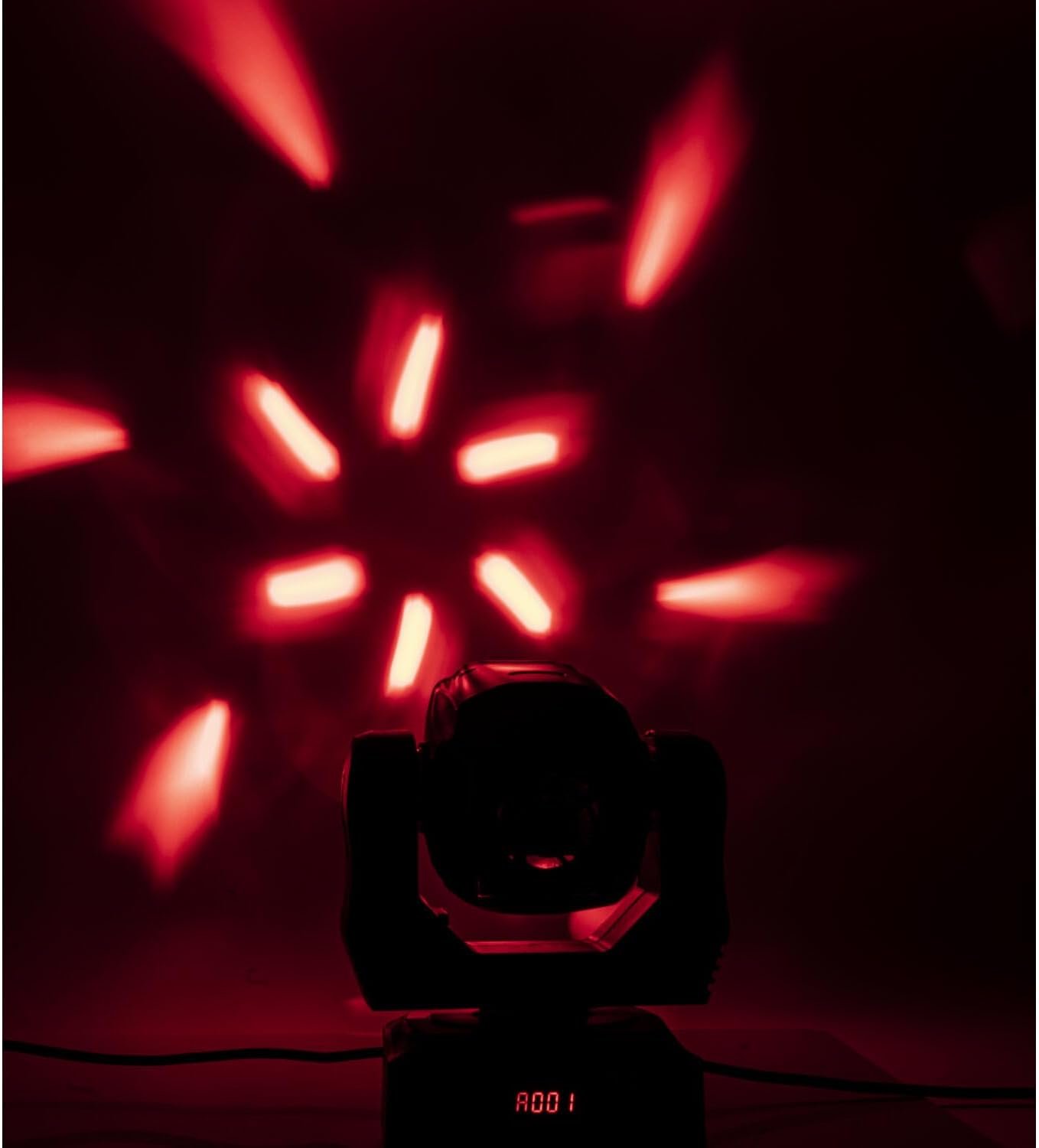
Figure 6: Red light effect from the ROLLING-EYE.

Figure 7: Purple light effect from the ROLLING-EYE.
6. Maintenance
Regular maintenance ensures optimal performance and extends the lifespan of your ROLLING-EYE fixture.
6.1 Cleaning
- Always disconnect power before cleaning.
- Use a soft, lint-free cloth to wipe the exterior of the unit.
- For optical lenses, use a specialized lens cleaning solution and cloth to avoid scratches.
- Periodically clean the cooling vents to prevent dust buildup.
6.2 Storage
When not in use, store the fixture in a dry, dust-free environment, preferably in its original packaging or a protective case.
7. Troubleshooting
If you encounter issues with your ROLLING-EYE, refer to the following common problems and solutions:
| Problem | Possible Cause | Solution |
|---|---|---|
| No power | Power cable disconnected, faulty outlet, blown fuse. | Check power connections, try a different outlet, replace fuse (2A). |
| No DMX control | Incorrect DMX address, faulty DMX cable, DMX controller issue. | Verify DMX address, check DMX cable connections, test with another DMX controller. |
| Fixture not responding to sound | Sound control mode not selected, microphone obstructed, low sound input. | Ensure sound control mode is active, clear microphone area, increase sound volume. |
| Erratic movement or light output | Interference, internal fault. | Restart the unit. If problem persists, contact customer support. |
8. Technical Specifications
| Brand | Ibiza Light |
| Model Number | IBIZA_ROLLING-EYE |
| Light Source | 6 x 12W 4-in-1 CREE LEDs |
| Power Supply | 100-240V ~ 50/60Hz |
| Power Consumption | 120W |
| Fuse | 2A |
| DMX Channels | 12 |
| Pan Movement | 540° (16-bit) |
| Tilt Movement | 180° (16-bit) |
| Beam Angle | 2° to 160° |
| Dimmer | 0-100% Linear |
| Strobe | 20 flashes/sec |
| Color Temperature | 7000°K (White) |
| Brightness | 3200 lux @ 1m (color), 2494 lux @ 3m (full color) |
| IP Protection | IP20 |
| Housing Material | Plastic |
| Dimensions (L x W x H) | 20.5 x 15 x 27 cm (8.07 x 5.9 x 10.63 inches) |
| Weight | 2.58 kg (5.69 lbs) |
9. Warranty and Support
This product comes with a standard manufacturer's warranty. For specific warranty terms and conditions, please refer to the documentation provided with your purchase or contact Ibiza Light customer support.
For technical assistance, troubleshooting beyond this manual, or spare parts inquiries, please visit the official Ibiza Light website or contact their authorized service center.
Spare parts availability in the EU: 2 Years.


