1. Product Overview
The Bonsaii C267-A is a heavy-duty crosscut paper shredder designed for office and home use. It features a robust motor, advanced cooling system, and a large capacity wastebasket, ensuring efficient and secure disposal of sensitive documents, CDs, credit cards, mails, staples, and clips.

Image 1.1: Front view of the Bonsaii C267-A Paper Shredder.
2. Safety Instructions
WARNING: Failure to follow these safety instructions may result in injury or damage to the shredder.
- Keep fingers, loose clothing, hair, and ties away from the paper entry slot.
- Do not insert more than the maximum sheet capacity (16 sheets) to prevent overloading.
- Do not shred adhesive labels or materials with excessive glue, as this can cause jams.
- Ensure the wastebasket is properly inserted before operation. The shredder will not operate if the bin is open or not securely in place.
- If the shredder overheats (indicated by a solid red light), allow it to cool down for approximately 20 minutes before resuming operation.
- If the shredder overloads (indicated by a flashing red light), remove excess material and use the reverse function if necessary.
- Unplug the shredder when not in use or before cleaning/maintenance.
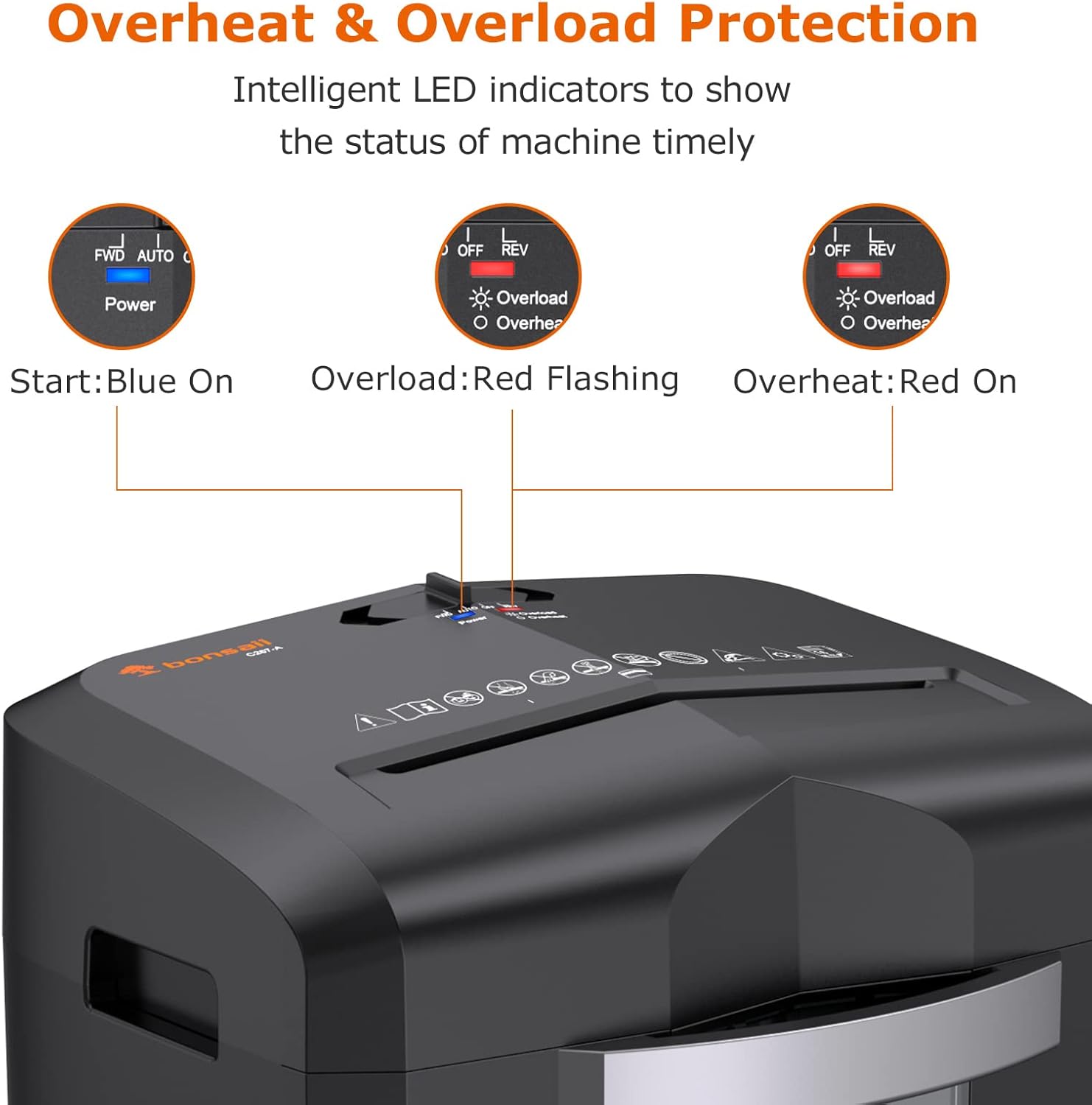
Image 2.1: Control panel showing LED indicators for Power (Blue), Overload (Red Flashing), and Overheat (Red On).
3. Setup
Follow these steps to set up your Bonsaii C267-A paper shredder:
- Unpack all components from the box.
- Place the shredder head securely on top of the wastebasket. Ensure it clicks into place for proper operation.
- Attach the four 360° lockable universal casters to the bottom of the wastebasket for easy mobility.
- Position the shredder on a flat, stable surface near a power outlet.
- Plug the power cord into a standard electrical outlet.
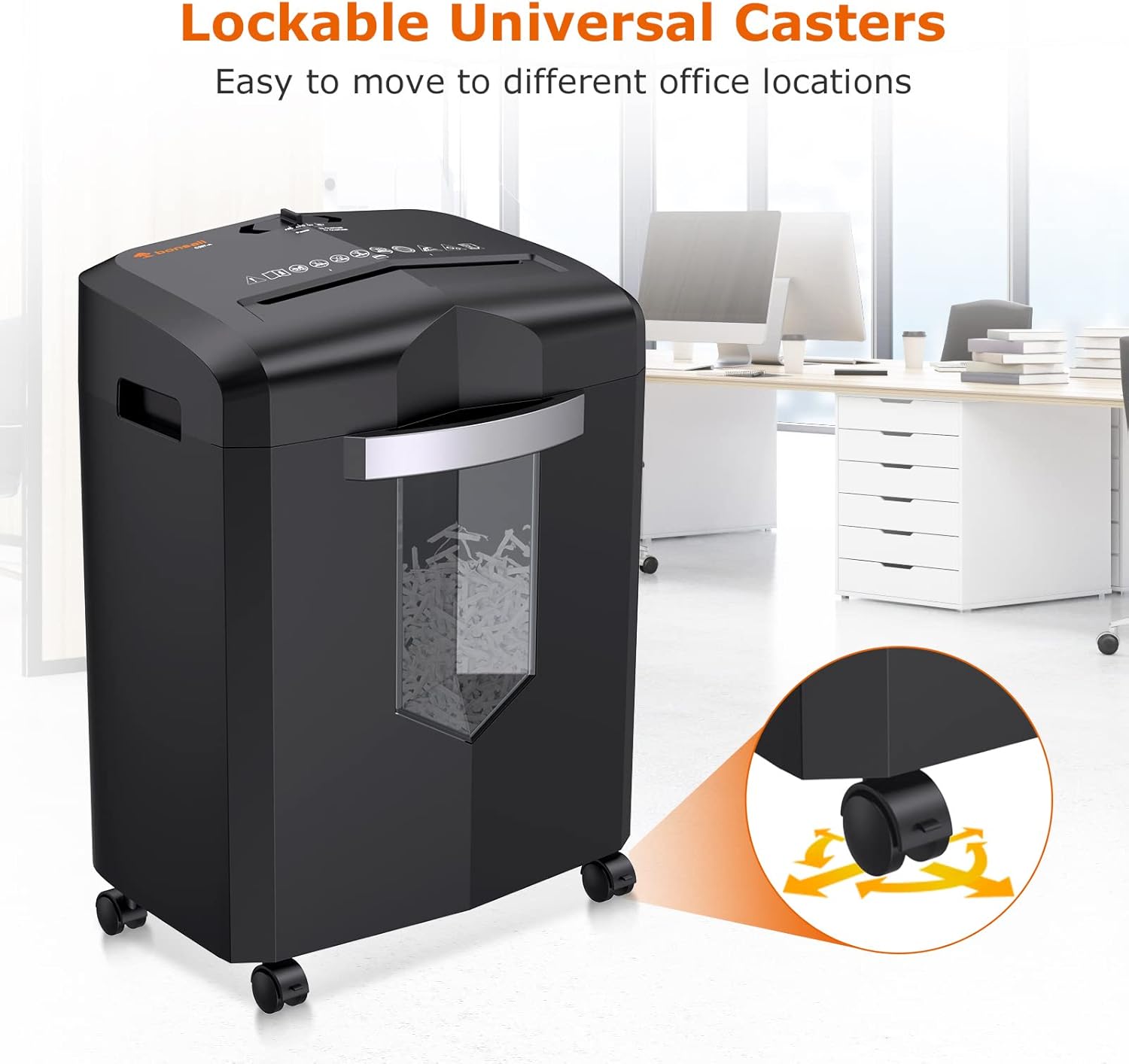
Image 3.1: Illustration of the 360° lockable universal casters for easy movement.
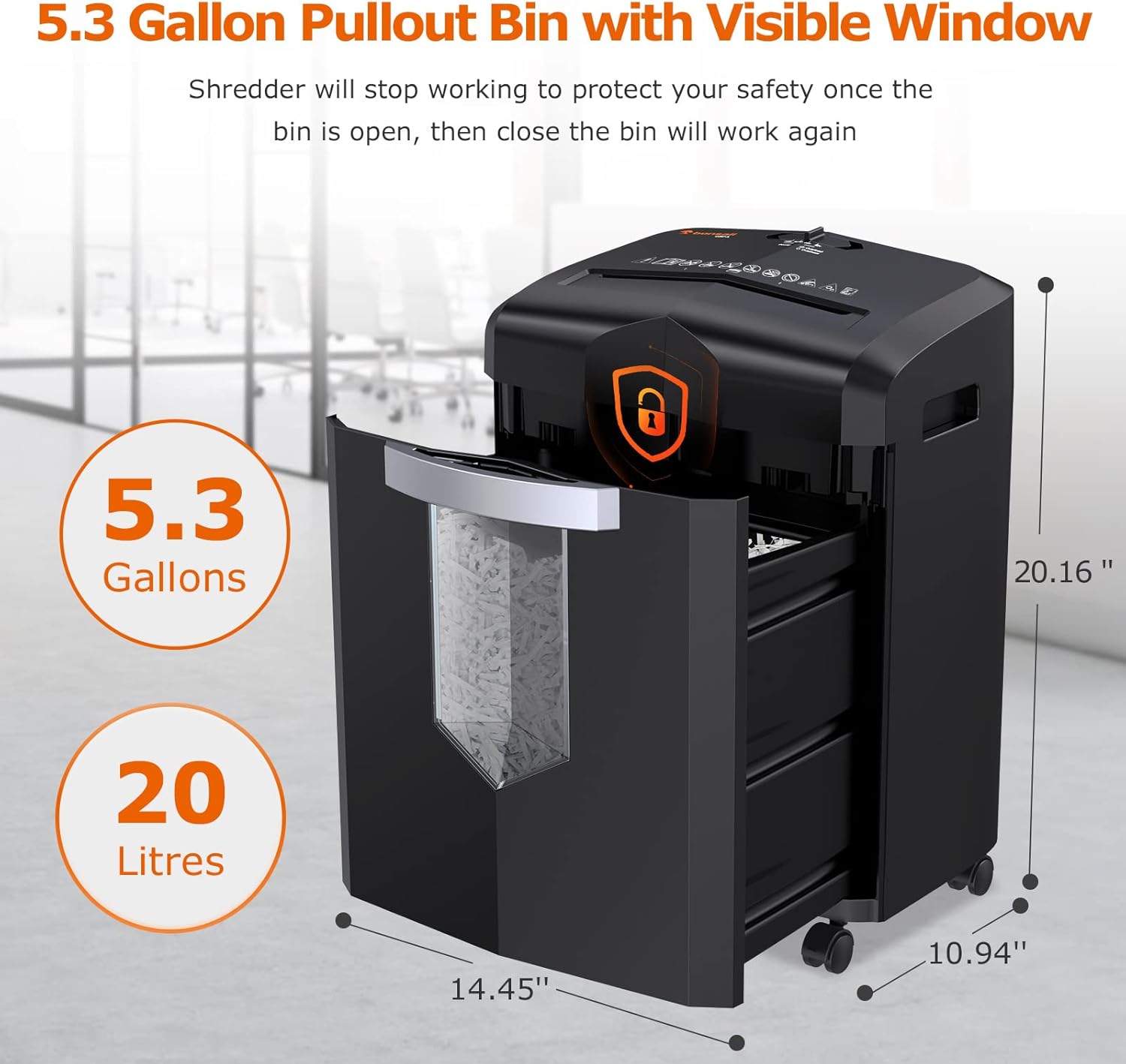
Image 3.2: The 5.3-gallon pullout wastebasket with a transparent window to monitor shredded material level.
4. Operating Instructions
The Bonsaii C267-A shredder offers efficient and secure shredding with intelligent features.
4.1 Control Switch Positions
- FWD (Forward): Manually feeds material forward. Useful for clearing minor jams.
- AUTO (Automatic): The shredder will automatically start when material is inserted and stop when shredding is complete. This is the standard operating mode.
- OFF: Turns the shredder off.
- REV (Reverse): Manually reverses the shredding mechanism. Use this to clear paper jams or retrieve mistakenly inserted documents.
4.2 Shredding Documents
Insert up to 16 sheets of A4 paper (70g/m²) into the paper entry slot. The shredder will automatically begin shredding in AUTO mode. The crosscut mechanism reduces documents to 5/32 x 1-12/32 (4x35mm) tiny particles, meeting P-4 security standards.

Image 4.1: Visual representation of the shredder's capability to shred CDs, papers, cards, clips, and staples.
4.3 Shredding CDs/Credit Cards
Insert one CD or credit card at a time into the dedicated CD/Card entry slot. The shredder will destroy these items into multiple pieces for enhanced security.
4.4 Continuous Operation
The shredder can operate continuously for up to 40 minutes due to its advanced circulating cooling system. After 40 minutes of continuous use, it may require a cool-down period if the overheat indicator activates.

Image 4.2: Diagram illustrating the patented cooling system for extended operation.
4.5 Jam Protection
The shredder features an automatic reversal function to prevent paper jams. If a jam occurs, the shredder will attempt to clear it by reversing. You can also manually use the REV button to clear stubborn jams.
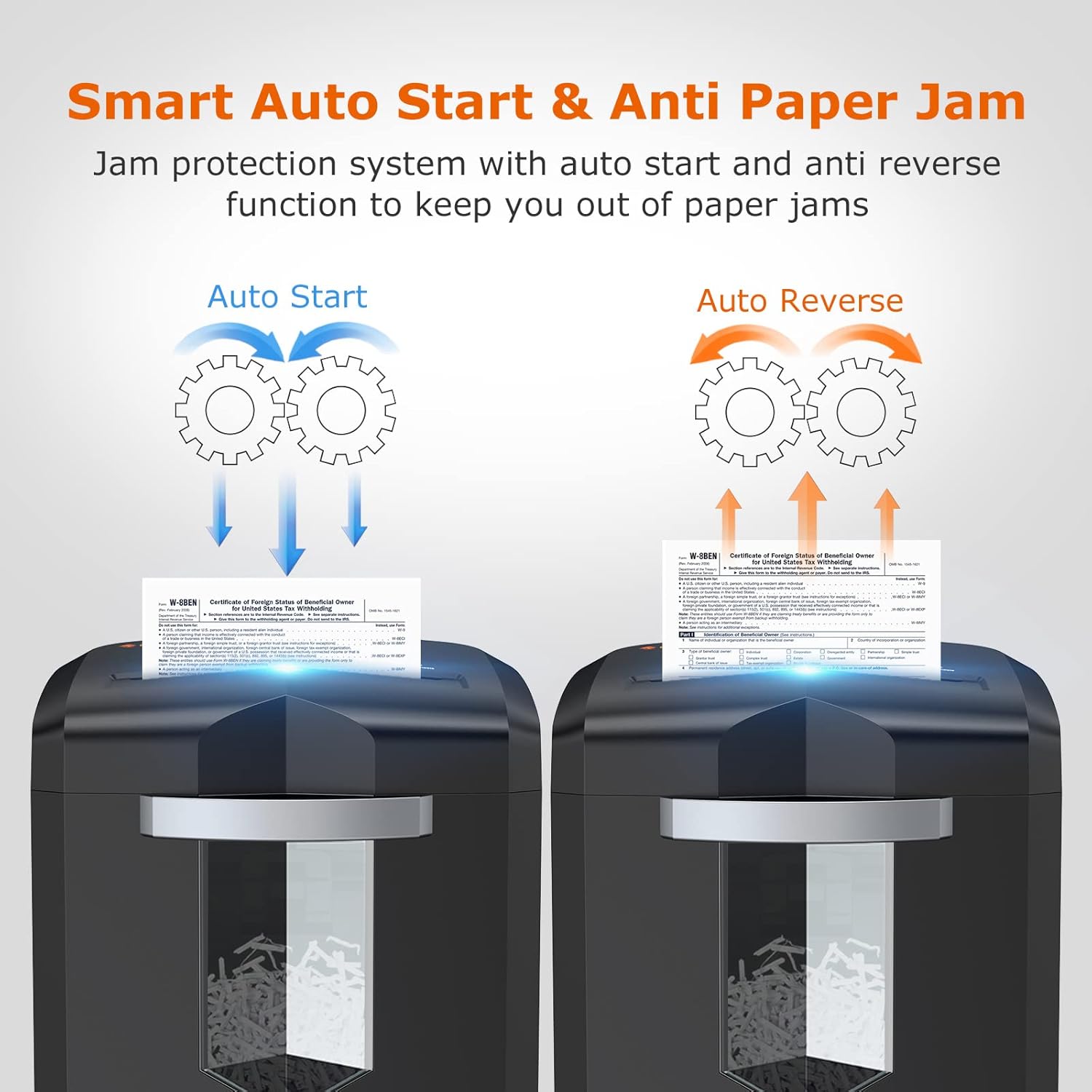
Image 4.3: Visual explanation of the Auto Start and Auto Reverse functions for jam prevention.
5. Maintenance
Regular maintenance ensures optimal performance and extends the life of your shredder.
- Emptying the Wastebasket: Regularly empty the 5.3-gallon pullout wastebasket to prevent overfilling and potential jams. The transparent window allows for easy monitoring.
- Lubrication: For best performance, lubricate the shredder blades regularly with shredder oil or lubricant sheets, especially after emptying the basket or heavy use.
- Cleaning: Wipe the exterior of the shredder with a soft, dry cloth. Do not use abrasive cleaners or solvents.

Image 5.1: Illustration showing the use of lubricant sheets to maintain shredder performance.
6. Troubleshooting
| Problem | Possible Cause | Solution |
|---|---|---|
| Shredder does not start. | Power cord not plugged in; Wastebasket not properly inserted; Overheat protection activated. | Ensure power cord is secure; Re-insert wastebasket correctly; Allow shredder to cool down. |
| Paper jam. | Too many sheets inserted; Material not suitable for shredding. | Press REV button to clear; Remove excess paper; Do not shred adhesive labels. |
| Shredder stops during operation (Red Light On). | Overheat protection activated. | Allow shredder to cool down for approximately 20 minutes. |
| Shredder stops during operation (Red Light Flashing). | Overload protection activated. | Remove excess material from the feed slot. |
7. Specifications
| Feature | Detail |
|---|---|
| Brand | bonsaii |
| Model | C267-A |
| Cut Type | Cross Cut |
| Shredding Capacity | 16 sheets (A4, 70g/m²) |
| Shred Size | 5/32 x 1-12/32 inches (4x35mm) |
| Security Level | P-4 |
| Continuous Run Time | 40 minutes |
| Wastebasket Capacity | 5.3 Gallons (20 Litres) |
| Shredding Speed | 71 inches/minute |
| Item Weight | 21.5 pounds |
| Product Dimensions | 10.94 x 14.45 x 20.16 inches |
| Color | Black |
8. Warranty & Support
Bonsaii provides a 1-Year warranty for this product. For any problems or questions, please contact Bonsaii customer service:
- Customer Service Hotline: 1-844-728-4917
- Service Email: customer-care@bonsaii.com
Please have your model number (C267-A) and purchase information ready when contacting support.


