1. Introduction
Thank you for choosing the PowerZone SH02 Portable Wireless Speaker. This manual provides essential information for the safe and efficient use of your device. Please read it thoroughly before operation and retain it for future reference.
The PowerZone SH02 is a compact and versatile wireless speaker designed for portability and high-quality audio. It supports multiple playback options including Bluetooth, Micro SD card, USB, and AUX input, along with an integrated FM radio function.
2. Product Overview
The PowerZone SH02 speaker features a durable ABS material construction and a compact design, making it ideal for on-the-go use. Below is an image of the speaker highlighting its design.
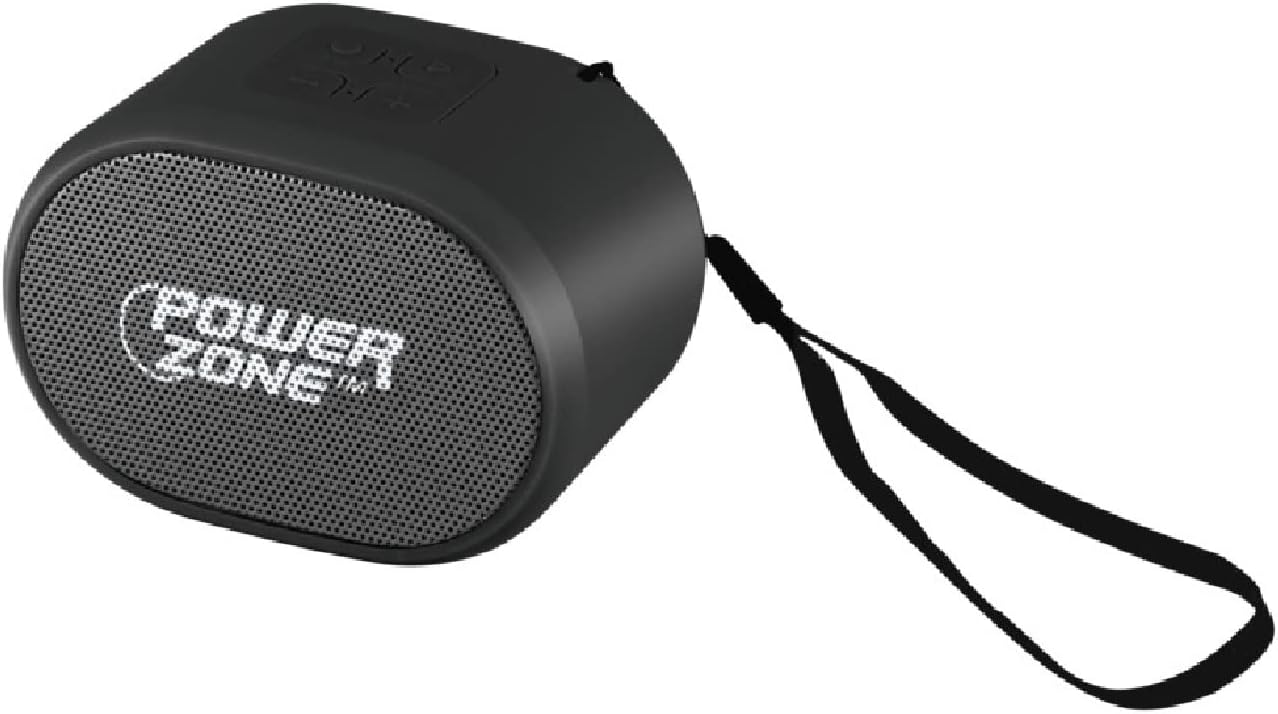
Figure 1: PowerZone SH02 Portable Wireless Speaker. This image shows the compact black speaker with its front mesh grille displaying the 'POWERZONE' logo and an attached black wrist strap on the side.
Package Contents:
- PowerZone SH02 Portable Wireless Speaker
- USB Charging Cable
- Auxiliary Audio Cable
3. Setup
3.1 Charging the Speaker
- Connect the supplied USB charging cable to the speaker's charging port.
- Connect the other end of the USB cable to a USB power adapter (not included) or a computer's USB port.
- The charging indicator light will illuminate, typically red, during charging.
- Once fully charged, the indicator light will change or turn off (refer to specific device behavior). A full charge takes approximately 2-3 hours.
Note: Ensure the speaker is fully charged before first use for optimal battery life.
3.2 Powering On/Off
- To power on, press and hold the Power button for a few seconds until you hear an audible prompt or see an indicator light.
- To power off, press and hold the Power button again for a few seconds until the device shuts down.
4. Operating Instructions
4.1 Bluetooth Pairing
- Ensure the speaker is powered on and in Bluetooth mode (indicated by a flashing blue light or audible prompt).
- On your device (smartphone, tablet, computer), enable Bluetooth and search for available devices.
- Select "SH02" from the list of found devices.
- Once paired, the speaker will provide an audible confirmation, and the indicator light will typically turn solid blue.
- You can now play audio from your device through the speaker.
Tip: The speaker has a wireless range of up to 32.8 feet (10 meters).
4.2 Micro SD Card Playback
- Insert a Micro SD card (with MP3 audio files) into the designated slot on the speaker.
- The speaker should automatically switch to Micro SD card mode and begin playing music.
- Use the speaker's control buttons to navigate tracks (next/previous) and adjust volume.
4.3 USB Playback
- Insert a USB flash drive (with MP3 audio files) into the USB port on the speaker.
- The speaker should automatically switch to USB mode and begin playing music.
- Use the speaker's control buttons to navigate tracks and adjust volume.
4.4 AUX Input
- Connect one end of the supplied auxiliary audio cable to the speaker's AUX port.
- Connect the other end to the audio output jack of your external device (e.g., MP3 player, laptop).
- The speaker will switch to AUX mode. Control playback and volume from your connected device.
4.5 FM Radio
- Switch the speaker to FM radio mode (usually by pressing a 'Mode' button).
- Press and hold the Play/Pause button to initiate an automatic scan for available FM stations. The speaker will save them.
- Use the next/previous track buttons to switch between saved stations.
- For better reception, ensure the USB charging cable is connected; it often acts as an antenna.
5. Maintenance
- Cleaning: Use a soft, dry cloth to wipe the speaker's surface. Do not use abrasive cleaners or solvents.
- Storage: Store the speaker in a cool, dry place away from direct sunlight and extreme temperatures.
- Battery Care: To prolong battery life, avoid fully discharging the speaker frequently. Charge it regularly, even if not in use for extended periods.
- Water Resistance: This speaker is NOT waterproof. Avoid exposure to water or excessive moisture.
6. Troubleshooting
| Problem | Possible Solution |
|---|---|
| Speaker does not power on. | Ensure the speaker is fully charged. Connect to a power source and try again. |
| Cannot pair via Bluetooth. |
|
| No sound from speaker. |
|
| FM radio reception is poor. | Connect the USB charging cable; it often acts as an external antenna. Try repositioning the speaker. |
7. Specifications
| Model Name: | SH02 |
| Brand: | PowerZone |
| Material: | Acrylonitrile Butadiene Styrene (ABS) |
| Speaker Output: | 3 Watts |
| Connectivity: | Bluetooth, Micro SD, USB, AUX, FM Radio |
| Wireless Technology: | Bluetooth |
| Bluetooth Range: | Up to 32.8 feet (10 meters) |
| Battery Capacity: | 300mAh |
| Charging Power: | DC/USB Rechargeable |
| Dimensions (W x D x H): | 3.25" x 2.25" x 2.25" (8.25 cm x 5.7 cm x 5.7 cm) |
| Item Weight: | 5.92 ounces (168 grams) |
| Compatible Devices: | Desktop, Laptop, MP3 Player, Smartphone, Television |
| UPC: | 045734672253 |
8. Warranty Information
The PowerZone SH02 Portable Wireless Speaker comes with a limited warranty. Please refer to the warranty card included in your product packaging for specific terms and conditions, or visit the official PowerZone website for more details.
For technical support or warranty claims, please contact PowerZone customer service through the contact information provided with your purchase or on the official brand website.


