
NOKLEAD 5230F Pro
NOKLEAD Digital Alarm Clock Radio User Manual
Model: 5230F Pro | Brand: NOKLEAD
1. Introduction
This manual provides detailed instructions for the setup, operation, and maintenance of your NOKLEAD Digital Alarm Clock Radio. Please read this manual thoroughly before using the product to ensure proper function and longevity.
The NOKLEAD Digital Alarm Clock Radio features a large 6.3-inch LED display with adjustable brightness, dual alarms, FM radio with sleep timer, and an intuitive interface for ease of use.
2. Product Overview
Package Contents
- NOKLEAD Digital Alarm Clock Radio
- Power Adapter (DC 5V)
- Micro USB Cable
- User Manual
Product Diagram
Familiarize yourself with the main components and controls of your alarm clock radio.
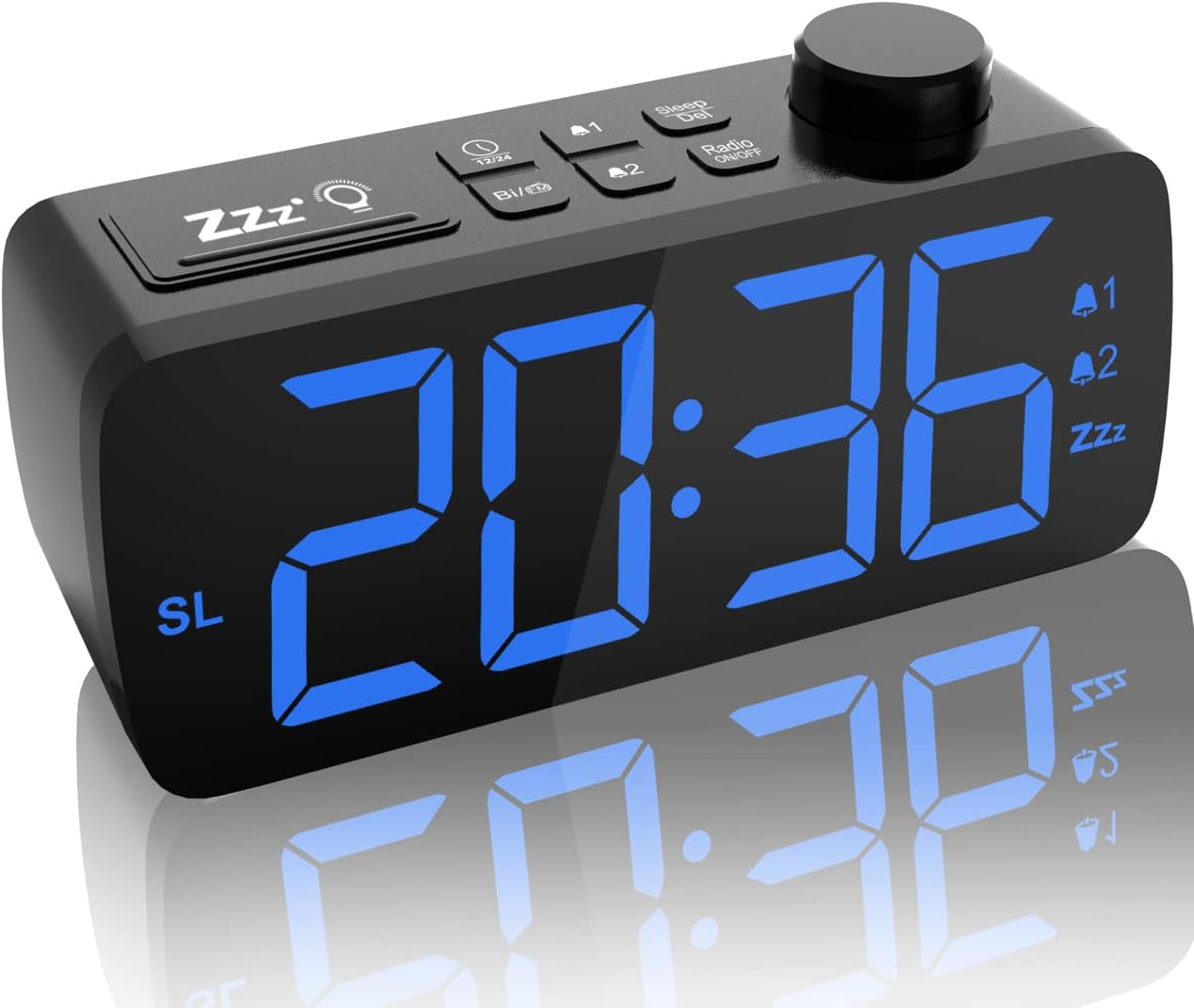
Figure 2.1: Front view of the NOKLEAD Digital Alarm Clock Radio, showing the large blue LED display and top control buttons.

Figure 2.2: Top view illustrating the intuitive function buttons and rotary knob for easy setting.
3. Setup
3.1 Initial Power Connection
- Unpack all components from the box.
- Connect the micro USB cable to the clock radio and the power adapter.
- Plug the power adapter into a standard electrical outlet. The display will light up.
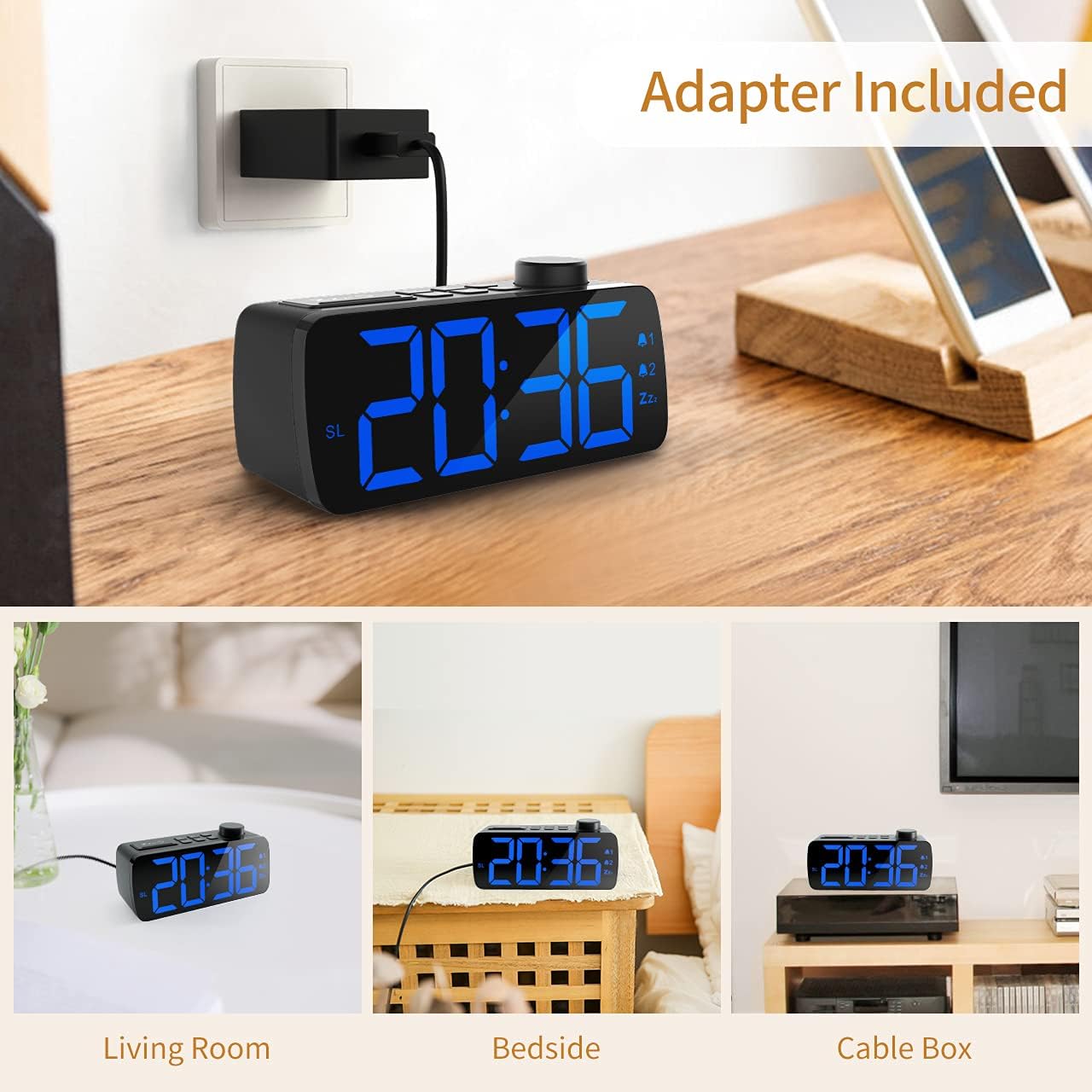
Figure 3.1: Connecting the alarm clock radio to the included power adapter.
3.2 Setting the Time
The clock features a user-friendly knob for time adjustment.
- Press the TIME SET button (refer to product diagram for exact button).
- Rotate the large knob on top to adjust the hour.
- Press the TIME SET button again to confirm the hour and move to minutes.
- Rotate the knob to adjust the minutes.
- Press the TIME SET button one more time to save the time.
- To switch between 12-hour and 24-hour format, press the 12/24H button.
3.3 Adjusting Display Brightness
The 6.3-inch LED display offers 5 levels of brightness, including an OFF setting.
- Locate the DIMMER button (often integrated with the Snooze button).
- Press the DIMMER button repeatedly to cycle through the brightness levels: 100% > 60% > 20% > 5% > OFF.
- Select the desired brightness level for your environment.

Figure 3.2: Visual representation of the adjustable display brightness levels.
4. Operating Instructions
4.1 Setting Dual Alarms
The clock radio supports two independent alarms.
- Press the ALARM 1 button to set the first alarm. The hour digits will flash.
- Rotate the knob to adjust the hour, then press ALARM 1 again to confirm.
- Rotate the knob to adjust the minutes, then press ALARM 1 again to confirm.
- Choose the alarm sound: standard buzz (BB) or FM radio. If FM radio is selected, the alarm will use the last set radio station and volume.
- Repeat steps for ALARM 2 using the ALARM 2 button.
- To turn off an active alarm, press any button except the Snooze button. The alarm will sound for 30 minutes if not turned off.

Figure 4.1: Illustration of the dual alarm functionality.
4.2 Using the Snooze Function
When an alarm sounds, press the large SNOOZE/DIMMER button on top of the clock to activate snooze. This will pause the alarm for 9 minutes. You can repeat this function. To turn off the snooze function and the alarm completely, press any other button.
4.3 FM Radio Operation
The clock radio features an integrated FM radio (frequency range: 87.5-108.0MHz) with an attached 23-inch antenna for improved reception.
- Press the RADIO ON/OFF button to turn the radio on or off.
- Automatic Station Search: When first turned on, the radio may automatically search and store available FM stations.
- Manual Station Search: Use the rotary knob to manually tune to a specific frequency.
- Preset Stations: The clock allows for one-press radio preset and manual programming of your favorite stations. Refer to the product's quick start guide for specific button functions for saving and recalling presets.

Figure 4.2: Overview of FM radio functionalities including station management.
4.4 Volume Adjustment
Adjust the speaker volume using the dedicated volume adjustment bar located on the side of the unit. Slide the bar to increase or decrease the volume from 0% to 100%. Note that the radio alarm volume will match the last set listening volume.

Figure 4.3: Side view detail of the volume adjustment slider and FM sleep timer function.
4.5 Sleep Timer Function
The sleep timer allows the radio to play for a set duration before automatically turning off.
- While the radio is playing, press the SLEEP button.
- Repeatedly press the SLEEP button to cycle through the available sleep timer durations: 05, 10, 15, 30, 45, 60, 75, 90 minutes, or OFF.
- The radio will automatically turn off after the selected time.
5. Maintenance
To ensure the longevity and optimal performance of your NOKLEAD Digital Alarm Clock Radio, follow these simple maintenance guidelines:
- Cleaning: Gently wipe the display and exterior surfaces with a soft, dry, lint-free cloth. Do not use abrasive cleaners, waxes, or solvents as they may damage the finish.
- Power: Always disconnect the power adapter from the wall outlet before cleaning or if the unit will be unused for an extended period.
- Environment: Avoid placing the unit in direct sunlight, near heat sources, or in areas with high humidity or excessive dust.
6. Troubleshooting
If you encounter issues with your NOKLEAD Digital Alarm Clock Radio, please refer to the following common problems and their solutions:
| Problem | Possible Cause | Solution |
|---|---|---|
| Display is blank or not lighting up. | No power connection; Power outage; Display brightness set to OFF. | Ensure power adapter is securely plugged into the unit and wall outlet. Check the power source. Press the DIMMER button to increase brightness. |
| Radio reception is poor or static. | Antenna not extended; Weak signal area; Interference from other electronics. | Fully extend the FM antenna. Reposition the clock radio to find a better signal. Move the unit away from other electronic devices. |
| Alarm does not sound. | Alarm not set correctly; Alarm volume too low; Alarm turned off prematurely. | Verify alarm time and activation. Increase alarm volume using the side slider. Ensure alarm is not turned off before desired wake-up time. |
| Volume control not responding. | Volume slider malfunction. | Ensure the volume slider is not obstructed. If the issue persists, contact customer support. |
7. Specifications
| Feature | Detail |
|---|---|
| Brand | NOKLEAD |
| Model Number | 5230F Pro |
| Color | Black |
| Display Type | Digital LED |
| Display Size | 6.3 inches |
| Brightness Levels | 5 (0%, 5%, 20%, 60%, 100%) |
| Power Source | Corded Electric (DC 5V) |
| Product Dimensions | 2"W x 2"H |
| Item Weight | 10.2 ounces |
| FM Frequency Range | 87.5-108.0MHz |
| Snooze Duration | 9 minutes |
| Alarm Duration | 30 minutes |
| Frame Material | Acrylonitrile Butadiene Styrene |
| Batteries Included | No |
8. Warranty and Support
For warranty information and customer support, please refer to the documentation included with your purchase or visit the official NOKLEAD website. You can also visit the NOKLEAD Store on Amazon for further assistance and product information.
Please retain your proof of purchase for any warranty claims.
Ask a question about this manual
Ask about setup, troubleshooting, compatibility, parts, safety, or missing instructions. Manuals+ will review the question and use this page’s manual context to help answer it.