
1. Important Safety Information
Your EVERCROSS Hoverboard and Seat Attachment are designed for safe and enjoyable use. Please read and understand all safety instructions before operation to prevent injury or damage.
- UL 2272 Certified: This product meets UL 2272 safety standards for electrical and fire safety.
- Protective Gear: Always wear a helmet, knee pads, elbow pads, and wrist guards when operating the hoverboard.
- Age and Weight Limits: Recommended for users aged 6 years and up. The maximum weight capacity is 220 lbs. Do not exceed this limit.
- Operating Environment: Use on flat, dry, and clear surfaces. Avoid steep slopes (max 15°), wet conditions, loose debris, or uneven terrain.
- Awareness: Be aware of your surroundings, pedestrians, and other vehicles. Do not operate in traffic.
- Battery Safety: Use only the provided charger. Do not overcharge. Discontinue use if the battery shows signs of damage or overheating.
2. Product Overview
The EVERCROSS Hoverboard is a self-balancing scooter equipped with advanced features for an enhanced riding experience. It includes a detachable seat attachment for versatile use.

Figure 2.1: EVERCROSS Hoverboard and Seat Attachment.
Key Features:
- Dual Brushless Motors: Provides powerful performance for speeds up to 9 mph and climbing slopes up to 15°.
- Bluetooth Connectivity & APP Control: Connects to a dedicated app for riding mode selection, GPS tracking, music playback, and real-time monitoring of battery, speed, and distance.
- Vibrant Lighting: Features colorful glowing pedals, super bright LED lights, and flashing wheels for visibility and style.
- Long-Lasting Battery: High-capacity rechargeable battery with multiple protection circuits for safe and extended use.
- Self-Balancing Technology: Designed for ease of use, especially for beginners.
3. Setup and Assembly
3.1 Initial Charging
Before first use, fully charge your hoverboard. Connect the charger to the charging port on the hoverboard and then to a power outlet. The indicator light on the charger will change when charging is complete.
3.2 Attaching the Seat
The seat attachment converts your hoverboard into a go-kart style ride. Follow these steps for assembly:
- Ensure the hoverboard is powered off.
- Align the clamps of the seat attachment with the center of the hoverboard.
- Securely fasten the clamps to the hoverboard using the provided straps or locking mechanisms.
- Adjust the length of the seat attachment using the adjustable knob to suit the rider's height (27.5" - 35").
- Ensure all connections are tight and secure before riding.
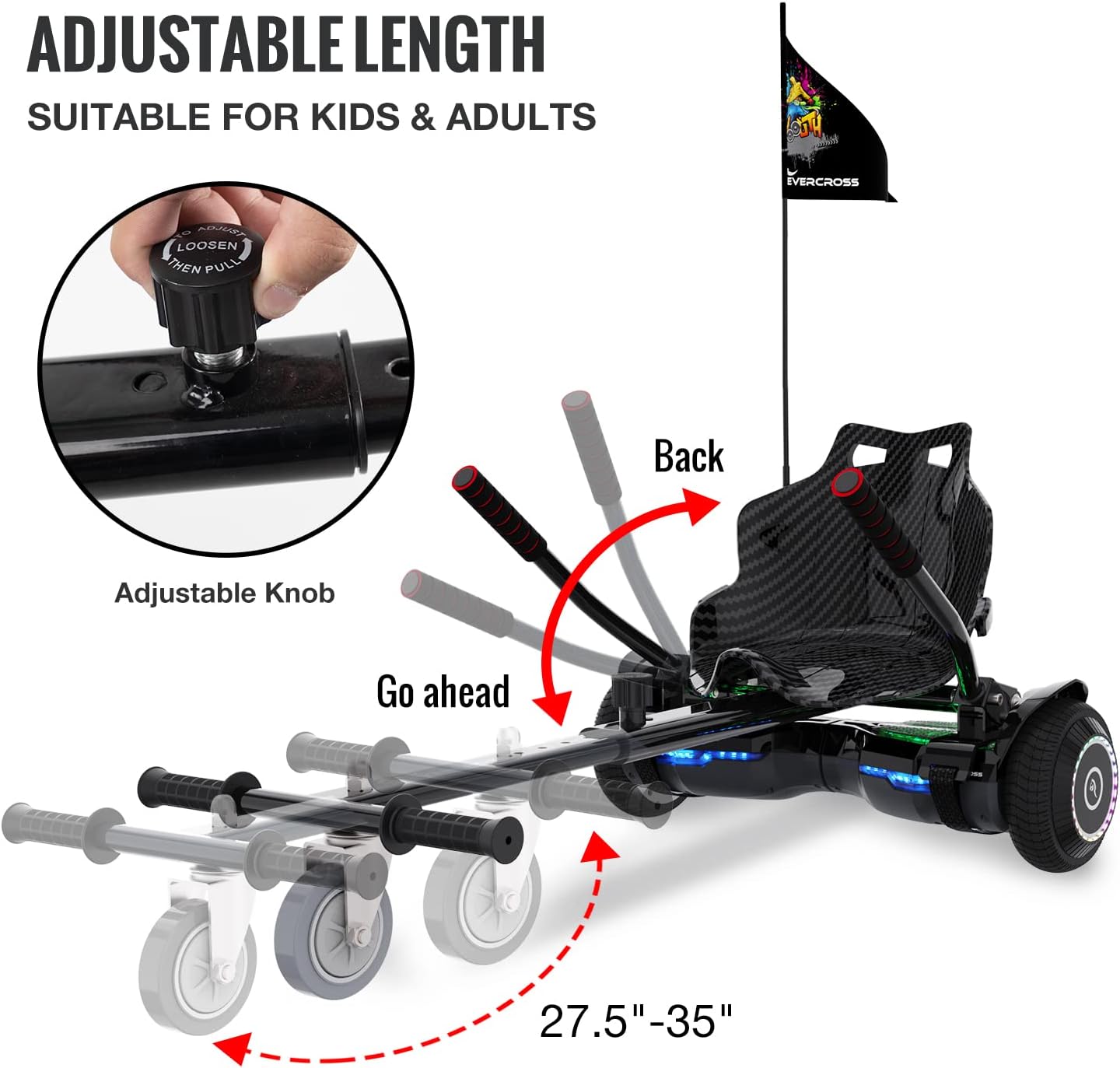
Figure 3.1: Adjustable length feature of the seat attachment.
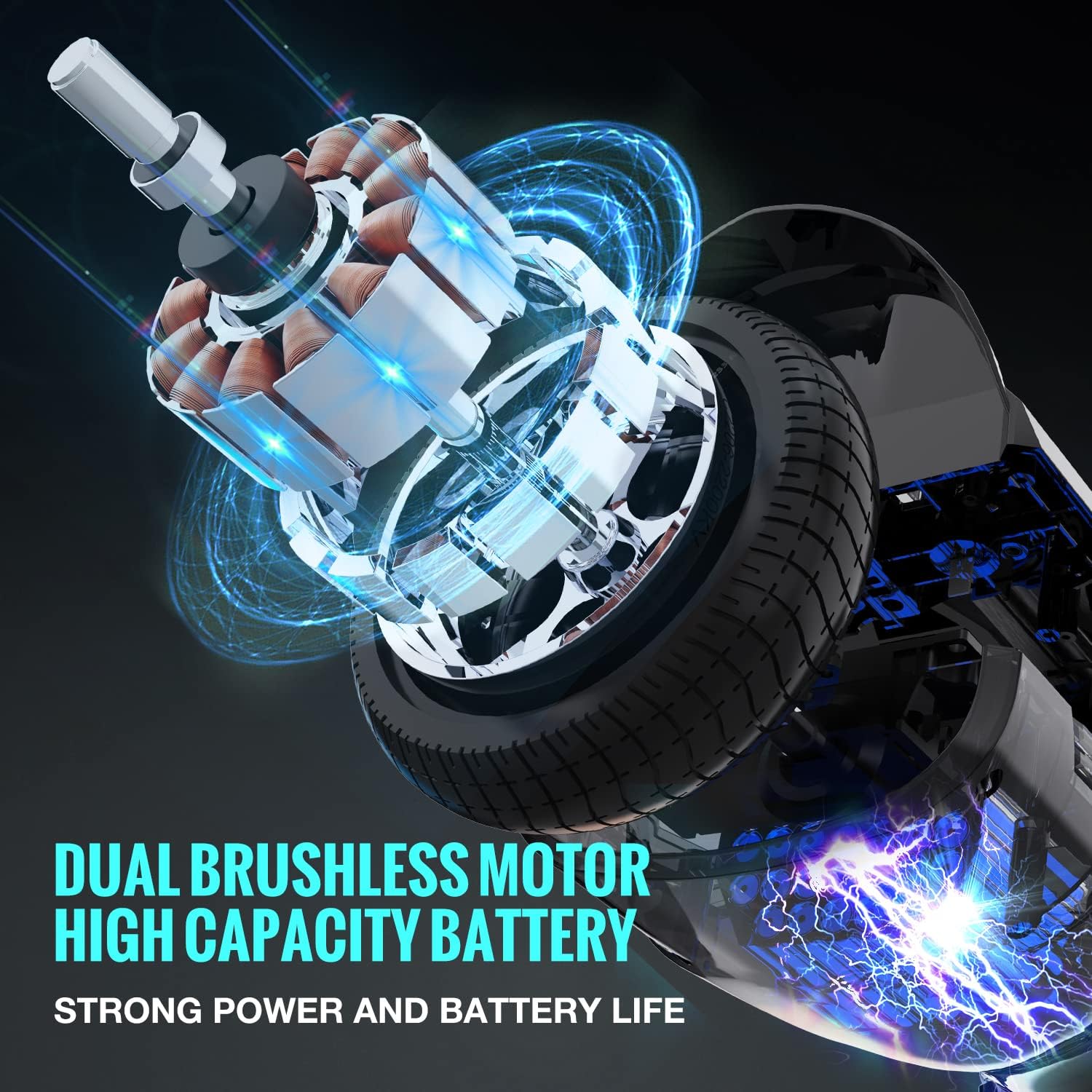
Figure 3.2: Illustration of the Dual Brushless Motor and High Capacity Battery for strong power and battery life.
4. Operating Instructions
4.1 Basic Hoverboard Operation (Without Seat)
- Power on the hoverboard. It will self-balance.
- Step onto one footpad, then quickly step onto the other. Maintain a relaxed posture.
- Lean slightly forward to move forward, backward to move backward. Twist your feet to turn.
- To dismount, step off one foot at a time, preferably backward.
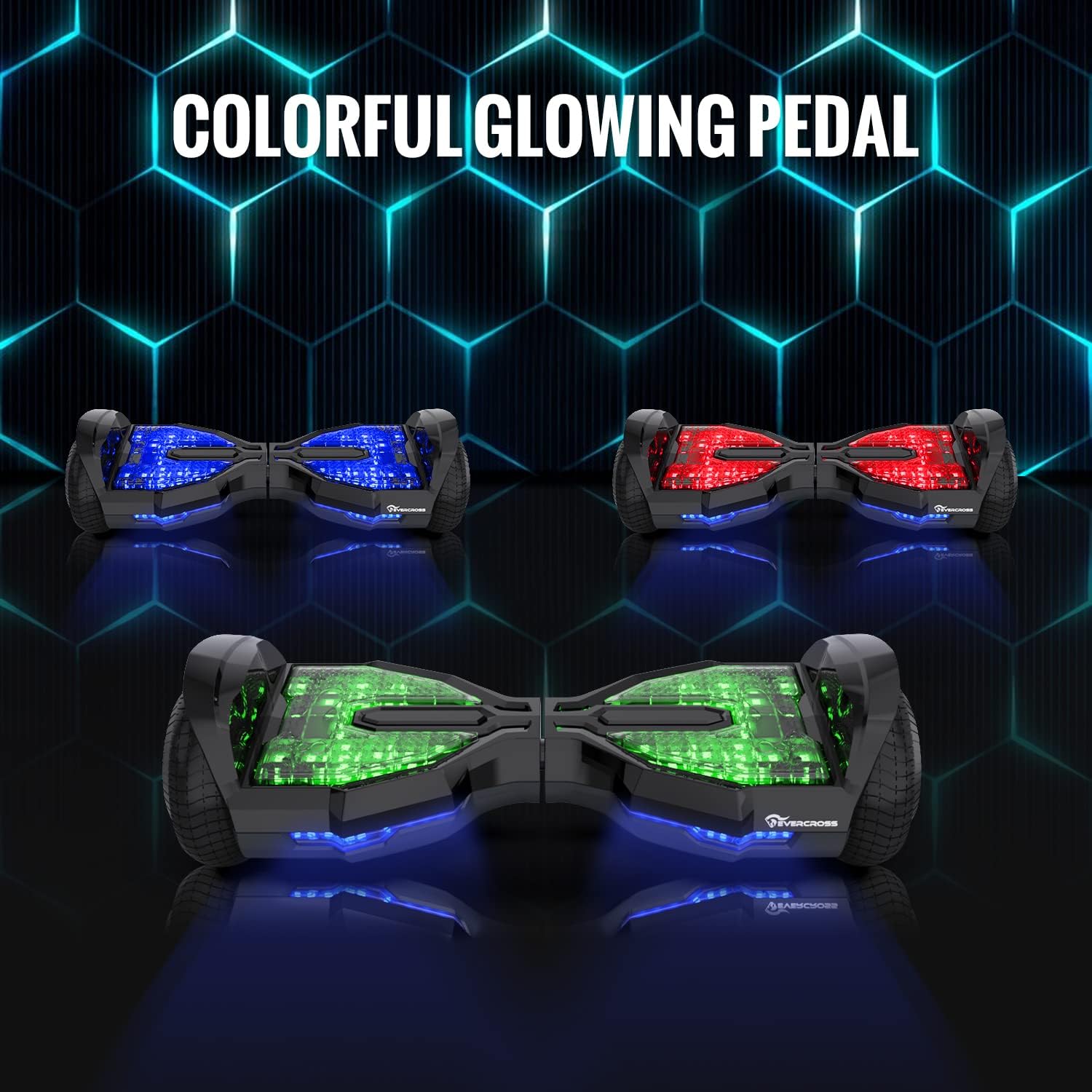
Figure 4.1: The hoverboard features colorful glowing pedals and bright LED lights for enhanced visibility and aesthetic appeal.
4.2 Using the Bluetooth APP
Download the EVERCROSS app from your device's app store. Connect your hoverboard via Bluetooth to access various functions:
- Riding Modes: Switch between different speed and sensitivity settings.
- GPS Real-time Positioning: Track your route and location.
- Music Playback: Stream music through the built-in wireless Bluetooth speaker.
- Intelligent Monitoring: View real-time battery level, current speed, and distance traveled.

Figure 4.2: The EVERCROSS app provides smart control and monitoring features for your hoverboard.
4.3 Operating with Seat Attachment
Once the seat attachment is securely installed, you can operate the hoverboard like a go-kart. Use the hand levers to control direction and speed. Pushing both levers forward moves you forward, pulling both back applies brakes, and pushing one forward while pulling the other back allows for turns.

Figure 4.3: Experience enhanced fun and stability with the hoverboard seat attachment, suitable for various ages.
Video 4.1: Demonstration of the EVERCROSS Hoverboard with Seat Attachment, highlighting its ease of use and fun for kids.
5. Charging and Battery Information
The EVERCROSS Hoverboard is equipped with a high-capacity rechargeable battery. Proper charging and battery care are essential for longevity and safety.
- Charging Time: Allow sufficient time for a full charge as indicated by the charger's light.
- Low Battery Indicator: The hoverboard features a low battery indicator to alert you when recharging is needed. Do not continue to operate on a critically low battery.
- Protection Circuits: The integrated protection circuits system safeguards against overcharging, overheating, and other electrical issues.
- Storage: If storing for extended periods, charge the battery to approximately 50% and recharge every 3 months to maintain battery health.
6. Maintenance
Regular maintenance ensures the optimal performance and lifespan of your EVERCROSS Hoverboard.
- Cleaning: Wipe the hoverboard and seat attachment with a damp cloth. Do not use harsh chemicals or abrasive cleaners. Avoid direct water spray.
- Storage: Store the hoverboard in a cool, dry place away from direct sunlight and extreme temperatures.
- Inspection: Periodically check all screws, bolts, and connections for tightness. Ensure wheels spin freely and are not obstructed.
- Tire Care: Maintain proper tire pressure if applicable (check product specifications for details).
7. Troubleshooting
If you encounter issues with your EVERCROSS Hoverboard, refer to the following common troubleshooting steps:
| Problem | Possible Cause | Solution |
|---|---|---|
| Hoverboard does not turn on. | Low battery; power button not pressed correctly; internal fault. | Charge the hoverboard fully. Ensure the power button is pressed firmly. If issue persists, contact customer service. |
| One wheel does not move or moves erratically. | Sensor malfunction; motor issue; calibration needed. | Recalibrate the hoverboard (refer to specific model instructions or contact support). Check for obstructions around the wheel. |
| Short battery life. | Battery not fully charged; aging battery; heavy usage. | Ensure full charge before use. Battery performance may decrease over time. Reduce continuous heavy load. |
| Warning signals (beeping, flashing lights). | Over-speeding; low battery; riding on uneven surface; internal error. | Reduce speed, charge battery, move to a flat surface. If error persists, power off and on. |
For issues not listed here or if solutions do not resolve the problem, please contact EVERCROSS Customer Service.
8. Specifications
| Feature | Detail |
|---|---|
| Brand | EVERCROSS |
| Model | EV2 (6.5'' Hoverboard) |
| Maximum Speed | Up to 9 Miles per Hour |
| Range | Up to 8-12 miles (varies with load and terrain) |
| Max Climbing Angle | 15° |
| Max Load Capacity | 220 lbs |
| Recommended Age | 6 years and up |
| Special Features | Built-In Bluetooth speaker, APP control, LED lights, Seat Attachment included |
| Safety Certification | UL 2272 |
| Item Weight | 15.5 pounds |
| Color | Black+Kart Carbon (as per product data) |
9. Warranty and Support
For any questions, concerns, or support needs regarding your EVERCROSS Hoverboard, please do not hesitate to contact our customer service team. We are committed to providing satisfactory solutions and will reply to your inquiries within 24 hours.
Contact information is typically provided with your product packaging or on the official EVERCROSS website.


