Introduction
This manual provides detailed instructions for the proper use and care of your FINTIE Silicone Protective Case for Apple Pencil 1st Generation. Please read this manual thoroughly before use to ensure optimal performance and longevity of your product.
Product Overview
The FINTIE Silicone Protective Case is designed to enhance the grip, protect against scratches, and prevent loss of essential components for your Apple Pencil 1st Generation.
Package Contents:
- 1x Silicone Case for Apple Pencil 1st Generation
- 2x Nib Covers
- 1x Cable Adapter Tether
Compatibility:
This product is compatible exclusively with the Apple Pencil 1st Generation. It works with various iPad models including iPad 10.2" (2020/2019, 8th and 7th Generation), iPad Air 10.5" (2019), iPad 9.7" (2018, 6th Generation), iPad Pro 10.5", and iPad mini 5.

Image: The FINTIE silicone case is specifically designed for the Apple Pencil 1st Generation, ensuring a snug and secure fit. It is not compatible with the Apple Pencil 2nd Generation.
Setup Instructions
Follow these steps to properly install the protective case and accessories onto your Apple Pencil 1st Generation.
- Installing the Silicone Case: Gently slide your Apple Pencil 1st Generation into the silicone case from the tip end. Ensure the case is aligned so that the cap holder is positioned correctly over the charging end of the pencil.
- Attaching the Nib Cover: Place one of the provided nib covers over the tip of your Apple Pencil. This protects the delicate nib from damage.
- Using the Cable Adapter Tether: The tether is designed to secure the Apple Pencil's charging adapter. Attach the tether to the adapter and the case to prevent loss during charging.

Image: Visual guide demonstrating the easy assembly process of the silicone case, including sliding the pencil in and securing the cap.
Operating Instructions
Once installed, the FINTIE protective case enhances your Apple Pencil experience.
- Enhanced Grip: The silicone material provides a comfortable and improved grip, making the Apple Pencil easier to hold for extended periods.
- Nib Protection: The included nib covers protect the pencil tip from wear and accidental damage. For optimal writing or drawing experience, you may choose to remove the nib cover.
- Charging: When charging your Apple Pencil, simply remove the cap. The integrated cap holder and cable adapter tether ensure that the cap and adapter remain attached to the case, preventing them from being misplaced.

Image: The one-piece design allows for easy cap removal for charging while keeping the cap and adapter tethered to prevent loss.

Image: The silicone case provides a comfortable and secure grip for writing and drawing on your iPad.
Maintenance
Proper maintenance will help preserve the quality and appearance of your FINTIE Silicone Protective Case.
- Cleaning: To clean the silicone case, wipe it gently with a soft, damp cloth. Avoid using harsh chemicals or abrasive cleaners, as these can damage the material.
- Storage: Store the case in a clean, dry environment away from direct sunlight and extreme temperatures to prevent discoloration or degradation of the silicone.
- Inspection: Periodically inspect the case and nib covers for any signs of wear or damage. Replace components if they show significant deterioration to ensure continued protection.
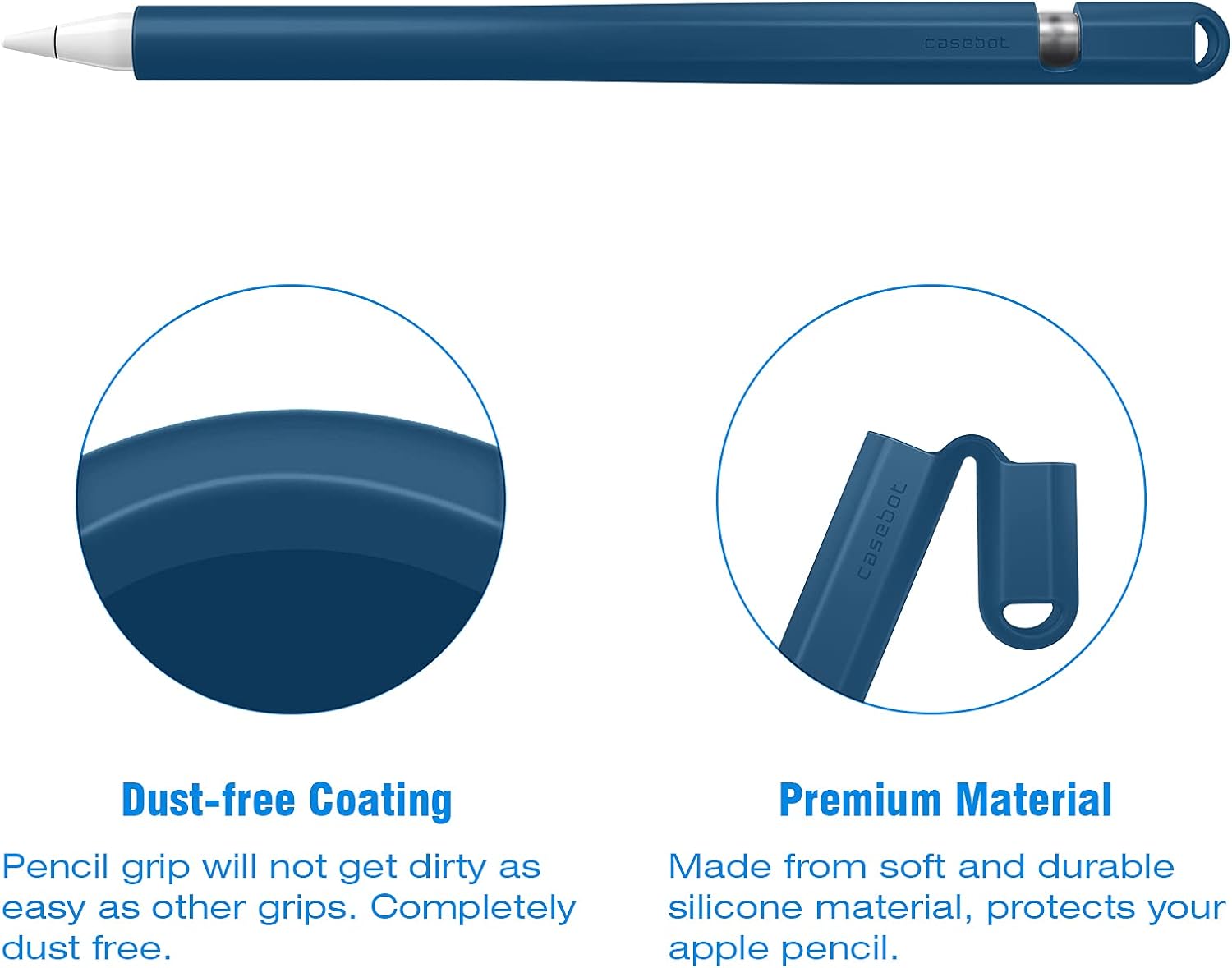
Image: The case features a dust-free coating and is made from soft, durable silicone material for long-lasting protection.
Troubleshooting
If you encounter any issues with your FINTIE Silicone Protective Case, refer to the following common solutions.
- Difficulty Inserting Apple Pencil: If the pencil is difficult to insert, ensure it is aligned correctly. The silicone material is flexible, but a gentle twisting motion can help. Avoid excessive force.
- Nib Cover Falls Off: Ensure the nib cover is fully seated on the pencil tip. If it consistently falls off, it may be worn and require replacement.
- Case Discoloration: Over time, light-colored silicone may show signs of yellowing, especially with exposure to sunlight or certain chemicals. Regular cleaning and proper storage can help mitigate this.
- Cap Holder Loose: If the cap holder feels loose, ensure the Apple Pencil's cap is fully inserted into its designated slot within the case.
Specifications
| Feature | Detail |
|---|---|
| Brand | FINTIE |
| Model Number | AAPA-1 |
| Color | Cyan Blu |
| Product Dimensions | 17.78 x 3.81 x 1.27 cm |
| Item Weight | 23 grams |
| Material | Silicone |
| Compatible Devices | Apple Pencil 1st Generation |
Warranty Information
FINTIE products are designed for durability and performance. For specific warranty details regarding your FINTIE Silicone Protective Case, please refer to the product packaging or contact FINTIE customer support directly. Keep your proof of purchase for any warranty claims.
Support
For further assistance, product inquiries, or to provide feedback, please visit the official FINTIE store on Amazon or contact their customer service. You can find more information and contact options at the FINTIE Amazon Store.


