
1. Introduction
This manual provides comprehensive instructions for the installation, operation, and maintenance of your WEILAILIFE 4K 8MP PoE Wired Security Camera System. This system features 4K 8-megapixel resolution, two-way audio communication, a 130° ultra-wide-angle lens, H.265 video compression, and IP66 weather resistance for reliable indoor and outdoor surveillance. It supports up to 8 cameras and includes a 1TB hard disk drive for extensive recording.
2. Setup and Installation
2.1 Package Contents
Please verify that all items listed below are included in your package:
- 4K 8MP 8-Channel Network Video Recorder (NVR) with 1TB HDD (x1)
- 4K 8MP Cameras (x2)
- 18.2-meter LAN Cables for Cameras (x2)
- USB Mouse (x1)
- 1-meter HDMI Cable (x1)
- 48V2A NVR Power Supply (x1)
- Remote Control (x1)
- 1-meter LAN Cable (x1)
- Instruction Manual (x1)
- Warning Label (x1)
- Camera Mounting Screw Packs (x2)
2.2 Connecting the NVR and Cameras
The system is designed for plug-and-play setup. Connect the cameras to the NVR using the provided LAN cables. The NVR provides power to the cameras via Power over Ethernet (PoE), simplifying wiring.

Image: Two Power Modes. This diagram illustrates the two power modes for the camera system. Mode 1 shows a wired PoE network power mode where the camera connects directly to the NVR via an Ethernet cable. Mode 2 shows a power mode where the camera's backup power interface can supply power when the PoE power distance is exceeded. The maximum transmission distance is approximately 200 meters.
Video: Installation Guide. This video demonstrates the physical installation process of the security camera system, including mounting the cameras and connecting them to the NVR.
Video: PoE Security Camera Connection Method. This video illustrates how to connect the PoE security cameras to the NVR system.
2.3 Mobile App Setup
Download the free "Honestview" or "Eseecloud" app from your smartphone's APP Store (iOS) or Play Store (Android). Register an account using your email or phone number, then follow the prompts to add your device by scanning the NVR's QR code.

Image: Remote Access. This image shows the security camera system being accessed remotely via a smartphone, tablet, and desktop computer, highlighting the convenience of monitoring from anywhere.
Video: Detailed Explanation of Smartphone Remote Operation. This video provides a detailed guide on how to set up and use the smartphone app for remote monitoring, making it easy for beginners to connect.
3. Operating Instructions
3.1 Two-Way Audio
Communicate with visitors or deter intruders using the built-in microphone and speaker. The dedicated app allows you to speak and listen from your smartphone, tablet, or computer.
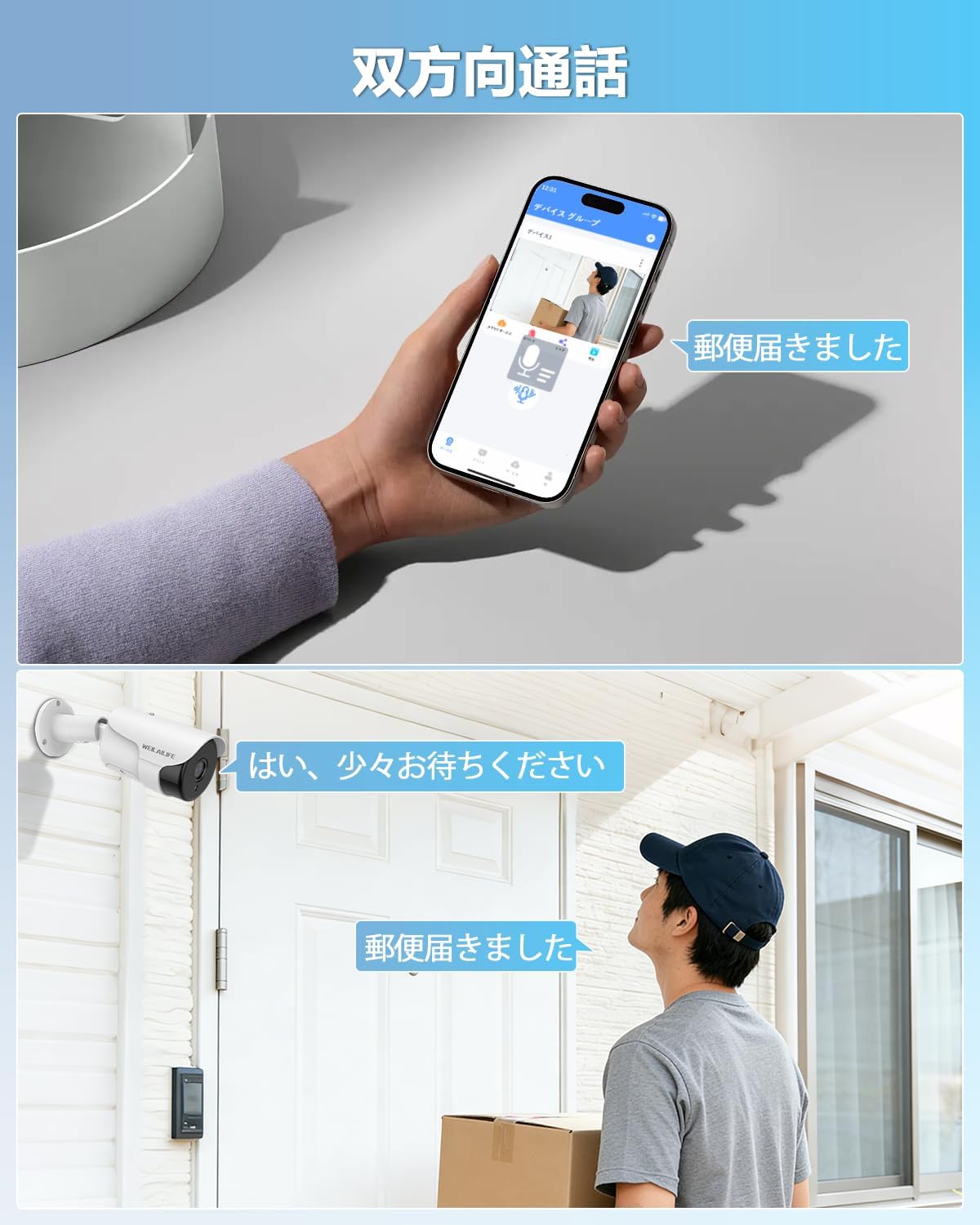
Image: Two-Way Audio. This image demonstrates the two-way audio feature, showing a user communicating with a delivery person at their door via the security camera and a smartphone app.
3.2 Motion Detection and Alerts
The system features AI human detection to minimize false alarms. Receive instant notifications via the app or email when motion is detected in designated areas. The system ensures you don't miss any critical events.

Image: AI Human Detection. This image illustrates the AI human detection feature, showing the system accurately identifying a child while ignoring a dog, reducing false alarms.
3.3 Night Vision
The 4K 8MP security camera ensures 24/7 safety. The IR-LED system automatically activates infrared mode in dark conditions, allowing you to see everything within 24 meters at night.

Image: Super Night Vision. This image displays the camera's super night vision capability with enhanced 18-array 845nm infrared lights, providing clear surveillance up to approximately 27 meters in low-light conditions.
4. Features
- 4K 8MP Ultra-High Resolution: Captures video at 3264 x 2488 pixels for clear and detailed images.
- 130° Ultra-Wide Angle Lens: Provides a broad field of view, reducing blind spots and enhancing surveillance coverage.
- H.265 Video Compression: Utilizes advanced H.265 compression technology to save storage space and improve processing speed by 50% compared to H.264, while maintaining high image quality.
- IP66 Weatherproof: Designed for both indoor and outdoor use, resistant to dust and water, ensuring reliable operation in various weather conditions. Includes waterproof connectors for outdoor LAN connections.
- Expandable System: The NVR supports up to 8 cameras, allowing you to expand your surveillance system as needed.
- Flexible Storage: Equipped with a 1TB built-in hard drive and supports cloud storage options. The system automatically overwrites old footage and can be expanded up to 6TB.
- Plug and Play: Simple installation; just connect the cameras to the NVR with LAN cables to start monitoring.
5. Maintenance
To ensure optimal performance and longevity of your WEILAILIFE security camera system, regular maintenance is recommended. Keep camera lenses clean from dust and debris. Periodically check all cable connections for secure fit and any signs of wear or damage. Ensure the NVR is placed in a well-ventilated area to prevent overheating. For software updates, refer to the app or manufacturer's website.
6. Troubleshooting
If you encounter any issues with your security camera system, please refer to the following basic troubleshooting steps:
- No Video Display: Check all power connections to the NVR and cameras. Ensure HDMI/VGA cables are securely connected to the monitor. Verify network status in NVR settings.
- No Remote Access: Confirm the NVR is connected to the internet. Check your smartphone's network connection. Ensure the app is updated to the latest version and the device is correctly added.
- False Motion Alerts: Adjust motion detection sensitivity settings in the app or NVR interface. Define specific detection zones to exclude areas with frequent irrelevant movement (e.g., trees swaying).
- Poor Night Vision: Ensure camera lenses are clean. Check for any obstructions blocking the infrared lights.
For more detailed troubleshooting or persistent issues, please contact customer support.
7. Specifications
| Feature | Detail |
|---|---|
| Brand | WEILAILIFE |
| Model Number | WEILAI-POE8002 |
| Connectivity Technology | Wired |
| Video Capture Resolution | 3264x2488 (4K) |
| Special Features | 4K 8MP, IP66 Waterproof/Dustproof, Two-Way Audio, Expandable, Remote Monitoring |
| Number of Channels | 8 |
| Max Memory Capacity | 1 TB (Internal HDD) |
| Power Source | Corded Electric |
| Operating System | Linux |
| Compatible Devices | Smartphones, Tablets, TVs, Desktop PCs, Laptops |
| Night Vision | 845nm 2 Infrared Dot Matrix Lamps, Super Night Vision |
| Night Vision Range | 20 meters |
| Frame Rate | 15 fps |
| Hardware Interface | HDMI, USB, VGA |
| Field of View | 130 degrees |
| Optical Sensor Technology | CMOS |
| Product Dimensions | 34.5 x 25.4 x 17.8 cm |
| Recommended Uses | Outdoor, Indoor |
| Item Weight | 3 kilograms |
8. Warranty and Support
Your WEILAILIFE security camera system comes with a 12-month quality warranty. Our company maintains strict quality control throughout manufacturing and inspection processes. We have a dedicated service center in Chiba, Japan, to provide prompt support.
For any questions, concerns, or issues before or after purchase, please feel free to contact us:
- Email: info-jp@weilailifetech.com (Japanese support available, responses within 24 hours)
- Website: jp.weilailifetech.com
- LINE Service: Scan the QR code below to connect with our LINE service for support.

Image: WEILAILIFE LINE Service QR Code. Scan this QR code to access our LINE support service.