
Introduction
The B&G Zeus3S 9-inch Sailing Chartplotter is a navigation system designed for blue water cruisers and racers. It features an ultra-bright, wide-angle display with a touchscreen, rotary dial, and keypad for control in various conditions. This system integrates sailing features such as SailSteer, Laylines, and RacePanel, and connects with other instruments and accessories for enhanced safety and performance on the water.

Image: B&G brand logo displayed with a sailboat on the water.
What's in the Box
The following components are typically included with your B&G Zeus3S 9-inch Chartplotter:
- Zeus3S 9 MFD (Multi-Function Display)
- Dash Mount Kit
- Edge Bezels
- Sun Cover
- Power Cable
Setup
Proper installation is crucial for the performance and longevity of your Zeus3S chartplotter. Follow these guidelines for a successful setup.
Physical Installation
The Zeus3S 9-inch chartplotter can be mounted using the included Dash Mount Kit. Ensure the mounting location provides adequate ventilation and protection from direct impact and excessive moisture. Refer to the detailed mounting template for precise cut-out dimensions.
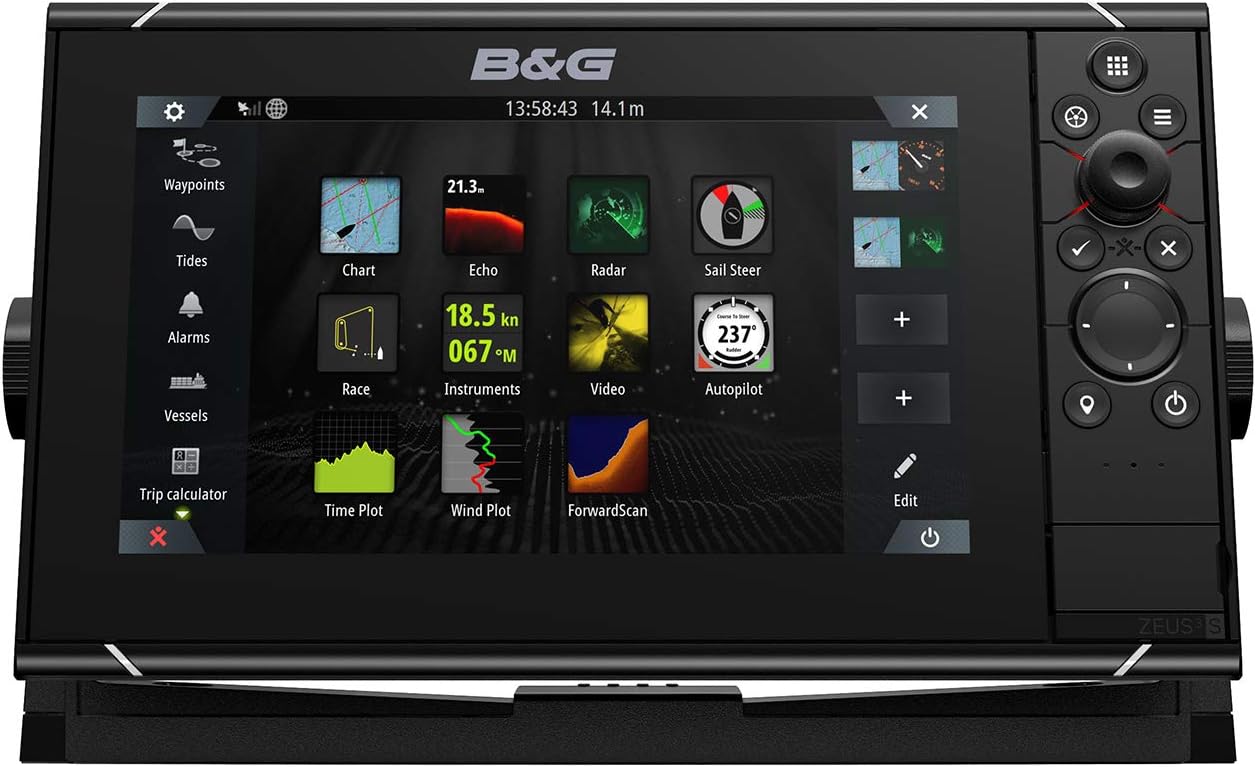
Image: Front view of the B&G Zeus3S 9-inch Chartplotter, showing the display and control interface.
Power Connection
Connect the provided power cable to the chartplotter's power port and a suitable 12V DC power source on your vessel. Ensure all connections are secure and properly sealed to prevent water ingress. It is recommended to install an inline fuse for protection.
Network Connections
The Zeus3S supports NMEA 2000 and Ethernet for connecting to other marine electronics such as radar, sonar, and autopilot systems. Use appropriate cables and terminators for NMEA 2000 networks. Ethernet connections allow for high-speed data transfer with compatible devices.
Sensor Connections
Connect compatible transducers and sensors for sonar (Sonar 1, Sonar 2), radar, and ForwardScan to the appropriate ports on the back of the unit. Ensure each connection is finger-tight and sealed.

Image: Rear view of the B&G Zeus3S 9-inch Chartplotter, displaying NMEA2000, Video, Ethernet, Power, Sonar 1, and Sonar 2 ports.
Operating Instructions
This section outlines the basic operation and key features of your Zeus3S chartplotter.
User Interface Overview
The Zeus3S features a SolarMAX IPS touchscreen for intuitive interaction, complemented by a rotary dial and a keypad for precise control, especially in challenging marine conditions. The interface allows for customizable panel splits to view multiple data sources simultaneously.

Image: The B&G Zeus3S 9-inch Chartplotter displaying a detailed nautical chart with overlaid navigation data.
Key Sailing Features
The Zeus3S integrates several dedicated sailing features:
SailSteer
Displays essential sailing data including wind, speed, tide, heading, course over ground, layline, and waypoint information on a single, easy-to-read screen.
Laylines
Overlays optimal tacking and gybing lines directly on your chart, considering tidal effects and real-time wind shifts to help optimize your course and minimize time spent beating.
SailingTime
Calculates estimated time of arrival (ETA) to waypoints, accounting for wind and tidal effects on each tack, providing accurate journey planning.
RacePanel
Provides critical time, distance, and positioning information for optimal race starts, assisting in achieving the best possible position on the starting line.
Chartplotter Functions
Access and manage nautical charts, set waypoints, create and follow routes, and continuously monitor your vessel's position. The system is compatible with a wide range of leading cartography, including C-MAP and Navionics.
System Integration
The Zeus3S connects with online services and mobile devices via built-in Wi-Fi. It integrates seamlessly with B&G's performance network modules such as Halo Radar, Autopilot, and ForwardScan, providing a comprehensive navigation solution.
Maintenance
Regular maintenance ensures the longevity and optimal performance of your chartplotter.
- Cleaning: Use a soft, damp cloth to clean the screen and unit exterior. Avoid abrasive cleaners, solvents, or harsh chemicals, as these can damage the display and casing.
- Software Updates: Regularly check for and install software updates to ensure optimal performance, access to new features, and compatibility improvements. Updates can typically be performed via Wi-Fi or USB.
- Connection Checks: Periodically inspect all cable connections for corrosion, wear, or damage, especially in the harsh marine environment. Ensure all connections remain tight and waterproof.
Troubleshooting
This section provides solutions for common issues you might encounter.
- Unit Does Not Power On: Verify all power cable connections are secure and correctly wired. Check the vessel's fuse or circuit breaker connected to the chartplotter's power supply. Ensure the power source is providing adequate voltage (12V DC).
- No GPS Signal: Ensure the GPS antenna (internal or external) has a clear, unobstructed view of the sky. Check all GPS antenna cable connections for damage or dislodgement.
- Display Issues: If the screen is unresponsive, frozen, or showing graphical artifacts, try restarting the unit. Ensure the screen surface is clean and free of moisture or debris that might interfere with touch input.
- Network Device Not Detected: Check NMEA 2000 or Ethernet cable connections to the device. Verify that the connected device is powered on and functioning correctly. Ensure proper network termination for NMEA 2000.
Specifications
Key technical specifications for the B&G Zeus3S 9-inch Chartplotter (Model: 000-15408-001).
| Feature | Detail |
|---|---|
| Model Number | 000-15408-001 |
| Display Size | 9 Inches |
| Item Weight | 9.02 pounds (approx. 4.09 kg) |
| Product Dimensions | 11.3 x 6.54 x 3.54 inches (approx. 28.7 x 16.6 x 9 cm) |
| Connectivity Technology | Wi-Fi, NMEA 2000, Ethernet |
| Control Interface | Touchscreen, Rotary Dial, Keypad |
| Map Type | Nautical (C-MAP, Navionics compatible) |
| Memory Storage Capacity | 16 GB |
Warranty Information
The B&G Zeus3S 9-inch Chartplotter is covered by a 2-year manufacturer's warranty. This warranty typically covers defects in materials and workmanship under normal use. For complete details regarding warranty terms, conditions, and claim procedures, please refer to the official B&G website or the warranty card included with your product.
Support
For technical assistance, product registration, software downloads, or further inquiries, please visit the official B&G support website. You can typically find comprehensive FAQs, troubleshooting guides, and contact information for customer service there.
B&G Official Website: www.bandg.com