
Introduction
This manual provides essential information for the safe and efficient operation, maintenance, and troubleshooting of your Pride Mobility Maxima Ultra HD 3-Wheel Mobility Scooter, Model SC901. Please read this manual thoroughly before operating the scooter to ensure proper usage and to prevent injury or damage.
The Maxima Ultra HD is designed for individuals requiring mobility assistance, offering robust performance with a weight capacity of 500 lbs. It features deep, comfortable seating and an ergonomically enhanced design for user comfort.
Safety Guidelines
Always prioritize safety when operating your mobility scooter. Adhere to all local traffic laws and regulations. Familiarize yourself with the scooter's controls before your first ride.
- Pre-Operation Check: Before each use, inspect tires, brakes, and battery charge level.
- Seating: Ensure the seat is securely locked in place and the safety belt is fastened.
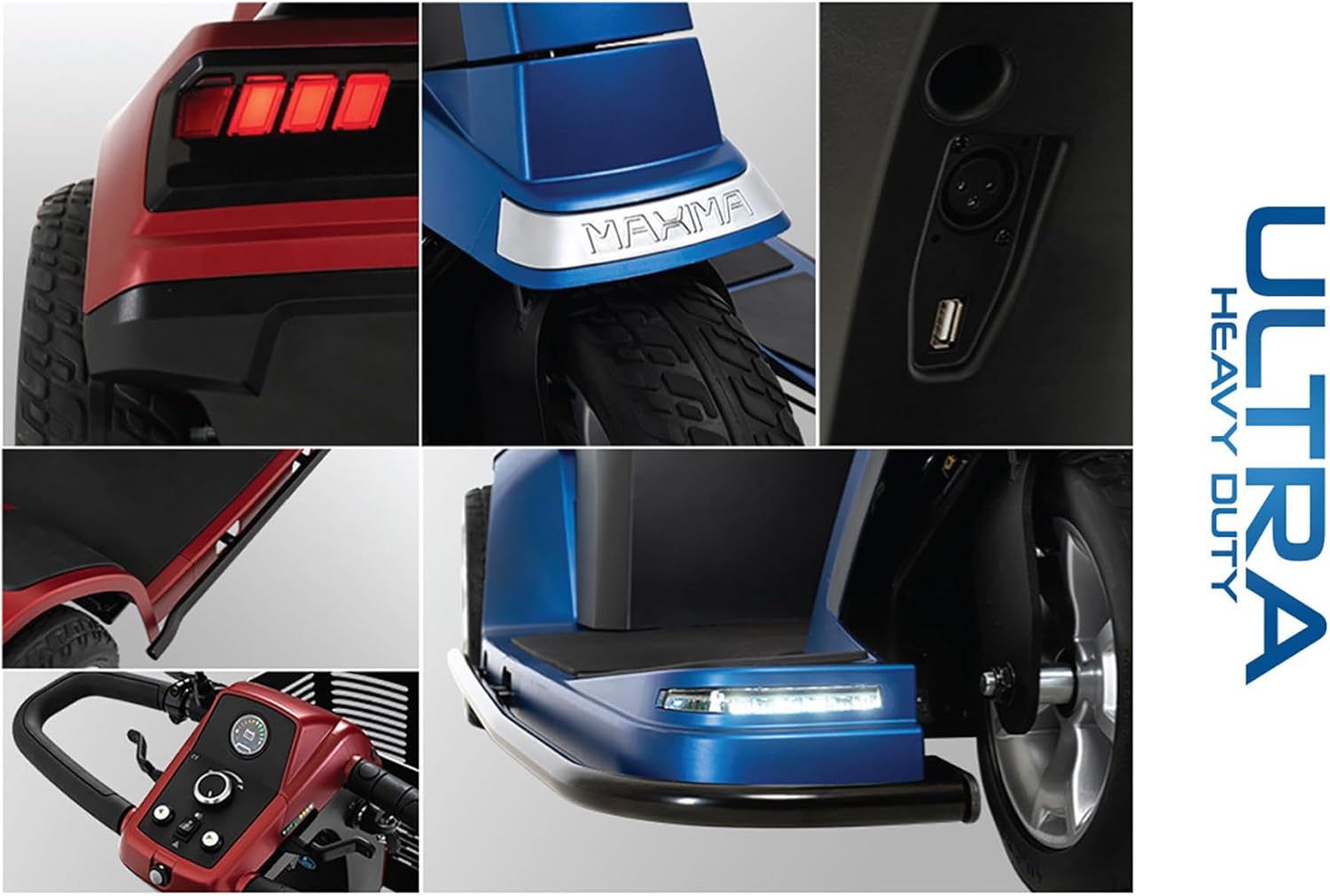
- Visibility: Use the full LED light package (headlights, turn signals, taillights) for visibility, especially in low-light conditions.
- Weight Capacity: Do not exceed the maximum weight capacity of 500 lbs.
- Terrain: Exercise caution on uneven terrain, inclines, and slippery surfaces.
- Charging: Only use the provided charger. Do not operate the scooter while charging.
Setup and Assembly
Your Maxima Ultra HD scooter may require some minor assembly or adjustment upon delivery. Follow these steps to prepare your scooter for use:
- Unpacking: Carefully remove all components from the packaging. Retain packaging for future transport or storage.
- Seat Installation: Attach the seat to the scooter base. Ensure it clicks securely into place. The 22” x 18”-20" Deluxe Contour Depth Adjustable, High-Back Vinyl, Limited Recline and Swivel seat offers customizable comfort.
- Armrest Adjustment: Adjust the armrests to a comfortable height and width.
- Tiller Adjustment: Adjust the delta tiller with ergonomic wraparound handles to your preferred operating position using the infinite position tiller lever.
- Battery Connection: Locate the battery compartment (often under the seat) and ensure the battery power switch is in the ON position.
- Initial Charge: Fully charge the scooter's batteries before first use. Connect the charger to the charging port and a standard electrical outlet.


Operating Your Scooter
Follow these instructions for safe and effective operation of your Maxima Ultra HD scooter.
- Power On: Insert the key into the ignition and turn it to the ON position.
- Seat Belt: Fasten your safety belt before driving.
- Speed Control: Use the speed adjustment dial on the tiller to set your desired maximum speed. The scooter can reach up to 5.8 MPH.
- Driving: Use the delta tiller's wraparound handles for steering. Push the lever forward to move forward, and pull it back to reverse. Release the lever to engage the electromagnetic brakes.
- Lighting: Activate the full LED light package, including front headlights, turn signals, and rear taillights, as needed. The ambient voltmeter screen brightness automatically adjusts based on light intensity.
- USB Charging: Utilize the built-in USB charger on the tiller for convenient charging of smartphones and other portable electronic devices.

Video demonstrating the operation and features of a heavy-duty mobility scooter, including power on, safety belt, lights, and driving.
Maintenance
Regular maintenance ensures the longevity and optimal performance of your scooter.
- Battery Care: Keep batteries fully charged. Avoid deep discharges. Refer to the battery manufacturer's guidelines for specific care instructions.
- Tire Inspection: Regularly check the flat-free, non-marking tires for wear and tear.
- Cleaning: Clean the scooter regularly with a damp cloth. Avoid using harsh chemicals or excessive water.
- Storage: Store the scooter in a dry, protected area when not in use.
- Professional Service: For complex issues or annual checks, consult a qualified service technician.
Troubleshooting
If you encounter issues with your scooter, refer to the following common troubleshooting tips:
- Scooter Not Powering On:
- Check if the key is fully inserted and turned to the ON position.
- Verify the battery power switch (under the seat) is ON.
- Ensure batteries are charged.
- Loss of Power During Operation:
- Check battery charge level on the voltmeter. Recharge if low.
- Ensure all electrical connections are secure.
- Unusual Noises:
- Inspect for loose components or obstructions around the wheels or motor.
- If persistent, contact customer support.
Specifications
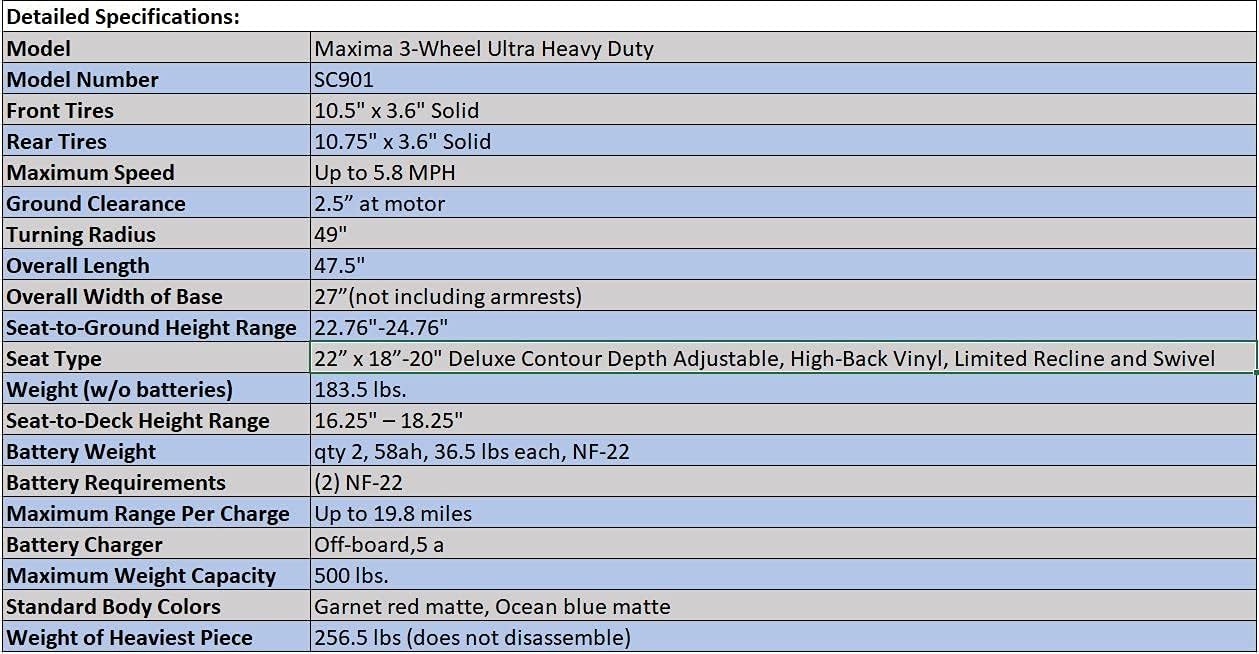
| Feature | Detail |
|---|---|
| Model | Maxima 3-Wheel Ultra Heavy Duty (SC901) |
| Maximum Weight Capacity | 500 lbs. |
| Maximum Speed | Up to 5.8 MPH |
| Maximum Range Per Charge | Up to 19.8 miles |
| Turning Radius | 49 Inches |
| Seat Type | 22” x 18”-20" Deluxe Contour Depth Adjustable, High-Back Vinyl, Limited Recline and Swivel |
| Tires | Flat-free, non-marking (Front: 10.5" x 3.6" Solid, Rear: 10.75" x 3.6" Solid) |
| Brake Style | Electromagnetic |
| Power Source | Battery Powered (qty 2, 58ah, 36.5 lbs each, NF-22) |
| Battery Charger | Off-board, 5a |
| Overall Length | 47.5" |
| Overall Width of Base | 27" (not including armrests) |
| Ground Clearance | 2.5" at motor |
| Weight (w/o batteries) | 183.5 lbs. |
| Heaviest Piece Weight | 256.5 lbs (does not disassemble) |
| Color | Ocean Blue (also available in Garnet Red matte) |
| Manufacturer | Pride Mobility |
| FDA Classification | Class II Medical Device |
Warranty and Support
The Pride Mobility Maxima Ultra HD 3-Wheel Mobility Scooter comes with a comprehensive warranty to ensure your peace of mind.
- Standard Warranty: The product includes a standard manufacturer's warranty.
- Extended Warranty: An exclusive five-year extended warranty, provided by Living Well Stores, Inc., covers batteries, battery charger, wiring, joystick, motor/gearbox, brakes, controller, PC board, throttle, tires, metal connection pins, hardware, nuts and bolts, fuses, lightbulbs, bearings and bushings, seat swivel mechanism, and armrests. This extended warranty is provided solely by Living Well Stores, Inc. and not by Pride Mobility or any other retailer.
- Customer Support: For warranty claims, service, or technical assistance, please contact Living Well Stores, Inc. as they are the provider of the extended warranty and customer support for this product.


