
Introduction
This manual provides comprehensive instructions for the installation, operation, and maintenance of your Fookoo Wired 7" (FHD1) and Wireless 9" (DW901) Backup Camera Systems. This bundle offers versatile solutions for various vehicle types, enhancing safety and visibility during reversing and parking maneuvers.
Product Overview
FHD1 Wired 7-inch Backup Camera System
The FHD1 system is a wired solution designed for stable and reliable video transmission. It features a 7-inch monitor and a high-definition camera.
- Resolution: HD 1080P
- Waterproof Rating: IP69 (Camera)
- Features: Parking Lines Assistance
- Camera Support: Supports up to 2 cameras

Image: The Fookoo FHD1 wired 7-inch monitor and its accompanying camera, illustrating the components of the wired system.
DW901 Wireless 9-inch Backup Camera System
The DW901 system offers wireless connectivity for flexible installation and advanced monitoring features, including multiple camera views and recording capabilities.
- Resolution: HD 1080P
- Waterproof Rating: IP69 (Camera)
- Features: Full/Dual/Quad Split Screen, Loop Recording, Parking Lines Assistance
- Camera Support: Supports up to 4 cameras

Image: The Fookoo DW901 wireless 9-inch monitor and camera, showcasing the primary components of the wireless system.
Package Contents
For FHD1 (Wired System)
- 7-inch HD Monitor
- 1080P Wired Camera
- Monitor Power Cable
- Camera Power Cable
- Video Cable
- Mounting Bracket and Screws
For DW901 (Wireless System)
- 9-inch HD Wireless Monitor
- 1080P Wireless Camera
- Monitor Power Cable (with USB port)
- Camera Power Cable
- Monitor Antennas
- Camera Antenna
- Mounting Bracket and Screws
- 32GB SD Card
Installation Guide
General Safety Precautions
- Disconnect the vehicle's battery before beginning installation to prevent electrical shorts.
- Ensure all connections are secure and properly insulated.
- Mount the monitor in a location that does not obstruct your view of the road or interfere with airbag deployment.
- Route cables safely, away from hot or moving parts, and secure them to prevent snagging or damage.
FHD1 Wired System Installation
Camera Installation
- Choose a suitable mounting location at the rear of your vehicle, typically above the license plate or near the tailgate handle, ensuring a clear and unobstructed view.
- Securely mount the camera using the provided screws and bracket.
- Connect the camera's power cable to the vehicle's reverse light power source (12V-24V DC) so it activates when reversing. Alternatively, connect to a constant power source for continuous monitoring.
Monitor Installation
- Mount the 7-inch monitor on your dashboard or windshield using the provided adhesive pad or suction cup bracket.
- Connect the video cable from the camera to the monitor's video input port.
- Connect the monitor's power cable to the vehicle's cigarette lighter socket or directly to the fuse box for a more permanent installation.
DW901 Wireless System Installation
Camera Installation
- Select a mounting location at the rear of your vehicle that provides a clear line of sight for the camera and minimizes obstructions for the wireless signal.
- Securely mount the camera using the provided hardware.
- Connect the camera's power cable to the vehicle's reverse light power source (12V-24V DC) or a constant power source.
- Attach the antenna firmly to the camera's antenna port.
Monitor Installation
- Mount the 9-inch monitor on your dashboard or windshield.
- Attach the antennas firmly to the monitor's antenna ports.
- Connect the monitor's power cable to the vehicle's cigarette lighter socket. The included USB port on the power cable can be used to charge other devices.

Image: Illustration of power options for the Fookoo DW901 wireless monitor, showing both hardwire and car charger connections.
Wireless Signal and Range
The DW901 system utilizes an advanced digital wireless signal for stronger penetration and real-time transmission, minimizing interference and delay. The effective range is approximately 128 feet.

Image: Diagram illustrating the advanced digital wireless signal transmission between the Fookoo DW901 camera and monitor, indicating a range of 128 feet.
RV/Trailer Compatibility
For RVs or trailers, an additional cable may be required to bridge the connection between the towing vehicle and the trailer for the camera power and signal, ensuring seamless operation across the entire length of your setup.

Image: Diagram showing how the Fookoo backup camera system can be adapted for RV or trailer use, indicating the need for an extended cable.
Operating Instructions
Powering On/Off
Press the Power button on the monitor to turn the system on or off. The system will typically power on automatically when the vehicle is put into reverse, if wired to the reverse lights.
Basic Monitor Functions (Both Systems)
- Power Button: Turns the unit on/off.
- Menu Button: Accesses the system settings, including image adjustments, parking line settings, and recording options (DW901).
- SEL (Select) Button: Confirms selections within the menu.
- Up/Down Arrows (or CH+/-): Navigates menu options or switches camera channels (DW901).
- Flip Button: Adjusts the image orientation (mirror/normal view) to suit your preference.
Parking Lines Assistance
Both the FHD1 and DW901 systems feature adjustable parking lines to assist with precise parking. You can access the monitor's menu to enable, disable, or adjust the position and width of these lines to match your vehicle and preference.

Image: The Fookoo 9-inch monitor displaying high-definition video with adjustable parking lines overlaid, demonstrating the parking assistance feature.
DW901 Specific Functions (Wireless System)
Split Screen Modes
The 9-inch wireless monitor supports various display modes, including Full Screen, Dual Split Screen, and Quad Split Screen. This allows you to monitor multiple camera feeds simultaneously. Use the menu or dedicated buttons to cycle through these modes.

Image: The Fookoo 9-inch monitor showcasing its capability to display full, dual, and quad split screen views from multiple cameras.
Loop Recording
The DW901 system supports continuous loop recording to the inserted SD card. When the card's storage capacity is full, the oldest footage will be automatically overwritten to make space for new recordings. Ensure an SD card is inserted for this feature to function.
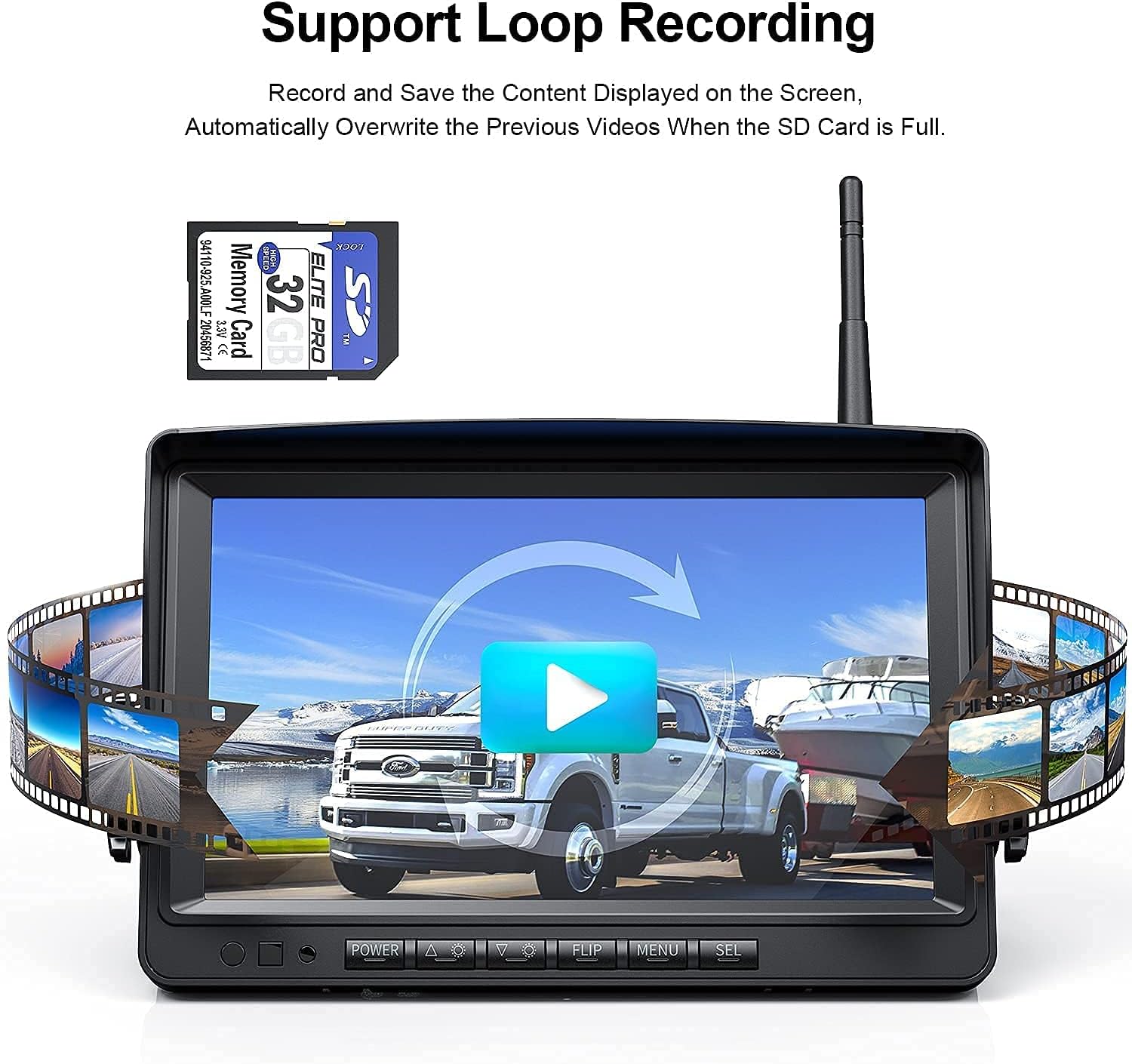
Image: The Fookoo 9-inch monitor with a visual representation of the loop recording function, indicating video footage being saved to an SD card.
Camera Switching
If multiple cameras are connected to the DW901 system (up to 4), use the CH+/- buttons on the monitor to switch between individual camera views or to cycle through the split screen modes.
Maintenance
- Cleaning: Use a soft, damp cloth to clean the monitor screen and camera lenses. Avoid using abrasive cleaners, solvents, or harsh chemicals, as these can damage the surfaces.
- Cable Inspection: Periodically inspect all power and video cables for any signs of wear, fraying, cuts, or loose connections. Secure or replace damaged cables immediately.
- Camera Lens: Ensure the camera lens remains clear of dirt, dust, snow, ice, or water droplets for optimal image clarity. Clean as needed.
- SD Card (DW901): For the DW901 wireless system, it is recommended to format the SD card periodically (e.g., once a month) through the monitor's menu to maintain optimal recording performance and prevent data corruption.
Troubleshooting
No Image on Monitor
- Power Check: Ensure both the monitor and camera are receiving power. Check all power cable connections and the vehicle's power source (e.g., cigarette lighter, fuse box).
- Wired System (FHD1): Verify the video cable is securely connected between the camera and the monitor.
- Wireless System (DW901): Check that antennas are securely attached to both the monitor and camera. Ensure the camera and monitor are within effective wireless range and there are no major obstructions.
- Channel Selection (DW901): If multiple cameras are used, ensure the correct camera channel is selected on the monitor.
Image is Distorted or Flickering
- Connections: Check all cable connections for looseness or damage.
- Interference (Wireless): For wireless systems, reposition the antennas or move the monitor/camera slightly to reduce potential signal interference from other electronic devices.
- Power Supply: Ensure the power supply to both components is stable and within the specified voltage range.
Parking Lines Not Displaying/Incorrect
- Access the monitor's menu settings and ensure the parking line feature is enabled. Adjust the position and width as needed.
Recording Not Working (DW901)
- SD Card: Ensure an SD card is properly inserted into the monitor's slot.
- Card Full: While the system supports loop recording, a faulty or extremely slow SD card might prevent new recordings. Try formatting the card through the monitor's menu or using a different, high-quality SD card.
- Recording Setting: Verify that the recording function is enabled in the monitor's system settings.
Specifications
FHD1 Wired 7-inch System
| Monitor Size | 7 inches |
| Resolution | 1080P HD |
| Waterproof Rating | IP69 (Camera) |
| Camera Support | Up to 2 cameras |
| Key Features | Parking Lines Assistance |
DW901 Wireless 9-inch System
| Monitor Size | 9 inches |
| Resolution | 1080P HD |
| Waterproof Rating | IP69 (Camera) |
| Camera Support | Up to 4 cameras |
| Key Features | Full/Dual/Quad Split Screen, Loop Recording, Parking Lines Assistance |
| Connectivity | Wireless Digital Signal |
| Storage | Supports SD Card (32GB included) |
Warranty and Support
Fookoo stands behind its products. This bundle comes with an 18-month replacement service, ensuring your peace of mind.
Additionally, lifetime technology support is available to assist you with any questions or issues you may encounter during the product's lifespan.
For assistance, please contact Fookoo customer service. You can also visit the official Fookoo Store for more information and resources:
