
Verilux VT43MB3
Verilux HappyLight Luxe Light Therapy Lamp Instruction Manual
Model: VT43MB3
Brand: Verilux
Introduction
The Verilux HappyLight Luxe is a UV-free, LED full-spectrum light therapy lamp designed to enhance mood, improve sleep, increase energy, and boost focus. It delivers up to 10,000 Lux of bright white light, free from glares and flickering, providing a natural light experience. This manual provides essential information for the safe and effective use of your HappyLight Luxe.

The Verilux HappyLight Luxe, showcasing its sleek design and touch controls.
Setup
Unpacking: Carefully remove the HappyLight Luxe from its packaging. Inspect the device for any signs of damage. If damaged, do not use and contact customer support.
Attaching the Stand: The HappyLight Luxe comes with a detachable stand that also functions as a wall mount. Align the stand with the slots on the back of the lamp and slide it into place until it clicks securely. Ensure the stand is firmly attached before placing the lamp on a surface.

The detachable stand can be easily attached or removed, and doubles as a wall mount.
Placement: Place the HappyLight Luxe on a flat, stable surface where it can be positioned approximately 6-24 inches (15-60 cm) from your face. Ensure the light is angled towards your eyes, but avoid looking directly into the light. It can be used at a desk, bedside table, or mounted on a wall.
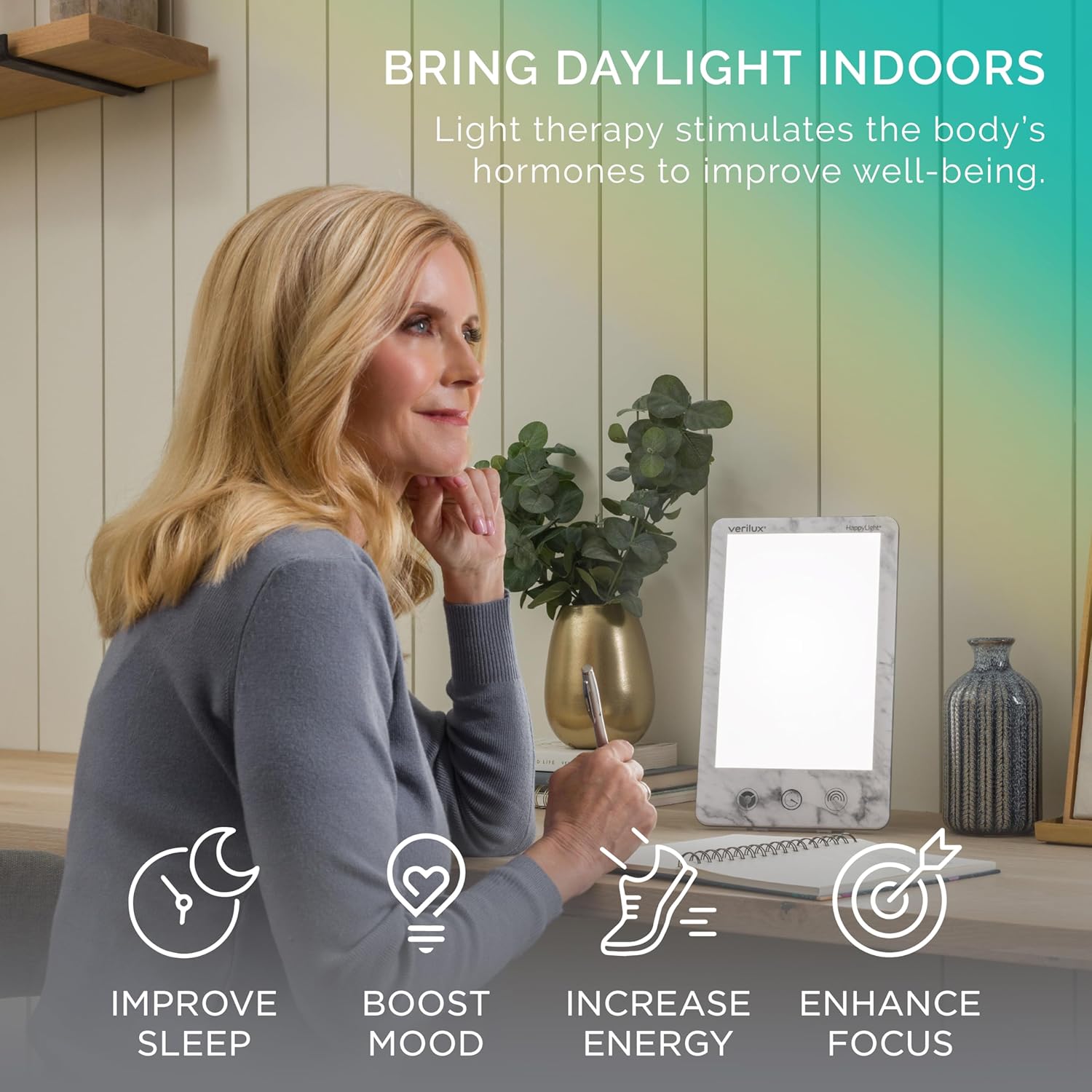
Optimal placement of the HappyLight Luxe on a desk to bring daylight indoors.
Power Connection: Plug the power adapter into the DC input port on the back of the HappyLight Luxe, then plug the adapter into a standard electrical outlet.
Operating Instructions
The HappyLight Luxe features intuitive touch controls located at the bottom of the light panel.

The touch controls allow for easy adjustment of settings.
Power On/Off: Press the power button (located on the top edge of the device) to turn the light on or off.
Adjusting Brightness: The HappyLight Luxe offers 4 brightness levels. Press the brightness control button (circular icon) repeatedly to cycle through the different intensity settings.
Changing Color Temperature: Choose from 3 HappyHue color temperature options (warm, natural, cool). Press the color temperature button (rainbow icon) to select your preferred hue. This allows for a customized light therapy experience.
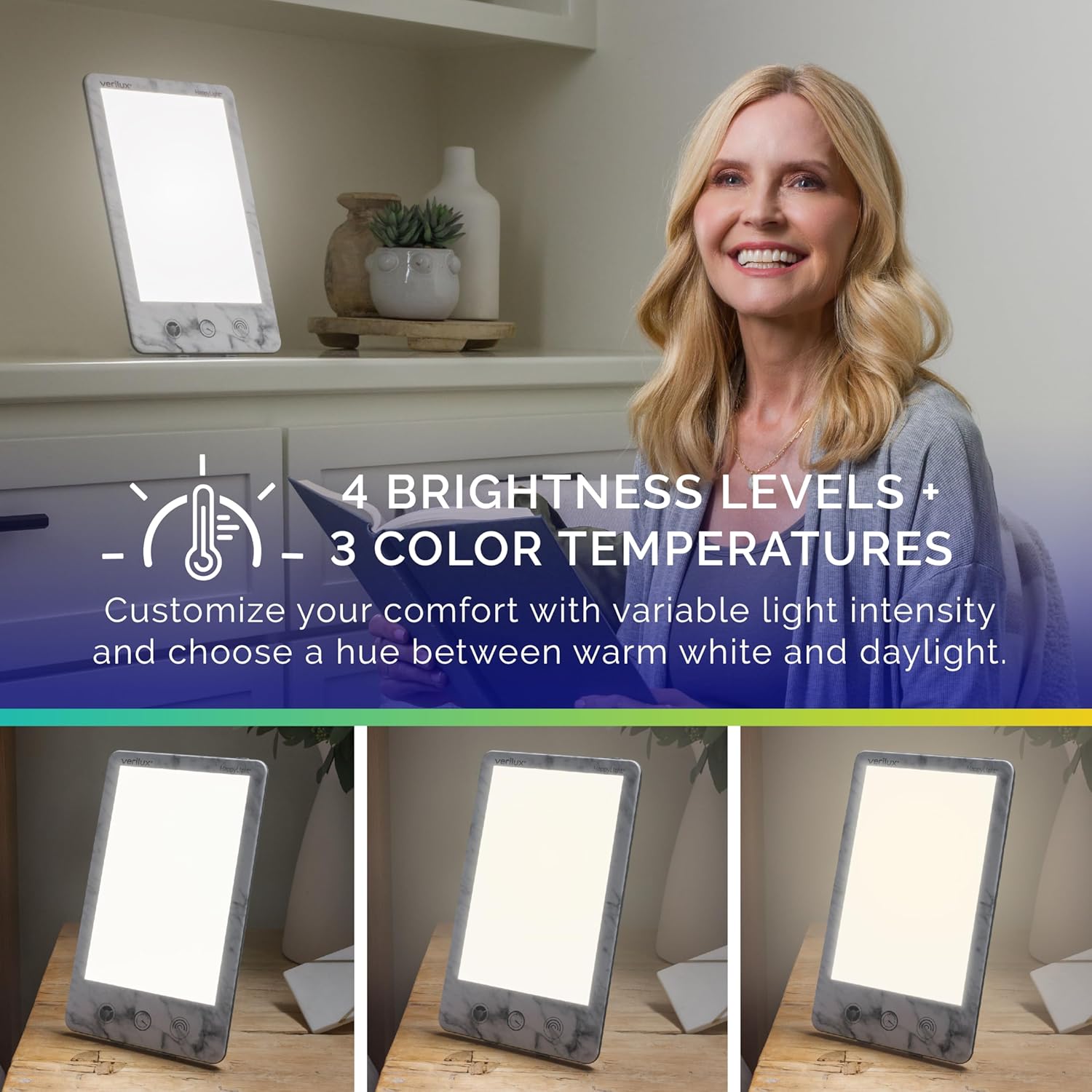
Customize your comfort with variable light intensity and choose a hue between warm white and daylight.
Setting the Countdown Timer: The convenient countdown timer is programmable up to 1 hour, in 5-minute increments. Press the timer button (clock icon) repeatedly to set the desired duration for your session. The light will automatically turn off once the timer expires.

The countdown timer can be set for up to 1 hour in 5-minute increments.
Maintenance
To ensure the longevity and optimal performance of your HappyLight Luxe, follow these simple maintenance guidelines:
Cleaning: Always unplug the device before cleaning. Use a soft, dry cloth to wipe the surface of the lamp. Do not use abrasive cleaners, solvents, or harsh chemicals, as these may damage the finish or electronic components.
Storage: When not in use, store the HappyLight Luxe in a cool, dry place, away from direct sunlight and excessive heat or moisture. If storing for an extended period, consider returning it to its original packaging to protect it from dust and damage.
Troubleshooting
If you encounter any issues with your HappyLight Luxe, please refer to the following common solutions:
Light Does Not Turn On:
- Ensure the power adapter is securely plugged into both the lamp and a working electrical outlet.
- Verify that the power outlet is functional by plugging in another device.
- Check for any visible damage to the power cord or adapter.
Light Flickers or Dims Unexpectedly:
- This is rare with LED technology. Try unplugging the device for a few minutes and then plugging it back in.
- Ensure the power connection is stable and not loose.
Buttons Are Unresponsive:
- Ensure your fingers are clean and dry when operating the touch controls.
- Try unplugging and re-plugging the device to reset it.
If the problem persists after trying these steps, please contact Verilux customer support for further assistance.
Specifications
| Feature | Specification |
|---|---|
| Model Number | VT43MB3 |
| Product Dimensions | 7.5"D x 0.5"W x 11.8"H (19 x 1.3 x 30 cm) |
| Item Weight | 3.22 Pounds (1.46 Kilograms) |
| Lamp Type | Table Lamp |
| Light Output | Up to 10,000 Lux |
| Light Source | UV-Free LED |
| Brightness Levels | 4 Adjustable Levels |
| Color Temperatures | 3 HappyHue Options |
| Timer | Programmable up to 1 hour (in 5-minute increments) |
| Base Material | Marble |
| Finish Type | Marble |

Detailed dimensions of the HappyLight Luxe for easy reference.
Warranty & Support
Verilux stands behind the quality of its products. The HappyLight Luxe comes with an industry-leading 3-Year Manufacturer's Warranty.
For any questions, concerns, or support needs, please contact our U.S.-based customer support team. You can find contact information and additional resources on the official Verilux website:
Ask a question about this manual
Ask about setup, troubleshooting, compatibility, parts, safety, or missing instructions. Manuals+ will review the question and use this page’s manual context to help answer it.