Product Overview
This manual provides detailed instructions for the Ltvystore 87-Key Retro Punk Typewriter-Style Mechanical Gaming Keyboard and Mouse Combo. This combo is designed for both gaming and office use, featuring customizable RGB backlighting, durable mechanical switches, and an ergonomic design.
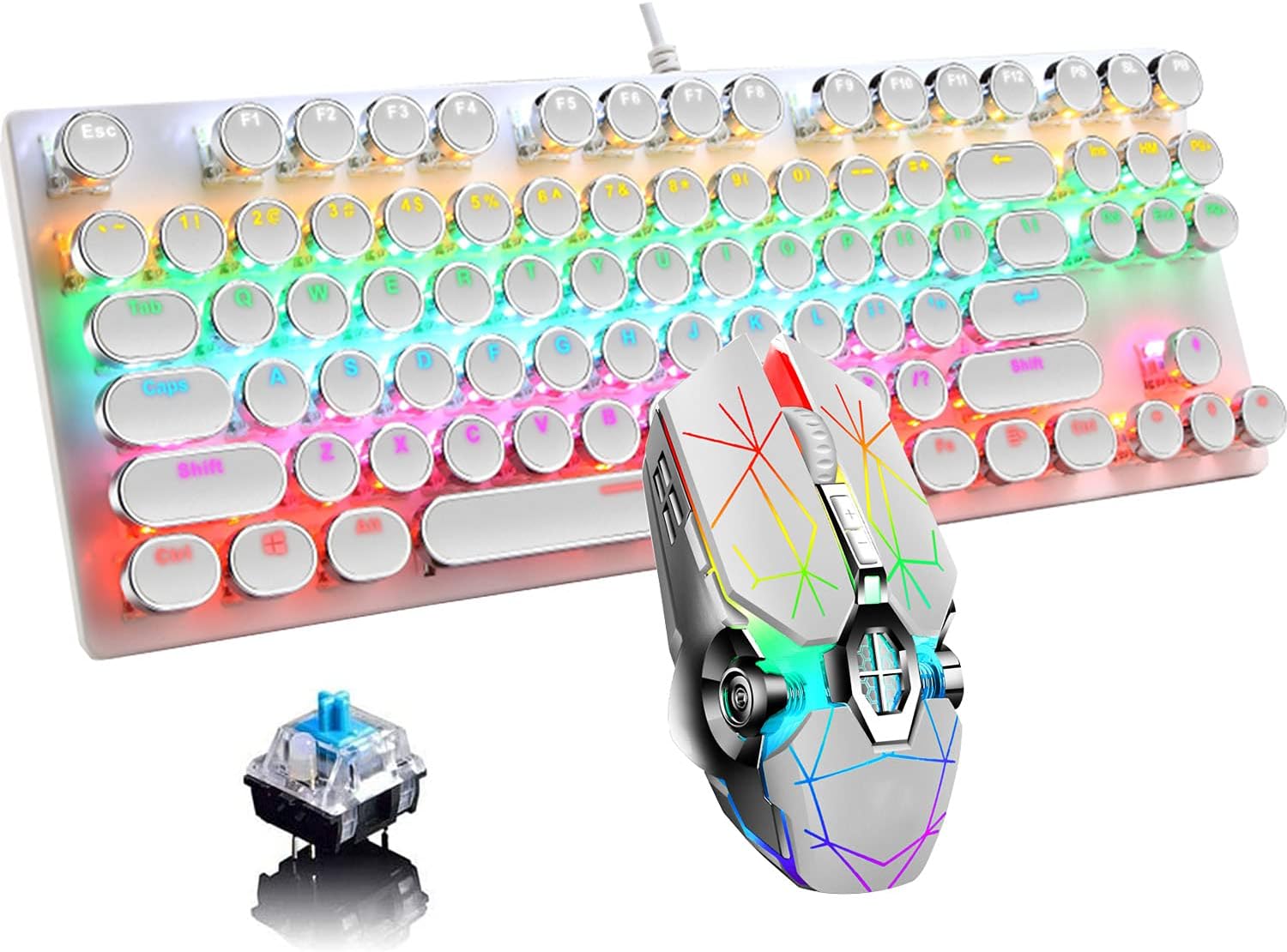
Image: The Ltvystore Mechanical Gaming Keyboard and Mouse Combo, featuring a white keyboard with round, retro-style keycaps and a white gaming mouse with colorful LED lighting.
Package Contents
- 1x Mechanical Gaming Keyboard
- 1x Gaming Mouse
- 1x USB Cable (integrated)
- 1x Instruction User Manual (this document)
Setup
System Requirements
- Operating System: Win XP/7/8/10, MAC 10.2 and above
- Available USB Port
Connecting the Device
- Locate an available USB port on your computer.
- Plug the USB connector from the keyboard and mouse combo into the USB port.
- The device is plug-and-play and should be automatically recognized by your operating system. No additional drivers are typically required.
Operating Instructions
Keyboard Features
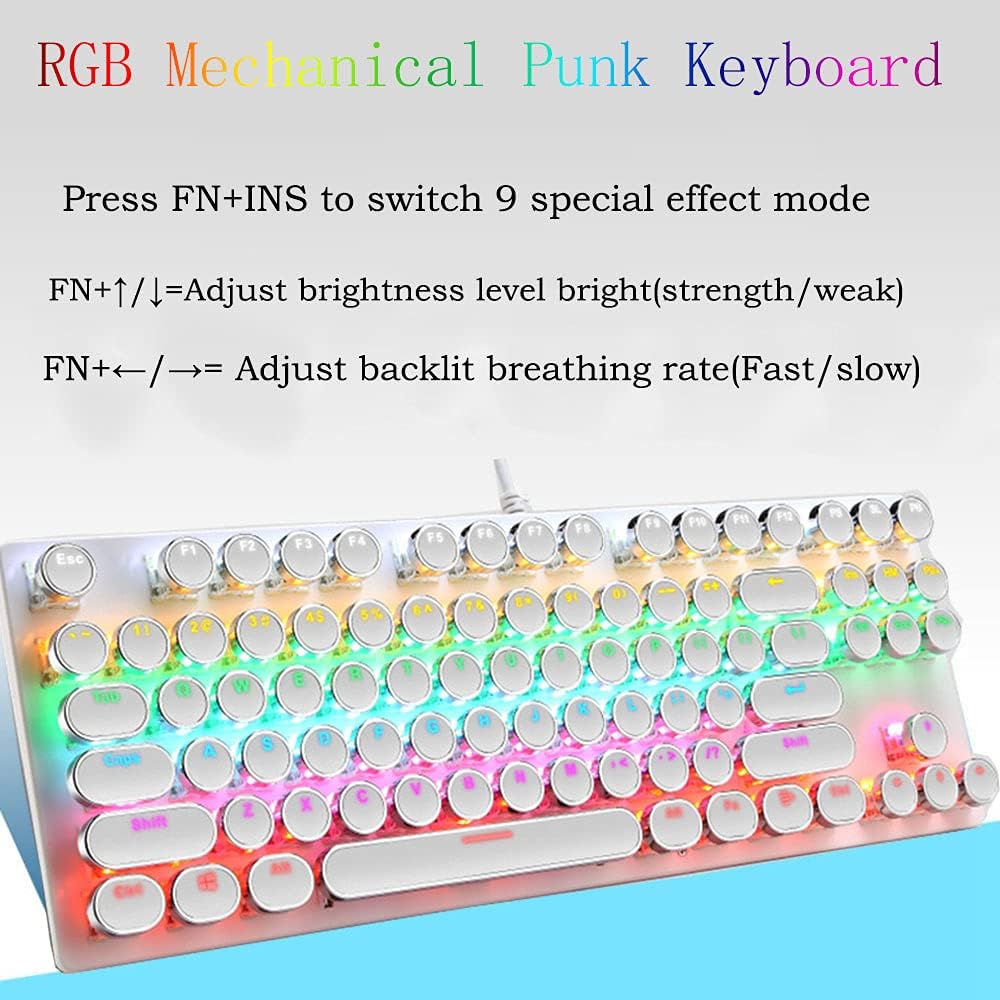
Image: A close-up of the keyboard highlighting the RGB lighting and key functions for backlight control.
- 87-Key Layout: Standard 87-key design with electroplated punk keycaps.
- Mechanical Blue Switches: Provides a tactile typing experience with an audible click. These switches are designed for durability and can be removed for cleaning or replacement.
- RGB Rainbow Backlighting: Features multiple lighting modes and effects.
- Switch Lighting Modes: Press FN + INS to cycle through 9 different lighting modes and effects.
- Adjust Brightness: Press FN + ↑ (Up Arrow) or ↓ (Down Arrow) to adjust the backlight brightness (3 levels).
- Adjust Breathing Speed: Press FN + ← (Left Arrow) or → (Right Arrow) to adjust the breathing speed of the backlight.
- Multimedia Keys: Features 12 dedicated multimedia keys for quick access to functions like volume control, media playback, and more.
- WIN Key Disable: The Windows key can be disabled during gaming to prevent accidental interruptions.
- Ergonomic Design: Stepped keycap design with optimized arc and slope for comfortable long-term typing.

Image: A close-up of the keyboard showing the blue mechanical switches beneath the keycaps.
Mouse Features
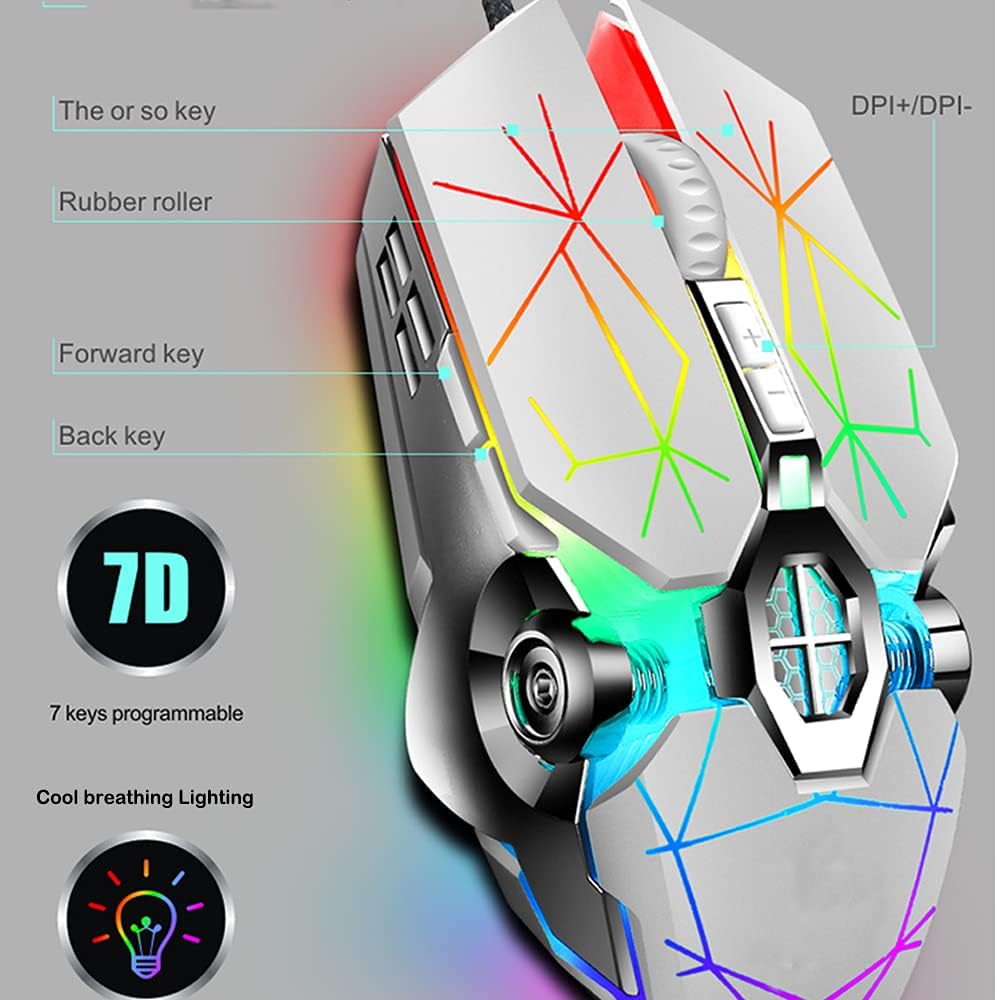
Image: A detailed view of the gaming mouse, pointing out its 7 programmable buttons, DPI switch, and cool breathing lighting.
- Adjustable DPI: Customize DPI settings with 4 levels: 800, 1600, 2400, and 3200 DPI. Use the dedicated DPI switch button to cycle through these settings.
- 7 Buttons: Includes left click, right click, scroll wheel, two side buttons (forward/back), and a DPI switch button.
- Cool Breathing Light: The mouse features a dynamic breathing light effect.
- Ergonomic Grip: Designed for comfortable left-right hand operation, suitable for extended use.
Maintenance and Care
- Cleaning the Keyboard:
- Disconnect the keyboard from your computer before cleaning.
- Use a soft, dry cloth to wipe down the keycaps and frame.
- For deeper cleaning, keycaps can be carefully removed. Use compressed air to clear debris from underneath the keys.
- The keyboard features a splash-proof design, but avoid submerging it in liquids.
- Cleaning the Mouse:
- Disconnect the mouse from your computer.
- Use a soft, slightly damp cloth to wipe the surface of the mouse. Avoid excessive moisture.
- Clean the optical sensor area on the bottom of the mouse with a cotton swab if tracking issues occur.
- Storage: Store the keyboard and mouse in a cool, dry place away from direct sunlight and extreme temperatures.

Image: A close-up of the keyboard highlighting its splash-proof design.
Troubleshooting
| Problem | Possible Cause | Solution |
|---|---|---|
| Keyboard/Mouse not responding | Loose USB connection, faulty USB port, system driver issue. |
|
| Backlight not working or incorrect | Lighting mode not selected, brightness too low. |
|
| Mouse cursor erratic or not moving | Dirty sensor, unsuitable surface, incorrect DPI setting. |
|
| Keys feel sticky or unresponsive | Debris under keycaps, worn switch. |
|
Specifications
Keyboard Specifications
- Key Layout: 87-key standard
- Switch Type: Mechanical Blue Switches
- Keycap Type: Electroplated Punk Keycaps, Two-color injection molding
- Backlight: RGB Rainbow Backlit, 9 lighting modes, 3 brightness levels, adjustable breathing speed
- Multimedia Keys: 12
- Connectivity: USB (Wired)
- Compatibility: Win XP/7/8/10, MAC 10.2 and above
- Special Features: Splash-proof design, adjustable rear feet, WIN key disable
- Dimensions: Approximately 17.2 x 6.5 x 1.85 inches (Package Dimensions)
- Weight: Approximately 1.81 pounds (Item Weight)
Mouse Specifications
- DPI Settings: 800 / 1600 / 2400 / 3200 DPI (4 levels)
- Buttons: 7 buttons (Left, Right, Scroll Wheel, 2 Side Buttons, 1 DPI Switch)
- Lighting: Cool Breathing Light
- Connectivity: USB (Wired)
- Special Features: Ergonomic design, programmable buttons (7D)
Warranty and Support
For warranty information or technical support, please refer to the contact details provided by your retailer or visit the official Ltvystore website. Keep your purchase receipt for warranty claims.