1. Introduction
The NETGEAR Nighthawk Tri-Band Whole Home Mesh WiFi 6 System (MK83) is designed to provide extensive and reliable WiFi coverage throughout your home. This system includes one WiFi 6 router (MR80) and two WiFi 6 satellite extenders (MS80), working together to eliminate dead zones and deliver high-speed internet to multiple devices simultaneously. With Tri-Band AX3600 technology, it supports fast streaming, gaming, and video calls across an area of up to 6,750 sq. ft.

Image: The NETGEAR Nighthawk MK83 system components, showcasing the sleek black design of the router and two satellite units.
2. What's in the Box
Verify that all components are present in your package:
- One (1) Tri-band Mesh WiFi 6 Router (MR80)
- Two (2) Tri-band Mesh WiFi 6 Satellite (MS80)
- One (1) 2m Ethernet cable
- Three (3) 12V/2.5A power adapters
- Quick start guide
3. Setup Instructions
Setting up your NETGEAR Nighthawk MK83 system is designed to be quick and straightforward using the Nighthawk app.
- Download the Nighthawk App: Search for "NETGEAR Nighthawk" in your mobile device's app store (Apple App Store or Google Play Store) and download the application.
- Connect the Router:
- Unplug your existing modem and remove any battery if it has one.
- Connect your modem to the Internet port (yellow) on the Nighthawk router using the provided Ethernet cable.
- Plug in and power on your modem. Wait for it to fully boot up.
- Connect the power adapter to the Nighthawk router and plug it into a power outlet. Wait for the router's LED to turn solid white.
- Place the Satellites: Position the two satellite units in locations that provide optimal WiFi coverage throughout your home. Ensure they are within range of the router and each other. Plug in the power adapters for the satellites. The satellite LEDs will turn solid white once connected to the router.
- Launch the Nighthawk App: Open the Nighthawk app on your mobile device and follow the on-screen instructions to complete the setup process. This includes creating your WiFi network name (SSID) and password.
- Connect Devices: Once setup is complete, connect your devices (smartphones, tablets, computers, smart home devices) to your new Nighthawk WiFi network using the SSID and password you created.

Image: The Nighthawk app simplifies the setup and management of your mesh WiFi system.
4. Operating Instructions
Once your Nighthawk MK83 system is set up, you can manage and optimize your network using the Nighthawk app or a web browser.
4.1. Connecting Devices
- Wireless Connection: Search for your WiFi network name (SSID) on your device and enter the password.
- Wired Connection: For devices requiring a stable wired connection, use an Ethernet cable to connect them to any available Gigabit LAN port on the router or satellites.

Image: The router and satellites feature multiple Gigabit LAN ports for wired connections.
4.2. Using the Nighthawk App
The Nighthawk app provides comprehensive control over your network:
- Device Manager: View all connected devices, pause internet access for specific devices, and prioritize traffic.
- Network Map: See a visual representation of your network, including the router and connected satellites.
- WiFi Settings: Change your WiFi name and password, enable guest networks, and adjust security settings.
- Parental Controls: Manage internet access for children's devices and filter content.
- Security: Monitor and manage your network's security features, including NETGEAR Armor.
5. Key Features
The NETGEAR Nighthawk MK83 system offers advanced features for an optimized home network experience:
5.1. Whole-Home Coverage
The system provides extensive WiFi 6 coverage up to 6,750 sq. ft., ensuring a strong and consistent signal in every corner of your home, eliminating dead zones.
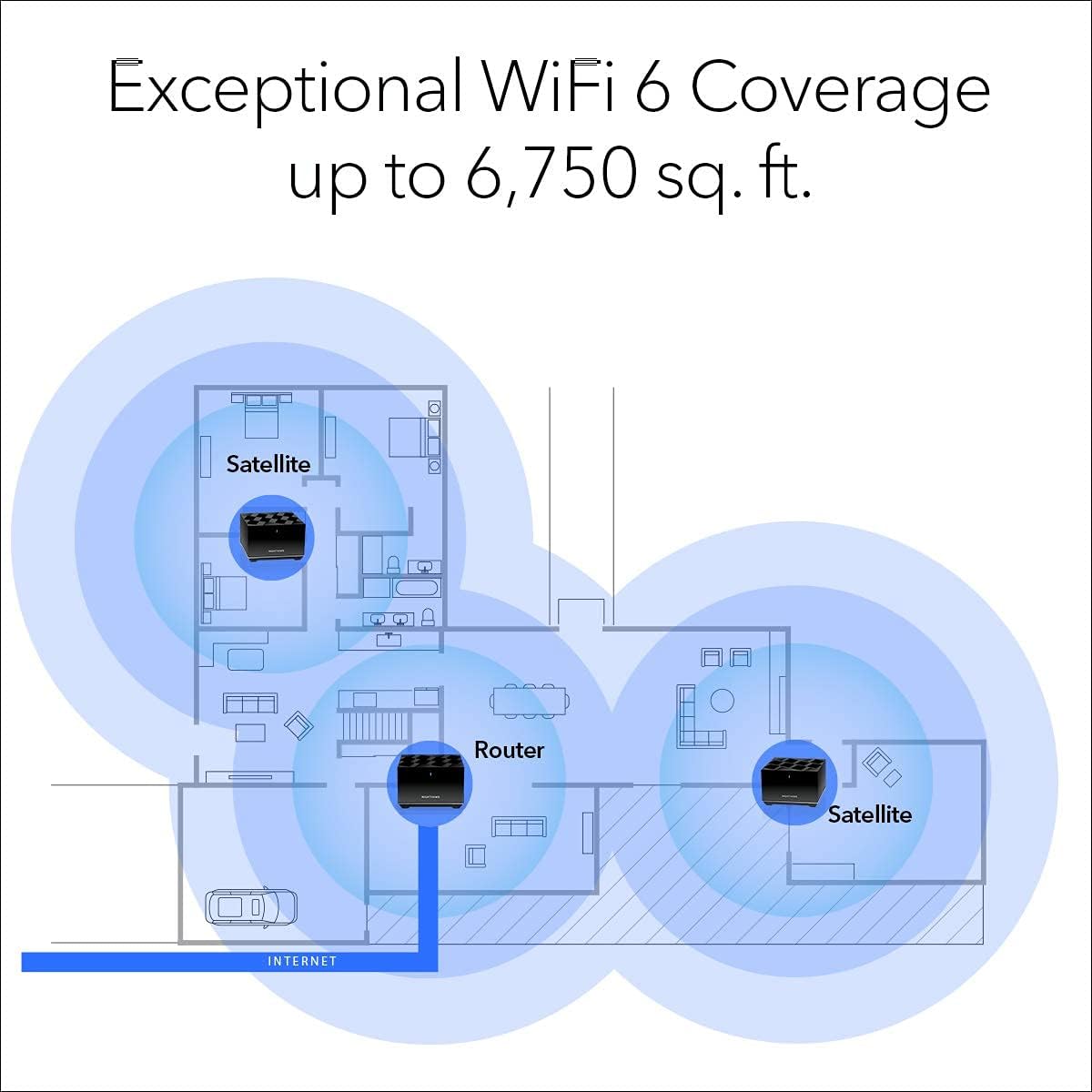
Image: The Nighthawk MK83 system provides comprehensive WiFi coverage throughout large homes.
5.2. Tri-Band AX3600 Speed
Experience high-speed WiFi with up to 3.6Gbps performance, ideal for buffer-free streaming, lag-free online gaming, and smooth video calls. The Tri-Band technology dedicates a band for backhaul communication between the router and satellites, ensuring optimal performance.

Image: Key performance metrics of the Nighthawk MK83 system, including speed and coverage.
5.3. Supports Multiple Devices
Designed for modern smart homes, the system efficiently handles over 40 connected devices simultaneously without compromising performance, thanks to WiFi 6's improved efficiency.
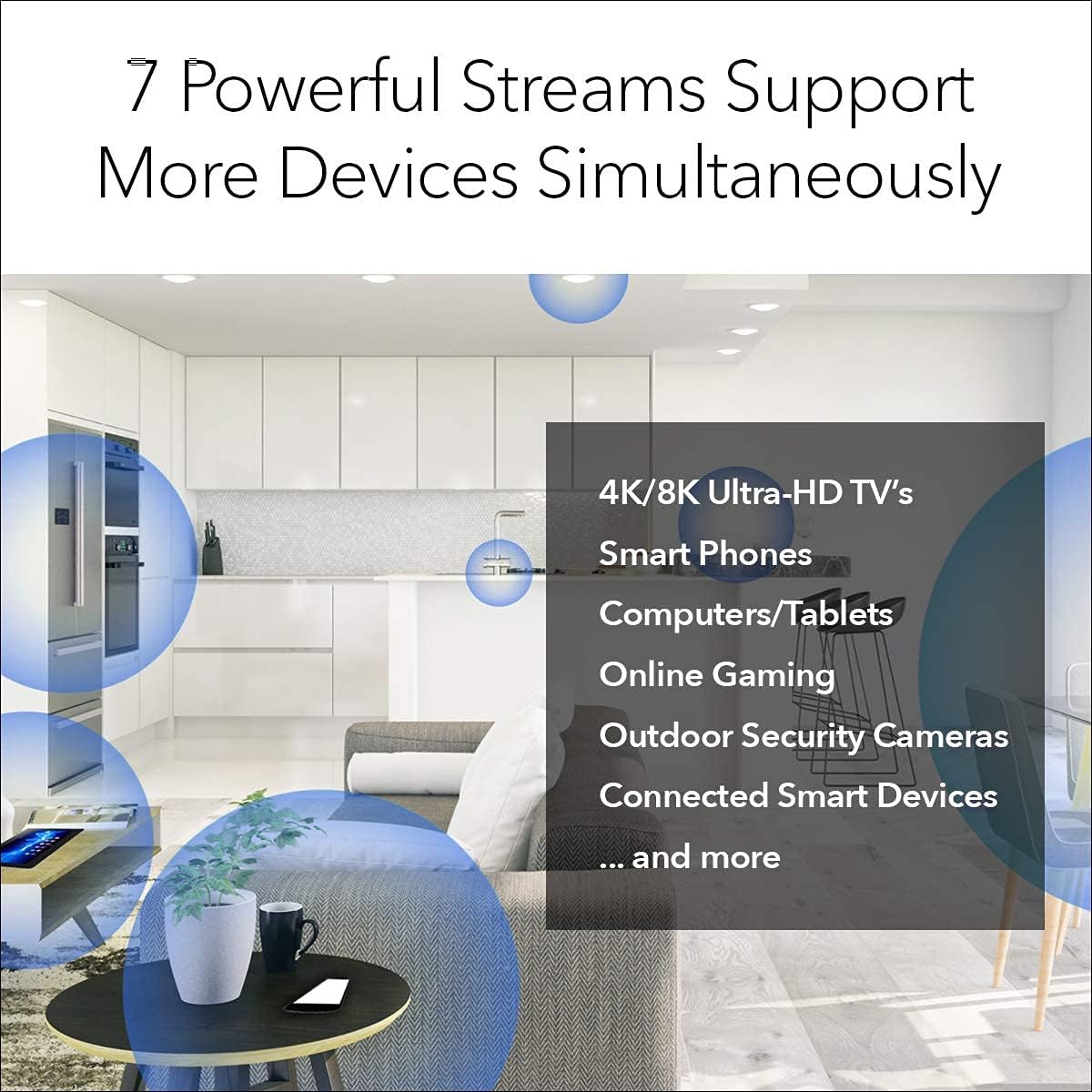
Image: The Nighthawk MK83 supports numerous devices concurrently, from smart TVs to security cameras.
5.4. Advanced Security with NETGEAR Armor
Built-in cybersecurity protection safeguards all your connected devices from online threats, malware, and phishing attacks. NETGEAR Armor provides comprehensive network security.

Image: NETGEAR Armor provides robust cybersecurity for all devices connected to your network.
6. Maintenance
Regular maintenance helps ensure optimal performance and longevity of your Nighthawk MK83 system.
- Firmware Updates: Periodically check for and install firmware updates through the Nighthawk app or the router's web interface. Updates often include performance improvements, bug fixes, and security enhancements.
- Cleaning: Keep the router and satellites free from dust. Use a soft, dry cloth to wipe the surfaces. Ensure ventilation openings are not blocked.
- Restarting: If you experience network issues, a simple restart of the router and satellites can often resolve minor glitches. Unplug the power adapters, wait 10 seconds, then plug them back in.
- Optimal Placement: Ensure the router and satellites are placed in open areas, away from large metal objects, concrete walls, and other devices that may cause interference (e.g., microwaves, cordless phones).
7. Troubleshooting
This section addresses common issues you might encounter with your Nighthawk MK83 system.
| Problem | Possible Solution |
|---|---|
| No Internet Connection |
|
| Poor WiFi Signal or Dead Zones |
|
| Devices Not Connecting to WiFi |
|
| Nighthawk App Cannot Find Router |
|
8. Specifications
| Feature | Detail |
|---|---|
| Model Name | NETGEAR Nighthawk Tri-Band Whole Home Mesh WiFi 6 System (MK83) |
| Model Number | MK83-100NAS |
| WiFi Technology | WiFi 6 (802.11ax) Tri-Band |
| WiFi Speed | AX3600 (up to 3.6Gbps) |
| Coverage Area | Up to 6,750 sq. ft. |
| Ethernet Ports (Router) | 1x Gigabit WAN, 3x Gigabit LAN |
| Ethernet Ports (Satellite) | 2x Gigabit LAN per satellite |
| Security Features | NETGEAR Armor, WPA3, Parental Controls, Guest WiFi |
| Special Features | Beamforming, QoS, Internet Security, WPS |
| Dimensions (approx.) | Refer to product packaging for exact dimensions. |
| Weight | 7.45 pounds (total system) |
9. Warranty and Support
This product is part of the Amazon Renewed program. As such, it is professionally inspected and tested to work and look like new. Renewed products are eligible for replacement or refund under the Amazon Renewed Guarantee if you are not satisfied with your purchase.
For specific warranty details and support related to the renewed product, please refer to the Amazon Renewed Guarantee terms and conditions available on the Amazon website.
For technical support related to the NETGEAR Nighthawk system's functionality, you can visit the official NETGEAR support website or use the support features within the Nighthawk app. Ensure you have your model number (MK83-100NAS) ready when contacting support.
- Amazon Renewed Guarantee: Visit Amazon Renewed Store
- NETGEAR Support: Refer to the quick start guide or the Nighthawk app for links to official NETGEAR support resources.