
TKMARS 4G TK905
TKMARS 4G TK905 GPS Tracker User Manual
Comprehensive Guide for Your Vehicle GPS Locator
1. Introduction
Thank you for choosing the TKMARS 4G TK905 GPS Tracker. This device is designed to provide reliable and accurate real-time location tracking for vehicles, assets, and more. With its strong magnetic mounting, long battery life, and multiple alarm functions, it offers a robust solution for your tracking needs. This manual will guide you through the setup, operation, and maintenance of your new GPS tracker.
1.1. What's in the Box
Upon opening the package, please ensure all the following items are present:
- 1 x 4G GPS Tracker (TK905)
- 1 x USB Charging Cable
- 1 x User Manual

Image: Package contents of the TKMARS 4G TK905 GPS Tracker.
2. Safety Information
Please read and follow these safety guidelines carefully to ensure safe and optimal use of your device:
- Do not disassemble or modify the device. Unauthorized modifications can void the warranty and pose safety risks.
- Keep the device away from extreme temperatures, direct sunlight, and high humidity.
- Use only the provided USB cable for charging. Using incompatible chargers may damage the battery or device.
- Ensure the device is securely mounted, especially in moving vehicles, to prevent it from becoming a projectile during sudden stops or impacts.
- Dispose of the device and its battery according to local regulations. Do not dispose of it in general waste.
3. Product Features
The TKMARS 4G TK905 GPS Tracker comes equipped with a range of features designed for effective and reliable tracking:
- 4G Network Support: Compatible with 4G networks for fast and accurate positioning.
- Long Standby Battery: Built-in 5000mAh battery provides up to 90 days of standby time.
- Strong Magnetic Mounting: Features 5 built-in powerful magnets for easy and secure installation without professional help.
- Waterproof IP65: Water-resistant casing ensures stable operation in various environmental conditions.
- Multiple Alarm Modes: Includes vibration alarm, low battery alarm, shock alarm, and overspeed alarm.
- Geo-fence Function: Set up virtual boundaries and receive alerts when the device enters or exits these areas.
- Real-time Tracking & Historical Route: Monitor live location and review up to 3 months of historical tracking data via web platform or mobile app.
- Free Tracking Platform: No subscription required for the web tracking platform and mobile application.

Image: The tracker utilizes both GPS and LBS (Location Based Service) for accurate positioning, ensuring reliable tracking even in areas with weak GPS signals.

Image: The device features strong built-in magnets, allowing for easy and secure attachment to metal surfaces on vehicles or assets without the need for professional installation.
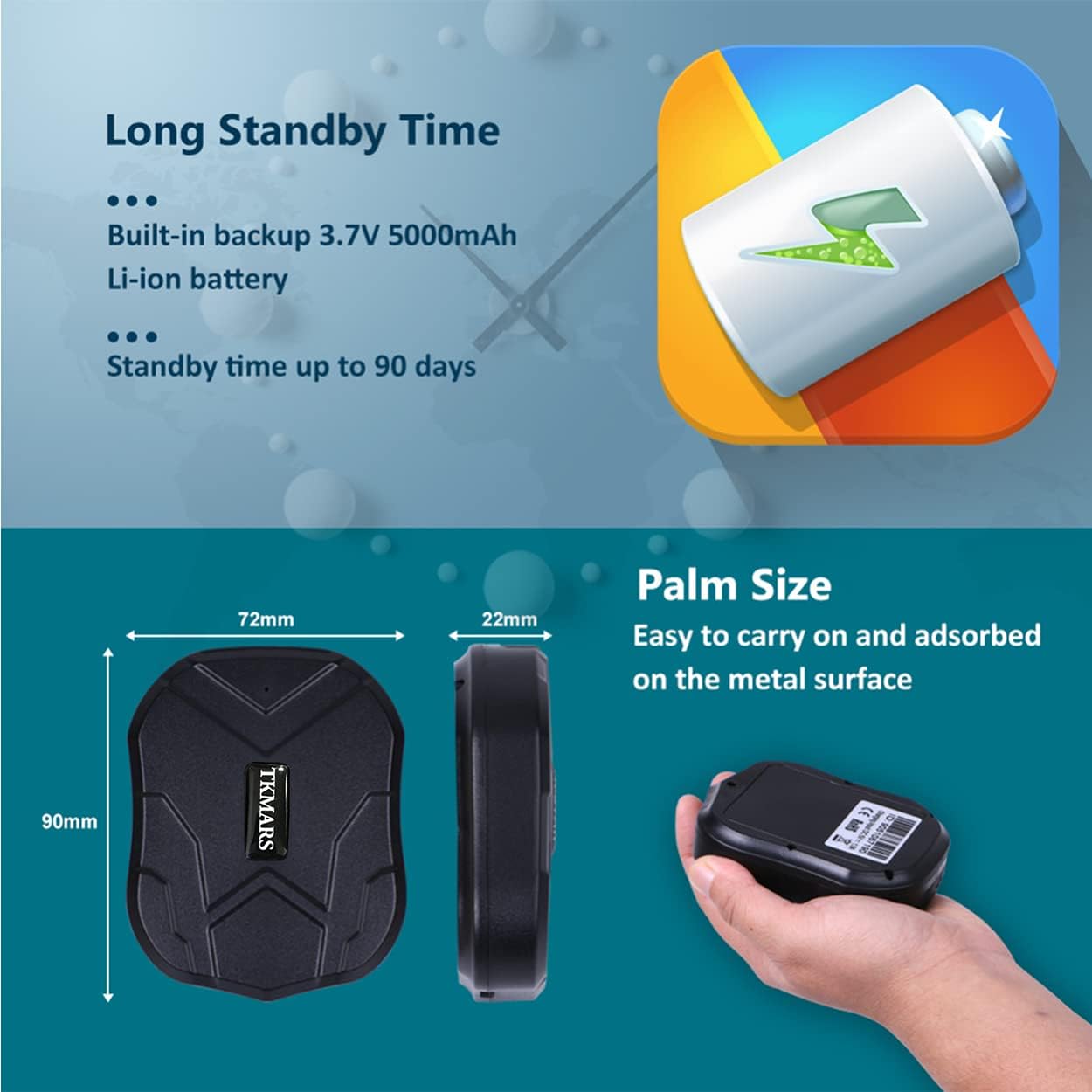
Image: The tracker is IP65 waterproof, making it resistant to splashes and suitable for use in various outdoor conditions. Its powerful magnets ensure secure placement.

Image: The TK905 tracker boasts a long standby time thanks to its 5000mAh battery and is designed to be compact and palm-sized for easy portability and discreet placement.
4. Setup Guide
Follow these steps to set up your TKMARS 4G TK905 GPS Tracker for the first time:
4.1. Preparing the SIM Card
The TK905 tracker requires a 4G SIM card with data, SMS, and call functions. Ensure the SIM card does not have a PIN code enabled before insertion. If it does, insert it into a mobile phone first to disable the PIN.

Image: Illustration of how to correctly insert the SIM card into the designated slot on the GPS tracker.
- Open the rubber cover on the side of the tracker.
- Insert the prepared 4G SIM card into the SIM card slot with the chip facing upwards and the cut corner oriented correctly.
- Close the rubber cover firmly to ensure waterproof integrity.
4.2. Initial Activation and APN Settings
After inserting the SIM card, the device will power on automatically. The indicator lights will show its status. For the tracker to communicate with the network, APN (Access Point Name) settings might be required. In most cases, the device will automatically detect the APN. If not, you may need to configure it manually via SMS commands or through the app.
If you encounter issues with network connectivity, please contact customer support at vera@cnhanguang.cn for assistance with APN configuration.
4.3. App Download and Account Registration
To utilize the full features of your TKMARS GPS Tracker, download the official tracking application:
- App Name: WINNES GPS (or similar, as indicated on the product packaging/manual)
- Download: Search "WINNES GPS" in Google Play Store or Apple App Store, or scan the QR code provided in the manual/product images. You can also visit http://www.mytkstar.net/download.htm to download the app.
- Registration: Follow the in-app instructions to register an account using your device's ID number (usually found on the back of the tracker or packaging).
Image: Screenshot of the mobile application interface and QR code for downloading the app, showing options for Google Play and App Store.
5. Operating Instructions
Once your tracker is set up and connected, you can begin monitoring its location and utilizing its various functions.
5.1. Real-time Tracking
Access the mobile app or web platform to view the current location of your tracker. The map will display the device's position, speed, and battery level.

Image: A smartphone screen displaying the real-time tracking map, showing the current location of the GPS tracker.
5.2. Historical Route Playback
The platform stores historical tracking data for up to 3 months. You can review past routes to understand movement patterns.
- In the app/web platform, navigate to the "Historical Route" or "Track Playback" section.
- Select the desired date range.
- The route will be displayed on the map, and you can play back the movement.

Image: A smartphone screen showing the historical route playback interface, indicating the ability to view past movements over a period of up to 180 days.
5.3. Geo-fence Setup
A geo-fence allows you to define a virtual boundary on the map. You will receive an alert if the tracker enters or exits this predefined area.
- In the app/web platform, find the "Geo-fence" or "Safety Zone" option.
- Draw a polygon or circle on the map to define your desired area.
- Save the geo-fence and configure alert notifications.
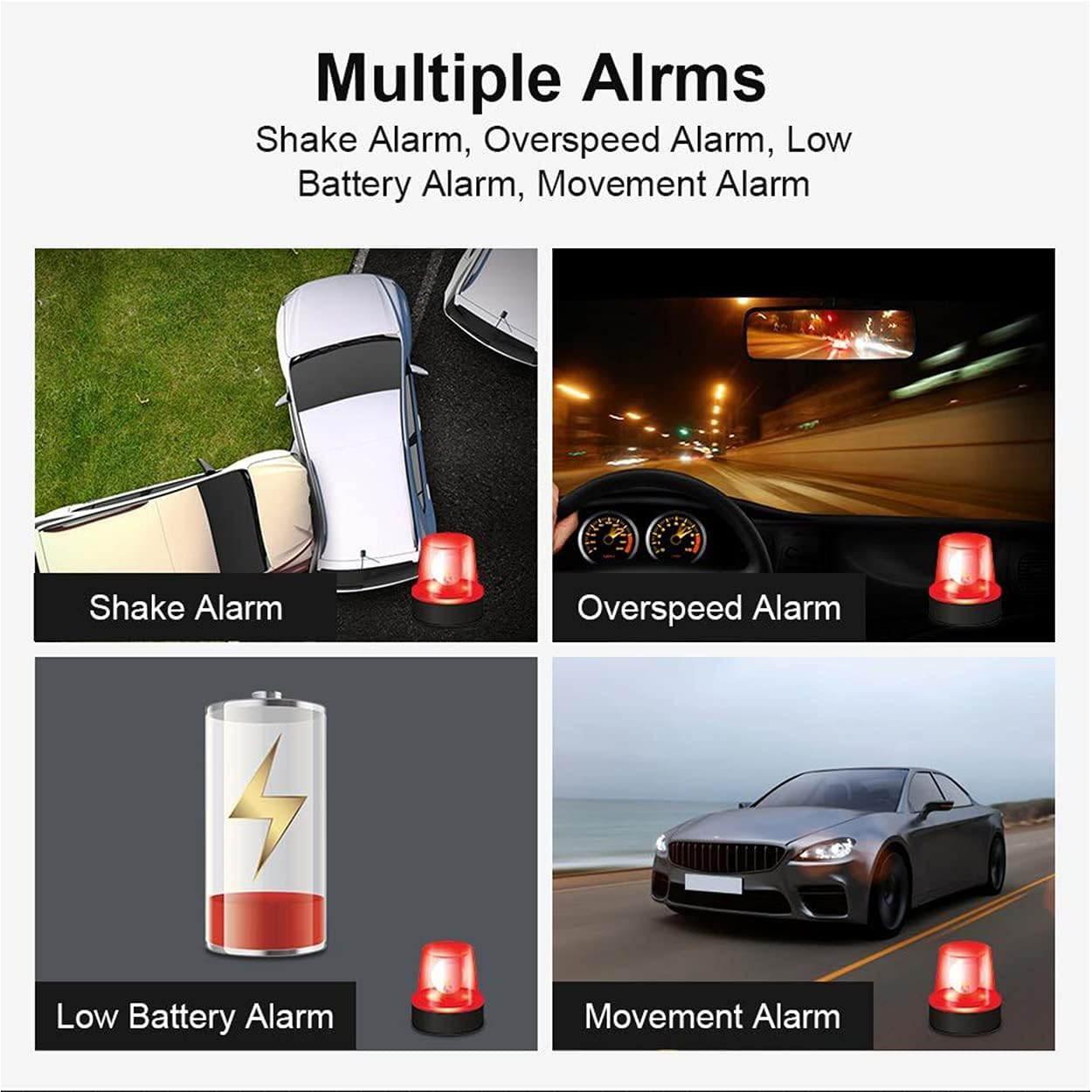
Image: A smartphone screen illustrating the geo-fence feature, where a user can set a restricted movement area for the tracker and receive alerts.
5.4. Alarm Functions
The TK905 tracker supports various alarms to keep you informed about important events:
- Vibration Alarm: Alerts you if the device detects significant vibration or movement.
- Low Battery Alarm: Notifies you when the battery level is critically low, prompting you to recharge.
- Overspeed Alarm: Sends an alert if the tracker exceeds a preset speed limit.
- Shock Alarm: Triggers an alert upon detecting a sudden impact or collision.
These alarms can typically be configured and enabled/disabled within the mobile application or web platform settings.

Image: Visual representation of various alarm types supported by the tracker, including shake alarm, overspeed alarm, low battery alarm, and movement alarm.
6. Maintenance
Proper maintenance will extend the lifespan of your TKMARS 4G TK905 GPS Tracker:
- Charging: Recharge the device regularly, especially when the low battery alarm is triggered. Use the provided USB cable and a standard 5V USB power adapter. Avoid overcharging.
- Cleaning: Wipe the device with a soft, dry cloth. Do not use harsh chemicals or abrasive cleaners.
- Storage: If storing the device for an extended period, ensure it is fully charged and then power it off. Store it in a cool, dry place away from direct sunlight. Recharge it every 3 months to maintain battery health.
- Water Resistance: While IP65 rated, avoid submerging the device in water. Ensure the rubber cover for the SIM slot and USB port is always securely closed.
7. Troubleshooting
If you encounter issues with your TKMARS 4G TK905 GPS Tracker, refer to the table below for common problems and their solutions:
| Problem | Possible Cause | Solution |
|---|---|---|
| Device not powering on. | Low battery; device not charged. | Charge the device for at least 2-3 hours using the provided USB cable. |
| No signal/offline in app. | SIM card not inserted correctly; SIM card has no data/credit; incorrect APN settings; poor network coverage. | Ensure SIM card is correctly inserted and has active data. Check APN settings (contact support if needed). Move to an area with better network coverage. |
| Inaccurate location. | Weak GPS signal (indoors, underground); LBS positioning being used instead of GPS. | Move the device to an open outdoor area with clear sky view for better GPS reception. Note that LBS accuracy is lower (100-1000m) compared to GPS (5m). |
| Alarms not working. | Alarms not enabled in app settings; device not connected to network. | Check alarm settings in the mobile application. Ensure the device has a stable network connection. |
| Battery drains quickly. | Frequent real-time tracking updates; device in active mode constantly; old battery. | Adjust tracking frequency settings in the app to a less frequent interval (e.g., every 10 minutes instead of 10 seconds). Ensure the device enters standby mode when stationary. |
8. Technical Specifications
Detailed specifications for the TKMARS 4G TK905 GPS Tracker:
| Feature | Specification |
|---|---|
| Model Name | 4G TK905 |
| Brand | TKMARS |
| Dimensions | 9 x 7.2 x 2.2 cm |
| Weight | 310 g |
| Battery Type | 1 Lithium Ion (built-in) |
| Battery Capacity | 5000 mAh |
| Average Battery Duration | 25 Days (up to 90 days standby) |
| Connectivity Technology | 4G/2G |
| Compatible Devices | Personal Computer, Smartphone, Tablet |
| Material | Acrylonitrile Butadiene Styrene (ABS), Plastic |
| Water Resistance Rating | IP65 |
9. Warranty and Support
TKMARS is committed to providing high-quality products and customer satisfaction. For any inquiries, technical support, or warranty claims, please contact our support team.
Customer Support Email: vera@cnhanguang.cn
Please include your product model and purchase details when contacting support to help us assist you more efficiently.
For more information about TKMARS products, visit the official brand store on Amazon: TKMARS Amazon Store.
Related Documents - 4G TK905
 |
TKMARS Wireless Video Doorbell: EU Data Transparency Statement Detailed information on the TKMARS Wireless Video Doorbell's commitment to user privacy, including its offline operation, local data storage, and lack of personal data collection or transmission. |
 |
Protectly GPS Tracker User Manual and Features Comprehensive guide to setting up and using the Protectly GPS Tracker, covering features like real-time tracking, geo-fencing, motion alarms, and device specifications. Includes instructions for the WhatsGPS app and LED indicator meanings. |
 |
4G GPS Tracker T3 User Manual User manual for the 4G GPS Tracker T3, detailing its specifications, functions, notices, and commands for tracking and monitoring. |
 |
Protectly GPS Tracker User Manual A comprehensive user manual for the Protectly GPS Tracker, detailing its features, setup, functions, and specifications. Learn how to track, manage history, set geo-zones, send commands, and understand alarms and statistics. |
 |
Wireless GPS Tracker QUICK TOUR - User Guide Quick tour and user guide for the DUTRIEUX Wireless GPS Tracker (models CY209B, CY209C), detailing its functions, product parameters, LED indicators, hardware description, setup, and various command-based settings for tracking, alarms, and modes. Includes information on APN setup and platform access. |
 |
Matrack Motion-Sensing Trailer Tracker: Features and Quick Start Guide Discover the Matrack Motion-Sensing Trailer Tracker, a robust solution for instant theft detection, location monitoring, and asset management. This guide covers key benefits like 8-year battery life, weatherproof design, and geofencing, along with a quick start guide for activation and placement. |
Ask a question about this manual
Ask about setup, troubleshooting, compatibility, parts, safety, or missing instructions. Manuals+ will review the question and use this page’s manual context to help answer it.