
1. Product Overview
The HP 320MK Wired Desktop Mouse and Keyboard Combo (model 9SR36AA) is designed to enhance your daily computing experience with comfort and reliability. This combo features a reduced-sized keyboard with low-profile, quiet keys and a familiar three-zone layout, including a number pad and arrow keys. The keyboard also offers a 6-degree adjustable slope for ergonomic wrist positioning. The contoured mouse is designed for comfortable navigation in either hand.
Both the keyboard and mouse connect via USB, offering plug-and-play simplicity without the need for additional software or batteries. The keyboard includes an LED indicator for locked keys, and the mouse wheel functions as a third button. Constructed with durability in mind, the keyboard contains over 50% post-consumer recycled plastic content, and its printed circuit boards are low halogen, reflecting an environmentally conscious design. The product is also tested for resistance against fine dust and can be safely cleaned with everyday disinfecting wipes.

Image 1.1: The HP 320MK Wired Desktop Mouse and Keyboard Combo, showcasing both devices and their wired USB connections.
2. Setup Instructions
Setting up your HP 320MK Wired Desktop Mouse and Keyboard Combo is a straightforward plug-and-play process. No drivers or software installation are typically required for basic functionality.
- Unpack the Devices: Carefully remove the keyboard and mouse from their packaging.
- Identify USB Connectors: Locate the USB-A connectors at the end of the cables for both the keyboard and the mouse.
- Connect the Keyboard: Insert the keyboard's USB connector into an available USB port on your computer or laptop.
- Connect the Mouse: Insert the mouse's USB connector into another available USB port on your computer or laptop.
- System Recognition: Your operating system should automatically detect and configure the devices. This may take a few moments.
- Test Functionality: Once connected, test the keyboard by typing and the mouse by moving the cursor and clicking.

Image 2.1: The HP 320MK keyboard and mouse, highlighting their integrated USB cables for direct connection to a computer.
3. Operating Instructions
The HP 320MK combo is designed for intuitive use with standard layouts and features.
3.1 Keyboard Operation
- Standard Layout: The keyboard features a full-size, three-zone layout, including a dedicated number pad and arrow keys for efficient data entry and navigation.
- Low-Profile Keys: The quiet, low-profile keys provide a comfortable and responsive typing experience, reducing noise during use.
- Adjustable Tilt: For improved ergonomics, you can adjust the keyboard's angle using the flip-out feet on the underside, providing a 6-degree slope for your wrist position.
- LED Indicators: LED lights located above the number pad indicate the status of Caps Lock, Num Lock, and Scroll Lock.
- Function Keys: Utilize the function keys (F1-F12) for various shortcuts, often in combination with the 'Fn' key, depending on your operating system and software.
3.2 Mouse Operation
- Contoured Design: The mouse is ergonomically contoured to fit comfortably in either the left or right hand, supporting natural grip during extended use.
- Optical Tracking: The optical sensor provides precise and smooth cursor control on various surfaces.
- Scroll Wheel: The scroll wheel allows for easy vertical scrolling through documents and web pages. It also functions as a clickable third button for additional commands.
- Left and Right Click: Standard left and right-click buttons provide primary and secondary functions within your operating system and applications.
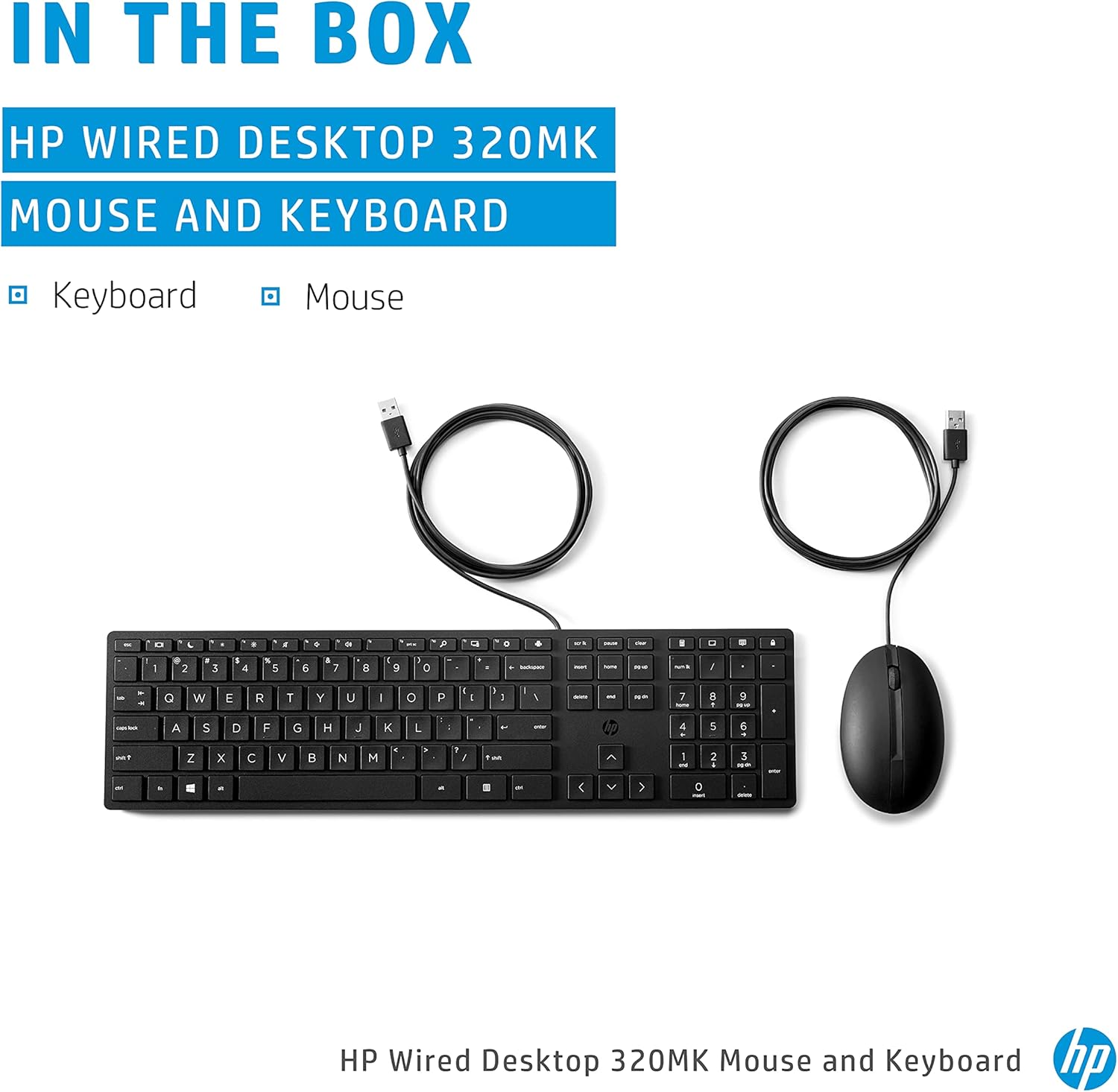
Image 3.1: A top-down view of the HP 320MK keyboard and mouse, illustrating the full-size keyboard layout with number pad and the ergonomic mouse design.
4. Maintenance
Proper maintenance ensures the longevity and hygiene of your HP 320MK combo.
- Cleaning: Both the keyboard and mouse can be safely cleaned with everyday disinfecting wipes. HP keyboards and mice have been tested to withstand up to 1,000 wipes. Ensure the devices are disconnected from your computer before cleaning.
- Dust Removal: Regularly use compressed air to remove dust and debris from between the keys of the keyboard and from the optical sensor of the mouse.
- Spill Resistance: The keyboard features a spill-resistant design, but it is recommended to avoid liquid exposure. In case of a spill, immediately disconnect the keyboard, turn it upside down to drain liquid, and allow it to dry completely before reconnecting.
5. Troubleshooting
If you encounter issues with your HP 320MK combo, try the following troubleshooting steps:
- No Response from Keyboard/Mouse:
- Ensure the USB cables are securely plugged into your computer's USB ports.
- Try plugging the devices into different USB ports on your computer.
- Restart your computer.
- Test the keyboard/mouse on another computer to determine if the issue is with the device or your computer.
- Keys Not Functioning Correctly:
- Check if any debris is lodged under the affected keys.
- Ensure that Caps Lock, Num Lock, or Scroll Lock are not inadvertently activated if specific keys are not responding as expected.
- Mouse Cursor Jumps or is Erratic:
- Clean the optical sensor on the underside of the mouse with a soft, dry cloth.
- Ensure you are using the mouse on a suitable surface. Highly reflective or uneven surfaces can affect optical tracking.
6. Specifications
| Brand | HP |
| Model Number | 9SR36AA |
| Color | Black |
| Connectivity Technology | USB |
| Special Feature | Wired |
| Compatible Devices | Laptop (and other devices with USB ports) |
| Movement Detection | Optical |
| Operating System | Windows (compatible with most major OS) |
| Hand Orientation | Ambidextrous (mouse) |
| Batteries Required | No |
| Number of Keys | 104 |
| Power Source | Corded Electric (USB powered) |
| Keyboard Layout | QWERTY |
| Keyboard Dimensions (L x W x H) | 16.7 x 4.36 x 0.65 inches (426.2 x 110.9 x 16.5 mm) |
| Mouse Dimensions (L x W) | 4.08 x 2.49 inches (103.8 x 63.4 mm) |

Image 6.1: Diagram illustrating the dimensions of the HP 320MK keyboard and mouse for reference.
7. Warranty and Support
Your HP 320MK Wired Desktop Mouse and Keyboard Combo comes with a 1-Year Limited Warranty. For detailed warranty terms and conditions, please refer to the warranty documentation included with your product or visit the official HP support website.
For technical assistance, troubleshooting, or to access additional support resources, please visit the official HP support website or contact HP customer service. Keep your product's model number (9SR36AA) and serial number handy when seeking support.


