
Fitfiu Fitness MC-560
FITFIU Fitness MC-560 Foldable Treadmill User Manual
Model: MC-560 | Brand: FITFIU Fitness
1. Introduction
This manual provides essential information for the safe and effective use of your FITFIU Fitness MC-560 Foldable Treadmill. Please read this manual thoroughly before assembly, operation, or maintenance to ensure proper function and user safety. Retain this manual for future reference.
The MC-560 treadmill is designed for home cardio workouts, offering a comfortable and dynamic way to walk or run indoors. It features a powerful 2200W motor, adjustable speed up to 18 km/h, and 15 levels of incline to vary your training intensity and enhance cardiovascular performance.
2. Important Safety Guidelines
Always follow basic safety precautions when using electrical appliances to reduce the risk of fire, electric shock, and personal injury. This includes:
- Read all instructions before using the treadmill.
- Keep children and pets away from the equipment during operation.
- Place the treadmill on a flat, stable surface with adequate clearance around it.
- Ensure the safety key is properly attached before starting the treadmill.
- Wear appropriate athletic footwear and clothing.
- Do not operate the treadmill if it has a damaged cord or plug, or if it is not working properly.
- Consult a physician before starting any exercise program.
- Maximum user weight: 120 kg (264 lbs).
- Maximum user height: 1.90 m (6 ft 3 in).
3. Package Contents
Upon unpacking, please verify that all components are present and undamaged:
- 1x FITFIU Fitness MC-560 Foldable Treadmill
- 1x User Manual
- 1x Assembly Kit
4. Setup and Assembly
The MC-560 treadmill requires some assembly. Follow these steps carefully:
- Unpacking: Carefully remove all components from the packaging. Place them on a clean, flat surface.
- Base Assembly: Attach the main uprights to the base frame using the provided hardware from the assembly kit. Ensure all bolts are securely tightened.
- Console Attachment: Mount the console to the top of the uprights. Connect any necessary cables as indicated in the assembly instructions (refer to the included assembly kit manual for detailed diagrams).
- Unfolding the Treadmill:
The MC-560 features a hydraulic vertical folding system. To unfold, gently push down on the hydraulic release mechanism (often located near the base of the running deck) and slowly lower the running deck until it is flat on the floor. Ensure it locks securely into place before use.
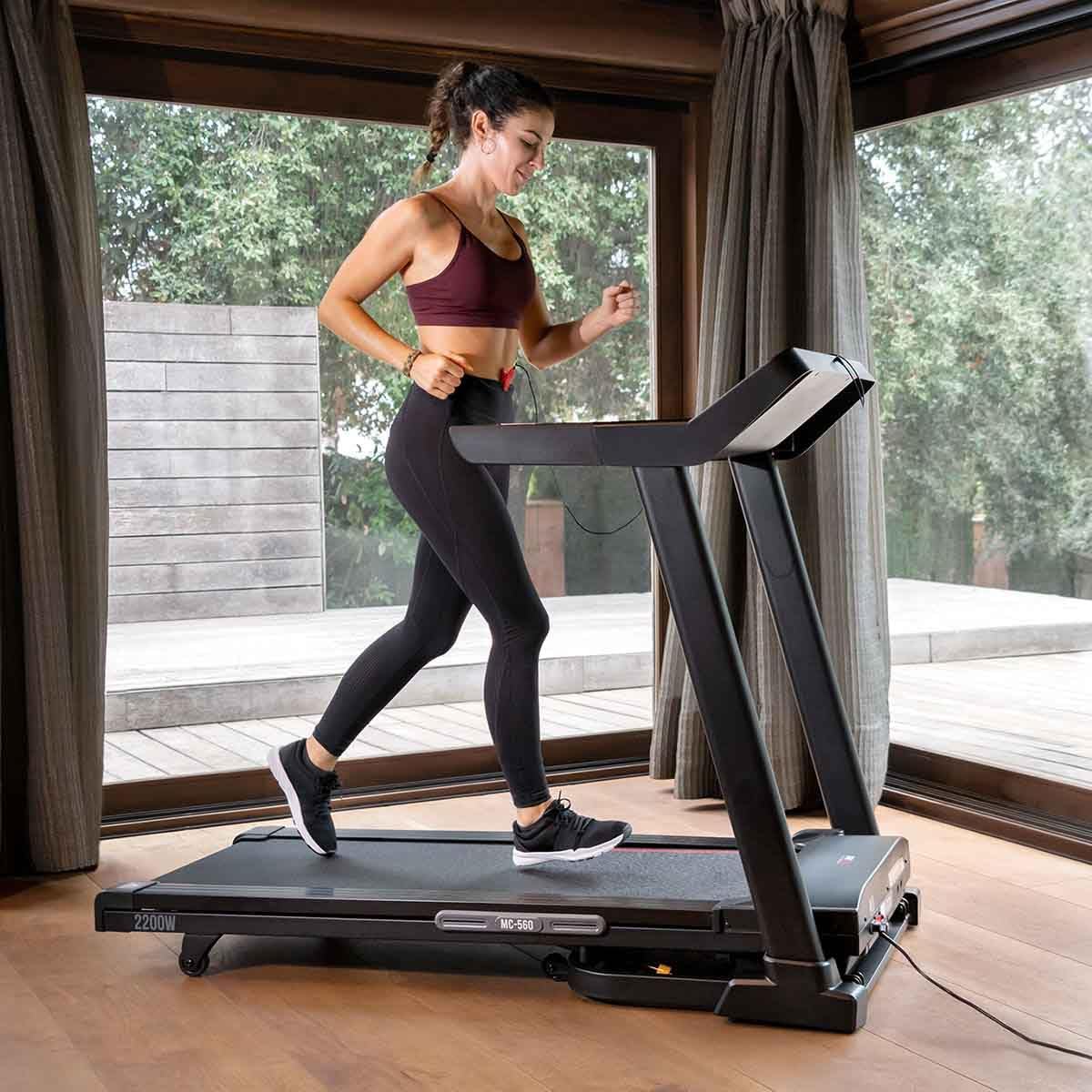
Image: A foot pressing a lever to release the hydraulic folding mechanism, allowing the treadmill's running deck to be lowered.
- Power Connection: Plug the power cord into a grounded electrical outlet (220-240V).
- Safety Key: Attach the safety key to the designated slot on the console. The treadmill will not operate without the safety key in place.

Image: The FITFIU Fitness MC-560 Foldable Treadmill fully assembled and ready for use, showcasing its sleek black design and control panel.
5. Operating Instructions
5.1 Console Overview

Image: A detailed view of the treadmill's LCD console, showing speed, time, and distance displays, along with control buttons for speed, incline, and programs.
The LCD console provides real-time feedback on your workout. Key displays include:
- Speed: Current running speed (km/h).
- Time: Duration of your workout.
- Distance: Total distance covered.
- Calories: Estimated calories burned.
- Heart Rate: (If using the integrated heart rate monitor).
5.2 Starting a Workout
- Power On: Ensure the treadmill is plugged in and the safety key is correctly placed on the console.
- Step On: Stand on the side rails of the treadmill, not on the running belt.
- Start: Press the START button on the console. The belt will begin to move at a low speed.
- Adjust Speed: Use the + and - buttons to increase or decrease speed. Direct speed keys (e.g., 3, 6, 9, 12 km/h) are also available for quick adjustments. The maximum speed is 18 km/h.
- Adjust Incline: Use the incline UP and DOWN buttons to change the incline level. There are 15 levels of incline. Direct incline keys are also available.
- Program Selection: Press the PROG button to cycle through the 15 pre-set workout programs.
- Audio: Connect your device via the USB MP3 connector to play audio through the integrated speakers.

Image: A woman actively running on the FITFIU Fitness MC-560 treadmill, demonstrating its use in a home environment.
5.3 Stopping a Workout
- Normal Stop: Press the STOP button on the console. The treadmill will gradually slow down and stop.
- Emergency Stop: Pull the safety key from the console. The treadmill will immediately stop. This is for emergency situations only.
6. Maintenance
Regular maintenance ensures the longevity and safe operation of your treadmill.
6.1 Cleaning
- Always unplug the treadmill before cleaning.
- Wipe down the console and exterior surfaces with a damp cloth. Avoid abrasive cleaners or solvents.
- Periodically vacuum under the treadmill to prevent dust buildup.
6.2 Lubrication
The MC-560 features an easy lubrication system. Refer to the specific instructions in your assembly kit manual for the recommended lubrication schedule and procedure. Proper lubrication of the running belt is crucial for smooth operation and to prevent wear.
6.3 Storage
The treadmill's vertical hydraulic folding system allows for compact storage. To fold:
- Ensure the treadmill is turned off and unplugged.
- Gently lift the running deck until it locks into its vertical position. The hydraulic system will assist in this process.
- Use the integrated transport wheels to move the folded treadmill to your desired storage location.

Image: The FITFIU Fitness MC-560 Foldable Treadmill shown in its compact, vertically folded position, ready for storage.
7. Troubleshooting
If you encounter issues with your treadmill, refer to the following common problems and solutions:
| Problem | Possible Cause | Solution |
|---|---|---|
| Treadmill does not start. | Power cord not plugged in; Safety key not in place; Power switch off. | Check power connection; Ensure safety key is correctly inserted; Turn on the power switch. |
| Running belt slips or hesitates. | Belt tension too loose; Belt requires lubrication. | Adjust belt tension (refer to assembly manual); Lubricate the running belt as per maintenance instructions. |
| Unusual noise during operation. | Loose components; Motor issue; Belt misalignment. | Check all bolts and tighten if necessary; Contact customer support if noise persists. |
| Console display is blank or erratic. | Loose cable connection; Power issue. | Check all console cable connections; Ensure stable power supply. |
If the problem persists after attempting these solutions, please contact customer support.
8. Product Specifications
| Feature | Detail |
|---|---|
| Brand | FITFIU Fitness |
| Model | MC-560 |
| SKU / Item Model Number | 1100036 |
| Motor Power | 2200 W (2.95 Horsepower) |
| Voltage | 220-240 V |
| Maximum Speed | 18 km/h |
| Usage Frequency | Intense |
| Incline Levels | 15 levels |
| Running Surface | 46 x 130 cm (18.1 x 51.2 inches) |
| Heart Rate Monitor | Yes |
| Direct Speed Keys | Yes |
| Direct Incline Keys | Yes |
| Safety System | Magnetic emergency stop key |
| Lubrication System | Easy lubrication system |
| Damping System | Yes |
| Bottle Holder | No |
| Tablet/Phone Holder | Yes |
| Folding Mechanism | Vertical hydraulic |
| Transport Wheels | Yes |
| Recommended Max User Weight | 120 kg (264 lbs) |
| Recommended Max User Height | 1.90 m (6 ft 3 in) |
| Product Dimensions (L x W x H) | 156 x 78.5 x 118.5 cm (61.4 x 30.9 x 46.7 inches) |
| Folded Dimensions (L x W x H) | 91.5 x 78.5 x 141 cm (36 x 30.9 x 55.5 inches) |
| Product Weight | 70 kg (154 lbs) |
| Console Display | LCD, 4 Inches |
| Programs | 15 pre-set programs |
| Connectivity | USB MP3 connector, Speakers |
| Main Material | Alloy Steel |

Image: A diagram illustrating the full and folded dimensions of the MC-560 treadmill, including running surface measurements.
9. Warranty and Support
For warranty information, technical support, or service inquiries, please refer to the warranty card included with your product or contact FITFIU Fitness customer service directly. Keep your purchase receipt as proof of purchase.
No official product videos were found in the provided data.
Related documentsMC-560


Ask a question about this manual
Ask about setup, troubleshooting, compatibility, parts, safety, or missing instructions. Manuals+ will review the question and use this page’s manual context to help answer it.