
1. Introduction
Thank you for choosing the HOMCOM Computer Desk with Hutch. This manual provides essential information for the safe assembly, proper use, and maintenance of your new home office workstation. Please read all instructions carefully before beginning assembly and retain this manual for future reference.

Image 1.1: Front view of the HOMCOM Computer Desk with Hutch.
2. Safety Information
- Always assemble the desk on a soft, clean surface to prevent scratches.
- Ensure all screws and fasteners are securely tightened before use. Periodically check and re-tighten as necessary.
- Do not overload shelves or drawers. Distribute weight evenly.
- Keep small parts away from children during assembly to prevent choking hazards.
- This desk is designed for indoor use only.
- Anti-Toppling Design: For safety, it is highly recommended to attach the desk to a wall using the included anti-toppling fittings to prevent accidental tipping, especially in households with children or pets.

Image 2.1: Detail of the anti-toppling design, showing the bracket for wall attachment.
3. Package Contents
Before assembly, verify that all parts and hardware are present. Refer to the parts list provided in your product packaging. If any components are missing or damaged, please contact customer support.
4. Assembly Instructions
Assembly of the HOMCOM Computer Desk with Hutch requires two people and typically takes several hours. All necessary assembly tools are included. Follow the step-by-step diagrams and instructions provided in your product packaging for detailed guidance.
Assembly Overview Video
Video 4.1: An overview of the HOMCOM Computer Desk and its features, demonstrating its functionality and storage options. This video can assist in understanding the assembled product.
Key Assembly Steps:
- Unpack and Identify Parts: Lay out all components and hardware. Cross-reference with the parts list.
- Assemble Base Desk: Begin with the main desk frame, attaching side panels and the tabletop.
- Install Drawers and Cabinets: Assemble drawer boxes and install drawer slides. Attach cabinet doors and hinges.
- Assemble Hutch: Construct the hutch frame, including shelves and cabinet doors.
- Attach Hutch to Desk: Carefully place and secure the hutch onto the main desk unit.
- Final Adjustments: Ensure all connections are tight and the desk is stable. Attach anti-toppling hardware to the wall.
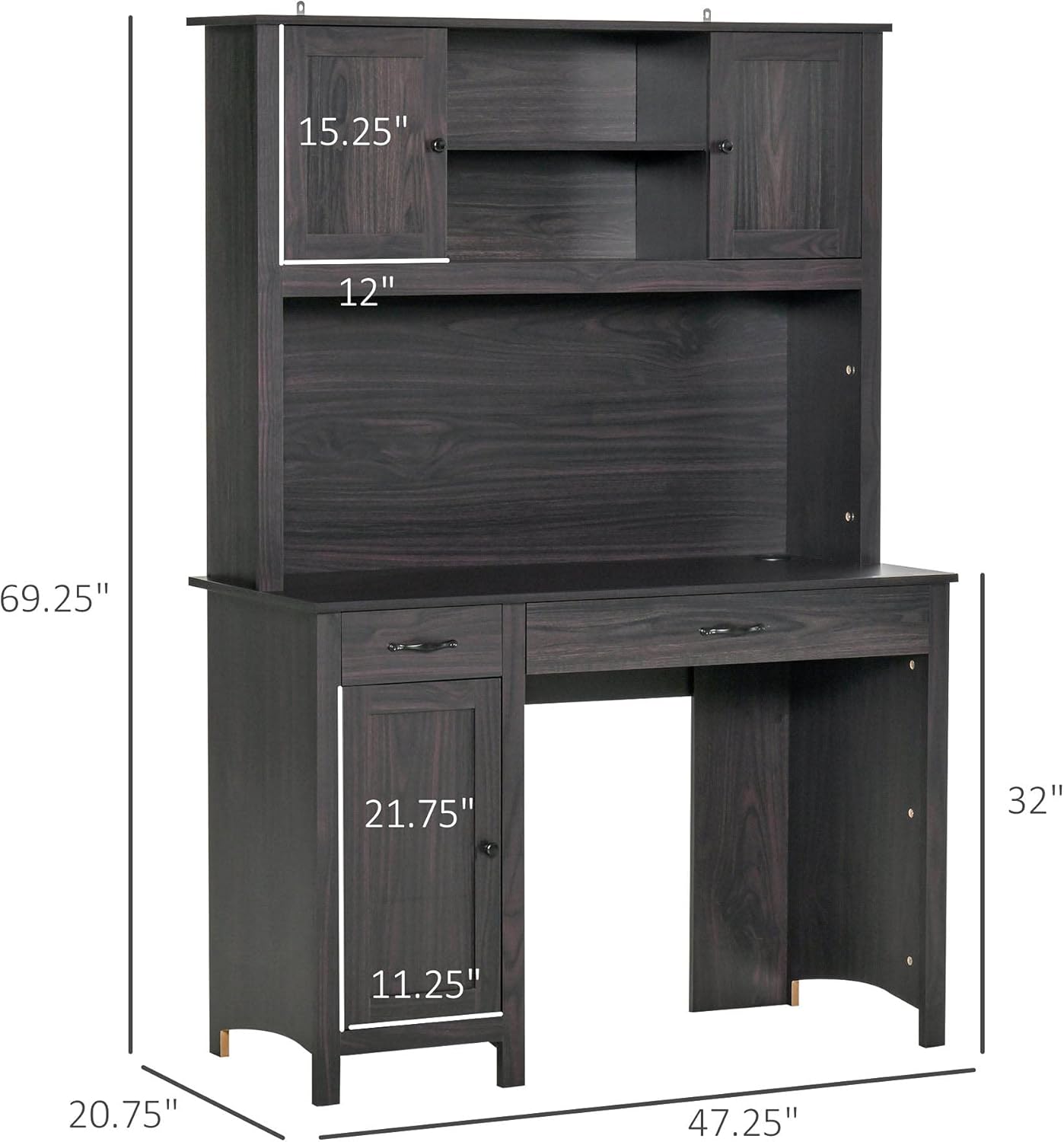
Image 4.1: Dimensional diagram of the desk, useful for planning placement.
5. Operating Instructions (Usage)
The HOMCOM Computer Desk with Hutch is designed for efficient home office use, offering various storage solutions.
- Work Surface: Utilize the spacious tabletop for your computer, monitor, keyboard, and other work essentials.
- Hutch Storage: The upper hutch features open shelves and small cabinets for books, decorative items, or office supplies.
- Drawers: The desk includes multiple drawers for organizing smaller items, documents, or personal belongings.
- Bottom Cabinet: A lower cabinet provides enclosed storage for larger items or a computer tower.
- Cable Management: Use the integrated cable grommet on the desktop to keep wires organized and tidy.

Image 5.1: Overview of the desk's ample storage space, including shelves, cabinets, and drawers.

Image 5.2: Details of the cable grommet for wire organization and the design of the handles and knobs.

Image 5.3: View of an open drawer, illustrating its capacity.
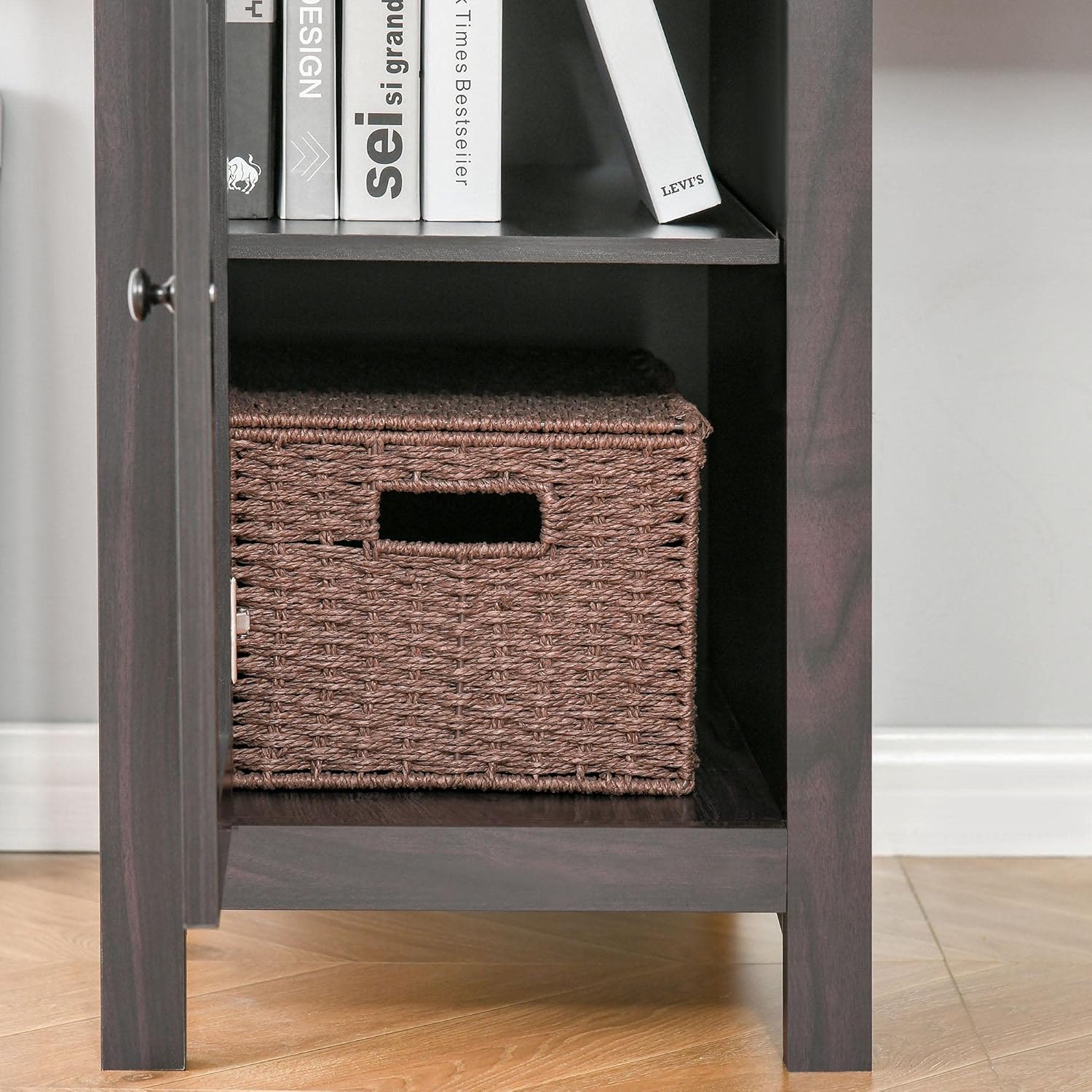
Image 5.4: View of the open bottom cabinet, showing its internal storage configuration.
6. Maintenance
- Cleaning: Wipe surfaces with a soft, damp cloth. Avoid harsh chemicals or abrasive cleaners that may damage the finish.
- Dusting: Regularly dust the desk to prevent buildup.
- Spills: Clean spills immediately to prevent staining or damage to the engineered wood.
- Hardware Check: Periodically inspect all screws and fasteners to ensure they remain tight. Re-tighten if necessary to maintain stability.
- Avoid Direct Sunlight: Prolonged exposure to direct sunlight can cause fading or discoloration.

Image 6.1: Detail of the wood grain finish, emphasizing the need for proper care.
7. Troubleshooting
- Desk is Wobbly: Ensure all screws and bolts are fully tightened. Check that the desk is on a level surface. Adjust furniture glides if applicable.
- Drawers Do Not Slide Smoothly: Verify that drawer slides are correctly installed and aligned. Check for any obstructions in the tracks.
- Missing Parts: If any parts are missing upon unboxing, do not proceed with assembly. Contact customer support with your product model and a description of the missing parts.
- Damage During Shipping: If the product arrived damaged, document the damage with photos and contact customer support immediately.
8. Specifications
| Feature | Detail |
|---|---|
| Brand | HOMCOM |
| Model | Computer Desk with Hutch B099NMN963 |
| Shape | Rectangular |
| Desk Design | Computer Desk |
| Product Dimensions (D x W x H) | 20.75"D x 47.25"W x 69.25"H |
| Base Material | Engineered Wood |
| Top Material Type | Engineered Wood |
| Number of Drawers | 3 |
| Recommended Uses | Working |
| Item Weight | 121 Pounds |
| UPC | 842525155007 |
| Hutch Material | Engineered Wood |
| Required Assembly | Yes |
| Recommended People for Assembly | 2 |
| Includes All Assembly Tools | Yes |
| Top Color | Dark Coffee Wood Grain |
| Tabletop Thickness | 0.5 Inches |
| Number Of Enclosed Shelves | 3 |
| Number Of Open Shelves | 2 |
| Mounting Type | Tabletop |
| Storage Options | Yes |
9. Warranty and Support
For warranty information, product support, or to order replacement parts, please refer to the warranty card included with your purchase or visit the official HOMCOM website. Please have your model number (B099NMN963) and purchase date ready when contacting support.
You can also visit the HOMCOM Store on Amazon for more information.