
ZYIY ZYIYFQKGL
ZYIY Float Switch User Manual
Model: ZYIYFQKGL
1. Product Overview
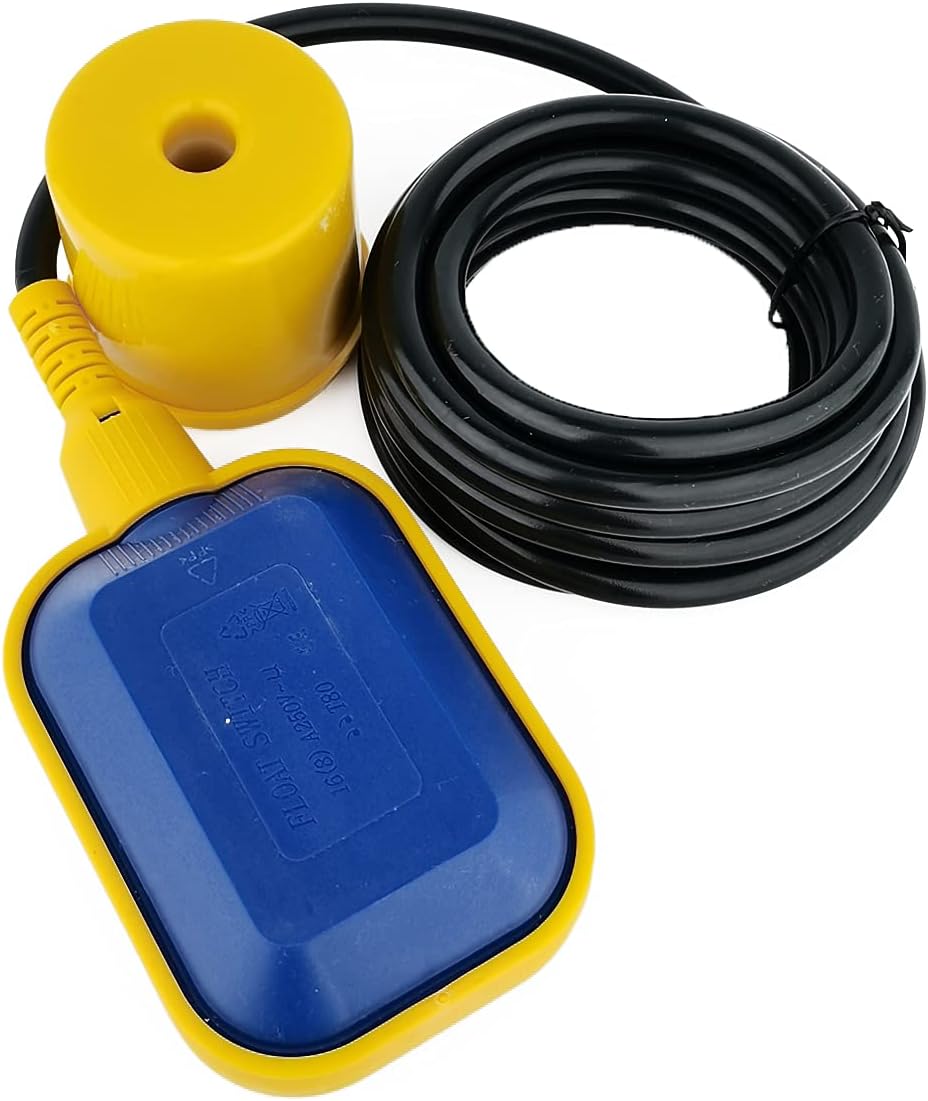
The ZYIY Float Switch is a liquid level controller designed for automatic control of pumps in various applications such as water tanks, sumps, and pools. It operates by detecting the water level and activating or deactivating a connected pump based on pre-set configurations. Its robust plastic construction ensures durability in diverse liquid environments.

2. Specifications
| Feature | Specification |
|---|---|
| Brand | ZYIY |
| Model Number | ZYIYFQKGL |
| Material | Plastic |
| Color | Black (Cable), Yellow/Blue (Float) |
| Product Dimensions (L x W x H) | 8.27" x 2.95" x 4.13" (21 x 7.5 x 10.5 cm) |
| Cable Length | 3 Meters (10 FT) |
| Item Weight | 0.35 Kilograms (12.3 ounces) |
| Voltage | 220 Volts |
| Power Source | Corded Electric |
| UPC | 719899181300 |

3. Setup and Installation
Proper installation is crucial for the reliable operation of the float switch. Ensure all power is disconnected before beginning installation.
3.1 Wiring Instructions
The float switch typically has three wires for connection, allowing for different operational modes (filling or emptying). Refer to the wiring diagram for specific connections.
- Common Wire: This wire is typically connected to one side of the power supply or the pump's control circuit.
- Normally Open (NO) Wire: Used for 'filling' applications (pump turns on when water level drops).
- Normally Closed (NC) Wire: Used for 'emptying' applications (pump turns on when water level rises).

3.2 Mounting the Float Switch
- Determine the desired high and low water levels for your application.
- Attach the counterweight to the cable at the point that defines the lower activation level. The distance between the float and the counterweight determines the switching differential.
- Securely mount the cable at the top of the tank or sump, allowing the float to move freely between the desired high and low levels. Ensure the float can stand up in the water to work properly.
- Verify that the float has sufficient clearance and does not get obstructed by tank walls or other components.
4. Operating Instructions
The float switch operates automatically based on the liquid level and its configured wiring.
4.1 Filling Mode (Pump On When Low)
- Connect the float switch using the appropriate wires (e.g., common and Normally Open).
- When the liquid level drops below the float's lower activation point, the float will hang downwards, closing the circuit and turning the pump ON.
- When the liquid level rises and lifts the float to its upper activation point, the circuit will open, turning the pump OFF.
4.2 Emptying Mode (Pump On When High)
- Connect the float switch using the appropriate wires (e.g., common and Normally Closed).
- When the liquid level rises and lifts the float to its upper activation point, the float will tilt upwards, closing the circuit and turning the pump ON.
- When the liquid level drops below the float's lower activation point, the circuit will open, turning the pump OFF.

5. Maintenance
Regular maintenance ensures the longevity and reliable operation of your float switch.
- Inspection: Periodically inspect the float switch and cable for any signs of wear, damage, or corrosion.
- Cleaning: In environments with debris or viscous liquids, clean the float body and cable to prevent buildup that could impede its movement.
- Movement Check: Ensure the float moves freely without obstruction within its operational range.
- Cable Integrity: Check the cable for kinks, cuts, or exposed wiring. Replace if damaged.
6. Troubleshooting
If you encounter issues with your float switch, consider the following common problems and solutions:
| Problem | Possible Cause | Solution |
|---|---|---|
| Pump does not turn ON/OFF | Incorrect wiring | Verify wiring against the diagram for your desired operation (filling/emptying). |
| Pump does not turn ON/OFF | Float obstructed or stuck | Check for debris, tank walls, or other obstructions preventing free float movement. |
| Pump does not turn ON/OFF | Faulty internal switch | If wiring and movement are correct, the internal micro switch may be faulty. Replacement may be necessary. |
| Inconsistent operation | Improper counterweight placement | Adjust the counterweight position to achieve the desired switching differential. |
| Inconsistent operation | Voltage incompatibility | Ensure the float switch's voltage rating (220V) matches your power supply. |
7. Warranty and Support
For warranty information and technical support, please refer to the documentation provided with your purchase or contact ZYIY customer service directly. Keep your purchase receipt for warranty claims.
Contact information for ZYIY can typically be found on the product packaging or the official ZYIY website.
Ask a question about this manual
Ask about setup, troubleshooting, compatibility, parts, safety, or missing instructions. Manuals+ will review the question and use this page’s manual context to help answer it.