
Introduction
Welcome to your new VRURC 20000mAh Power Bank, model T2047Q. This portable charger is designed to provide reliable power for your electronic devices on the go. Please read this manual carefully to ensure proper use, maintenance, and to understand all features of your device.
Product Overview
Key Features
- High Capacity: 20000mAh lithium-polymer battery for extended power.
- Integrated Cables: Includes built-in USB-C, Micro USB, and iPhone-compatible cables for versatile charging without extra accessories.
- Fast Charging: Supports Quick Charge (QC) up to 22.5W via USB-A output and Power Delivery (PD) up to 20W via the iPhone-compatible cable, and 18W via the integrated USB-C cable.
- Multi-Device Charging: Capable of charging up to four devices simultaneously.
- Digital LED Display: Clear display shows the remaining battery percentage from 1% to 100%.
- Safety Protections: Built-in intelligent chip provides protection against short circuits, overcurrent, overvoltage, and overheating.
- Portable Design: Compact size with a unique lanyard for easy carrying.
Package Contents
- VRURC 20000mAh Power Bank (Model T2047Q)
- User Manual
Product Diagram
Familiarize yourself with the various components and ports of your power bank.

A front view of the VRURC 20000mAh Power Bank, highlighting its sleek black finish and the integrated charging cables neatly stored.

An illustrative diagram detailing the various integrated cables (Micro USB, USB-C, iPhone-compatible) and the external USB-A output port on the VRURC Power Bank.

A detailed view of the power bank's built-in cables, including USB-C, USB-A (input), Micro USB, and iPhone-compatible, with their respective power delivery specifications.
Setup
Initial Charge
Before first use, it is recommended to fully charge your power bank. Connect the integrated USB-A input cable or a USB-C cable to a compatible power adapter (not included). The LED display will show the charging progress, indicating 100% when fully charged.
Operating Instructions
Charging the Power Bank
To recharge the power bank, use either the integrated USB-A input cable or an external USB-C cable connected to the USB-C port. Connect the chosen cable to a USB power source (e.g., wall adapter, computer USB port). The digital LED display will indicate the current battery percentage during charging.
Charging Your Devices
The power bank features three integrated output cables (USB-C, Micro USB, and iPhone-compatible) and one external USB-A output port. You can charge up to four devices simultaneously.
- Using Integrated Cables: Pull out the desired integrated cable (USB-C, Micro USB, or iPhone-compatible) and connect it directly to your device's charging port.
- Using USB-A Output Port: Connect your device's standard charging cable to the USB-A output port on the power bank.
The power bank supports fast charging up to 22.5W via the USB-A output, 20W via the iPhone-compatible cable, and 18W via the integrated USB-C cable. This allows for rapid charging of compatible devices.

The VRURC Power Bank connected and charging four different electronic devices at once, demonstrating its multi-device charging capability.

An image showing the power bank actively charging a smartphone, emphasizing its 22.5W Quick Charge capability.

A visual comparison demonstrating that the power bank's PD 20W output can charge a phone to 60% in 30 minutes, compared to 30% with other 15W chargers.
LED Display
The digital LED display shows the remaining battery percentage of the power bank from 1% to 100%. This allows you to monitor the power bank's charge level at a glance.

A clear view of the power bank's digital LED display, indicating a full 100% charge, making it easy to check the remaining battery level.
Maintenance
Cleaning
Wipe the power bank with a soft, dry cloth. Do not use harsh chemicals, abrasive materials, or immerse the device in water.
Storage
Store the power bank in a cool, dry place away from direct sunlight and extreme temperatures. For long-term storage, ensure the power bank is charged to approximately 50-75% to preserve battery health and extend its lifespan.
Troubleshooting
- Power bank not charging: Ensure the charging cable is securely connected to both the power bank and the power source. Try a different cable or power adapter to rule out faulty accessories.
- Device not charging: Ensure the power bank has sufficient charge (check the LED display). Verify that the integrated cable or external cable is properly connected to both the power bank and your device. Note that some devices, such as the Google Pixel series, may not be compatible with the integrated cables.
- Slow charging: Verify that your device supports fast charging protocols (PD/QC) and that the cable used is capable of fast charging. Ensure the power bank itself is adequately charged, as charging speed can decrease at very low power bank battery levels.
Specifications
| Model Number | T2047Q |
| Battery Capacity | 20000mAh |
| Battery Type | Lithium-polymer |
| Input (Integrated USB-A) | 5V/2A |
| Input (USB-C Port) | PD: 5V/3A, 9V/2A, 12V/1.5A |
| Output (Integrated USB-C Cable) | PD: 5V/3A, 9V/2A, 12V/1.5A (18W) |
| Output (Integrated iPhone Cable) | PD: 5V/3A, 9V/2.2A (20W) |
| Output (Integrated Micro USB Cable) | 5V/2.4A |
| Output (USB-A Port) | QC: 5V/3A, 9V/2A, 12V/1.5A (22.5W) |
| Dimensions (L x W x H) | 15.6 x 7.01 x 2.62 cm |
| Weight | 430g |
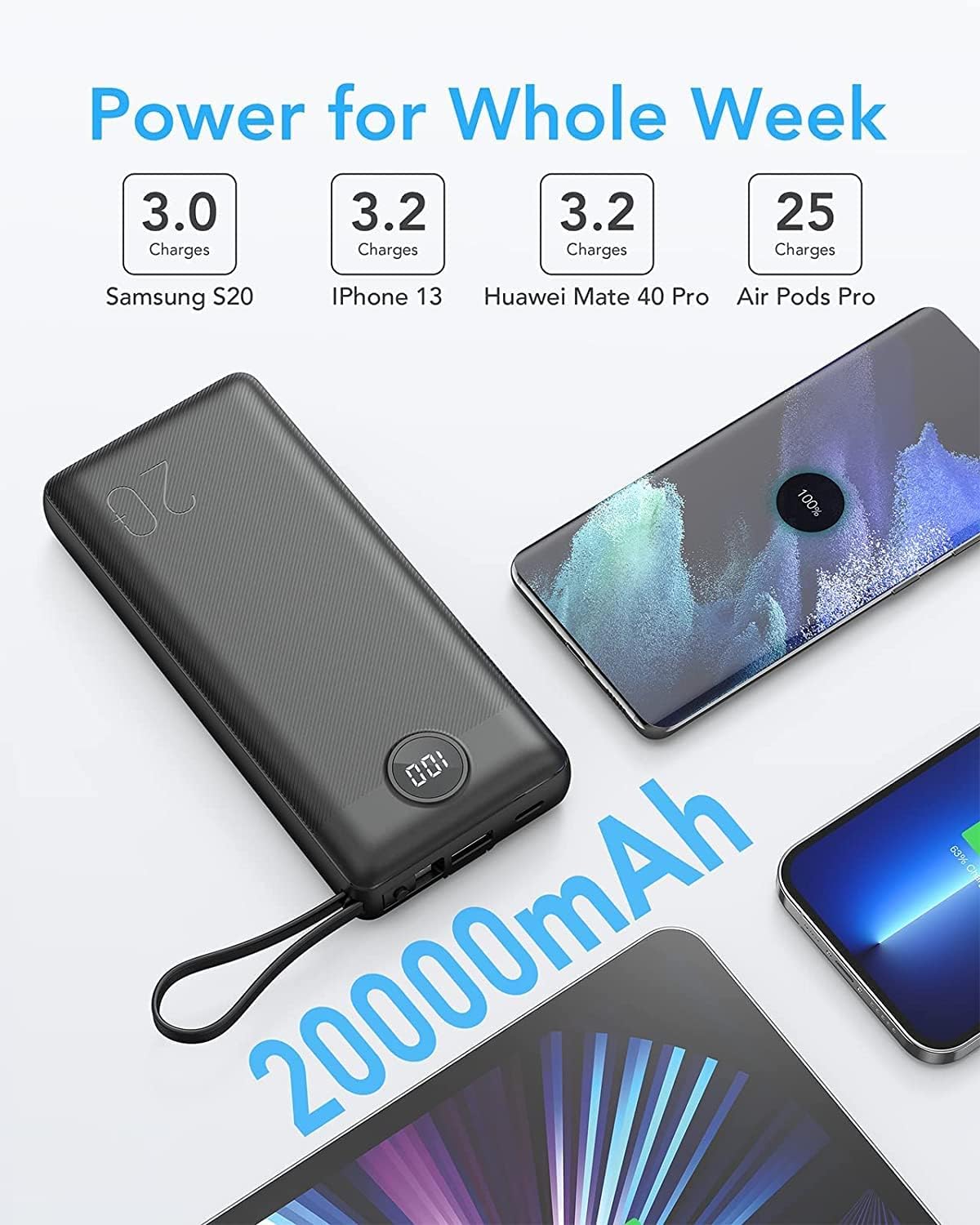
An image illustrating the 20000mAh capacity of the power bank, showing it can fully charge a Samsung S20 3.0 times, iPhone 13 3.2 times, Huawei Mate 40 Pro 3.2 times, and Air Pods Pro 25 times.
Safety Information
To ensure safe operation and prolong the life of your power bank, please observe the following safety guidelines:
- Do not disassemble, puncture, or modify the device.
- Avoid exposure to extreme temperatures (above 60°C/140°F or below 0°C/32°F), direct sunlight, or fire.
- Keep the power bank away from water and high humidity.
- Do not use if the device is damaged or swollen.
- Dispose of the power bank responsibly according to local regulations.
- This device complies with UN38.3 International air transport safety standards, making it safe for air travel.
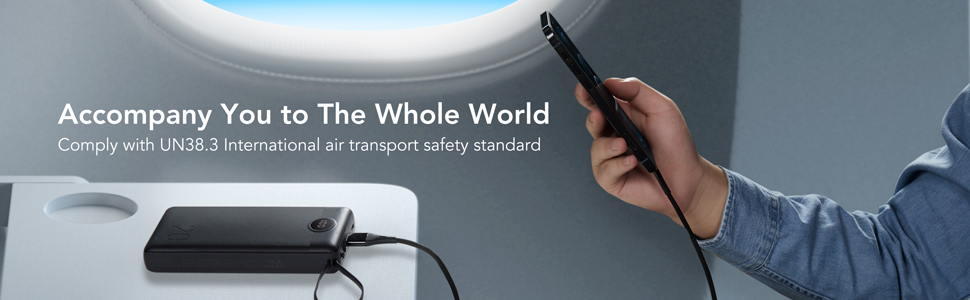
The power bank shown in an airplane cabin, illustrating its compliance with UN38.3 international air transport safety standards, making it safe for travel.
Warranty and Support
For warranty information or technical support, please refer to the contact details provided on the product packaging or the official VRURC website. Keep your purchase receipt as proof of purchase for any warranty claims.


