
Introduction
This manual provides comprehensive instructions for the setup, operation, and maintenance of your VIZIO V-Series 2.1 Compact Home Theater Sound Bar, Model V21T-J8. Please read this manual thoroughly before using the product to ensure proper functionality and to maximize your audio experience.
Product Overview
The VIZIO V-Series 2.1 Compact Sound Bar system includes a sound bar and a wireless subwoofer, designed to deliver enhanced audio for your home theater. It features DTS Virtual:X for immersive sound, Bluetooth connectivity, and compatibility with voice assistants.
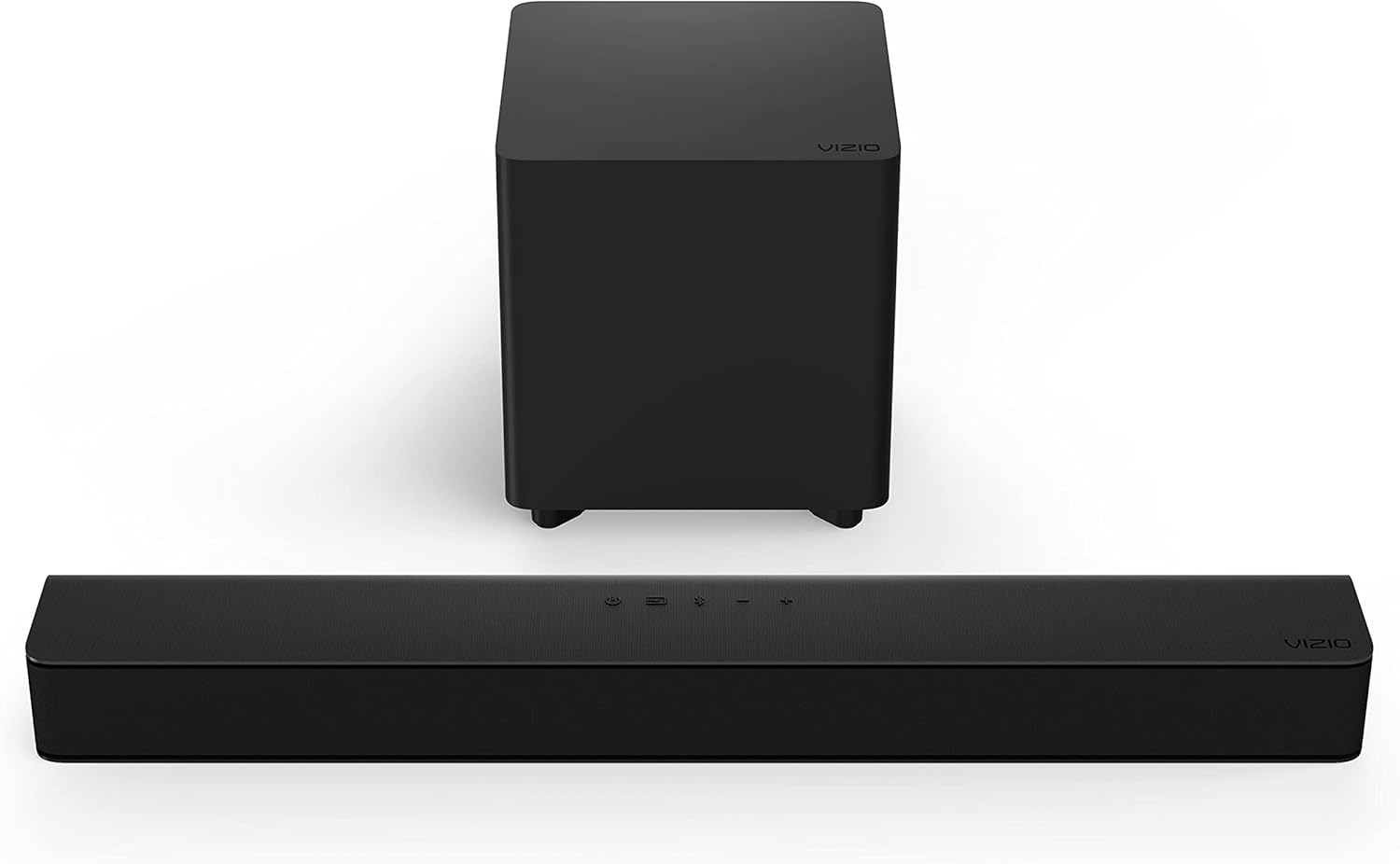
Image: The VIZIO V-Series 2.1 Sound Bar and its accompanying wireless subwoofer, shown together.
Key Features:
- 2.1-Channel Sound: Provides a stereo experience with a dedicated subwoofer for bass.
- DTS Virtual:X: Creates a virtualized surround sound experience.
- Wireless Subwoofer: Delivers deep bass without the need for audio cables to the sound bar.
- Bluetooth Connectivity: Stream audio wirelessly from compatible devices.
- Voice Assistant Compatible: Connect your preferred voice assistant device.
- Compact Design: Optimized for smaller to medium-sized rooms and TVs.
Setup
1. Unpacking
Carefully remove all components from the packaging. Ensure you have the sound bar, wireless subwoofer, remote control, power cords, and any included cables (HDMI, Optical).
2. Placement
Sound Bar: Place the sound bar centrally below your TV. Ensure it is on a stable, flat surface or mounted securely to a wall (mounting hardware not included). Avoid blocking the TV's remote sensor.

Image: The VIZIO sound bar positioned directly in front of and below a television screen.
Wireless Subwoofer: Position the wireless subwoofer anywhere in the room. For optimal bass performance, place it in a corner or near a wall. Ensure it is within 30 feet of the sound bar for a stable wireless connection.

Image: A close-up view of the VIZIO wireless subwoofer.
3. Connections
Choose one of the following connection methods:
- HDMI ARC (Recommended):
Connect one end of an HDMI cable to the HDMI ARC port on your sound bar and the other end to the HDMI ARC port on your TV. This allows for high-quality audio and control of the sound bar with your TV remote.

Image: A detailed view of the HDMI ARC input port on the rear of the sound bar.
- Optical Digital:
Connect an optical digital cable from the OPTICAL port on your sound bar to the Optical Digital Out port on your TV. This is a common alternative for audio connection.
- Bluetooth:
For wireless audio streaming from a mobile device, refer to the "Operating" section for Bluetooth pairing instructions.
- AUX / AUX VA:
Connect a 3.5mm audio cable from your device to the AUX or AUX VA port on the sound bar. The AUX VA port is specifically designed for voice assistant devices.

Image: A close-up of the AUX and AUX VA input ports on the rear of the sound bar.
4. Power On
Connect the power cords to the sound bar and the wireless subwoofer, then plug them into a power outlet. The sound bar will automatically power on and attempt to pair with the subwoofer. The subwoofer's LED indicator will turn solid white when successfully paired.
Operating
Basic Controls
The sound bar can be controlled using the buttons on its top panel or the included remote control.

Image: Top panel controls of the VIZIO sound bar, showing power, input, Bluetooth, volume down, and volume up buttons.

Image: The VIZIO remote control with buttons for power, input, volume, EQ, bass, treble, and DTS Virtual:X.
- Power Button: Turns the sound bar on or off.
- Input Button: Cycles through available audio inputs (HDMI ARC, Optical, Bluetooth, AUX, AUX VA).
- Bluetooth Button: Initiates Bluetooth pairing mode.
- Volume Up/Down: Adjusts the master volume level.
- Mute Button (Remote): Mutes or unmutes the audio.
Bluetooth Pairing
- Press the Bluetooth button on the sound bar or remote control. The LED indicator on the sound bar will begin to flash.
- On your mobile device, enable Bluetooth and search for "VIZIO V-Series" (or similar).
- Select the sound bar from the list of available devices to pair. Once connected, the LED indicator on the sound bar will stop flashing and glow solid.
Audio Settings (Remote Control)
- VRT:X (DTS Virtual:X): Activates or deactivates the DTS Virtual:X surround sound enhancement.
- EQ: Cycles through preset equalizer modes (e.g., Movie, Music, Dialog).
- BASS / TREB: Adjusts the bass and treble levels.
- SUB: Adjusts the subwoofer output level.
Maintenance
Cleaning
Wipe the surfaces of the sound bar and subwoofer with a soft, dry, lint-free cloth. Do not use liquid cleaners or abrasive materials, as they may damage the finish.
Storage
If storing the unit for an extended period, disconnect it from power and store it in a cool, dry place, away from direct sunlight and extreme temperatures.
Troubleshooting
| Problem | Solution |
|---|---|
| No power | Ensure power cords are securely connected to the sound bar, subwoofer, and a working power outlet. |
| No sound |
|
| Subwoofer not producing sound |
|
| Bluetooth connection issues |
|
Specifications
| Feature | Detail |
|---|---|
| Model Name | V21T-J8 |
| Sound Bar Dimensions (D x W x H) | 7.68" x 24" x 2.28" |
| Item Weight | 3.84 Pounds |
| Speaker Configuration | 2.1 Channel |
| Subwoofer Diameter | 4.5 Inches |
| Wireless Communication Technology | Bluetooth |
| Connectivity Technology | Wired, Wireless |
| Special Feature | DTS Virtual:X, Dolby Audio |
| Power Source | Corded Electric |
| Included Components | Power Cord, Remote |
Warranty Information
This VIZIO product is covered by a limited warranty. For detailed information regarding warranty terms, conditions, and registration, please refer to the official VIZIO warranty documentation included with your product or visit the official VIZIO support website. Proof of purchase is required for all warranty claims.
Support
For further assistance, technical support, or to access additional resources such as FAQs and software updates, please visit the official VIZIO support website:
You may also refer to the official user guides available online:


