
USA Toyz BB8913F
Contents
USA Toyz Rechargeable Laser Tag Game Instruction Manual
Brand: USA Toyz | Model: BB8913F
Introduction
Welcome to the exciting world of USA Toyz Rechargeable Laser Tag! This comprehensive 4-player set is designed to provide an immersive and dynamic laser tag experience for kids, teens, and adults. Featuring advanced technology, interactive elements, and durable construction, this game set promises hours of engaging fun. Please read this manual carefully to ensure proper setup, operation, and maintenance of your laser tag system.

Figure 1: Complete USA Toyz Rechargeable Laser Tag 4-pack set.
What's in the Box
Your USA Toyz Rechargeable Laser Tag Game set includes the following components:
- 4 x Rechargeable Laser Tag Blasters (Guns)
- 4 x Rechargeable Laser Tag Vests (Targets)
- 8 x 3.7V Li-ion Batteries (Pre-installed or for charging)
- 2 x USB Charging Stations with USB Plugs
- 1 x Screwdriver (for battery compartment access, if needed)

Figure 2: All components included in the laser tag game set.
Setup
1. Charging the Batteries
The laser tag blasters and vests are powered by rechargeable 3.7V Li-ion batteries. Before first use, ensure all batteries are fully charged.
- Connect the USB charging stations to a compatible USB power source (e.g., wall adapter, computer USB port).
- Insert the 3.7V Li-ion batteries into the charging stations. Observe the indicator lights on the charging station; they will typically show red during charging and turn green when fully charged.
- A full charge typically takes approximately 2-3 hours. Once charged, carefully remove the batteries.
- If batteries are not pre-installed in the blasters or vests, use the provided screwdriver to open the battery compartments and insert the charged batteries, observing polarity.

Figure 3: Rechargeable batteries and charging station for extended playtime.
2. Wearing the Vests
The interactive vests are designed to be one-size-fits-all. Adjust the straps to ensure a snug and comfortable fit over your chest. The vest serves as your target during gameplay.

Figure 4: The laser tag vests are designed to be one-size-fits-all for comfortable wear.
Operating Instructions
1. Powering On
To power on your laser tag blaster and vest, locate the power switch, typically on the side of the blaster. Flip the switch to the "ON" position. Both the blaster and vest will light up and emit sounds, indicating they are ready for play.
2. Team Selection
The game supports team-based play with four color-coded options: Blue, Red, Green, and White. To select your team:
- Press the "Team Select" button on your blaster (refer to blaster diagram for exact location).
- Cycle through the colors until your desired team color is displayed on both your blaster and vest.
- Players on the same team cannot hit each other.

Figure 5: Choose from four distinct team colors for strategic gameplay.
3. Weapon Modes
Your blaster features 5 distinct firing modes, each with unique sound effects, ammo capacity, and damage output. To change weapon modes:
- Press the "Weapon Select" button on your blaster.
- Cycle through the available modes (e.g., Pistol, Shotgun, Machine Gun, Rocket Launcher, etc.).
- The blaster's LED readout will indicate your current ammo and lives.

Figure 6: Blaster features including weapon modes, team options, and LED readout.
4. Reloading
When your blaster runs out of ammo, you will hear an empty click sound. To reload, press the reload button, typically located at the bottom of the blaster's handle or a designated button on the side. A reloading sound will confirm the action.
5. Water Mist Feature (4D Haptic Feedback)
The vests are equipped with a unique water mist feature that activates as your lives deplete, adding an immersive 4D haptic feedback experience. To use this feature:
- Locate the small water reservoir on the vest (refer to vest diagram).
- Carefully fill the reservoir with a small amount of clean water. Do not overfill.
- During gameplay, when your vest takes hits and your lives decrease, the vest will vibrate, flash LEDs, emit FX voice directives, and release a fine mist, simulating impact.
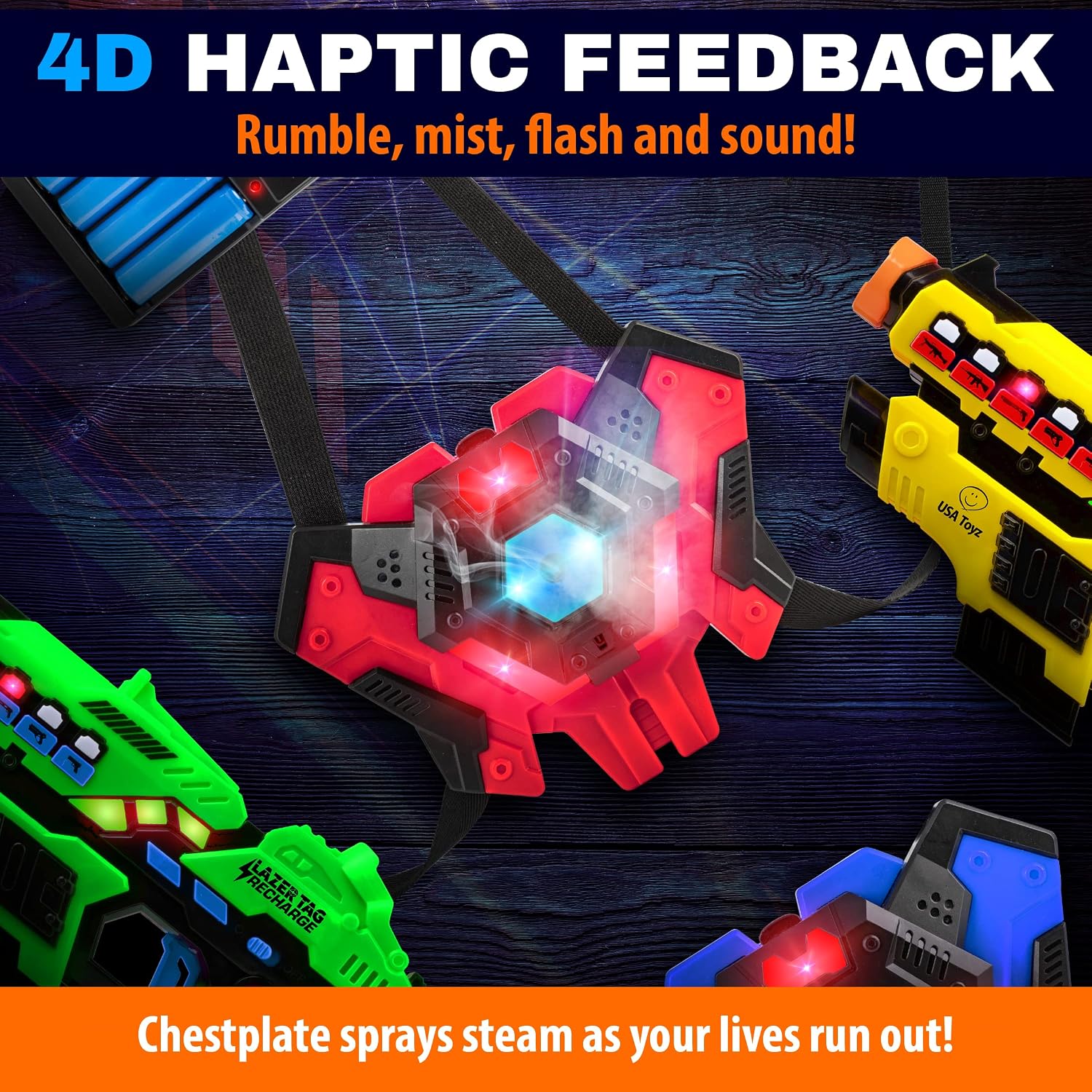
Figure 7: The vest provides immersive 4D haptic feedback, including a water mist feature.
6. Gameplay Tips
- Infrared Sensors: The blasters use advanced infrared sensors with an impressive range of up to 95 feet. Ensure a clear line of sight to your opponent's vest for accurate hits.
- Unlimited Players: This system is scalable. You can add an unlimited number of additional USA Toyz laser tag sets to expand your game for larger groups.
- Environment: Play indoors or outdoors. For optimal performance and visibility of LED effects, consider playing in dimly lit areas.

Figure 8: The system allows for an unlimited number of players, perfect for large group fun.
Maintenance
Cleaning
To clean your laser tag blasters and vests, wipe them gently with a soft, damp cloth. Do not submerge any part of the equipment in water, especially the electronic components. Avoid using harsh chemicals or abrasive cleaners.
Storage
When not in use, store the laser tag set in a cool, dry place, away from direct sunlight and extreme temperatures. Ensure batteries are fully charged before long-term storage to maintain battery health. It is recommended to remove batteries if the product will not be used for an extended period.
Troubleshooting
- No Power: Ensure batteries are fully charged and correctly inserted into both the blaster and vest. Check that the power switch is in the "ON" position.
- Blaster Not Firing/Vest Not Registering Hits: Verify that both the blaster and vest are powered on and on the same team (if applicable). Ensure there is a clear line of sight between the blaster's infrared emitter and the vest's sensor. Check if the blaster is out of ammo and needs reloading.
- Water Mist Not Working: Check if the water reservoir on the vest is filled. Ensure the vest has taken enough hits to trigger the mist feature.
- Unresponsive Buttons: Power off and then power on the unit to reset. If the issue persists, ensure batteries are fully charged.
If you encounter any issues not listed here, please refer to the support information below.
Specifications
| Feature | Detail |
|---|---|
| Brand | USA Toyz |
| Model Number | BB8913F |
| Package Dimensions | 12.32 x 9.37 x 7.83 inches |
| Item Weight | 5 pounds |
| Recommended Age | 6 - 8 years (Manufacturer Recommended) |
| Laser Mechanism | Infrared design with output below 1mW (safe) |
| Range | Up to 95 feet (Infrared Sensors) |
| Power Source | Rechargeable 3.7V Li-ion Batteries |
Warranty and Support
USA Toyz is committed to providing high-quality products. For any questions, concerns, or support needs regarding your Rechargeable Laser Tag Game, please contact USA Toyz customer service. Please retain your proof of purchase for warranty claims.
For more information, visit the official USA Toyz Store: USA Toyz Store
Ask a question about this manual
Ask about setup, troubleshooting, compatibility, parts, safety, or missing instructions. Manuals+ will review the question and use this page’s manual context to help answer it.