Introduction
Welcome to the instruction manual for your Lexibook STN01ANXDE Storyteller Polar Bear Night Light. This device is designed to provide a comforting presence for children, combining storytelling, melodies, and a gentle LED night light. It features 30 stories and 3 melodies to help children feel secure and fall asleep. Its compact size and rechargeable battery make it portable and energy-efficient.

Front view of the Lexibook STN01ANXDE Storyteller Polar Bear Night Light, showing its white bear shape with a red scarf and blue base with control buttons.
Safety Information
This product is recommended for children aged 3 years and older. Please ensure that children use the device under adult supervision. Keep the device away from water and extreme temperatures. Do not attempt to open or modify the device, as this may cause damage or injury.
Product Overview
The Lexibook STN01ANXDE is a compact device shaped like a polar bear, designed to be both a storyteller and a night light.
- Bear Unit: The main body of the device, which houses the speaker, LED light, and internal components.
- Base: The blue base contains the control buttons and the charging port.
- Control Buttons: Located on the front of the blue base. These typically include buttons for power, story selection, melody selection, and light control.

Side view of the Lexibook STN01ANXDE, highlighting its compact design and the blue base.
Setup
Charging the Device
The Lexibook STN01ANXDE is equipped with a rechargeable battery. Before first use, or when the battery is low, connect the device to a suitable USB power source using the provided charging cable (cable type not specified, assume standard micro-USB or USB-C).
- Locate the charging port on the device's base.
- Insert the charging cable into the port.
- Connect the other end of the cable to a USB power adapter (not included) or a computer's USB port.
- Allow the device to charge fully. An indicator light (if present) will typically change color or turn off when charging is complete.
A full charge ensures optimal performance and portability.
Operating Instructions
Power On/Off
To power on the device, press and hold the power button (often indicated by a question mark or a general power symbol) on the base until the device activates. To power off, press and hold the same button again.
Storytelling Function
The device contains 30 pre-recorded stories.
- Press the story selection button (likely indicated by book icons) to cycle through the available stories.
- Each press may advance to the next story, or a long press might activate a random story. Refer to the specific button icons on your device for exact functionality.
- The stories are designed to be engaging and help children relax.
Melody Function
The device includes 3 soothing melodies.
- Press the melody selection button (indicated by a music note icon) to play the melodies.
- Subsequent presses may cycle through the melodies or restart the current one.
Night Light Function
The integrated LED light provides a soft, relaxing glow.
- The night light typically activates automatically when the device is turned on, or it may have a dedicated button (often combined with the power button or a separate light icon).
- The light may cycle through various colors or offer a single, steady color.
- The night light is designed to be low-energy and provide comfort without disturbing sleep.
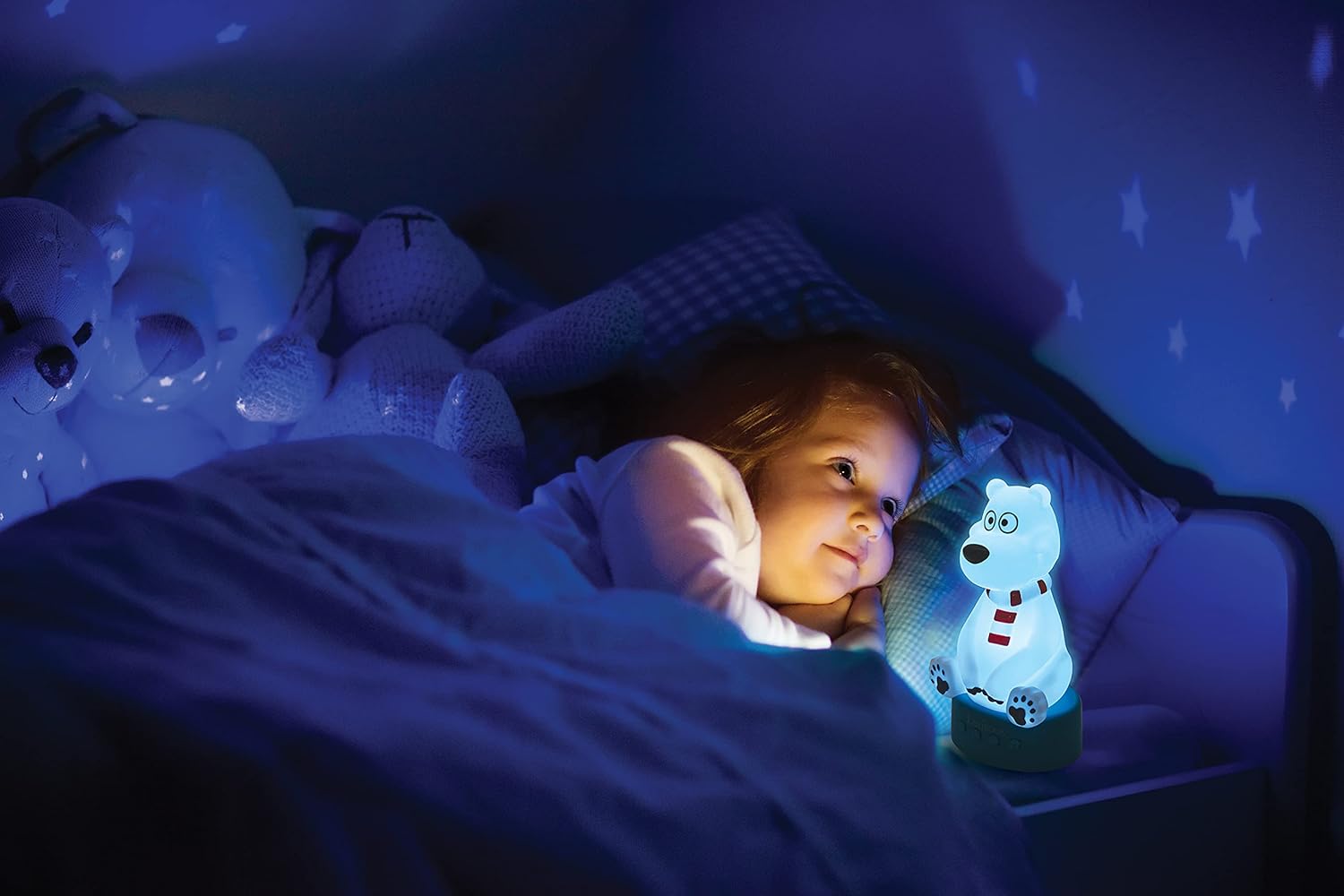
A child sleeping peacefully with the Lexibook Storyteller Polar Bear Night Light providing a gentle glow.

Four Lexibook Storyteller Polar Bear Night Lights, each glowing in a different color (blue, green, yellow, red), demonstrating the color-changing feature.
Maintenance
Cleaning
To clean the device, gently wipe its surface with a soft, dry, or slightly damp cloth. Do not use abrasive cleaners, solvents, or immerse the device in water. Ensure the charging port is dry before connecting any cables.
Storage
When not in use for extended periods, store the device in a cool, dry place, away from direct sunlight and extreme temperatures. It is recommended to fully charge the battery before storing and to recharge it every few months to maintain battery health.
Troubleshooting
| Problem | Possible Cause | Solution |
|---|---|---|
| Device does not turn on. | Battery is depleted. | Connect the device to a power source and charge it fully. |
| No sound or light. | Device is off or in standby mode. | Ensure the device is powered on. Check battery level. |
| Sound is too loud or too quiet. | Volume is fixed or not adjustable. | This model may have a fixed volume level. There is no explicit volume control mentioned in the product features. Consider placing the device further away if the sound is too loud. |
| Stories/melodies do not change. | Incorrect button press or device malfunction. | Ensure you are pressing the correct selection button. Try turning the device off and on again. If the issue persists, contact customer support. |
Specifications
- Model Number: STN01ANXDE
- Brand: LEXIBOOK
- Product Dimensions: 9 x 7 x 16.8 cm
- Product Weight: 280 g
- Recommended Age: 3 years and up
- Educational Value: Literacy
- Number of Stories: 30
- Number of Melodies: 3
- Battery Type: Rechargeable Battery
- Materials: Plastic
- Color: Blue, White, Red
Warranty and Support
For information regarding warranty coverage, please refer to the warranty card included with your product or contact Lexibook customer support directly.
If you encounter any issues not covered in this manual or require further assistance, please visit the official Lexibook website or contact their customer service department.
Lexibook Official Website: www.lexibook.com


