1. Important Safety Information
Please read this entire user manual carefully before operating the Bagotte Cordless Vacuum Cleaner. Keep this manual for future reference.
- Do not use the appliance outdoors or on wet surfaces.
- Do not allow children to operate the vacuum cleaner. Close supervision is necessary when used near children.
- Do not pick up flammable or combustible liquids, such as gasoline, or use in areas where they may be present.
- Do not pick up anything that is burning or smoking, such as cigarettes, matches, or hot ashes.
- Ensure the power adapter is compatible with your local power supply.
- Always turn off the appliance before performing any maintenance or cleaning.
2. Product Overview
The Bagotte BS900 Cordless Vacuum Cleaner is designed for versatile cleaning across various surfaces. It features a powerful motor, multiple suction modes, and a lightweight design for ease of use.

Figure 2.1: Bagotte Cordless Vacuum Cleaner and Included Accessories
Components and Accessories:

Figure 2.2: Detailed View of Vacuum Components
- Main Vacuum Body (Host)
- Motorized Floor Brush Assembly
- Long Crevice Nozzle
- 2-in-1 Bristle Brush
- Charger
- Cleaning Tool
- Carpet Brush Roll
- Plush Roller Bar (for hard floors)
- HEPA Filter
- Wall Bracket
- User Manual
- Lightweight Aluminum Alloy Extension Tube
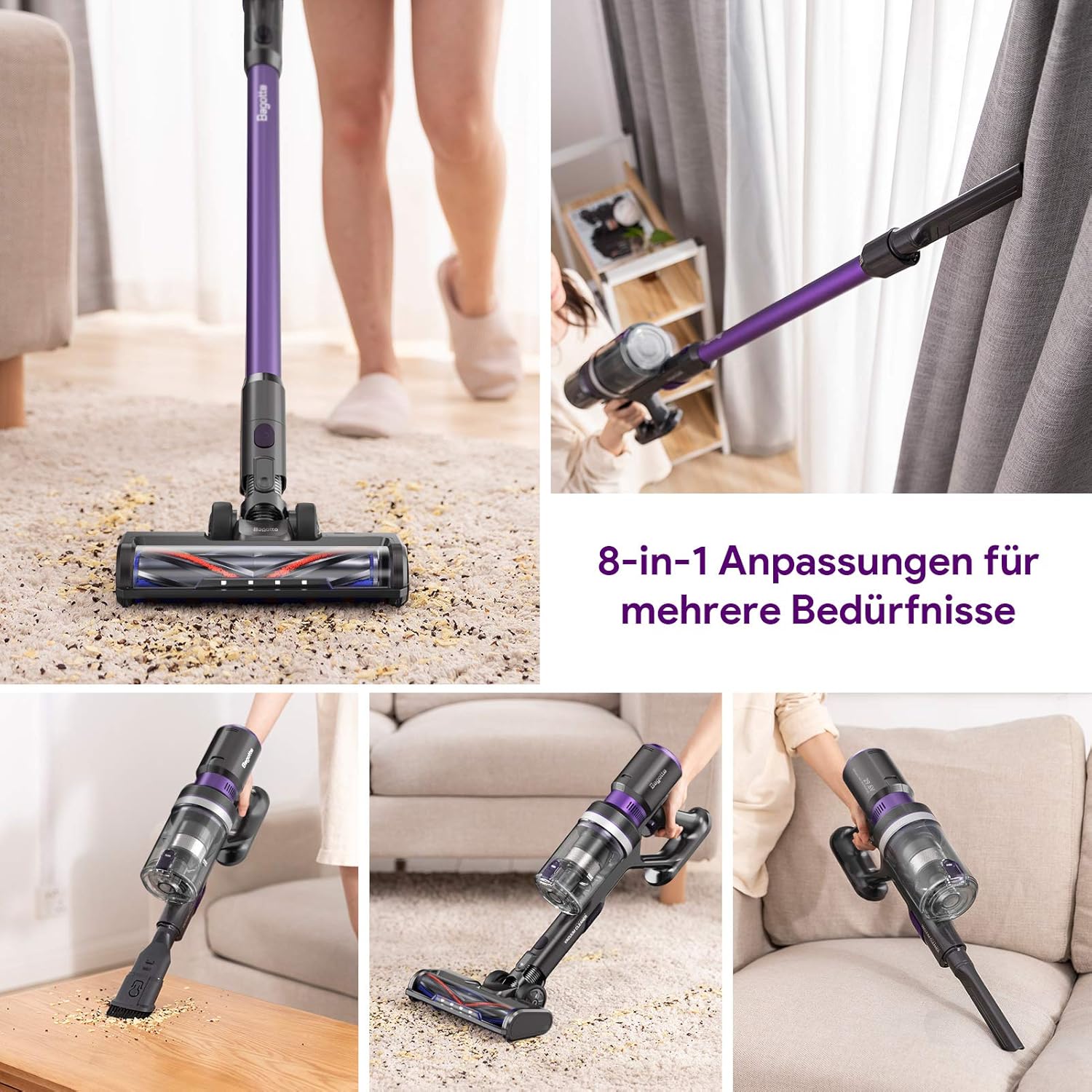
Figure 2.3: Versatile 8-in-1 Adaptations
3. Setup and Initial Use
3.1 Assembly
To assemble your vacuum cleaner:
- Connect the extension tube to the main vacuum body until it clicks into place.
- Attach the desired floor brush (motorized floor brush with plush roller bar for hard floors or carpet brush for carpets) to the other end of the extension tube, ensuring it clicks securely.
- For handheld use, detach the extension tube and attach accessories like the long crevice nozzle or 2-in-1 bristle brush directly to the main vacuum body.
3.2 Charging the Battery
Fully charge the battery before the first use to ensure optimal performance and battery longevity.
- Mount the wall bracket in a convenient location.
- Connect the charger to the wall bracket and then to the charging port on the main vacuum body.
- The charging indicator lights will illuminate during charging. A full charge typically takes approximately 5.5 hours.
- Once fully charged, disconnect the charger.

Figure 3.1: Charging the Vacuum on the Wall Mount
4. Operating Instructions
4.1 Powering On/Off and Suction Modes
- Press the power button to turn the vacuum cleaner on.
- The vacuum offers three suction modes:
- Low Gear (7KPa): Suitable for light debris and extended runtime.
- Middle Gear (13KPa): Ideal for everyday cleaning.
- High Gear (25KPa): Provides powerful suction for intensive spot cleaning and stubborn dirt.
- Toggle between these modes by tapping the speed-adjustment button on the main body.
- Press the power button again to turn the vacuum cleaner off.
4.2 Cleaning Performance
The Bagotte BS900 is versatile and effective on various floor types, including hardwood, tile, and carpet.
- The motorized floor brush with plush roller bar is designed for hard floors, while the carpet brush is optimized for carpets. Ensure you use the appropriate brush for best results.
- The flexible design of the floor brush allows for 270° horizontal rotation and 90° vertical rotation, making it easy to clean around furniture and in tight spaces.
- LED lights on the floor head illuminate dark areas, ensuring no dust or debris is missed.

Figure 4.1: Vacuuming on Carpet

Figure 4.2: Flexible Cleaning Under Furniture
4.3 Runtime
The vacuum cleaner provides up to 55 minutes of runtime on a single charge, depending on the selected suction mode and attachments used. For optimal battery life, it is recommended to complete cleaning tasks in one continuous session rather than frequently starting and stopping the vacuum.
5. Maintenance
Regular maintenance ensures the longevity and optimal performance of your Bagotte Cordless Vacuum Cleaner.
5.1 Emptying the Dust Cup
- Empty the dust cup when debris reaches the MAX fill line, or after each use.
- Press the dust cup release button to detach it from the main body.
- Open the dust cup lid and dispose of the contents into a trash bin.
5.2 Cleaning the Filters
The vacuum features a 4-stage high-efficiency filtration system with a high-density HEPA filter and washable stainless steel filter.

Figure 5.1: Filtration System Components
- Remove the HEPA filter and the washable filter from the dust cup.
- Tap off loose dirt from the filters.
- Rinse both filters under cold running water until the water runs clear.
- Allow the filters to air dry completely for at least 24 hours before reinserting them into the dust cup. Do not use a dryer or heat to dry.
- It is recommended to clean the filters monthly, or more frequently with heavy use.
5.3 Cleaning the Brush Rolls
- Turn off the vacuum and detach the floor brush assembly.
- Locate the brush roll release tab and remove the brush roll.
- Use the provided cleaning tool or scissors to remove any tangled hair or debris from the brush roll.
- Reinsert the clean brush roll until it clicks into place.
6. Troubleshooting
If you encounter issues with your Bagotte Cordless Vacuum Cleaner, refer to the following common problems and solutions:
| Problem | Possible Cause | Solution |
|---|---|---|
| Vacuum does not turn on | Battery is not charged Power button not pressed correctly | Charge the battery fully Ensure the power button is pressed firmly |
| Low suction power | Dust cup is full Filters are clogged Hose or brush roll is blocked | Empty the dust cup Clean or replace the filters Check for and remove any blockages |
| Brush roll not spinning | Tangled hair or debris Brush roll not properly installed | Remove tangled hair/debris Ensure brush roll is securely clicked into place |
| Short runtime | Battery not fully charged Using high suction mode continuously | Charge the battery fully Use lower suction modes for general cleaning to extend runtime |
7. Specifications
Key technical specifications for the Bagotte BS900 Cordless Vacuum Cleaner:
| Feature | Specification |
|---|---|
| Brand | Bagotte |
| Model Name | BS900 |
| Special Feature | HEPA, Lightweight |
| Filter Type | Disk |
| Is Cordless? | Yes |
| Capacity | 0.5 Liters |
| Wattage | 400 watts |
| Runtime | 55 minutes (max) |
| Charging Time | 5.5 Hours |
| Recommended Uses | Carpet, Hard Floor |
| Form Factor | Handheld, Stick |
| Battery Description | Lithium-Ion |
| Noise Level | 75 dB |
| Amperage | 3.33 Amps |
| Number of Speeds | 3 |
| Item Weight | 2.86 pounds |
| Package Dimensions | 26.7 x 13.3 x 5.2 inches |
8. Warranty and Support
For warranty information, technical support, or any questions regarding your Bagotte Cordless Vacuum Cleaner, please contact Bagotte customer service through their official website or the contact details provided with your purchase. Please have your model number (BS900) and purchase details ready when contacting support.


