
Introduction
Thank you for choosing the AULA S50 Wired Gaming Mouse. This manual provides essential information for setting up, operating, maintaining, and troubleshooting your new mouse. Please read it carefully to ensure optimal performance and longevity of your device.
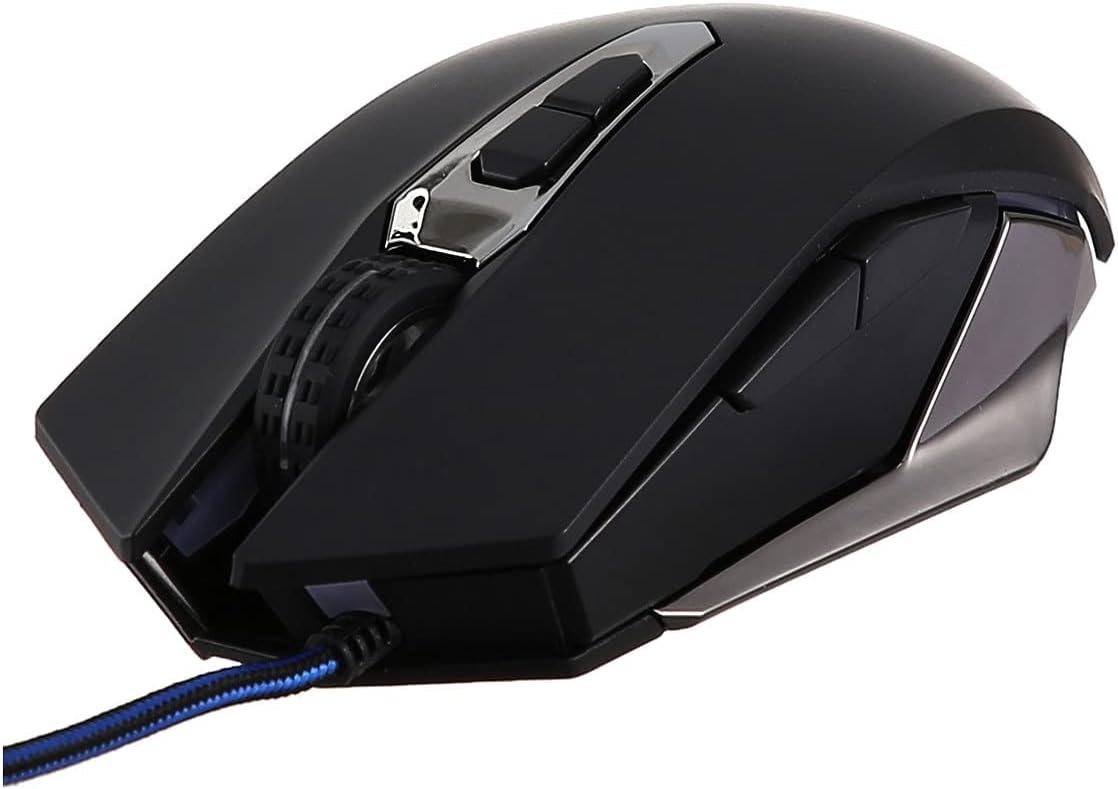
Figure 1: Front view of the AULA S50 Wired Gaming Mouse.
Setup
Connecting the Mouse
- Locate an available USB port on your computer or laptop.
- Plug the USB connector of the AULA S50 mouse into the USB port.
- The operating system will typically detect and install the necessary drivers automatically. No additional software installation is required for basic functionality.
The mouse is compatible with various operating systems, including Linux and Windows XP, and newer versions.
Operating Instructions
Basic Functions
- Left Click: Primary action, selection, opening items.
- Right Click: Opens contextual menus.
- Scroll Wheel: Scrolls documents and web pages vertically. Can also be pressed for middle-click functionality.
Advanced Features (7 Programmable Buttons)
The AULA S50 mouse features 7 buttons, including the standard left, right, and scroll wheel click, along with additional side buttons and a DPI adjustment button. For advanced customization, such as programming macros or remapping buttons, dedicated software may be available from the manufacturer's website. This software allows users to tailor the mouse's functionality to specific applications or games.
DPI Adjustment
The mouse supports multiple DPI (Dots Per Inch) settings, allowing you to adjust cursor sensitivity. Use the dedicated DPI button, usually located behind the scroll wheel, to cycle through available DPI levels. Higher DPI settings result in faster cursor movement, suitable for quick actions, while lower DPI settings provide more precise control.
Maintenance
Cleaning
- Disconnect the mouse from your computer before cleaning.
- Use a soft, dry, lint-free cloth to wipe the surface of the mouse.
- For stubborn dirt, slightly dampen the cloth with water or a mild cleaning solution. Avoid excessive moisture.
- Use a cotton swab or compressed air to clean around buttons and the optical sensor area.
Storage
Store the mouse in a cool, dry place away from direct sunlight and extreme temperatures. Avoid placing heavy objects on the mouse or its cable.
Troubleshooting
Mouse Not Responding
- Ensure the USB cable is securely plugged into the computer's USB port. Try a different USB port.
- Restart your computer.
- Test the mouse on another computer to determine if the issue is with the mouse or the computer.
Erratic Cursor Movement
- Clean the optical sensor on the bottom of the mouse with a soft cloth or cotton swab.
- Ensure you are using the mouse on a clean, non-reflective, and uniform surface. Mouse pads are recommended.
- Check for any software conflicts or outdated drivers. Update your operating system and mouse drivers if necessary.
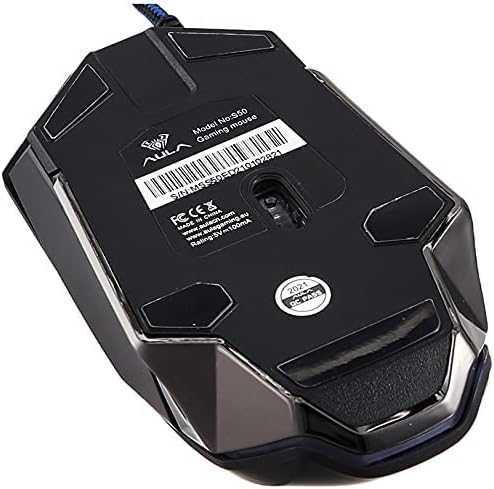
Figure 2: Bottom view of the AULA S50 Wired Gaming Mouse, highlighting the optical sensor.
Specifications
| Brand | AULA |
| Model Name | AULA S50 |
| Item Model Number | S50 |
| Color | Black |
| Connectivity Technology | USB (Wired) |
| Motion Detection Technology | Optical |
| Number of Buttons | 7 |
| Hand Orientation | Ambidextrous |
| Recommended Uses For Product | Gaming |
| Compatible Devices | PC and Laptop |
| Hardware Platform | PC |
| Operating System | Linux, Windows XP |
| Product Dimensions | 17 x 7 x 5 cm |
| Item Weight | 140 grams |
Warranty
The AULA S50 Wired Gaming Mouse comes with a standard manufacturer's warranty. Please refer to the warranty card included with your product or contact your retailer for specific warranty terms and conditions. Keep your proof of purchase for warranty claims.
Support
For technical assistance or further inquiries regarding your AULA S50 Wired Gaming Mouse, please contact the retailer where you purchased the product or visit the official AULA support website. Ensure you have your product model number (S50) available when seeking support.


