
Easytry123 714543-1320, 714543-1020, 736257-0010
Replacement Remote Control User Manual
Easytry123 Model: 714543-1320, 714543-1020, 736257-0010
1. Product Overview
This document provides instructions for the Easytry123 Replacement Remote Control, designed as an infrared (IR) replacement for specific Bose Solo TV Sound Systems. This remote is intended to function similarly to your original remote, offering essential controls for your sound system.

2. Compatibility
This replacement remote control is compatible with Bose Solo TV Sound System models 714543-1320, 714543-1020, and 736257-0010. It is crucial to ensure that your current remote control is visually identical to the remote shown in this manual for guaranteed compatibility. If your model number is not explicitly listed or your original remote differs, please contact the seller for assistance before use.
3. Setup
3.1 Battery Installation
- Locate the battery compartment on the back of the remote control.
- Slide the battery cover downwards or in the direction indicated by an arrow to open it.
- Insert two (2) AAA batteries, ensuring the positive (+) and negative (-) terminals align correctly with the markings inside the compartment.
- Replace the battery cover by sliding it back into position until it clicks securely.
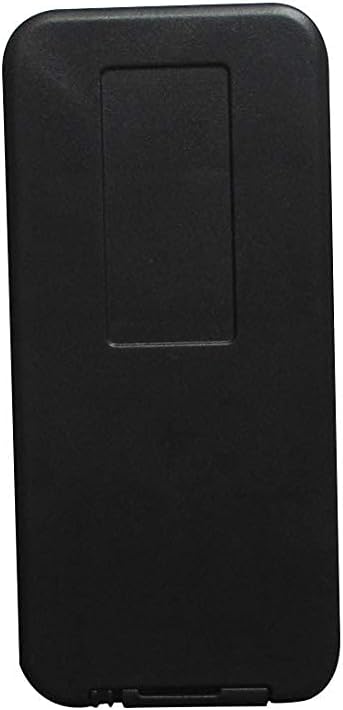
3.2 Initial Use
This is an infrared (IR) replacement remote control and typically does not require any programming or pairing. Once batteries are installed, it should be ready for immediate use with compatible Bose Solo TV Sound Systems. Ensure a clear line of sight between the remote's IR emitter and the sound system's IR receiver.
4. Operating Instructions
The remote control provides direct access to common functions of your Bose Solo TV Sound System. Below is a description of the primary buttons:
- Power Button (⏻): Turns the sound system on or off.
- TV Button: Switches the sound system's input to the TV audio.
- Volume Up (+): Increases the audio volume.
- Volume Down (-): Decreases the audio volume.
- Bluetooth Button (Ⓑ): Switches the sound system's input to Bluetooth for wireless audio streaming.
- Bass Button: Adjusts the bass level of the audio output.
- Mute Button (🔇): Mutes or unmutes the audio.
- Source Button (⎚): Cycles through available audio input sources (e.g., TV, Optical, Aux).

5. Maintenance
5.1 Battery Replacement
Replace batteries when the remote's response becomes sluggish or stops working. Always replace both batteries simultaneously with new AAA batteries. Do not mix old and new batteries, or different types of batteries.
5.2 Cleaning
To clean the remote, gently wipe its surface with a soft, dry cloth. For stubborn dirt, slightly dampen the cloth with water. Avoid using harsh chemicals, abrasive cleaners, or excessive moisture, as these can damage the remote's finish or internal components.
5.3 Storage
Store the remote control in a cool, dry place away from direct sunlight, extreme temperatures, and high humidity. If the remote will not be used for an extended period, it is advisable to remove the batteries to prevent leakage and potential damage.
6. Troubleshooting
| Problem | Possible Cause | Solution |
|---|---|---|
| Remote not responding. | Dead or incorrectly inserted batteries. | Check battery orientation. Replace batteries with new AAA batteries. |
| Intermittent function. | Weak batteries; obstruction between remote and sound system. | Replace batteries. Ensure clear line of sight to the sound system's IR receiver. |
| Remote works only at close range. | Weak batteries. | Replace batteries with new AAA batteries. |
| Certain buttons do not work. | Remote not fully compatible; internal defect. | Verify compatibility with your specific Bose Solo model. Contact seller if issues persist. |
7. Specifications
| Brand | Easytry123 |
| Model Numbers | 714543-1320, 714543-1020, 736257-0010 |
| Connectivity Technology | Infrared (IR) |
| Compatible Devices | Bose Solo TV Sound System |
| Batteries Required | 2 x AAA (not included) |
| Special Feature | Direct replacement, ergonomic design |
8. Warranty and Support
This product is an aftermarket replacement remote control. For any questions, concerns, or issues regarding compatibility or functionality, please contact the seller directly through your purchase platform. It is recommended to check the seller's return and support policies at the time of purchase.
Ask a question about this manual
Ask about setup, troubleshooting, compatibility, parts, safety, or missing instructions. Manuals+ will review the question and use this page’s manual context to help answer it.