1. Introduction
The Westone Audio Pro X50 IEM Earphones are professional in-ear monitors designed for musicians and audio enthusiasts. Featuring five-driver noise-isolating technology, these earbuds deliver enhanced sonic detail and a wide frequency range. The ergonomic design ensures a comfortable and secure fit for extended use, making them ideal for live performances, studio monitoring, and critical listening.
Key features include proprietary balanced-armature drivers, a 3-way passive crossover for precise audio reproduction, and a durable Linum Bax T2 detachable cable with an advanced MMCX connector for reliable performance and longevity.

Figure 1: Westone Audio Pro X50 IEM Earphones, showcasing the clear housing and ergonomic design.
2. What's in the Box
Your Westone Audio Pro X50 package includes the following components:
- Pro X50 Universal-In-Ear Musician’s Monitors: The main earphone units.
- Linum Bax T2™ Detachable Cable: High-strength, ultra-low resistance tensile wire with advanced MMCX connectors.
- 5 Pair Foam Tips: Various sizes for optimal comfort and noise isolation.
- 5 Pair Silicone Tips: Various sizes for alternative fit and sound characteristics.
- Impact Resistant Monitor Vault: A durable case for protecting your earphones.
- Protective Case: An additional case for storage and transport.

Figure 2: All included accessories with the Westone Audio Pro X50 IEM Earphones, including various ear tips, cable, and protective cases.
3. Setup
3.1 Attaching the Cable
- Identify the left (L) and right (R) earpieces and the corresponding connectors on the Linum Bax T2™ cable. The cable connectors are typically marked.
- Align the MMCX connector on the cable with the receptacle on the earpiece.
- Gently push the connector straight into the earpiece until you feel a secure click. Do not twist or force the connection.
- Repeat for the other earpiece.
3.2 Selecting and Attaching Ear Tips
Proper ear tip selection is crucial for optimal sound quality and noise isolation. Experiment with both foam and silicone tips in various sizes to find the best fit for your ears.
- Gently pull off the pre-installed ear tips (if any).
- Select a pair of ear tips that feel comfortable and create a good seal in your ear canal.
- Push the chosen ear tip onto the nozzle of the earpiece until it is securely seated.

Figure 3: A selection of foam and silicone ear tips provided with the Pro X50, allowing for customized fit and comfort.
4. Operating Instructions
4.1 Wearing the Earphones
The Pro X50 earphones are designed for over-ear cable routing to ensure a secure fit and minimize cable noise.
- Insert the earpieces into your ear canals, ensuring a snug fit.
- Route the cable over the top of your ears and down your back. The flexible cable allows for comfortable positioning.
- Adjust the cable cinch (if present) to secure the cable behind your head.
4.2 Connecting to an Audio Source
Connect the 3.5mm jack of the Linum Bax T2™ cable to your audio device (e.g., music player, mixing console, smartphone). Ensure the connection is firm.
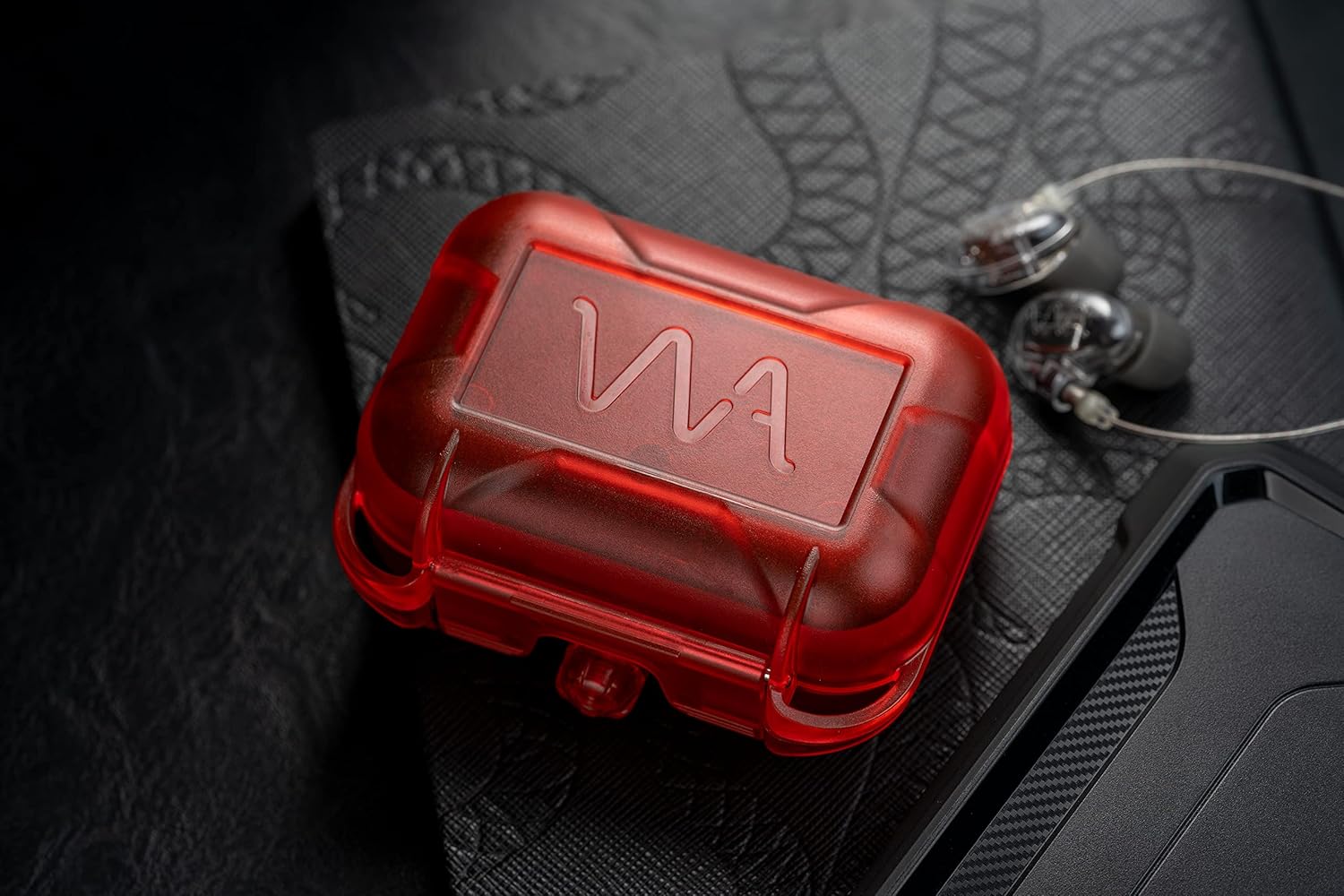
Figure 4: The 3.5mm jack of the Linum Bax T2 cable connected to a portable audio device, demonstrating connectivity.
4.3 Volume Control
Always start with a low volume level on your audio source and gradually increase it to a comfortable listening level. Prolonged exposure to high volumes can cause hearing damage.
5. Maintenance
5.1 Cleaning the Earphones
Regular cleaning helps maintain sound quality and hygiene.
- Use a soft, dry cloth to wipe the earpieces and cable.
- For earwax buildup on the ear tips or nozzles, use the provided cleaning tool or a small, soft brush. Be gentle to avoid damaging the drivers.
- Do not use harsh chemicals or abrasive materials for cleaning.
5.2 Storing the Earphones
When not in use, store your Pro X50 earphones in the provided Impact Resistant Monitor Vault or protective case to prevent damage from impacts, dust, and tangling.

Figure 5: The Westone Audio Pro X50 earphones neatly stored in their red impact-resistant monitor vault.
6. Troubleshooting
| Problem | Possible Cause | Solution |
|---|---|---|
| No Sound / Intermittent Sound | Loose cable connection, incorrect audio source settings, damaged cable. | Ensure MMCX connectors are fully seated. Check audio source volume and output settings. Try a different cable if available. |
| Poor Sound Quality / Muffled Sound | Improper ear tip seal, earwax buildup, damaged driver. | Experiment with different ear tip sizes for a better seal. Clean ear tips and nozzles. If problem persists, contact support. |
| Earphones Falling Out | Incorrect ear tip size, improper wearing technique. | Try smaller or larger ear tips. Ensure cable is routed over the ear and secured behind the head. |
7. Specifications
- Model Name: PRO-X50
- Noise Control: Sound Isolation
- Headphones Jack: 3.5 mm Jack
- Connectivity Technology: Wired (Five Drive)
- Audio Driver Type: Balanced Armature Driver (Five Drivers with 3-way crossover)
- Impedance: 45 Ohm
- Item Weight: 0.212 ounces (6 Grams)
- Cable Feature: Detachable Linum Bax T2™ Cable
- Included Components: Pro X50 Universal-In-Ear Musician’s Monitors, Linum Bax T2™ Detachable Cable, 5 Pair Foam + 5 Pair Silicone Tips, Impact Resistant Monitor Vault, Protective Case
- Manufacturer: Westone Audio
- Product Dimensions: 9.29 x 4.96 x 3.03 inches
- UPC: 810074480239
Video 1: Official product overview of the Westone Audio Pro X50 IEM Earphones, highlighting key features and benefits.
8. Warranty & Support
For warranty information and customer support, please refer to the official Westone Audio website or contact their customer service directly. Keep your proof of purchase for any warranty claims.
Return Policy: 30-day refund/replacement policy from the date of purchase.
Protection Plans: Optional 2-Year and 3-Year Protection Plans are available for extended coverage. Please refer to the product's purchase page for details on these plans.


