
NVX NVX XAD15
NVX XAD15 5000W RMS Monoblock Amplifier User Manual
Model: NVX XAD15 | Brand: NVX
1. Introduction
The NVX XAD Series Amplifiers represent the pinnacle of high-powered audio amplification, designed for sophisticated competition-level sound systems. The XAD15, like other models in the series, incorporates advanced features such as three-way protection circuitry, a wired remote bass level control, and a fully bridged Class-D amplifier design. This amplifier is engineered to be 1-Ohm stable, providing the necessary power for high-end or competition-grade subwoofer systems efficiently.
Key Features:
- 5000W Total RMS Output
- Frequency Response: 10 - 300 Hz
- Soft Start Turn-On Circuitry
- Pulse Width Modulated (PWM) MOSFET Power Supply
- Compact Dimensions: 10.5"W x 8.75"L x 2.5"H
- 1-Ohm Stable Operation
- 3-Way Protection Circuitry (Thermal, Overload, Speaker Shortage)
- Wired Remote Bass Level Control Included

Image: The NVX XAD15 monoblock amplifier shown with its included wired remote bass level control. The amplifier features a black, ribbed heatsink design for efficient cooling.
2. Safety Information
Please read all instructions carefully before installing and operating your amplifier. Failure to follow these guidelines may result in damage to the amplifier, vehicle, or personal injury.
- Power Disconnection: Always disconnect the vehicle's negative battery terminal before making any power connections to prevent electrical shorts.
- Proper Wiring: Ensure all wiring is correctly sized and fused according to the amplifier's power requirements. Incorrect wiring can lead to overheating and fire hazards.
- Ventilation: Mount the amplifier in a location that allows for adequate air circulation to prevent overheating. Do not cover the amplifier's cooling fins.
- Secure Mounting: Securely mount the amplifier to a solid surface to prevent it from becoming a projectile in the event of a sudden stop or collision.
- Professional Installation: If you are unsure about any aspect of the installation, seek assistance from a qualified car audio professional.
- Water and Moisture: Keep the amplifier away from water and excessive moisture.
- Operating Temperature: Avoid operating the amplifier in extreme temperatures.
3. Package Contents
Upon unpacking, please verify that all items are present and in good condition:
- NVX XAD15 Monoblock Amplifier
- Wired Remote Bass Level Control
- Mounting Hardware (Screws)
- User Manual (This Document)
Note: Power, ground, remote, RCA, and speaker wires are typically sold separately and are not included with the amplifier.
4. Setup and Installation
Proper installation is crucial for optimal performance and longevity of your amplifier. Follow these steps carefully.
4.1 Mounting Location
Choose a mounting location that is dry, well-ventilated, and secure. Avoid mounting the amplifier directly on carpet or in enclosed spaces without airflow. Common locations include under seats, in the trunk, or behind rear seats.
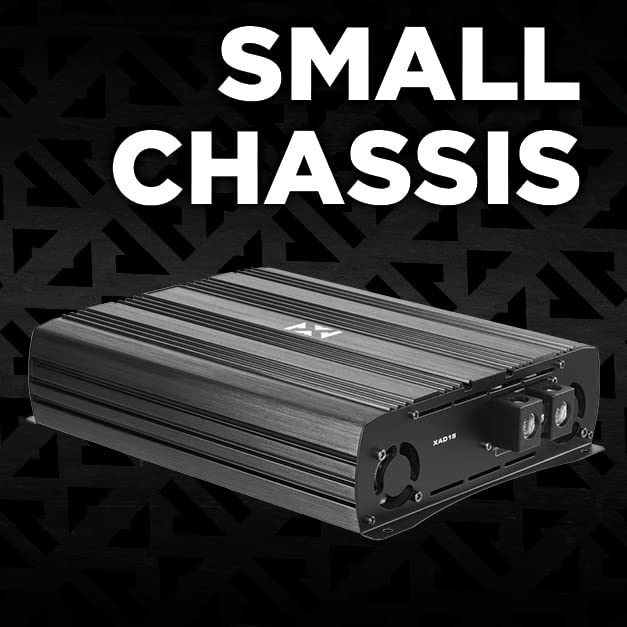
Image: The NVX XAD15 amplifier showcasing its compact chassis design, which allows for versatile mounting options in a vehicle.
4.2 Wiring Connections
Before making any connections, ensure the vehicle's battery negative terminal is disconnected.

Image: Close-up view of the NVX XAD15 amplifier's power input terminals, labeled +12V, REM (Remote), and GND (Ground).
- Power (+12V): Connect a high-gauge power wire (e.g., 4 AWG or larger for 5000W RMS) directly from the positive terminal of the vehicle's battery to the amplifier's +12V terminal. Install an appropriate fuse holder (ANL or Mini-ANL) within 18 inches of the battery.
- Ground (GND): Connect a high-gauge ground wire of the same size as the power wire from the amplifier's GND terminal to a clean, unpainted metal surface of the vehicle's chassis. Ensure a solid, low-resistance connection.
- Remote (REM): Connect a smaller gauge wire (e.g., 18 AWG) from the amplifier's REM terminal to the remote turn-on output of your head unit. This wire tells the amplifier to turn on when the head unit is active.
- RCA Input: Connect RCA cables from the pre-amp output of your head unit to the "INPUT" RCA jacks on the amplifier.
- Speaker Output: Connect your subwoofer(s) to the "SPEAKER OUTPUT" terminals. Ensure correct polarity (+ to + and - to -). The XAD15 is 1-Ohm stable, allowing for flexible wiring configurations for your subwoofers to achieve a 1-Ohm load.

Image: Rear view of the NVX XAD15 amplifier showing the input (RCA), output (speaker terminals), and control knobs for Subsonic, LPF, Gain, and Bass Boost.
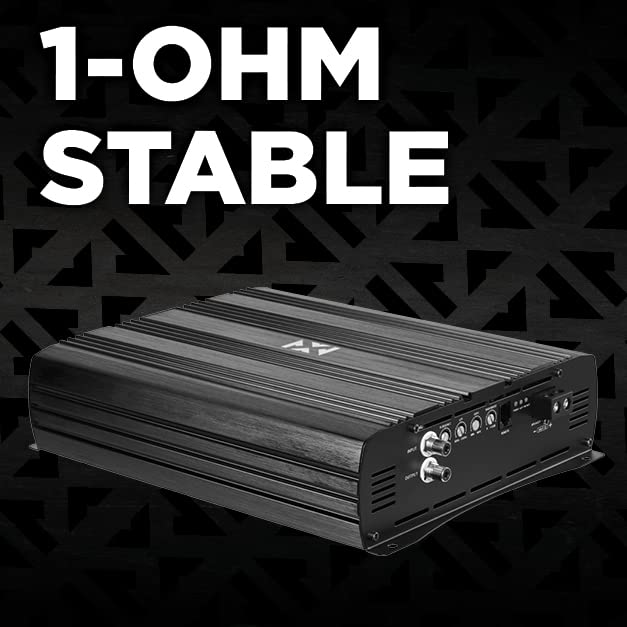
Image: Promotional image highlighting the 1-Ohm stable capability of the NVX XAD15 amplifier, indicating its ability to handle low impedance loads for powerful subwoofer performance.
5. Operating Instructions
Once installed, the amplifier requires proper adjustment to achieve optimal sound quality and prevent damage.
5.1 Initial Power-Up
After all connections are made and double-checked, reconnect the vehicle's negative battery terminal. Turn on your head unit. The amplifier's power indicator should illuminate.
5.2 Adjusting Controls
- Gain (Level) Control: This adjusts the input sensitivity of the amplifier to match the output voltage of your head unit. Start with the gain set to minimum. Play a familiar track with full dynamic range. Slowly increase the gain until you hear distortion, then back off slightly. This is NOT a volume control.
- Low Pass Filter (LPF): This control allows only frequencies below the set point to pass through to the subwoofer. Typically set between 80Hz and 120Hz for subwoofers, depending on your system and preference.
- Subsonic Filter: This filter removes extremely low frequencies that are below the audible range and can cause damage to subwoofers without producing sound. Set this typically 5-10Hz below your subwoofer's port tuning frequency (if ported) or around 20-30Hz for sealed enclosures.
- Bass Boost: This control provides an increase in output at a specific frequency (e.g., 45Hz). Use sparingly, as excessive bass boost can lead to distortion and potential damage to your subwoofers.
5.3 Remote Bass Level Control
The included wired remote bass level control allows for convenient adjustment of the subwoofer output level from the driver's seat. Connect the remote to the "REMOTE" port on the amplifier. This control adjusts the overall output level of the amplifier, allowing you to fine-tune the bass intensity on the fly.

Image: Close-up of the NVX wired remote bass level control, featuring a rotary knob for adjusting the Class D level (Min to Max) and a power indicator light.
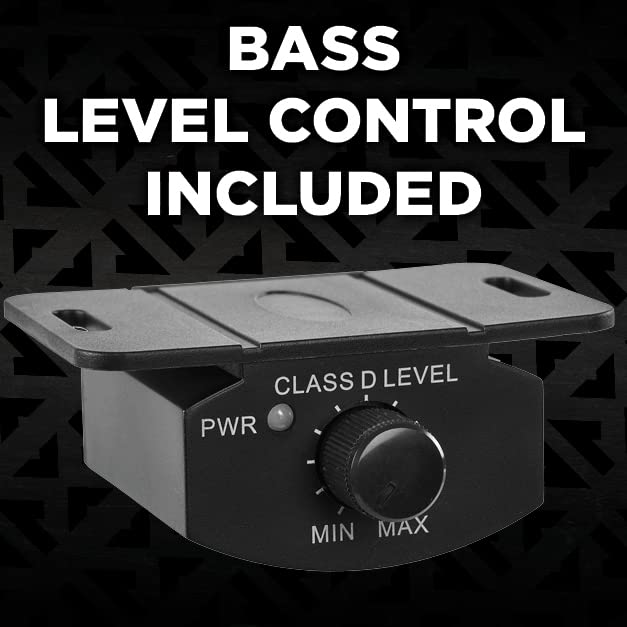
Image: The NVX wired remote bass level control, highlighting its inclusion with the amplifier for convenient bass adjustment.
6. Maintenance
Your NVX XAD15 amplifier is designed for reliable operation with minimal maintenance. However, periodic checks can help ensure its longevity.
- Cleaning: Use a soft, dry cloth to wipe down the amplifier's exterior. Do not use liquid cleaners or solvents. Ensure cooling fins are free of dust and debris.
- Connection Check: Periodically inspect all power, ground, remote, RCA, and speaker connections to ensure they are secure and free from corrosion. Loose connections can cause performance issues or damage.
- Ventilation: Ensure the amplifier's mounting location remains clear of obstructions to maintain proper airflow.
7. Troubleshooting
If you experience issues with your amplifier, refer to the following common problems and solutions before contacting support.
| Problem | Possible Cause | Solution |
|---|---|---|
| Amplifier does not turn on (no power light). |
|
|
| No sound from subwoofer. |
|
|
| Amplifier goes into protection mode (red light). |
|
|
| Distorted sound. |
|
|
8. Specifications
Detailed technical specifications for the NVX XAD15 Monoblock Amplifier.
| Feature | Specification |
|---|---|
| Model Number | NVX XAD15 |
| RMS Power Output | 5000W Total RMS |
| Frequency Response | 10 - 300 Hz |
| Minimum Impedance | 1-Ohm Stable |
| Amplifier Class | Class D (Full Bridge) |
| Power Supply | Pulse Width Modulated (PWM) MOSFET |
| Protection Circuitry | 3-Way (Thermal, Overload, Speaker Shortage) |
| Dimensions (W x L x H) | 10.5" x 8.75" x 2.5" (26.67 cm x 22.23 cm x 6.35 cm) |
| Voltage | 12 Volts (DC) |
| Number of Channels | 1 (Monoblock) |
| Certifications | CE, CSA, FCC, RoHS, TUV, WEEE |
| UPC | 810021843339 |
9. Warranty and Support
NVX products are designed for durability and performance. For specific warranty details, including coverage period and terms, please refer to the warranty card included with your product or visit the official NVX website. Keep your proof of purchase for warranty claims.
For technical support, troubleshooting assistance beyond this manual, or warranty inquiries, please contact NVX customer service through their official website or authorized dealer where the product was purchased.
Online Resources:
- Official NVX Website: www.nvx.com (Please note: This is a placeholder URL, refer to actual product documentation for correct URL)
Related documentsNVX XAD15


Ask a question about this manual
Ask about setup, troubleshooting, compatibility, parts, safety, or missing instructions. Manuals+ will review the question and use this page’s manual context to help answer it.