
Rastar 75100
Rastar McLaren P1 Remote Control Car User Manual
Model: 75100
1. Introduction
Thank you for purchasing the Rastar McLaren P1 Remote Control Car. This manual provides essential information for the safe and proper operation, maintenance, and troubleshooting of your new RC car. Please read this manual thoroughly before use and retain it for future reference.
2. Product Features
- Authentic McLaren P1 design with detailed interior and exterior.
- Full function remote control: forward, backward, left, and right steering.
- Working front and rear lights.
- Integrated sound effects.
- Durable rubber tires for enhanced grip.
- Constructed from high-quality plastic and metal components.
- Scale: 1:14.
- Enhances mental skills, visual-motor coordination, and motor skills.
3. Safety Information
WARNING: CHOKING HAZARD - Small parts. Not for children under 3 years.
- This toy is suitable for children aged 6 years and above.
- Always operate the toy under parental or adult supervision.
- Keep the toy away from flame sources, direct sunlight, and extreme temperatures.
- Avoid exposing the toy to water or excessive moisture.
- Do not modify or disassemble the toy or its components.
- Ensure all battery compartments are securely closed to prevent battery leakage or ingestion.
4. Package Contents
- 1 x Rastar McLaren P1 Remote Control Car
- 1 x Remote Control Transmitter
- 1 x User Manual (this document)
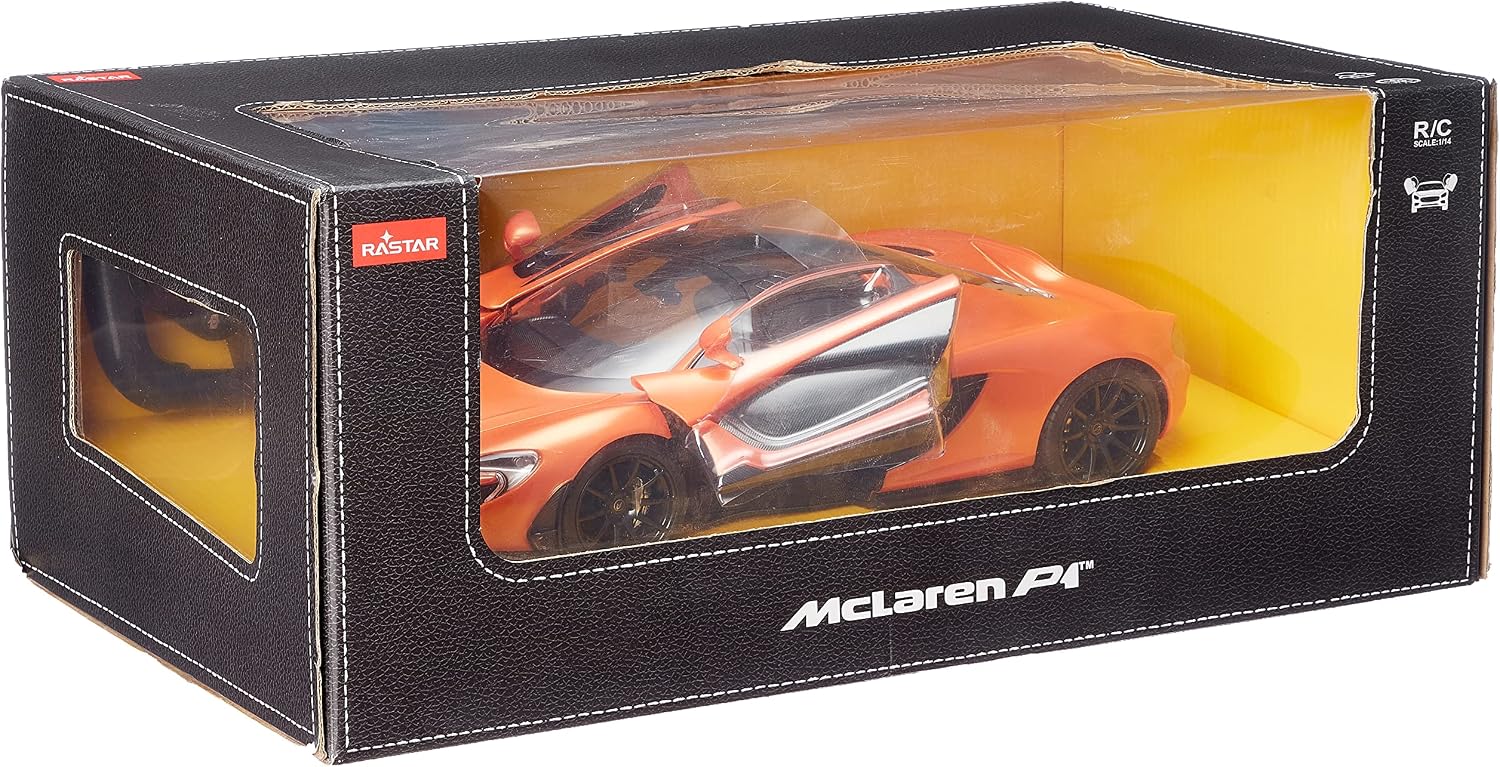
Image: The Rastar McLaren P1 RC car displayed within its retail packaging, showing the car and the remote control.
5. Setup
5.1 Battery Installation
The car and remote control require batteries for operation. Batteries are not included.
- For the Car:
Locate the battery compartment on the underside of the car. Open the cover using a screwdriver if necessary. Insert 5 x 'AA' size batteries, ensuring correct polarity (+/-). Close the battery compartment cover securely. - For the Remote Control:
Locate the battery compartment on the back of the remote control. Open the cover. Insert 2 x 'AA' or 'AAA' size batteries (typically 2 AA, but check markings inside the compartment), ensuring correct polarity (+/-). Close the battery compartment cover securely.

Image: The orange Rastar McLaren P1 remote control car positioned next to its black steering wheel-shaped remote control.
5.2 Pairing (Initial Use)
Most Rastar RC cars automatically pair with their remote controls upon first power-on. Ensure both the car and the remote control have fresh batteries installed and are turned ON. The car's lights may flash briefly to indicate successful pairing.
6. Operating Instructions
Once batteries are installed and the car is paired, you can begin operation.
- Power On/Off: Use the ON/OFF switch located on the underside of the car and on the remote control.
- Forward: Push the forward lever/button on the remote control.
- Backward: Push the backward lever/button on the remote control.
- Turn Left: While moving forward or backward, use the left steering control.
- Turn Right: While moving forward or backward, use the right steering control.
- Lights & Sounds: The car features working lights and sounds that activate during operation. Specific buttons for these features may be present on the remote control, or they may activate automatically.

Image: A detailed rear view of the orange Rastar McLaren P1 remote control car, highlighting its design and rear lights.
7. Maintenance
- Cleaning: Wipe the car and remote control with a soft, dry cloth. Do not use water or chemical cleaners.
- Battery Care: Always remove batteries from the car and remote control when not in use for extended periods to prevent leakage.
- Storage: Store the toy in a cool, dry place, away from direct sunlight and extreme temperatures.
8. Troubleshooting
| Problem | Possible Cause | Solution |
|---|---|---|
| Car does not move or respond. | Batteries are low or incorrectly installed. Car or remote is turned off. | Replace batteries in both car and remote. Ensure correct polarity. Turn on both devices. |
| Poor range or intermittent control. | Low batteries. Interference from other electronic devices. Too far from the car. | Replace batteries. Move to an area with less interference. Operate within recommended range. |
| Lights or sounds not working. | Low batteries. Feature not activated. | Replace batteries. Ensure car is turned on and operating. |
9. Specifications
| Feature | Detail |
|---|---|
| Brand | Rastar |
| Model | 75100 |
| Scale | 1:14 |
| Material Type | Plastic, Metal |
| Power Source (Car) | 5 x AA Batteries (not included) |
| Power Source (Remote) | 2 x AA/AAA Batteries (not included) |
| Recommended Age | 6 years and above |
| Educational Objectives | Motor skills, Hand-eye coordination |
| Shipping Dimensions | 43 x 21 x 5 cm |
| Item Weight | 1.2 kg |
10. Warranty and Support
For warranty information or technical support, please refer to the product packaging or contact the manufacturer, Rastar, directly through their official website or customer service channels. Keep your purchase receipt as proof of purchase.
Related documents75100


Ask a question about this manual
Ask about setup, troubleshooting, compatibility, parts, safety, or missing instructions. Manuals+ will review the question and use this page’s manual context to help answer it.