
Redragon K601-RGB
Redragon DITI K601-RGB One-Handed Gaming Keyboard Instruction Manual
Introduction
Welcome to the instruction manual for your new Redragon DITI K601-RGB One-Handed Gaming Keyboard. This compact mechanical keyboard is designed for competitive gaming, offering programmable macro keys, customizable RGB backlighting, and durable blue mechanical switches for a tactile and responsive experience. This manual will guide you through the setup, operation, maintenance, and troubleshooting of your device.

Image: The Redragon DITI K601-RGB One-Handed Gaming Keyboard showcasing its compact design and vibrant RGB backlighting.
Safety Information
- Keep the keyboard away from liquids and excessive moisture.
- Avoid extreme temperatures.
- Do not attempt to disassemble or modify the keyboard. This may void your warranty and cause damage.
- Clean the keyboard with a soft, dry cloth. Avoid harsh chemicals.
- This product is not water-resistant.
Package Contents
Please check the package contents upon unboxing to ensure all items are present:
- Redragon DITI K601-RGB One-Handed Gaming Keyboard
- USB Cable
- User Manual (this document)
Setup Guide
1. Connecting the Keyboard
- Locate an available USB port on your PC or laptop.
- Plug the USB connector of the Redragon DITI K601-RGB keyboard into the USB port.
- The operating system will automatically detect and install the necessary drivers.
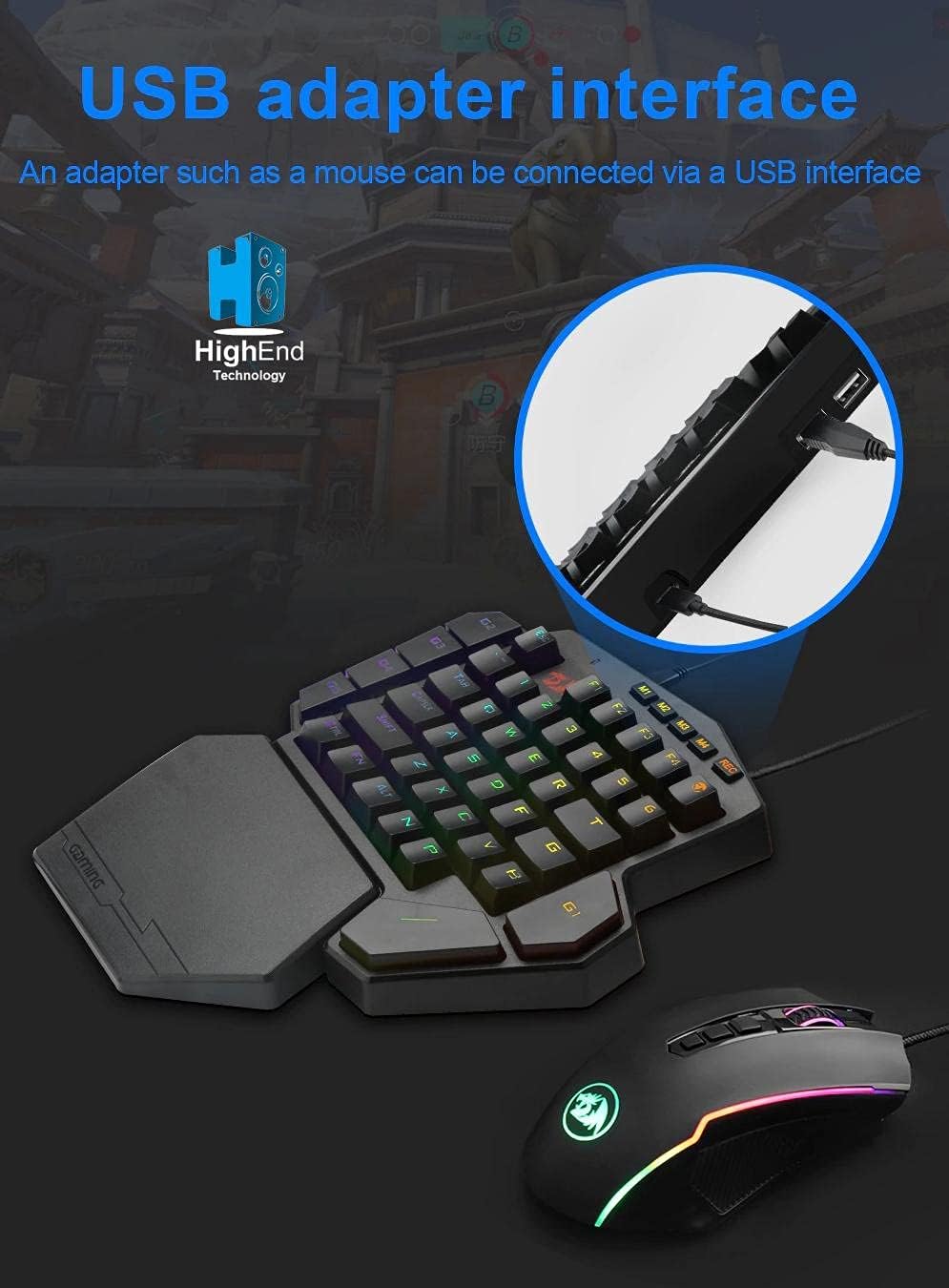
Image: Illustrates connecting the Redragon DITI K601-RGB keyboard via its USB interface to a computer.
2. Driver and Software Installation (Optional for Advanced Features)
For full customization, including macro programming and advanced RGB lighting effects, it is recommended to install the Redragon software.
- Visit the official Redragon website (www.redragonzone.com) and navigate to the support or downloads section.
- Search for the DITI K601-RGB model and download the latest driver and software package.
- Follow the on-screen instructions to complete the installation.
Operating Instructions
Basic Key Functions
The DITI K601-RGB features a compact layout optimized for gaming. Standard keys function as labeled.

Image: Close-up view of the Redragon DITI K601-RGB keyboard, highlighting the dustproof blue mechanical switches and keycap design.
Macro Programming
The keyboard supports custom macro programming for enhanced in-game control. This feature is managed through the Redragon software.
- Open the Redragon DITI K601-RGB software.
- Navigate to the "Macro" tab or section.
- Create a new macro by recording key presses and delays.
- Assign the created macro to one of the programmable keys (e.g., G1-G5 or M1-M4, if available on your model).
- Save your profile.

Image: Screenshot of the Redragon DITI K601-RGB software's main page, illustrating the custom macro programming interface and profile management.
RGB Lighting Customization
Customize the RGB backlighting to match your setup or mood using the dedicated software.
- In the Redragon software, locate the "Light" or "RGB" settings.
- Choose from various preset lighting effects or create your own custom patterns.
- Adjust brightness, speed, and color schemes.
- Save your preferred lighting profile.
Maintenance
Cleaning
- Disconnect the keyboard from your computer before cleaning.
- Use a soft, lint-free cloth to wipe down the surface of the keyboard.
- For dust and debris between keys, use compressed air.
- Do not use liquid cleaners, solvents, or abrasive materials.
Storage
Store the keyboard in a cool, dry place away from direct sunlight and extreme temperatures when not in use for extended periods.
Troubleshooting
Keyboard Not Responding
- Ensure the USB cable is securely plugged into both the keyboard and the computer.
- Try plugging the keyboard into a different USB port.
- Restart your computer.
- Check your computer's Device Manager to see if the keyboard is recognized. Reinstall drivers if necessary.
Keys Not Working Correctly
- Clean around the affected keys with compressed air to remove any debris.
- If using custom macros, ensure they are correctly programmed and assigned in the software.
- Test the keyboard on another computer to rule out system-specific issues.
RGB Lighting Issues
- Ensure the Redragon software is running and the lighting settings are correctly configured.
- Check for any firmware updates for the keyboard on the Redragon website.
- Reset lighting settings to default within the software.
Product Specifications
| Brand | Redragon |
| Model Number | K601-RGB |
| Connectivity | Wired USB |
| Compatible Devices | PC, Laptop |
| Keyboard Type | Mechanical Gaming Keyboard |
| Switch Type | Blue Mechanical Switches |
| Special Features | Programmable Macro Keys, Customizable RGB Lighting, Gaming Design |
| Color | Black |
| Recommended Use | Gaming (FPS, LoL, PUBG) |
| Keyboard Layout | Compact QWERTY (One-Handed) |
| Water Resistance | Not Water Resistant |
| Included Components | USB Cable |
Warranty Information
Redragon products typically come with a limited manufacturer's warranty. Please refer to the warranty card included with your product or visit the official Redragon website for detailed warranty terms and conditions specific to your region. Keep your proof of purchase for warranty claims.
Customer Support
If you encounter any issues or have questions not covered in this manual, please contact Redragon customer support.
- Website: www.redragonzone.com (Check for regional support contacts)
- Email: Refer to the website for specific contact emails.
- Phone: Refer to the website for specific contact numbers.
Related Documents - K601-RGB
 |
Redragon K585 DITI Keyboard Software and Firmware Guide Comprehensive guide to installing the Redragon K585 DITI mechanical gaming keyboard software, updating firmware, and using the FAQ section for common questions on lighting, macros, and customization. |
 |
Redragon Diti Pro Wireless Mechanical Keyboard User Guide User guide for the Redragon Diti Pro Wireless Mechanical Keyboard, covering setup, connectivity (2.4G, Bluetooth, Wired), charging, battery status, sleep mode, software, and macro functions. |
 |
Redragon K580 RGB Mechanical Keyboard Cheat Sheet & Shortcuts Quick reference guide for Redragon K580 RGB mechanical keyboard shortcuts, covering macro recording, clearing macros, and RGB lighting adjustments. |
 |
Redragon Kitava Wired Mechanical Gaming Keyboard Operating Instructions Comprehensive operating instructions for the Redragon Kitava wired mechanical gaming keyboard, detailing OS support, key function mappings, backlight customization, gaming modes, recording features, and frequently asked questions. |
 |
Redragon VATA K580 Mechanical Gaming Keyboard User Manual User manual for the Redragon VATA K580 mechanical gaming keyboard, covering function introductions, OS support, compatibility, LED controls, FN key combinations, and RoHS compliance. |
 |
Redragon DITI ELITE K585RGB-KS/8469 Mechanical Gaming Keyboard Operating Instructions Official operating instructions and guide for the Redragon DITI ELITE K585RGB-KS/8469 mechanical gaming keyboard, covering wired and wireless connection, function introduction, macro recording, and troubleshooting. |
Ask a question about this manual
Ask about setup, troubleshooting, compatibility, parts, safety, or missing instructions. Manuals+ will review the question and use this page’s manual context to help answer it.