
Introduction
This user manual provides comprehensive instructions for the LG AN-MR300 Magic Remote Control. It covers setup, operation, maintenance, and troubleshooting to ensure optimal use of your device. Please read this manual thoroughly before using the remote control.
Product Overview
The LG AN-MR300 Magic Remote Control is designed to enhance your television viewing experience with intuitive control methods. Its key features include:
- Gestures: Supports modern gesture commands for quick actions.
- Motion Control: Allows for pointing, clicking, dragging, and dropping items on your screen.
- Wheel Function: Enables convenient page scrolling and zooming.
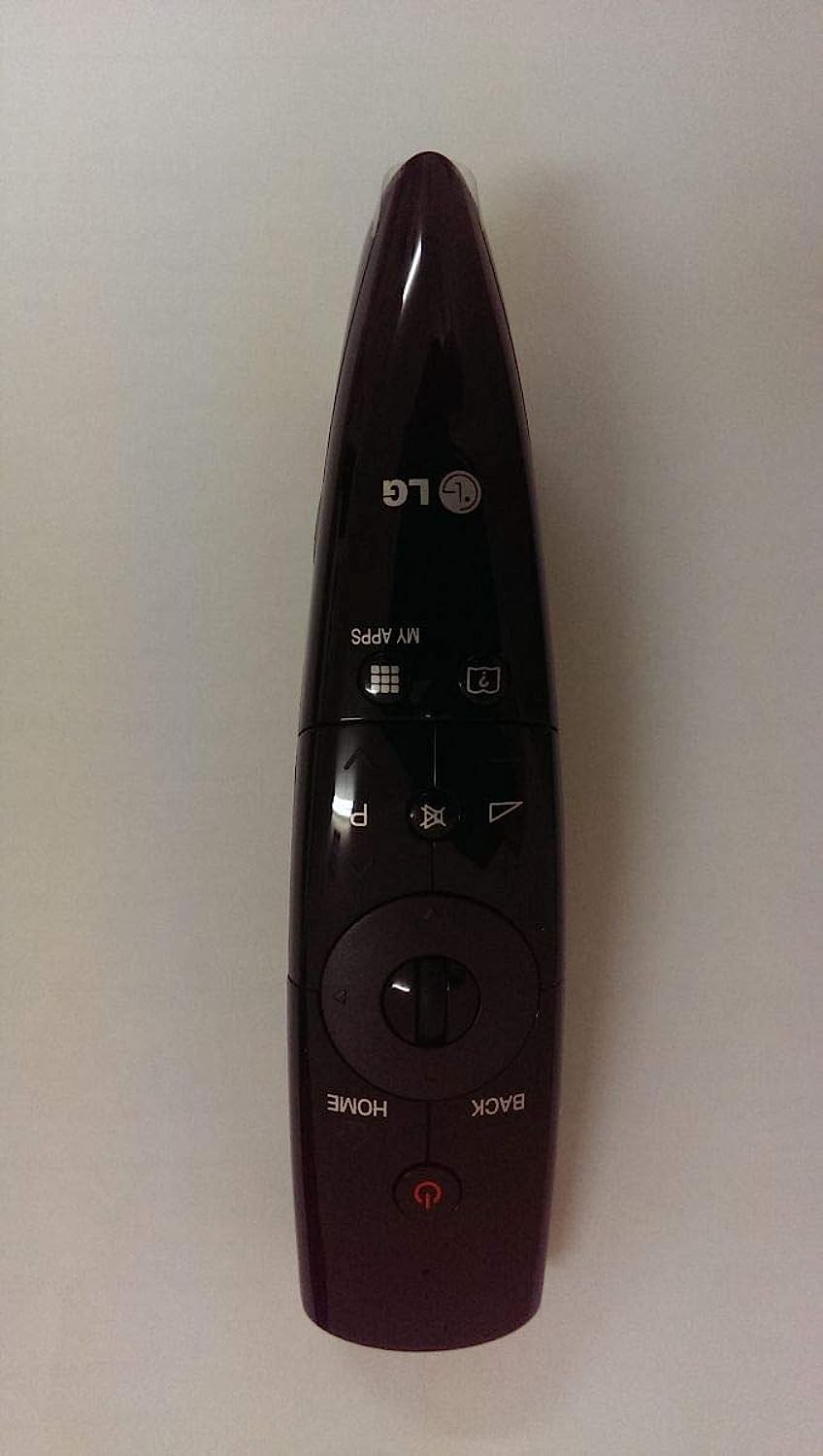
Image: Front view of the LG AN-MR300 Magic Remote Control, highlighting its ergonomic design and key control elements including the scroll wheel.
Setup
- Insert Batteries: Open the battery cover on the back of the remote control. Insert two new AA batteries, ensuring correct polarity (+ and -). Close the battery cover securely.
- Pairing with TV:
- Turn on your LG Smart TV.
- Point the Magic Remote towards your TV.
- Press the Wheel (OK) button. The remote will automatically register to your TV.
- If registration fails, turn the TV off and on again, then repeat the pairing process.
- Re-registration: To re-register the Magic Remote, press and hold the HOME and BACK buttons simultaneously for 5 seconds. The remote will unpair, and you can then re-register it by pressing the Wheel (OK) button.
Operating Instructions
The LG AN-MR300 Magic Remote offers several ways to interact with your television:
- Pointing and Clicking: Move the remote to control the on-screen pointer. Press the Wheel (OK) button to select items.
- Scrolling with the Wheel: Rotate the wheel to scroll through menus, web pages, or channel lists. Press the wheel button to confirm selections.
- Gesture Commands: Certain applications or TV functions may support specific gesture commands. Refer to your TV's on-screen guide for available gestures.
- Voice Recognition (if supported by TV): Press and hold the Voice button (if present) and speak into the remote to use voice commands.
Maintenance
- Battery Replacement: When the remote's performance degrades or the TV indicates low battery, replace both AA batteries with new ones. Do not mix old and new batteries, or different types of batteries.
- Cleaning: Wipe the remote control with a soft, dry cloth. Do not use liquid cleaners or abrasive materials, as they may damage the surface or internal components.
- Storage: Store the remote in a cool, dry place away from direct sunlight and extreme temperatures. If not used for an extended period, remove the batteries to prevent leakage.
Troubleshooting
| Problem | Possible Cause / Solution |
|---|---|
| Remote is not responding. |
|
| Pointer does not appear on screen. |
|
| Wheel function is not working. |
|
Specifications
| Feature | Detail |
|---|---|
| Brand | LG |
| Model Number | AN-MR300 |
| Item Weight | 11 grams |
| Special Features | Wheel, Gestures, Motion Control |
| Compatible Devices | Television (LG Smart TVs) |
| Connectivity Technology | Infrared (IR) |
| Controller Type | Gestures, Motion, Wheel Control |
Warranty and Support
For warranty information, technical support, or service inquiries, please refer to the documentation included with your LG television or visit the official LG website. Keep your purchase receipt for warranty claims.
You can find additional support resources and contact information on the official LG support page: www.lg.com/support