
1. Important Safety Information
Please read all instructions carefully before using your Ninja Professional Blender NJ601AMZ. Failure to follow these instructions may result in electric shock, fire, or serious injury.
- Always ensure the appliance is unplugged from the electrical outlet before assembling, disassembling, adding ingredients, or cleaning.
- Do not immerse the motor base in water or other liquids.
- Blades are sharp. Handle the Total Crushing Blades assembly with care to avoid injury.
- Always operate the blender with the lid securely locked in place. The blender features a safety interlock system that prevents operation if the pitcher and lid are not correctly assembled.
- Do not blend hot liquids in the pitcher as pressure buildup may result in injury.
- Keep hands and utensils out of the pitcher while blending to reduce the risk of severe injury to persons or damage to the blender.
- This appliance is intended for household use only.
2. What's Included
Your Ninja Professional Blender NJ601AMZ package includes the following components:
- 1000-Watt Motor Base: The powerful base that drives the blending process.
- 72 oz. Pitcher with Pour Spout: A large capacity pitcher, with a maximum liquid capacity of 64 oz., designed for family-sized batches.
- Total Crushing Blades Assembly: A unique stacked blade design for efficient ice crushing and blending.
- Pitcher Lid: Features a secure locking mechanism and a pour spout for easy serving.
- 10-Recipe Inspiration Guide: A booklet with various recipes to get you started.

Image: The Ninja Professional Blender NJ601AMZ, showcasing the motor base and the large 72 oz pitcher with its lid.
3. Setup
Follow these steps to properly set up your blender before first use:
- Place the motor base on a clean, dry, and level surface.
- Carefully place the Total Crushing Blades assembly onto the drive gear inside the pitcher. The blades are very sharp, handle with care.
- Place the pitcher onto the motor base, aligning the arrow on the pitcher handle with the arrow on the motor base. Turn the pitcher clockwise until it clicks into place.
- Place the lid onto the pitcher, aligning the arrow on the lid with the arrow on the pitcher handle. Press down firmly until the lid clicks into place. The handle on the lid must be fully down for the blender to operate.
Video: Demonstrates the assembly of the Ninja Professional Blender, including placing the pitcher on the motor base and securing the lid. It highlights the locking mechanism for safe operation.
4. Operating Instructions
Your Ninja Professional Blender is designed for versatile blending tasks. Here's how to use it:
- Add Ingredients: Place your desired ingredients into the pitcher. Ensure the liquid capacity does not exceed the 64 oz. MAX LIQUID line.
- Secure Lid: Firmly attach the lid to the pitcher until it clicks into place. The blender will not operate if the lid is not properly secured.
- Select Speed: Plug the blender into a power outlet. The POWER button will illuminate. Choose your desired blending speed:
- LOW: For light mixing and pureeing.
- MEDIUM: For general blending and mixing.
- HIGH: For tough ingredients, ice crushing, and maximum power.
- PULSE: For controlled chopping and short bursts of power. Hold down for desired duration.
- Blend: Press the selected speed button to begin blending.
- Stop: Press the POWER button to stop the blending cycle.
- Pour: Press the RELEASE button on the lid handle to unlock the lid. Use the pour spout for easy serving or remove the entire lid and blade assembly.
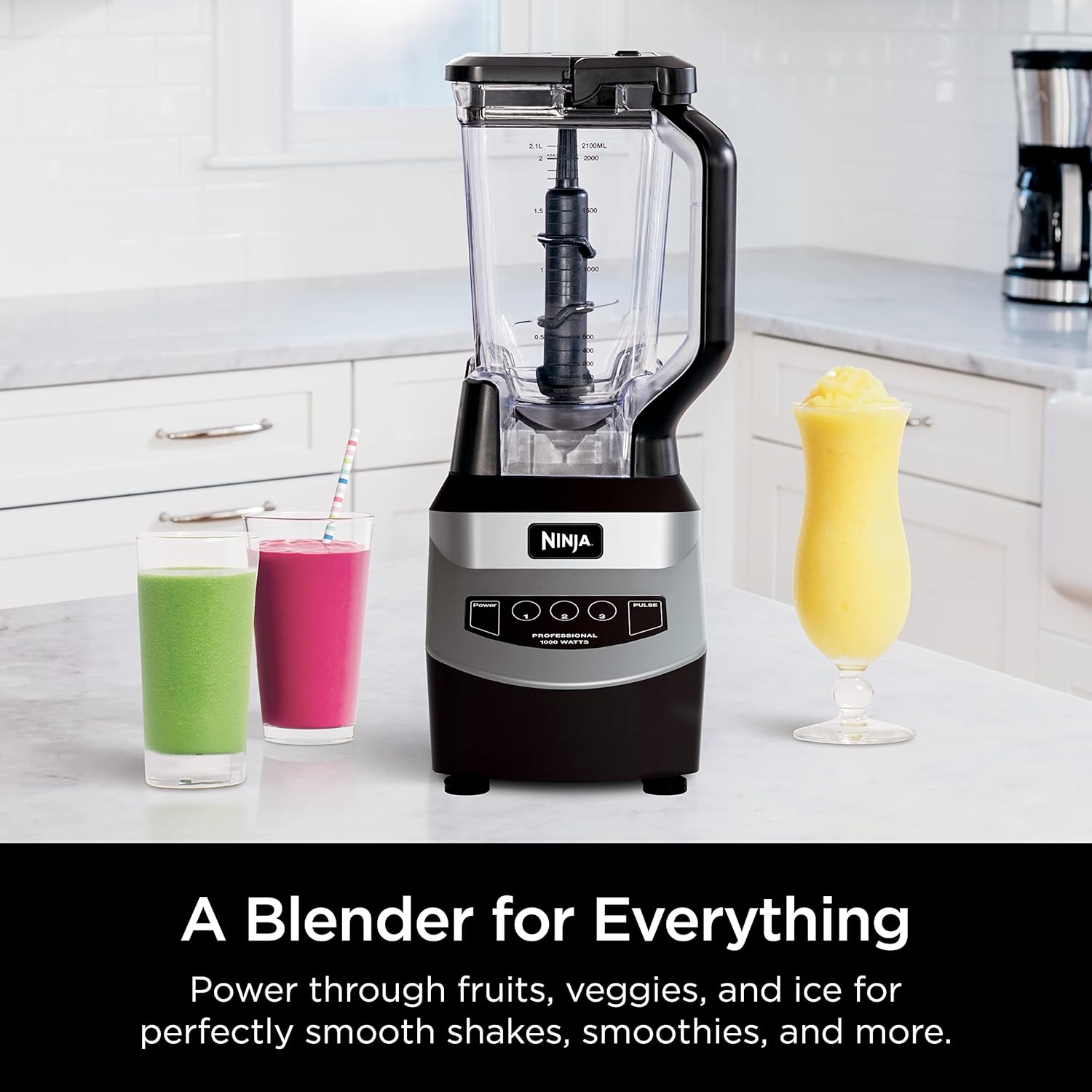
Image: The Ninja Professional Blender NJ601AMZ in action, blending a green smoothie to a smooth consistency.
Video: A detailed demonstration of the Ninja Professional Blender's power and controls, including ice crushing capabilities and various speed settings.
5. Care and Maintenance
Proper care ensures the longevity and optimal performance of your blender.
- Cleaning: The pitcher, lid, and Total Crushing Blades assembly are BPA-free and dishwasher safe. For best results, wash immediately after use.
- Hand Washing: If hand washing, use warm, soapy water and a non-abrasive cloth or sponge. Exercise extreme caution when cleaning the blades as they are very sharp.
- Motor Base: Wipe the motor base with a clean, damp cloth. Do not immerse the motor base in water.
- Storage: Store the blender assembled with the lid securely in place, or store components separately in a safe location.

Image: The pitcher and blade assembly of the Ninja Professional Blender are shown being placed into a dishwasher, illustrating the ease of cleaning.
6. Troubleshooting
If you encounter any issues with your blender, refer to the following common problems and solutions:
- Blender does not turn on:
- Ensure the power cord is securely plugged into a working electrical outlet.
- Verify that the pitcher and lid are correctly assembled and locked onto the motor base. The safety interlock system prevents operation if not properly secured.
- Ingredients are not blending smoothly or get stuck:
- Add more liquid to the mixture.
- Use the PULSE function to break down larger pieces before continuous blending.
- Ensure the pitcher is not overfilled beyond the MAX LIQUID line.
- Lid is difficult to remove:
- Press the RELEASE button on the lid handle firmly to disengage the locking mechanism.
7. Specifications
| Model Number | NJ601AMZ |
| Power | 1000 Watts |
| Pitcher Capacity | 72 oz. (64 oz. Max Liquid) |
| Number of Speeds | 3 (Low, Medium, High) + Pulse |
| Material | BPA-Free Plastic (Pitcher) |
| Dimensions (D x W x H) | 5.87" x 7.87" x 17.32" |
| Weight | 7.28 pounds |
8. Warranty and Support
Your Ninja Professional Blender NJ601AMZ comes with a limited warranty. For specific details regarding your warranty coverage, please refer to the warranty card included in your product packaging or visit the official Ninja website.
For customer support, replacement parts, or additional troubleshooting not covered in this manual, please contact Ninja customer service through their official website or the contact information provided in your product documentation.


