
1. Product Overview
The Mondaine Official Swiss Railway Magnet Clock is a compact timepiece designed for versatile placement. It features a 50-mm brushed matte aluminum case and magnets on its reverse side, allowing attachment to metal surfaces. The clock also includes a small metal stand for use as a table clock. Its design incorporates the distinctive Swiss railway clock dial with minute, hour, and red seconds hands, ensuring clear readability.
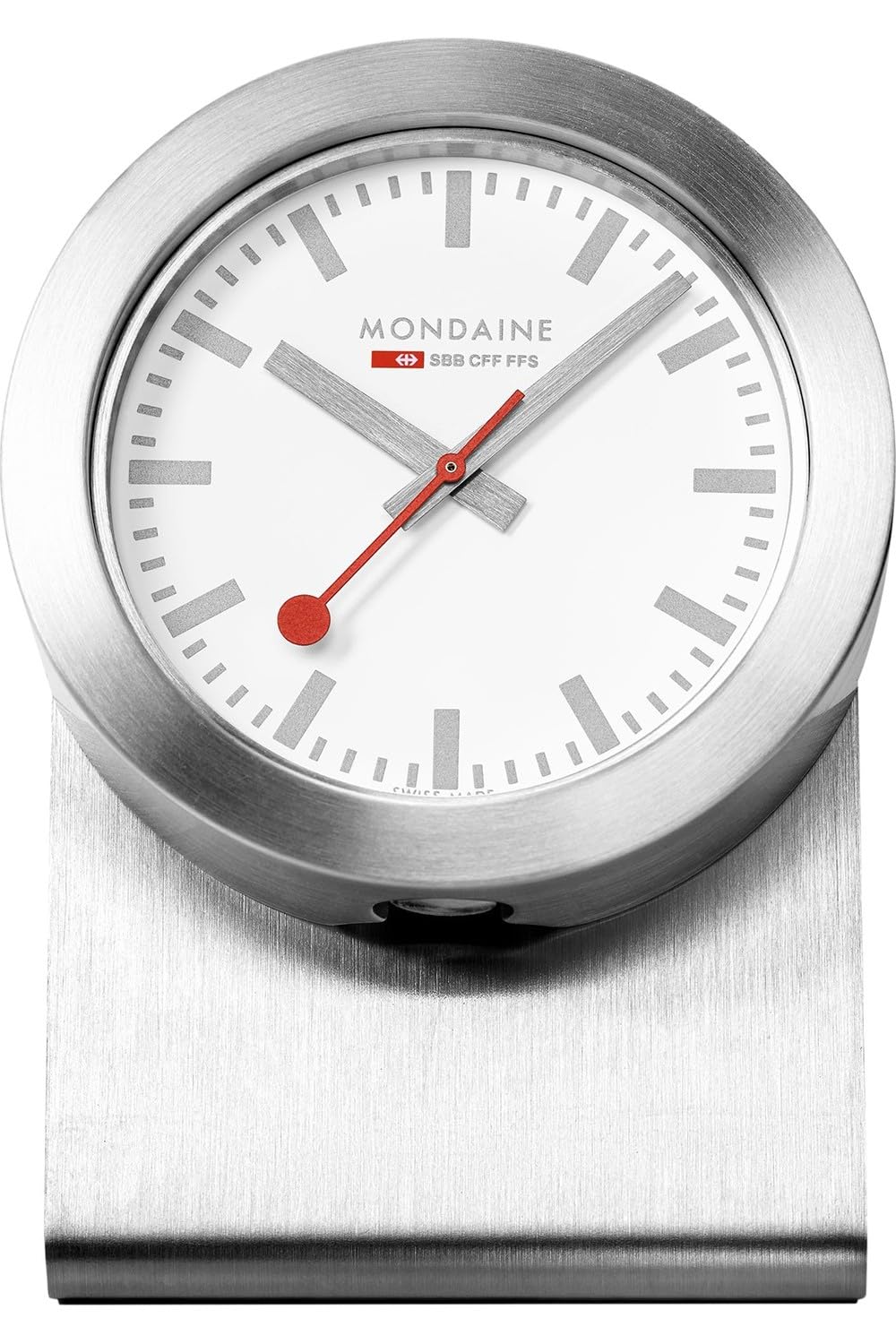
Image 1.1: The Mondaine A660.30318.82SBV Modern Style Magnetic Clock, showcasing its classic dial and compact design.
2. Package Contents
Please verify that all items are present in the package:
- Mondaine A660.30318.82SBV Magnetic Clock
- 1 x Product Specific Battery (pre-installed or separate)
- Small Metal Stand
3. Setup
3.1 Battery Installation
- Locate the battery compartment on the back of the clock.
- If a battery is not pre-installed, insert the provided product-specific battery, ensuring the correct polarity (+/-).
- Close the battery compartment cover securely.
3.2 Time Setting
- Locate the crown (small knob) on the side of the clock case.
- Gently pull the crown outwards until it clicks. The seconds hand will stop.
- Rotate the crown to adjust the hour and minute hands to the correct time.
- Once the time is set, push the crown back into its original position. The seconds hand will resume movement.
3.3 Placement Options
- Magnetic Attachment: The clock features magnets on its reverse side. Attach it directly to any suitable metal surface such as a refrigerator door, file cabinet, or magnetic board. Ensure the surface is clean and dry for optimal adhesion.
- Table Clock: Insert the small metal stand into the designated slot on the back of the clock. Place the clock on a flat, stable surface.
4. Operating Instructions
The Mondaine Magnetic Clock operates continuously once the battery is installed and the time is set. It is a quartz movement clock, providing accurate timekeeping without the need for winding.
- The hour hand indicates the hour.
- The minute hand indicates the minute.
- The distinctive red seconds hand sweeps smoothly, indicating the seconds.
5. Maintenance
5.1 Cleaning
To clean the clock, gently wipe the case and crystal with a soft, dry, lint-free cloth. Avoid using abrasive cleaners, solvents, or chemical sprays, as these can damage the finish or internal components.
5.2 Battery Replacement
When the clock begins to lose time or the seconds hand stops moving, it is an indication that the battery needs to be replaced. Follow the battery installation steps (Section 3.1) to replace the old battery with a new product-specific battery.
5.3 Storage
If the clock will not be used for an extended period, it is recommended to remove the battery to prevent potential leakage and damage to the movement.
6. Troubleshooting
- Clock not running:
- Check if the battery is correctly installed with the proper polarity.
- Replace the battery with a new one.
- Ensure the crown is fully pushed in.
- Time is inaccurate:
- Replace the battery, as a weak battery can affect accuracy.
- Reset the time as described in Section 3.2.
- Clock does not adhere magnetically:
- Ensure the surface is made of a ferrous metal.
- Clean the magnetic surface and the back of the clock to remove any debris that might interfere with adhesion.
7. Specifications
| Movement Type | Quartz |
| Case Size/Diameter | 50 mm |
| Case Material | Aluminium |
| Crystal/Glass Material | Hardened Mineral |
| Product Dimensions | 1.97 x 1.5 x 1.97 inches |
| Item Weight | 14.1 ounces |
| Batteries Required | 1 Product Specific battery (included) |
| Item Model Number | 7611382602459 |
8. Warranty and Support
Mondaine products are manufactured to high-quality standards. This product is covered by a manufacturer's warranty against defects in materials and workmanship. Please refer to the warranty card included with your purchase or visit the official Mondaine website for specific warranty terms and conditions.
For technical support, service, or inquiries regarding your Mondaine clock, please contact Mondaine customer service through their official website or the retailer from whom you purchased the product. When contacting support, please have your model number (A660.30318.82SBV) and proof of purchase available.