
1. Important Safety Information
Please read all instructions carefully before operating your AIRDOCTOR AD5500 Air Purifier. Failure to follow these instructions may result in electric shock, fire, or serious injury.
- Always place the air purifier on a firm, level surface.
- Keep the unit at least 8 inches (20 cm) away from walls and furniture to ensure proper airflow.
- Do not block air inlets or outlets.
- Do not operate the unit near water or in excessively humid environments.
- Unplug the unit before cleaning or replacing filters.
- Use only genuine AIRDOCTOR replacement filters to maintain warranty and optimal performance.
- Keep out of reach of children and pets. Utilize the child lock feature when necessary.
2. Product Overview
The AIRDOCTOR AD5500 is a high-performance air purifier designed for extra-large spaces, featuring advanced 3-stage, dual-sided filtration to capture a wide range of airborne pollutants.
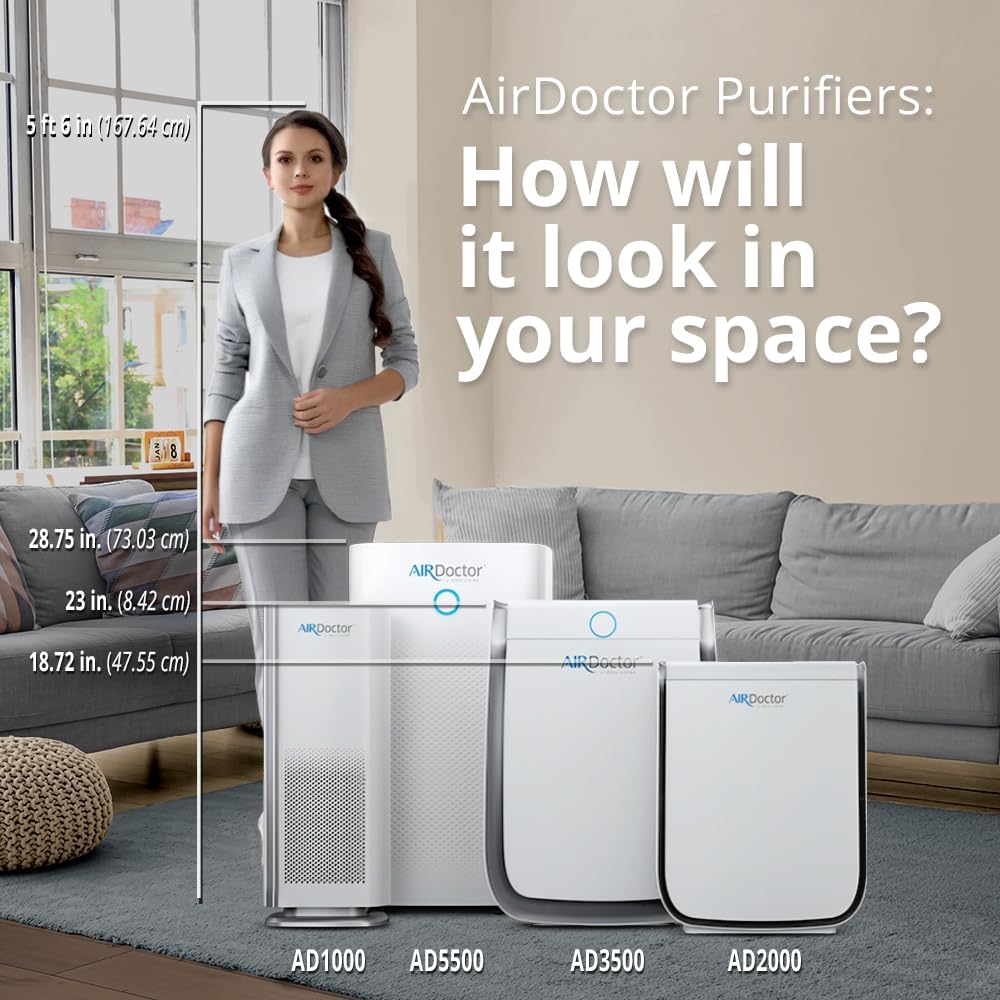
Figure 1: Front view of the AIRDOCTOR AD5500 Air Purifier.
Key Features:
- Maximum Coverage: Circulates air in 1043 sq. ft. 4x/hour or 2086 sq. ft. 2x/hour.
- 3-Stage Dual-Sided Filtration: Utilizes UltraHEPA and dual-action Carbon VOC filters.
- Effective UltraHEPA: Captures virtually 100% of airborne particles at 0.003 microns.
- Auto Mode & Air Quality Sensor: Automatically adjusts filtration based on real-time air quality.
- Whisper Jet Fans: 30% quieter than traditional air purifiers with 6 fan speeds.
- User-Friendly Display: Features night dim setting, optional ions, child lock, timer, auto/manual mode, and filter reset indicators.
3. Setup
3.1 Unpacking
- Carefully remove the air purifier from its packaging.
- Remove all plastic bags and protective materials from the unit and filters.
3.2 Filter Installation
The AD5500 comes with 1 UltraHEPA filter and 1 Carbon VOC filter. Ensure they are properly installed before first use.

Figure 2: Dual-sided 3-stage filtration system with UltraHEPA and Carbon VOC filters.
- Locate the filter compartment doors on the sides of the unit.
- Gently pull on the recessed handles to open the magnetic doors.
- Insert the UltraHEPA filter into its designated slot, ensuring a snug fit.
- Insert the Carbon VOC filter into its designated slot.
- Close the magnetic doors securely.
3.3 Placement Recommendations
Optimal placement enhances the purifier's effectiveness.
- Place the unit on the floor, as heavier pollutants tend to settle closer to the ground.
- Ensure at least 8 inches (20 cm) of clear space around all sides for unrestricted airflow.
- For best results, position the air purifier in a high-traffic area or a central location within your desired coverage zone.
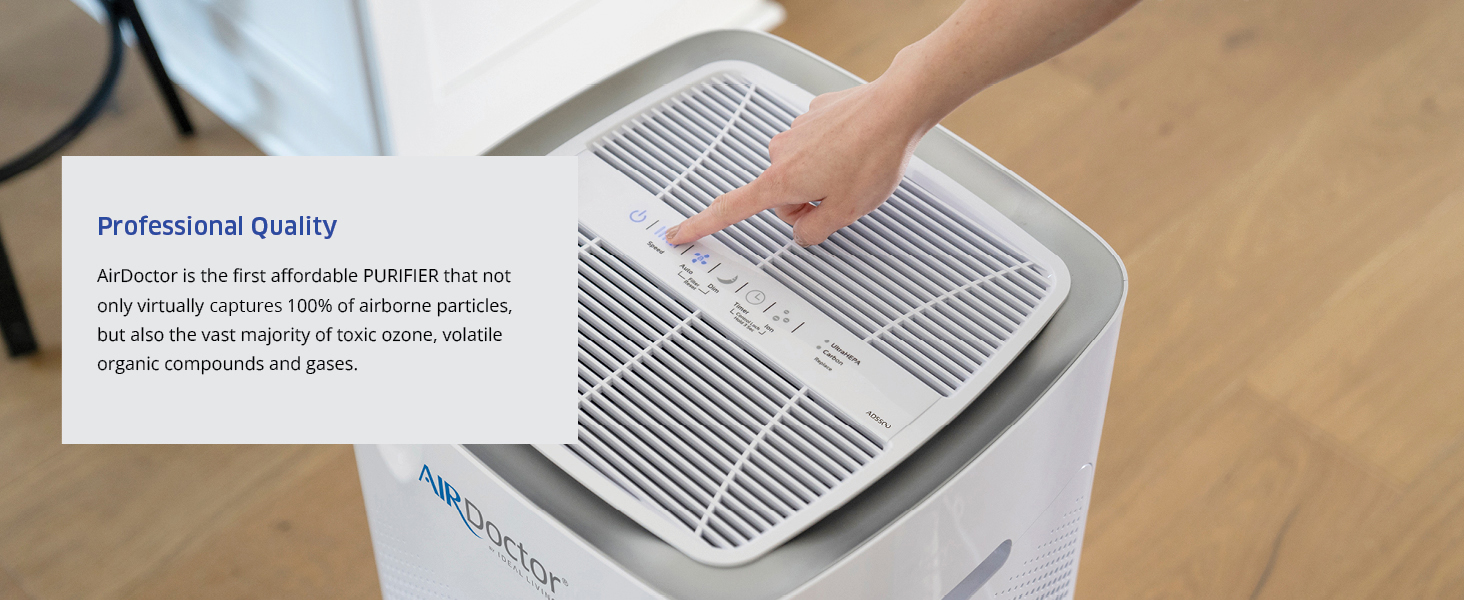
Figure 3: Recommended placement in a large living space.
4. Operating Instructions
The control panel is located on the top of the unit.
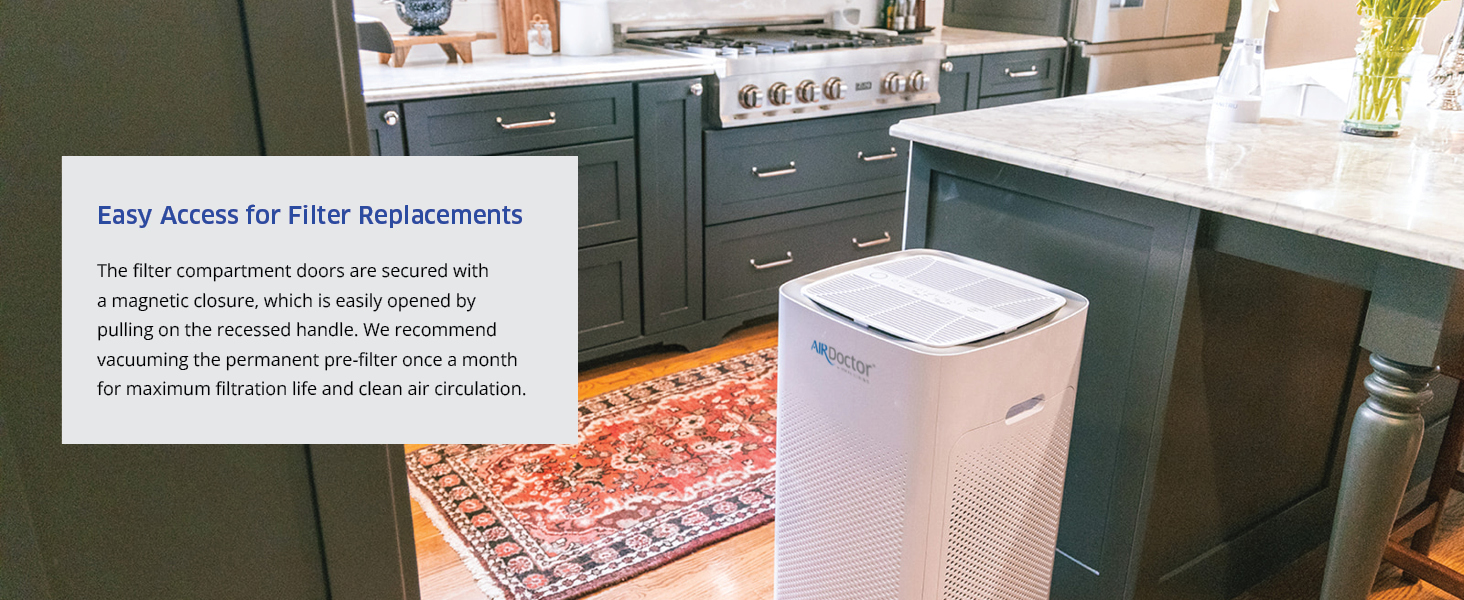
Figure 4: Touch control panel with various settings.
- Power On/Off: Press the power button to turn the unit on or off.
- Fan Speed: Cycle through 6 fan speeds to adjust purification intensity.
- Auto Mode: Activates the air quality particle sensor, automatically adjusting fan speed based on detected air quality (Poor: Red, Moderate: Orange, Good: Blue/Green).
- Sleep Mode: Dims display lights and sets the fan to the lowest, quietest speed for undisturbed rest.
- Timer: Set the unit to operate for 1, 2, 4, or 8 hours before automatically shutting off.
- Child Lock: Press and hold the Sleep button for 3 seconds to activate/deactivate the child lock, preventing accidental changes to settings.
- Ionizer: Press the Ion button to turn the optional ionizer feature on or off.
5. Maintenance
5.1 Filter Replacement
The AD5500 features filter replacement indicators on the control panel. When a filter needs replacement, its corresponding light will illuminate.
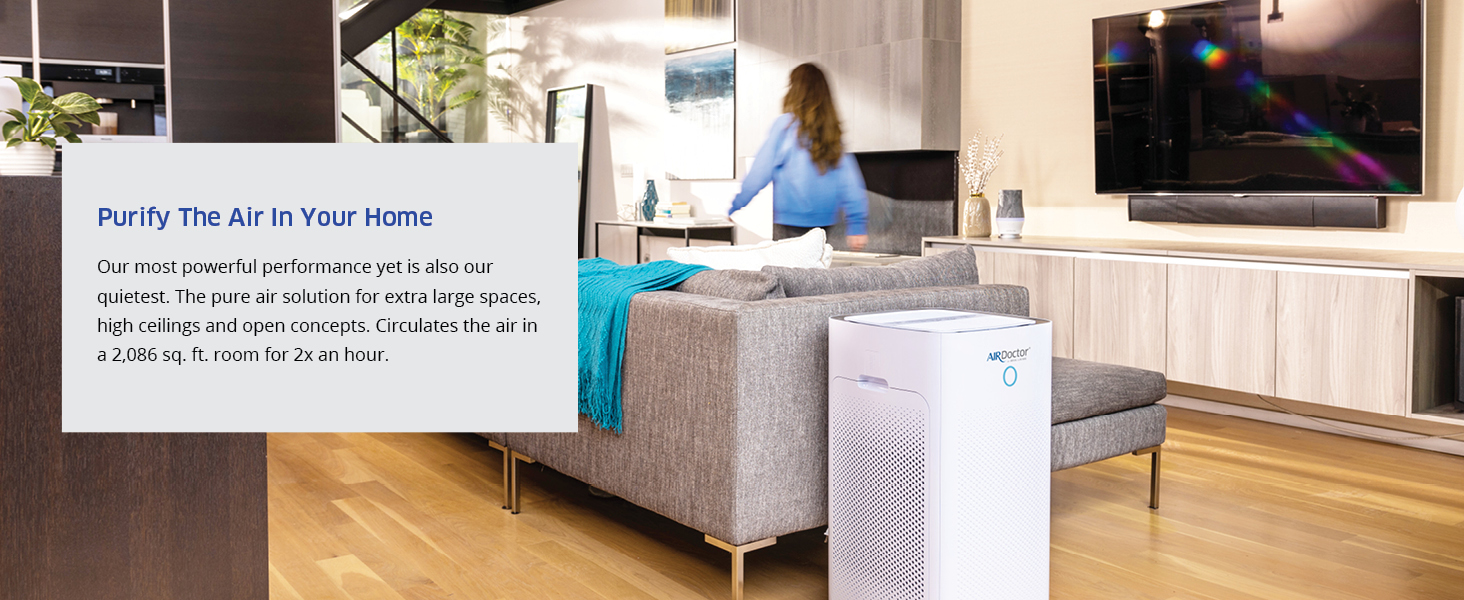
Figure 5: Easy access to filter compartments for replacement.
- Unplug the air purifier from the power outlet.
- Open the magnetic filter compartment doors.
- Remove the old filters.
- Insert new genuine AIRDOCTOR UltraHEPA and Carbon VOC filters.
- Close the compartment doors.
- Plug the unit back in. Press and hold the corresponding filter reset button for 3 seconds until the indicator light turns off.
Average filter lifespan: UltraHEPA filters typically last 12-18 months, and Carbon VOC filters last 6-12 months, depending on usage and air quality.
5.2 Cleaning the Pre-filter and Exterior
- The permanent pre-filter can be vacuumed monthly to extend its life and maintain optimal air circulation.
- Wipe the exterior of the unit with a soft, dry cloth as needed to remove dust. Do not use abrasive cleaners or solvents.
6. Troubleshooting
| Problem | Possible Cause | Solution |
|---|---|---|
| Unit does not turn on | Not plugged in; Power outage; Child lock activated | Ensure unit is plugged in; Check power supply; Deactivate child lock (hold Sleep button for 3s) |
| Poor air purification | Dirty filters; Incorrect filter installation; Unit placement | Check/replace filters; Reinstall filters correctly; Adjust unit placement for optimal airflow |
| Unusual noise | Obstruction in fan; Loose filter; Unit not on level surface | Unplug and check for obstructions; Ensure filters are secure; Place unit on a stable, level surface |
| Air quality indicator always red/orange | High pollutant levels; Sensor obstructed/dirty | Allow unit to run longer on higher speed; Clean air quality sensor (refer to full manual) |
7. Specifications
| Feature | Detail |
|---|---|
| Model Number | AD5500 |
| Product Dimensions | 16"D x 16"W x 28.75"H |
| Item Weight | 18.89 Kilograms (41.65 Pounds) |
| Power Source | AC |
| Manufacturer | AIRDOCTOR |
8. Warranty & Support
Your AIRDOCTOR AD5500 Air Purifier is backed by a manufacturer's warranty. Please refer to the warranty card included in your packaging for specific terms and conditions.
For technical support, replacement filters, or warranty claims, please visit the official AIRDOCTOR website or contact customer service.
- Protection Plans: Optional 3-Year and 4-Year protection plans are available for extended coverage.
- Return Policy: Standard 30-day refund/replacement policy applies for purchases.